
6 AI Tools That Will Make Your Life Easier (Other Than ChatGPT)
If you like ChatGPT, you’ll love these other AI tools.

After trying ChatGPT for many weeks, I was curious to see how other AI tools could help make my life easier.
AI is changing the way we work and I didn’t want to miss the chance to make the most of it, so I tried a bunch of AI tools to save time and increase my productivity at work.
Some helped, while others didn’t. Here are the 6 AI tools that helped make my life easier.
1. Tome: AI-Powered Presentation Builder
Have you ever had to create a presentation, but you couldn’t come up with a good outline or didn’t know what to write and which images to include?
That happened to me many times when building presentations with PowerPoint. Fortunately, that seems to be a problem of the past thanks to AI tools like Tome.
Tome is the ChatGPT for presentations.
You only need to type in a prompt, press enter, and in less than a minute Tome will generate an entire presentation that contains compelling text and nice-looking pictures.
Here’s an example.
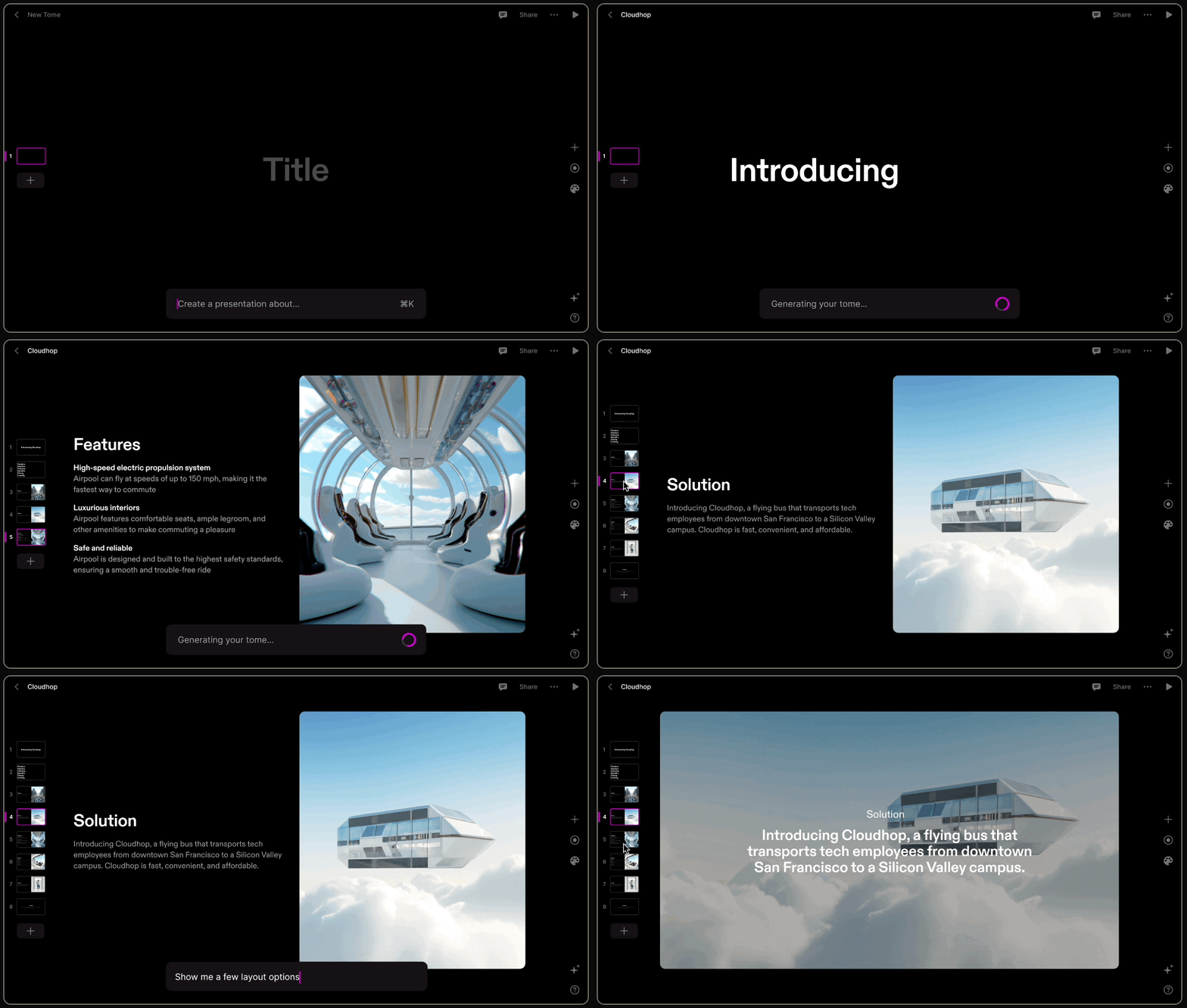
Besides its AI capabilities, Tom has many functionalities to create great presentations. For example, you can drag and drop objects, add 3D renderings, trim a video, embed live content from the web, etc.
Link: For more, click here.
2. QuillBot: The AI Tool That Enhances Your Writing
QuillBot is a tool that works as a paraphraser, grammar checker, plagiarism checker, summarizer, and citation generator.
Probably the paraphraser is the best functionality QuillBot has. You only have to copy and paste your text and decide how much vocabulary change you want.
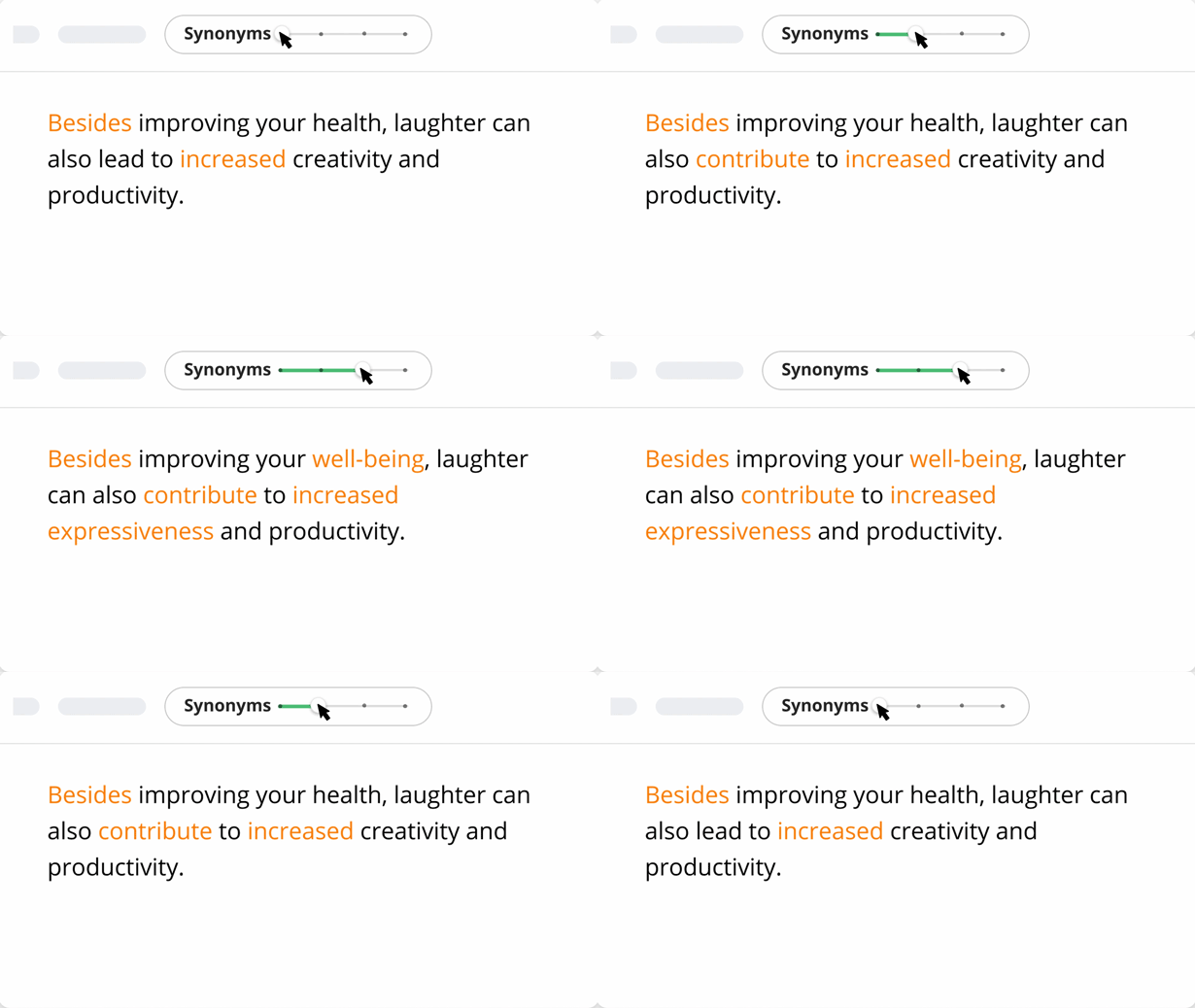
You can use QuillBot to improve the robotic text generated by ChatGPT. As an example, I asked ChatGPT to write a paragraph about how AI is changing the world and then copied/pasted it on QuillBot.
Here’s the result.
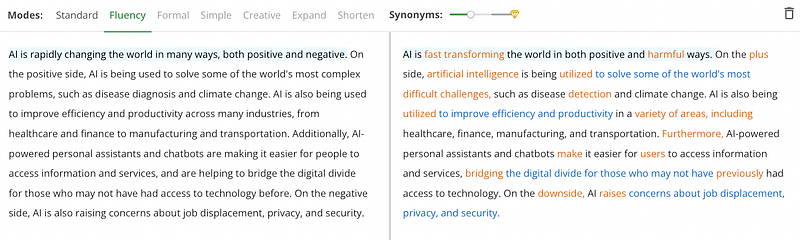
You can even click on any word to see a list of suggested synonyms and manually pick the one that best fits your sentence.
If your major struggle when writing is your limited vocabulary (like me), you’d definitely find this tool very useful when writing emails, articles, and blogs post.
Link: For more, click here.
3. Descript: Easier Video and Audio Editing
If you often edit video or audio recordings, you know how time-consuming is to cut out unwanted portions of the footage. Sometimes we might even need to record again if we omitted a word or didn’t say what we meant to.
Descript streamlines all of these issues.
Descript is an audio/video editor that works like a doc. It has AI tools that quickly remove filler words like “um” and “uh” in our recording and transform lousy recordings into studio quality with a single click.
That said, probably its best feature is Overdub. Overdub makes correcting your recordings as simple as typing.
How does it work? It creates a realistic clone of your voice, so you can “record new words” by simply typing them in. To do this, you need to train the tool with some minutes of your voice.
Here’s an example.
Cool, isn’t it?
The more minutes of your voice you give to train the tool, the better results it produces.
Link: For more, click here.
4. BHuman: AI-Powered Personalized Videos at Scale
Building human connection with customers is important in any business. That’s why some companies call you by your name in the emails they send.
It’s easy to customize emails for every customer you have, but we can’t say the same for videos. Fortunately, now AI videos can help with that. You only need to record a short video template, connect your data (with a list of names, last names, etc) and then clone yourself to generate thousands of personalized videos.
Here’s an example of how doing this with BHuman would look.
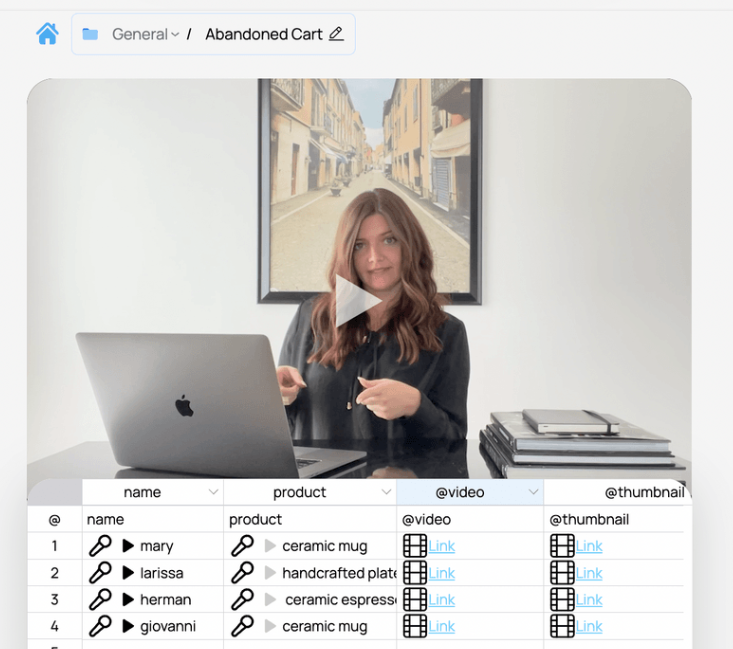
In the video template, there are two placeholders “name” and “product.” Once the data is connected, the generated video will mention the name and product that corresponds to each client’s data.
That’s how you generate hundreds or thousands of personalized videos!
Link: For more, click here.
5. Cleanup Pictures
Removing unwanted objects from photos has been possible for a while now in tools like Photoshop, but Cleanup Pictures takes this to the next level thanks to its AI.
You only have to upload a photo and use the brush to get rid of any unwanted objects.
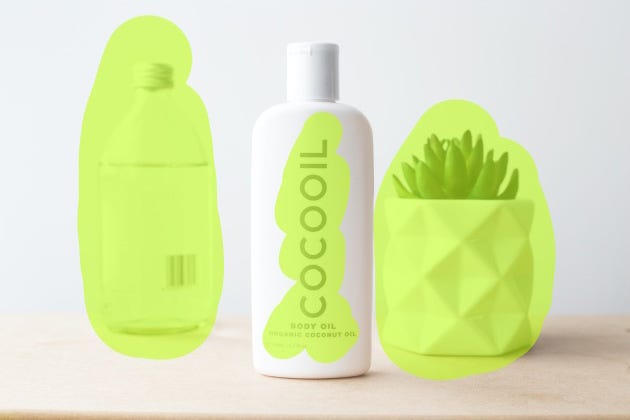

Thanks to AI, the final result you get with Cleanup Pictures will look more natural than with Photoshop.
Why? The cloning stamp tool used in Photoshop needs a background reference, while Cleanup Pictures’ AI is able to guess what was behind the unwanted text, people, or objects with just a few clicks.
Link: For more, click here.
6. Notion AI: Write Faster And Augment Your Creativity
Notion AI takes note-taking apps to the next level. It can generate text for your blog post, emails, or social media post in seconds right from the Notion app.
You can save a lot of time using Notion AI! Here’s how it works.
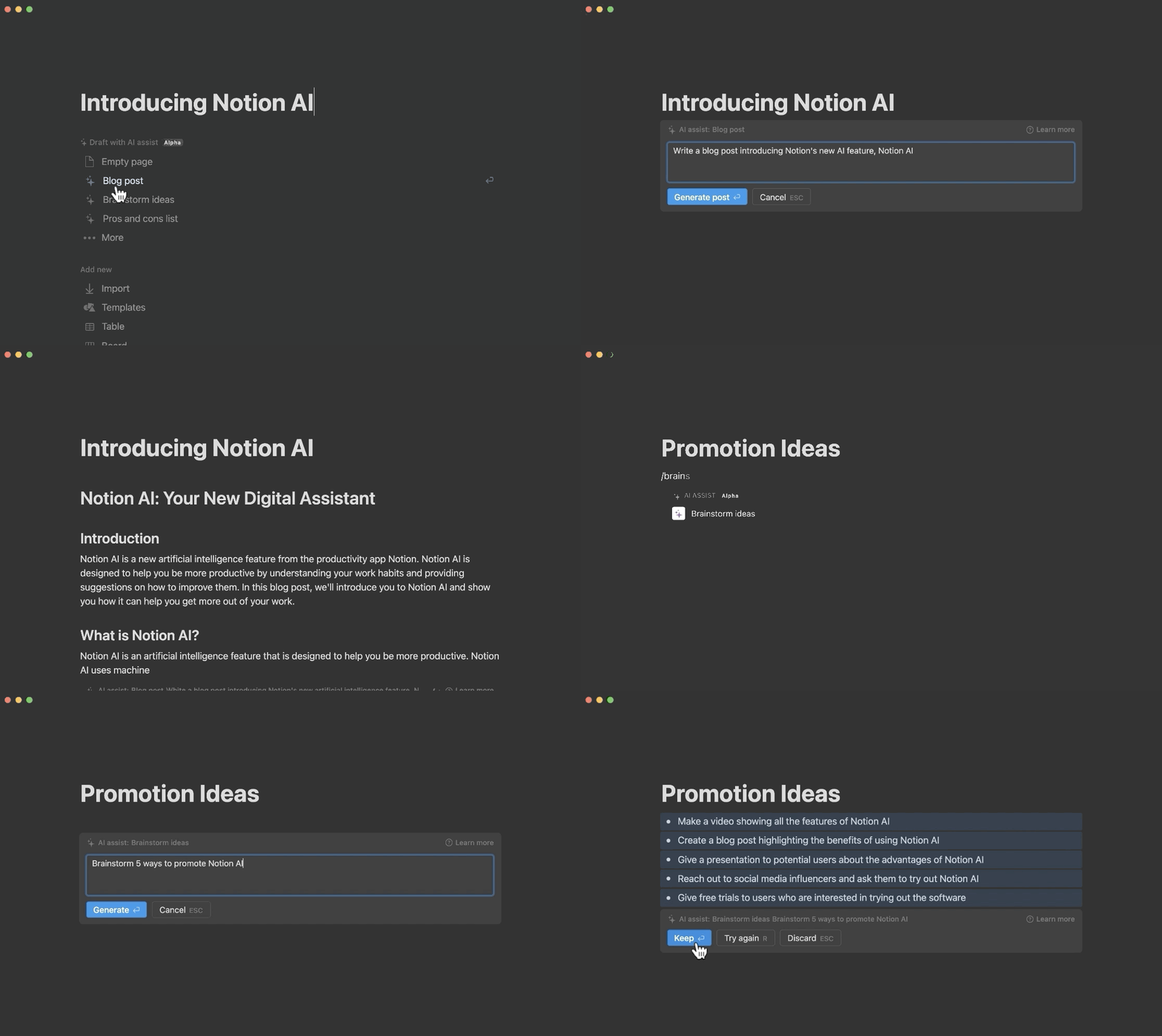
But that’s not all! Besides generating text, Notion AI is also a powerful editor. It can help you summarize text, fix spelling and grammar, and translate your text into multiple languages.
Link: For more, click here.
Join my email list with 20K+ people to learn how to use AI to improve your everyday life.
If you enjoy reading stories like these and want to support me as a writer, consider signing up to become a Medium member. It’s $5 a month, giving you unlimited access to thousands of Python guides and Data science articles. If you sign up using my link, I’ll earn a small commission with no extra cost to you.


