
FREELANCING
A Step-by-Step Guide to Getting Started on Fiverr
Get ready to get your GIG on.

If you are having trouble viewing this content here’s how to fix that.
There are several well-known freelancing sites for writers and they each function a bit differently. After swimming in a sea of opportunities I could not get my fingers into on Upwork, I gave up. Let’s face it, as a disabled, home-bound, financially-strapped writer, I just needed a little bit of writing money coming in.
There are many ways to make money with your writing, but for the purposes of this article, we are taking a look at Fiverr as a monetary source of income, how it works, and a bit about how to set it up.
I joined Fiverr in July of 2019, have completed 30 jobs, and I’ve made exactly $1,212.
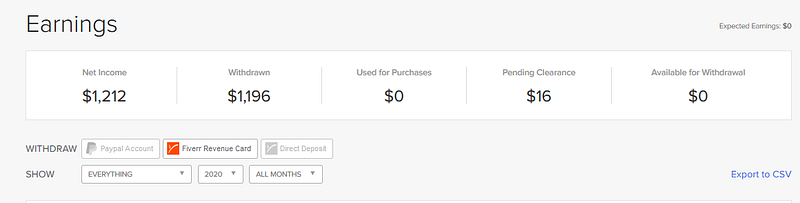
I do a few orders a month, which is exactly what I need — not so much work that I can’t physically keep up, and just enough to keep a few clients going and earn some money. I have earned one client that I now work with independently on a month-to-month order basis, and have gained a small group of dedicated clients that bring their work to me.
How Fiverr works differently than Upwork
On Upwork, you set up your profile and then you shop for jobs. You are the one bidding for work and trying to find the jobs that work for you. On Fiverr, the reverse is true.
You set up “gigs” which are advertised services that you define. Clients shop for someone to do a job they need completed and choose to hire you via one of your gigs.
Setting up your profile
The first thing you need to do is set up a profile. Here is how to do that according to the Fiverr Seller Help Center:
Creating an Account
You will need to create an account to buy or sell on Fiverr.
To create an account:
- From the Fiverr homepage, click Become a Seller.
- Click Become a Seller.
- Enter your email address and click Continue.
- Note: You can also join with Facebook and Google Connect.
- Choose a username.
- Note: - Your username cannot be changed once you’ve activated your account. - Your username is your display name (within your Fiverr URL), so choose it wisely. - Your username can be up to 15 characters max. and cannot contain special characters.
- Choose a password and click Join. You are now a registered user on Fiverr. An email will be sent for you to activate your account.
- Note: This activation link in the email will be valid for 30 days. After 30 days, when logged in to Fiverr, you can click Resend and you will receive another email also active for 30 days.
- Within the email you receive from Fiverr, click Activate Your Account.
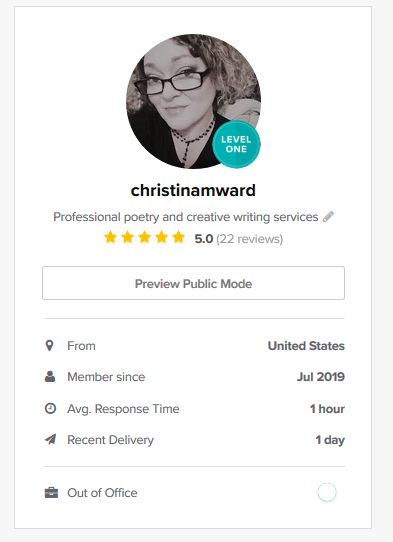
The above screenshot is of my profile. You can see I am a Level One seller now. Sellers are evaluated on a range of parameters and you can earn your way up the ladder as a seller. You can see that I have 22 reviews. (Not everyone leaves a review.)
This is what you will see when you preview public mode” which is what your potential clients will see in addition to the gigs you have posted:
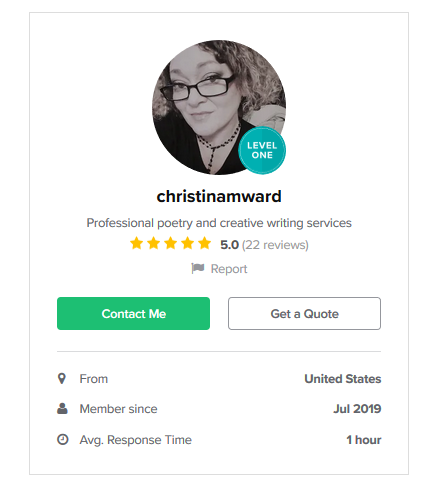
When you set up your profile you will set up how you’d like to be paid. I use Paypal but you can also connect your Stripe account. Transferring money (once it is cleared for withdrawal) is easy and my money posts to Paypal as soon as I transfer it.
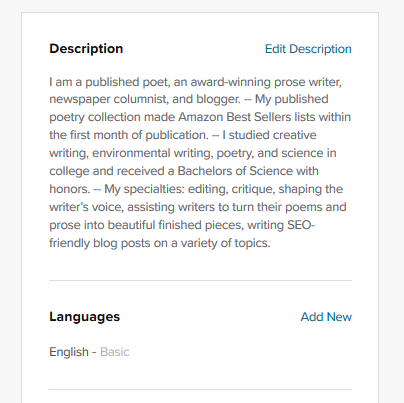
Your profile should include a professional photo of you, as well as a summary of who you are and what kind of services you offer. Here is my profile blurb:
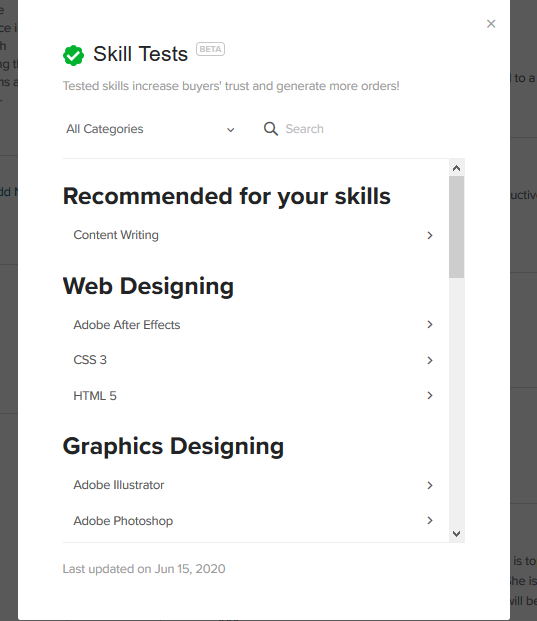
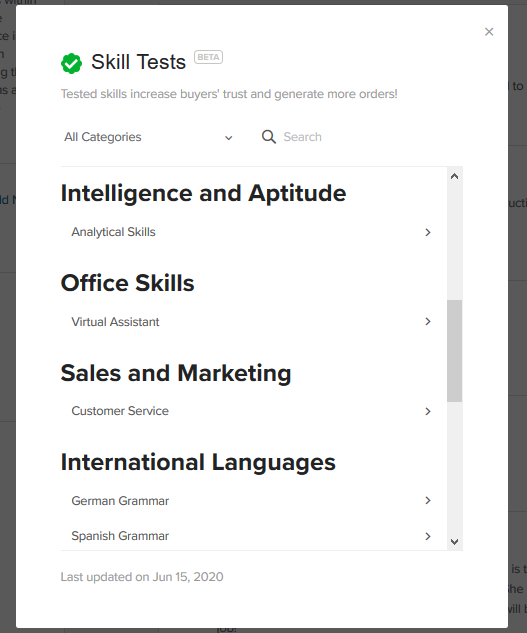
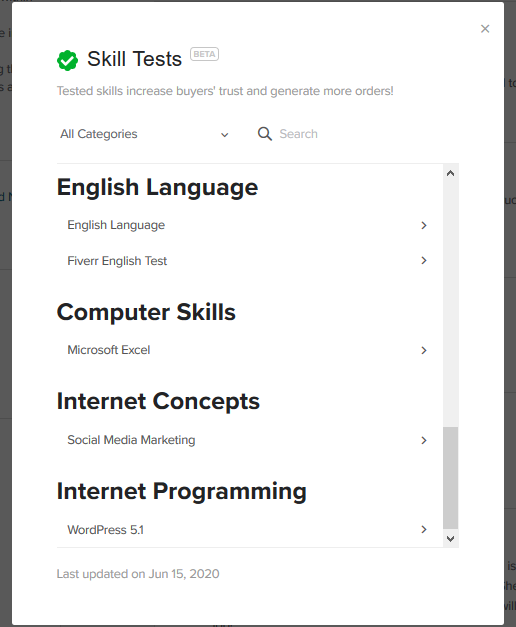
You will also have the opportunity to take tests to show your proficiency in different areas. Here are the various tests available to you to show your skills and what areas you can show mastery:
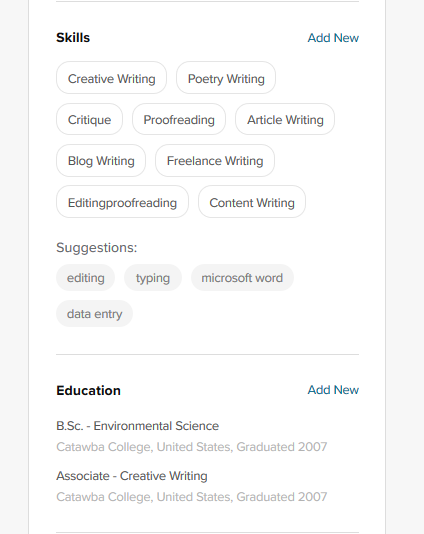
You also will want to add some skills and your education background as well as any certifications you have to further show your credibility to any would-be clients:
Setting up your gigs
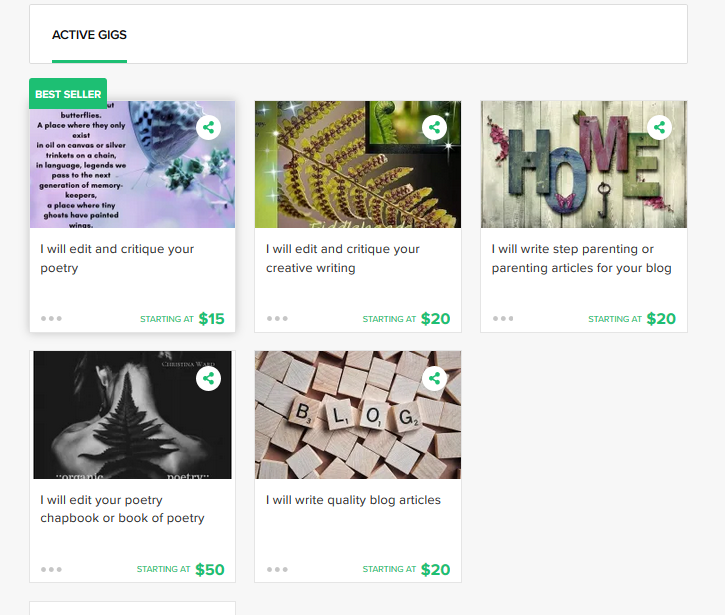
There are a great many services you can offer on Fiverr. As you can see by the above screenshot of my gigs, my focus is on poetry editing and blog writing. But you can offer web services, create book covers or advertising graphics, design websites, proofread, edit, and write, among other things. Consider the services you do best and offer these gigs first.
- Keep your gigs simple, but offer very clear directives on what you require from the client, what the gig includes, and the pricing.
- Clients can request a quote — refer to your own gig pricing for existing gigs and the scope of work the client needs to prepare a quote for them. You can then select to “create a special offer” in which you will sum up what was discussed with the client and what the order will entail.
- Look at other gigs in the same category as the gigs you will offer to get an idea of how other professionals are handling and setting up their gigs. This is a very helpful way to get started.
- Start CHEAP. I started editing and writing blog posts at $5.00 each until I had a few ratings under my belt and then began incrementally raising prices a little at a time.
- Get a friend to order from you (even if you independently refund their money) just so you can get those first few order reviews posted. Many thanks to Bryan Havoc and Jessica Archuleta for helping me to get my Fiverr off the ground! Bryan got me started with Fiverr and he stays booked up there with many orders!
- Use a professional graphic or photo for your gigs.
Fiver pros and cons
There are pros and cons for any platform and Fiverr is no different. Here are a few of the ups and downs as I see them.
Pros
- You don’t have to shop for the work — it comes to you.
- By setting up your own gigs, you have control over the kind of work that you do.
- You decide your own pricing.
- The website is easy to use and navigate.
- The app is helpful and has a clean interface.
- You can earn your way up the ladder of sellers via the tiered system.
- Payment is quick after money is cleared for withdrawal.
- You can request Word or Google Docs from clients, whichever you prefer. I use Google Docs to cut down on the number of documents I am receiving from people — but sometimes have to teach clients how to operate them or work with the comments I leave for them.
- You can mark yourself “out of office” for a period of time — which I have done a few times. I still had an order placed while I was out of the office and had to complete it. Most clients respect the out of office status and will message you to contact them when you are available.
Cons
- It can be hard to get started until you have some reviews under your belt.
- Fiverr “dings” you for not answering messages in a timely fashion or for canceled orders.
- You have to be available to do orders when they come in.
- Not everyone will message you prior to placing an order and you may not like the order they place.
- You have to wait for earned monies to clear before you can withdraw them. It gets quicker as you move up the tiered system.
- Fiverr takes its cut. (For example, on a $20.00 order you get $16.00.)
Final advice
Be professional at all times. Be courteous and friendly at all times. Be firm because many clients will ask for extra work beyond what was agreed to — this is a good time to offer an additional “special order” for them even if only for 5 or 10 bucks, at least you get a little for the extra time.
Answer your messages as soon as possible.
Turn in your orders before completion time. You are able to request more time for an order but the client will have to approve the request.
Offer add-on services. Keep the order within the scope of what has been ordered, but also be helpful with follow up. Offer add-ons that can help to boost your profits and provide more value to the client.
Don’t sell yourself short for too long. There is a balance between being inundated with low-paying orders and being priced higher but getting fewer orders. As your reviews increase, so should your fees until you are charging enough to make it worth your time.
Watch out for scammers — there seemed to be a lot of them when I first started but Fiverr often catches them for you. You do not have to respond to spam messages.
Contact support if you have an issue. They have been very helpful and thorough each time I have had a question or a need for assistance.
Thanks for reading. Best of luck with all of your monetizing efforts. If you are interested in doing eBooks as a source of income, this article may be of interest to you: The Complete Guide to Uploading a Marketable Book on Amazon KDP. If you are a blogger looking to spice things up, 8 Easy Tips for Reviving Your Sleepy Blog may be of help.
Thank you for reading. Christina M. Ward is a productivity and well-living blogger, a poet, and has been accused of being a bit too many rainbows and unicorns and faeries. She’s also been accused of being too serious. She is actually both. You can follow her here: on social media.


