
MEDIUM
A Step-by-Step Guide to Getting a List of Your Medium Story Links — With Earnings
It’s very easy and provides a helpful list of data for you

I’ve been writing here on Medium for a little over a year and most of you that know me know I like looking at my stats and numbers. I get really frustrated that the information we are given regarding stats is quite thorough, but I am always left with questions about my MPP earnings.
SO many questions.
I have known about the back-up feature that Medium offers here for a while, have even backed up my data a few times, but yesterday curiosity got the better of me and I began exploring that data.
Perhaps every single one of you have known about this and I am late to the table…but I’d venture a guess there are more people out there, just like me, who might want to shout BINGO when they find a master list of their work, with links, and with the earnings right there to plainly see.
It was so easy to do — so even if you are a bit tech-challenged (like ME) you can still do this on a regular basis and stay more informed about your MPP earnings, while replacing your master list (each month?) with a newly updated one.
Here’s how to do it:
Step ONE
Open a second Medium tab on your browser so that you can go through the steps with this article open.
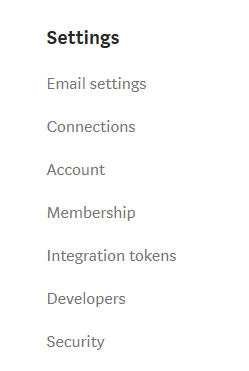
Click on the profile circle of your picture and choose “settings.” This is the menu you will see on the page that opens.
Step TWO
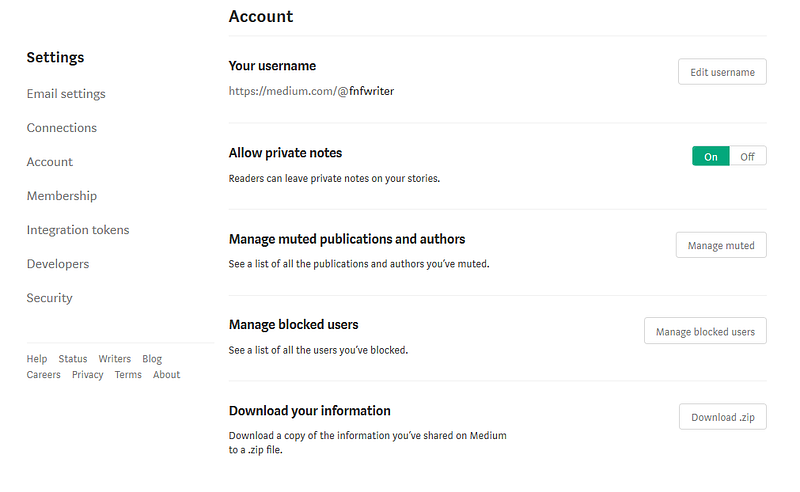
Select “account” from this menu. This is what you will see from the screen that opens up:
Step THREE
Click on where you see “Download Zip,” in the white box on the right hand side, next to the topic of “Download your information.”
This will open a screen with your email address in the middle. As it explains, once you click on “EXPORT,” further instructions will be sent to your email.
Step FOUR
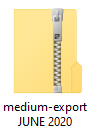
Check your email for the instructions. When you save your file (which is a zip file) you can name it and save it anywhere you like on your computer:
Step FIVE is where the magic happens
Click on your zip file to open it. You will see this opened folder which looks like a bunch of mumbo-jumbo:
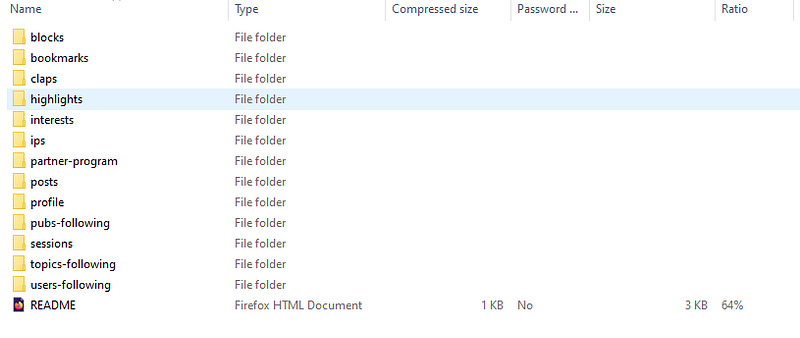
Now, scroll down to where it says “partner-program” and click to open. Depending on how long you have been submitting your work to the Medium Partner Program, you may have one file here or several.
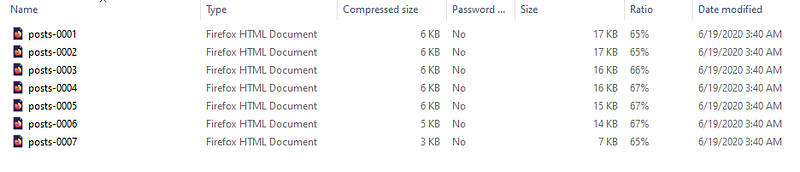
I will open the first folder (that says posts-0001) and show you what it looks like — LOOK AT THIS MAGIC:
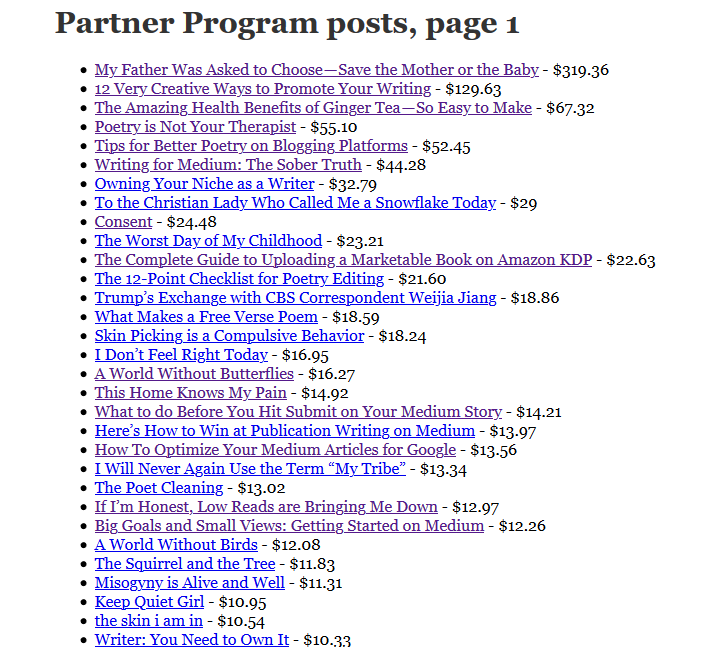
For each of these “partner-program” files, you will be able to open up a master list (it takes several folders to open to get all of the data) of each story you have submitted to the partner program, with a link to the story and the current TO-DATE earnings for that story, in descending order of earnings.
Like. Magic. (For those of you that have read this, I found the white rabbit!)
Right away I can see my top earning story. I can see that I have 5 stories that have earned more than $50.00 and 2 stories that have earned more than $100.00. I can also see that my top earning poetry-related article has earned $55.10 and my top poem “Consent” has earned $24.48.
This is all valuable information to me.
Also, if I want to open each link and copy my stories (for the sake of saving the writing — which I will be doing within a Scrivener document organized by poems, fiction, nonfiction) then I have the master list to work from. It is not like our stats page where we can organize by views and reads, but as far as earnings transparency, this is better than nothing.
You can download this data from Medium anytime you want.
I hope this tip and easy instructions empowers you to be more knowledgeable about your Medium earnings, your growth, and puts you in the “driver’s seat” of your hustle here on Medium. The more you know, right?
If you enjoyed this article by Christina M. Ward, you may also enjoy these other Medium-related writings:
Thank you for reading. If you’d like to stay in touch on social media or follow my Author Newsletter, that’d be super.