avatarJoe Pile

Free AI web copilot to create summaries, insights and extended knowledge, download it at here

2608

Abstract

essfully created your Celsius Network account and are well on your way to earning interest!</h2><figure id="6da2"><img src="https://cdn-images-1.readmedium.com/v2/resize:fit:800/1*KUIEoZ-M6dmv_NMGj2fIXw.png"><figcaption></figcaption></figure><h1 id="b19a">How to Verify Your Identity</h1><p id="82ba">In order to earn interest, you must first <b>verify your identity</b>.</p><h2 id="bdb8">1. Click on any of the “Deposit” or “Deposit Coins” from your account screen and hit “Verify Identity” when prompted.</h2><figure id="8f75"><img src="https://cdn-images-1.readmedium.com/v2/resize:fit:800/1*JsXVNIr02yVMEYGLacHunw.png"><figcaption></figcaption></figure><h2 id="f839">2. You will need to enter your profile details, address, and social security number. US residents are required to submit SSN in order to earn interest.</h2><h2 id="8001">Non-US residents’ Tax IDs are NOT required.</h2><figure id="48c1"><img src="https://cdn-images-1.readmedium.com/v2/resize:fit:800/1*cTmhNIENQBMoABZsKkBdRQ.png"><figcaption></figcaption></figure><figure id="0d93"><img src="https://cdn-images-1.readmedium.com/v2/resize:fit:800/1*IuTsY0_yhbTa7hwzkVo4FQ.png"><figcaption></figcaption></figure><figure id="c732"><img src="https://cdn-images-1.readmedium.com/v2/resize:fit:800/1*wVkUbQZ6RdFB66FQjrTXSA.png"><figcaption></figcaption></figure><h2 id="96f6">3. Next, you will need to upload a photo of your National ID, Passport, or Driver’s License and hit submit. Uploads can take time, make sure you leave the app open until you get a notification telling you the “KYC process has begun”.</h2><figure id="53bc"><img src="https://cdn-images-1.readmedium.com/v2/resize:fit:800/1*MHYt_hoTZs4mMl-ey0OLug.png"><figcaption></figcaption></figure><figure id="bd1b"><img src="https://cdn-images-1.readmedium.com/v2/resize:fit:800/1*OlYYgH16maBNJpY372RsmA.png"><figcaption></figcaption></figure><figure id="55e3"><img src="https://cdn-images-1.readmedium.com/v2/resize:fit:800/1*KgRYi4apqxZ5S21ch7FwNQ.png"><figcaption></figcaption></figure><h2 id="4358">4. And you’re finished. Nice work!</h2><figure id="9f63"><img src="https://cdn-images-1.readmedium.com/v2/resize:fit:800/1*inY24v2t75ZsrOF8uscJXg.png"><figcaption></figcaption></figure><p id="2912">Celsius will verify your information and approve your account, generally in a few minutes but no longer than 24 hours.</p><p id="ce35">My account required manual approval after several days of no communication so make sure to email support at <a href="mailto: [email protected]"><b>[email protected]</b></a> if you experience any issues or if approval takes longer than expec

Options

ted.</p><h1 id="ad50">How to Deposit Funds to Earn Interest</h1><p id="173b">Once your account has been approved, you can begin the process of moving your coins to your wallet to earn interest.</p><h2 id="7c52">1. From the home screen, go to “Deposit Coins” and select the coin you’d like to deposit from the dropdown menu.</h2><p id="a112">Alternatively, you can click “Deposit” for any coin under “Deposited Coins” on the main screen.</p><figure id="fb7c"><img src="https://cdn-images-1.readmedium.com/v2/resize:fit:800/1*CHljtWarYYzy1mtCZGpdZQ.png"><figcaption></figcaption></figure><h2 id="e4ee">2. This will display your Celsius deposit address. You can copy, share the address, or use the QR code provided.</h2><figure id="bde6"><img src="https://cdn-images-1.readmedium.com/v2/resize:fit:800/1*0SqwWSLdvTLZWGnmEDRN1Q.png"><figcaption></figcaption></figure><h2 id="f53c">3. Next, simply go to your exchange or wallet and transfer your funds to your address.</h2><p id="6d41"><b>And that’s it! </b>Once Celsius receives your funds, they will send you an app and email notification confirming the transfer went through.</p><p id="1e5a">Your funds will start earning interest as soon as it hits your account. Interest is distributed every Monday morning.</p><p id="5dc9"><i>Keep in mind, interest is calculated on Fridays. If you deposit funds between Friday~Monday, your funds will earn interest but the correlating interest will be distributed on the following Monday.</i></p><figure id="6a8e"><img src="https://cdn-images-1.readmedium.com/v2/resize:fit:800/1*LvesF1MZq77fq3_DcOZpCg.png"><figcaption></figcaption></figure><p id="f746">I hope you found this guide helpful as I had looked for something similar before joining the Celsius community myself.</p><p id="a884">If you have any further questions, you can always reach Celsius support at <b>[email protected].</b></p><figure id="a0b7"><img src="https://cdn-images-1.readmedium.com/v2/resize:fit:800/1*tJc9dZ0X8dWwAeALt9rgew.jpeg"><figcaption></figcaption></figure><p id="ce27"><b><i>*</i></b><i>With promo code <a href="https://celsius.onelink.me/Ru6b?pid=affiliates&amp;af_channel=_8BrE&amp;af_web_dp=http%3A%2F%2Fcelsius.network%2Fget-app-test"><b>1861129813</b></a> we both receive 50 in BTC when you deposit 400 or more with Celsius. You will need to maintain the deposited balance for 30 days before the funds are released.</i></p><p id="2bb1"><i>Code only works during account creation/sign up and is NOT VALID afterwards. You can create a new account with a different email if you’ve already created an account.</i></p></article></body>

A Step-by-Step Guide to Earning Interest on your Cryptocurrency with Celsius Network

How to Start Earning that Sweet, Sweet Interest

So you’re ready to dive in, wondering where to get started?

Just follow these 3 simple steps:

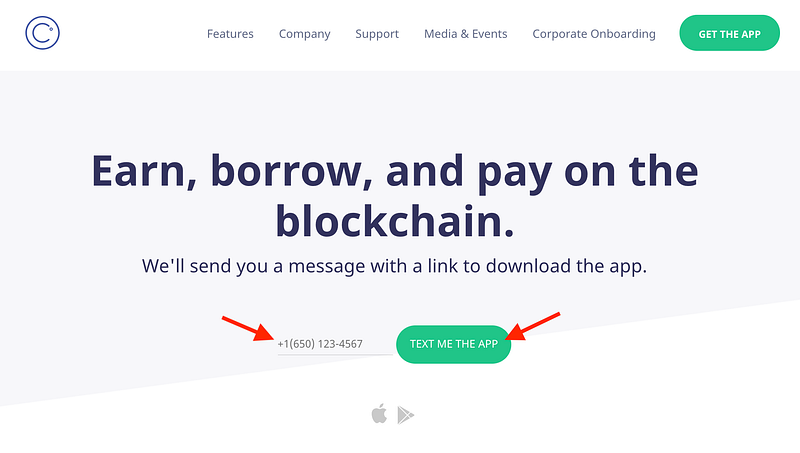
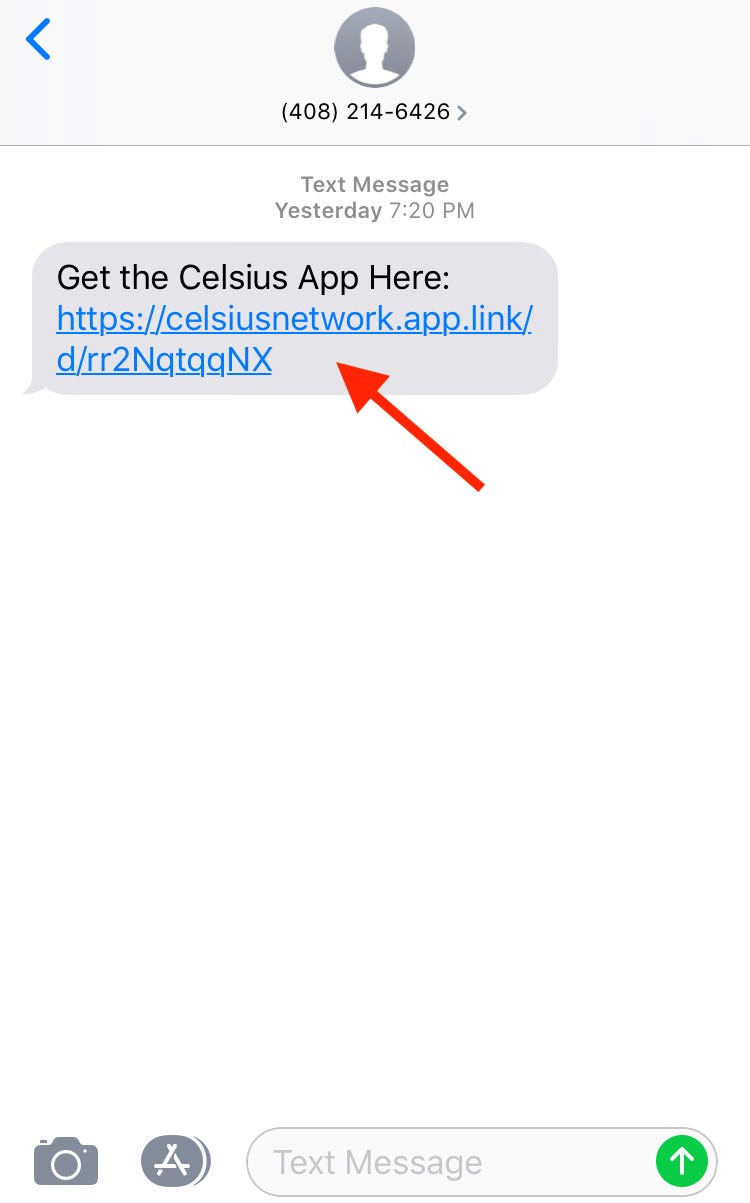
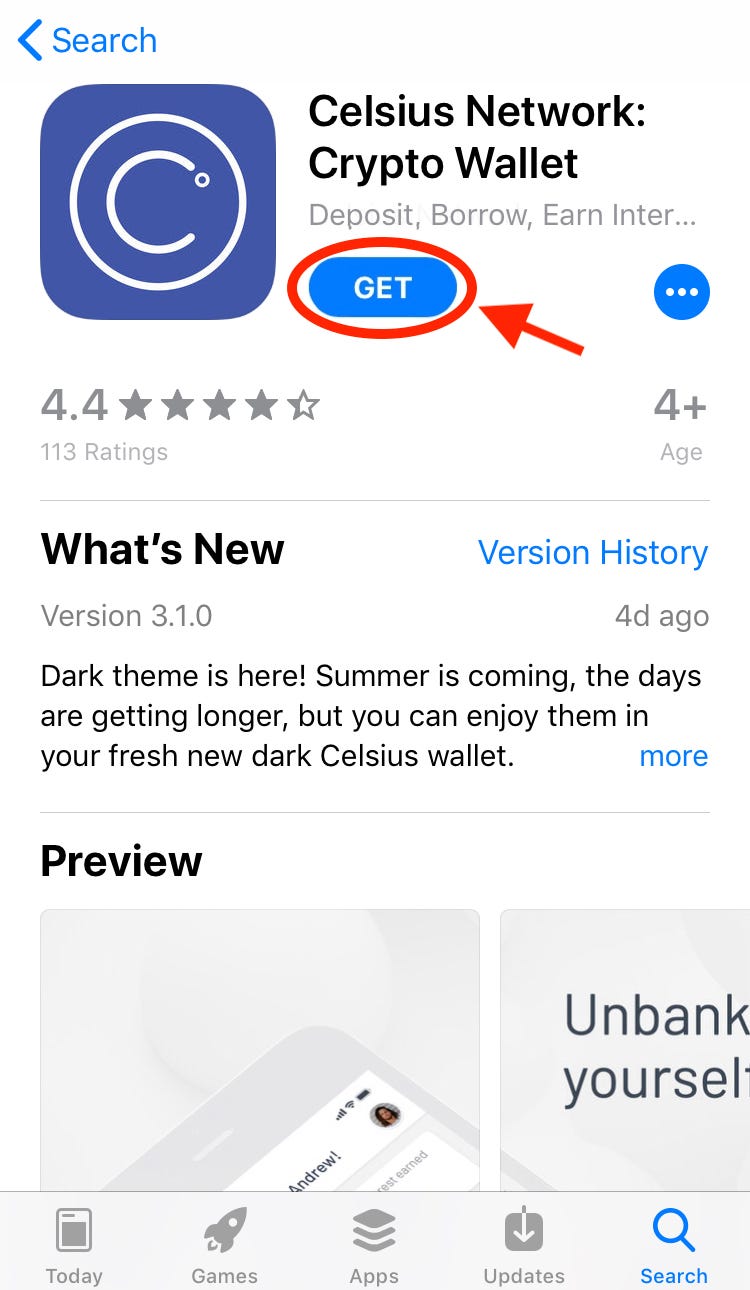
  1. Download the Celsius app to your phone and create an account
  2. Verify your identity
  3. Make a deposit and immediately start earning interest on your crypto!

Let’s go through these one by one.

If you’re still figuring out whether Celsius is the right fit for you, check out this article to help make an informed decision: Pros and Cons: Earning Interest on your Cryptocurrency with Celsius Network.

How to Download and Create a Celsius Account (MOBILE-APP ONLY)

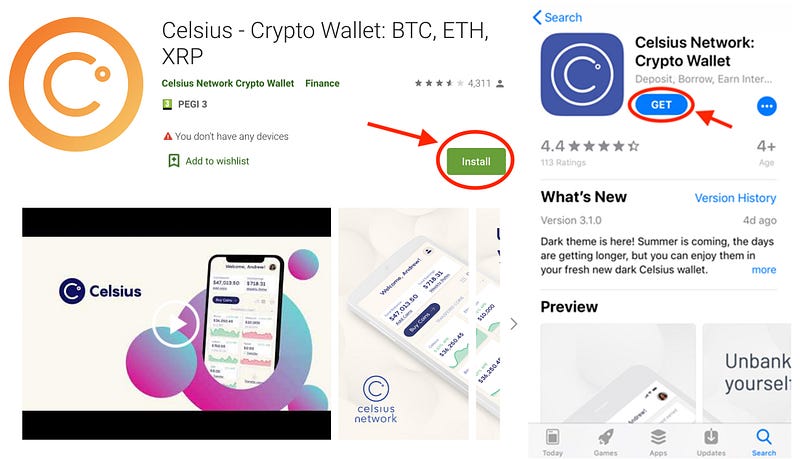
1. MOBILE (Android, iOS) → For iPhones follow this LINK to the app store or Android this LINK.
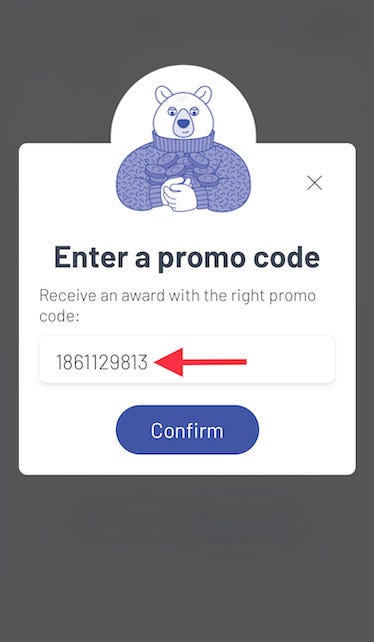
2. Once the app is downloaded, open the app and hit “Join Celsius”. You will be taken to the account creation page.
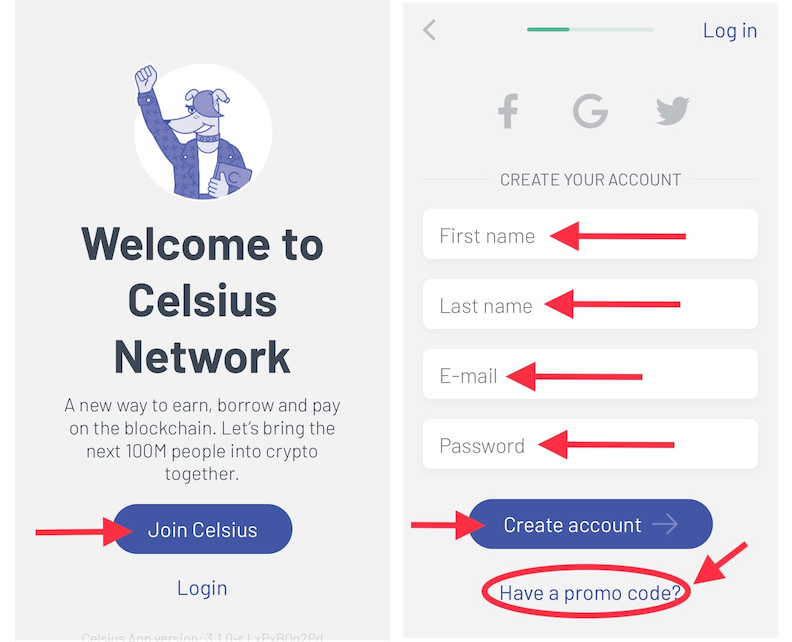
Don’t forget to enter promo code 1861129813 under “Have a promo code?” to earn your free $50 BTC* when you deposit $400. Only works during this sign-up process!
3. Create a 4 digit security PIN.
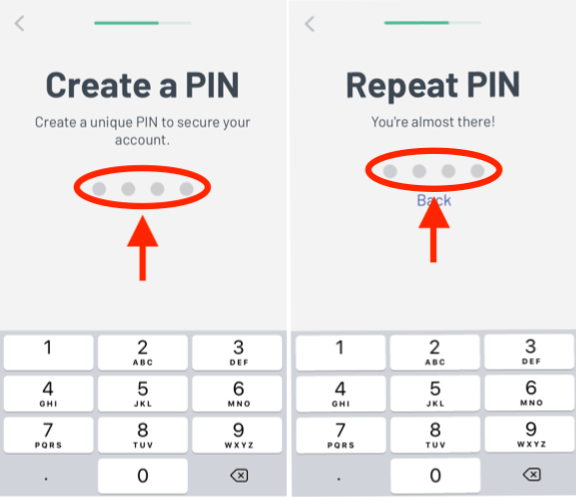
4. And VOILA! You have now successfully created your Celsius Network account and are well on your way to earning interest!
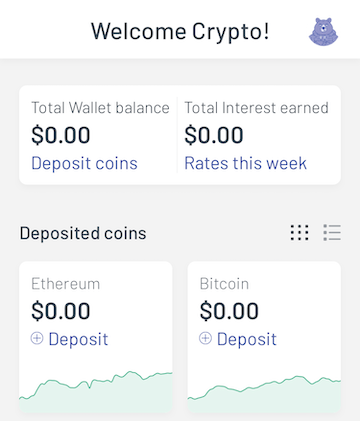
How to Verify Your Identity

In order to earn interest, you must first verify your identity.

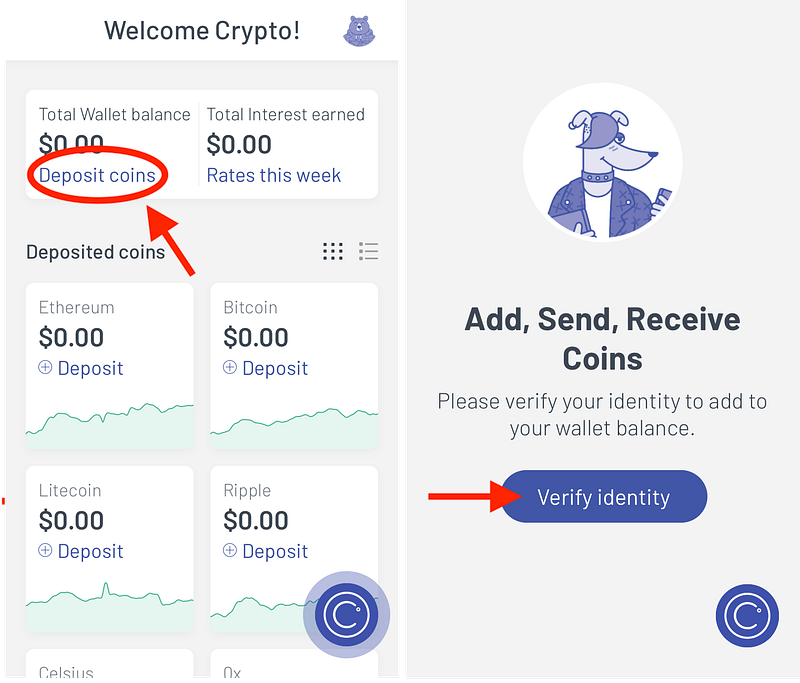
1. Click on any of the “Deposit” or “Deposit Coins” from your account screen and hit “Verify Identity” when prompted.
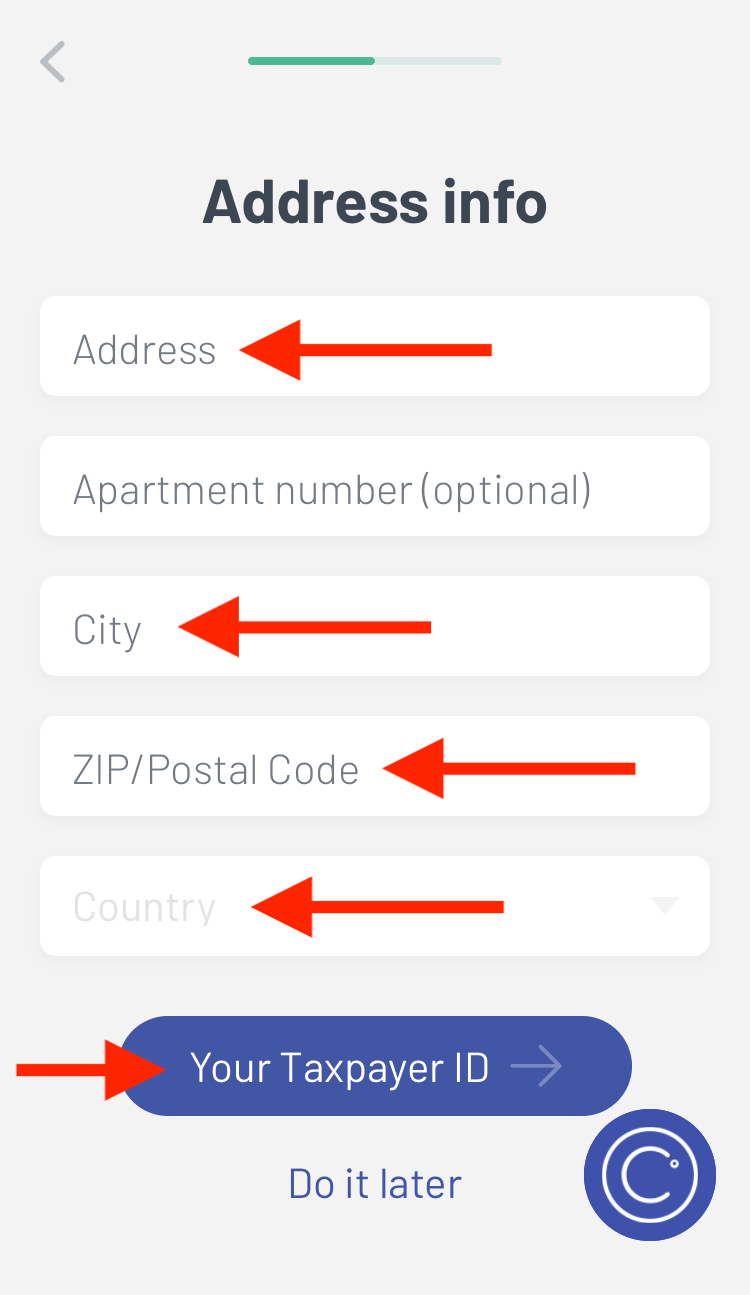
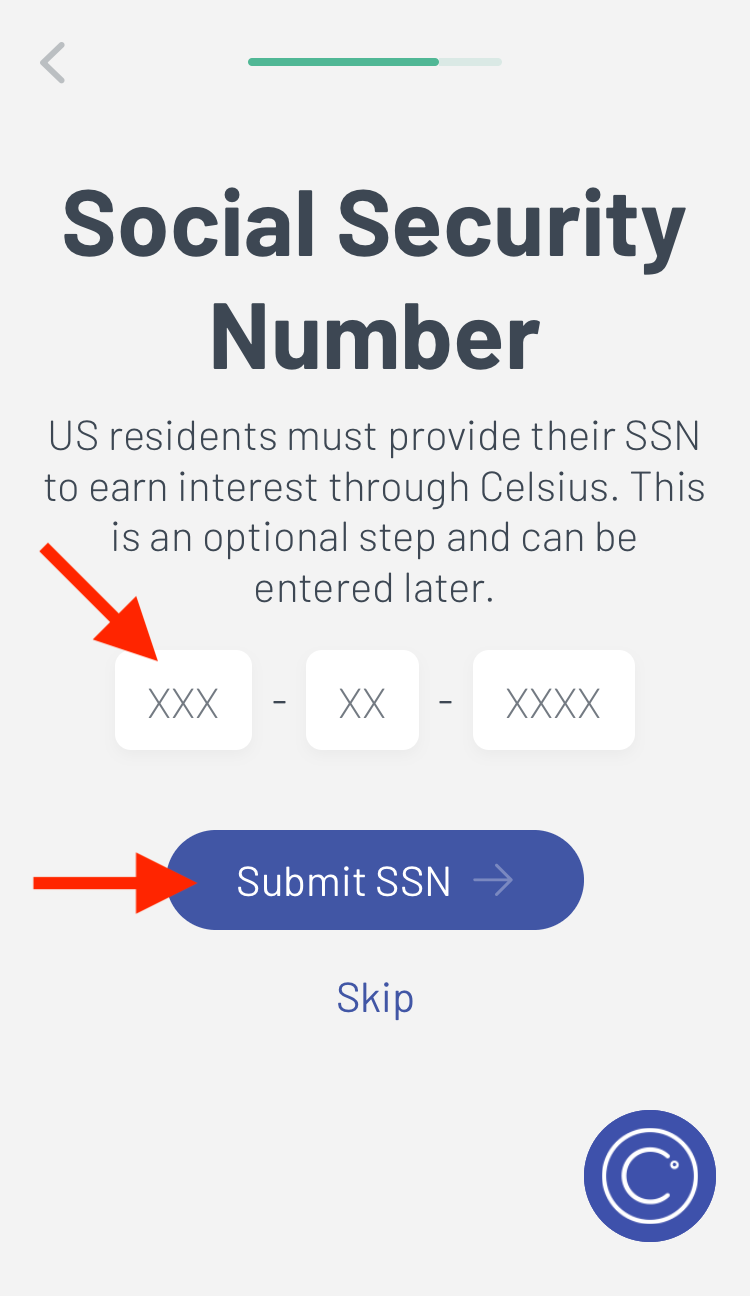
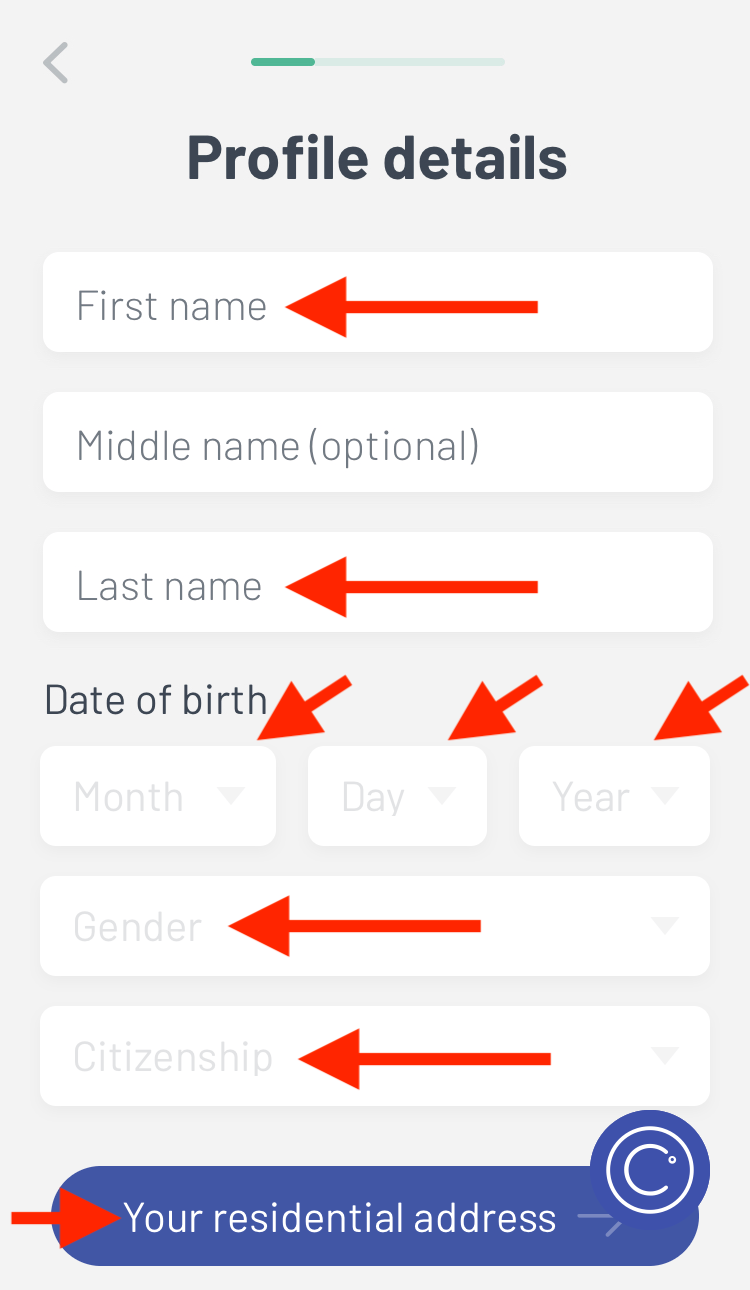
2. You will need to enter your profile details, address, and social security number. US residents are required to submit SSN in order to earn interest.

Non-US residents’ Tax IDs are NOT required.
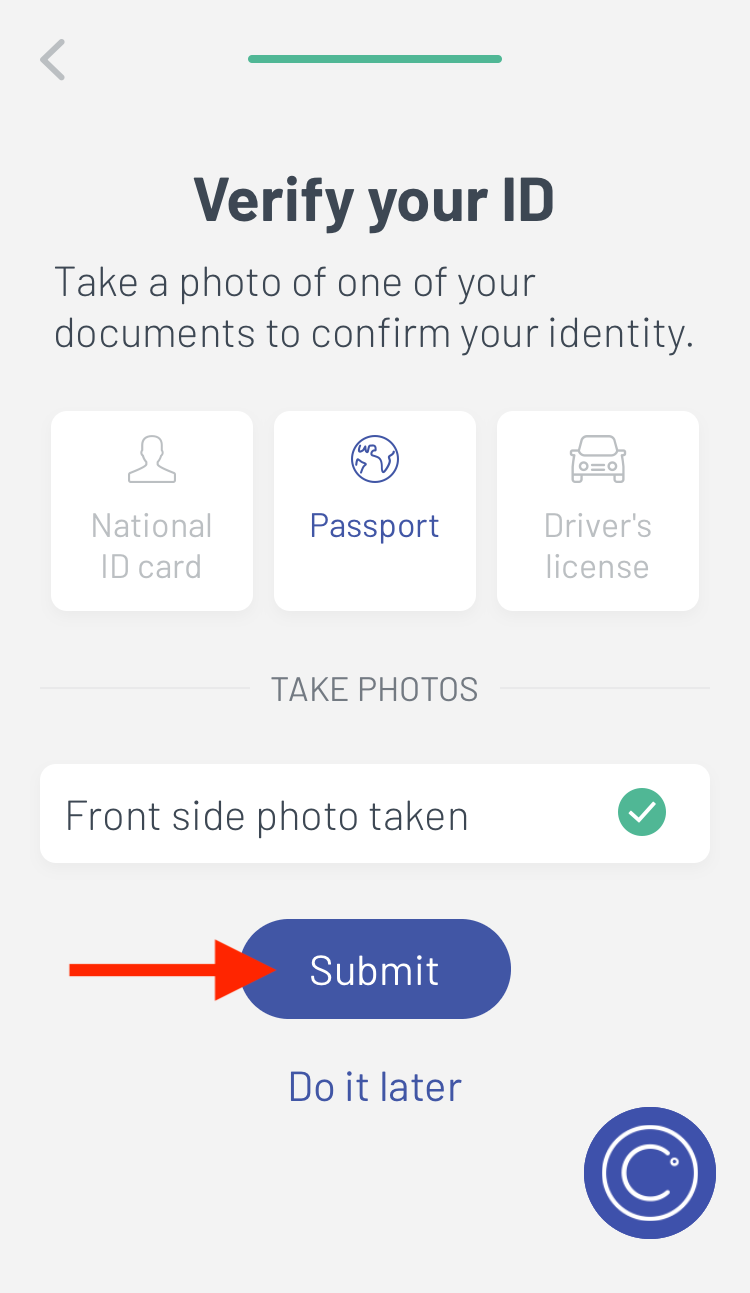
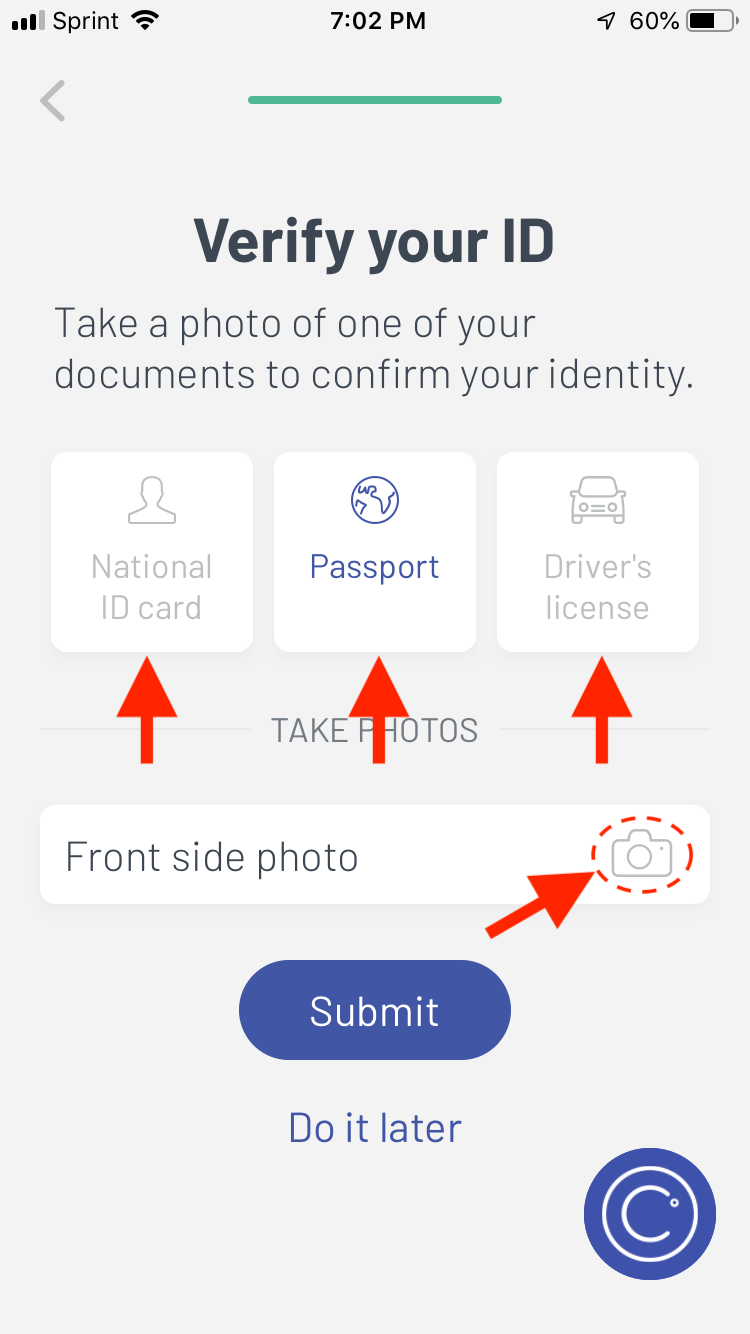
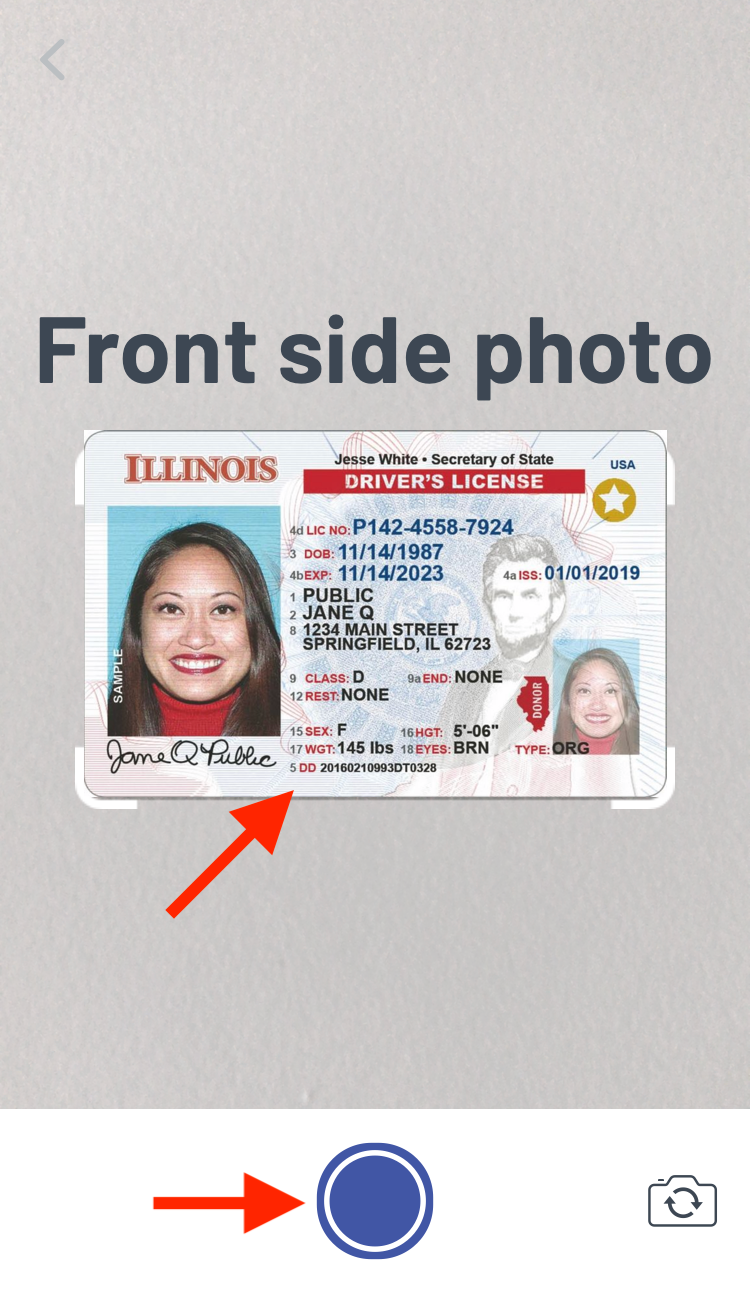
3. Next, you will need to upload a photo of your National ID, Passport, or Driver’s License and hit submit. Uploads can take time, make sure you leave the app open until you get a notification telling you the “KYC process has begun”.
4. And you’re finished. Nice work!
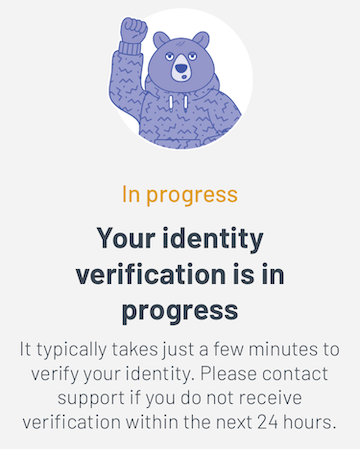
Celsius will verify your information and approve your account, generally in a few minutes but no longer than 24 hours.

My account required manual approval after several days of no communication so make sure to email support at [email protected] if you experience any issues or if approval takes longer than expected.

How to Deposit Funds to Earn Interest

Once your account has been approved, you can begin the process of moving your coins to your wallet to earn interest.

1. From the home screen, go to “Deposit Coins” and select the coin you’d like to deposit from the dropdown menu.

Alternatively, you can click “Deposit” for any coin under “Deposited Coins” on the main screen.
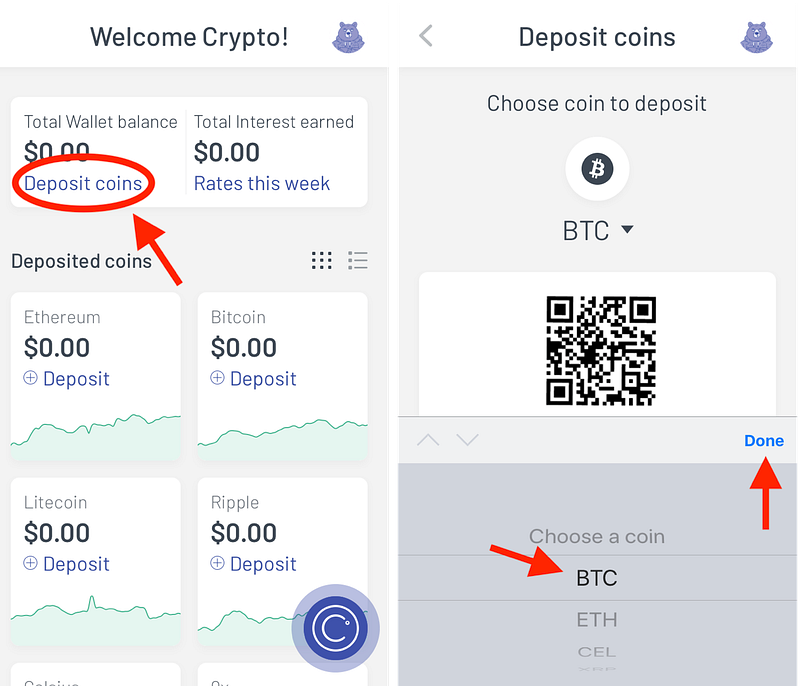
2. This will display your Celsius deposit address. You can copy, share the address, or use the QR code provided.
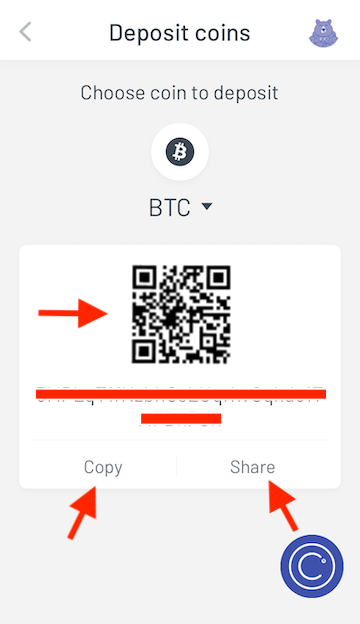
3. Next, simply go to your exchange or wallet and transfer your funds to your address.

And that’s it! Once Celsius receives your funds, they will send you an app and email notification confirming the transfer went through.

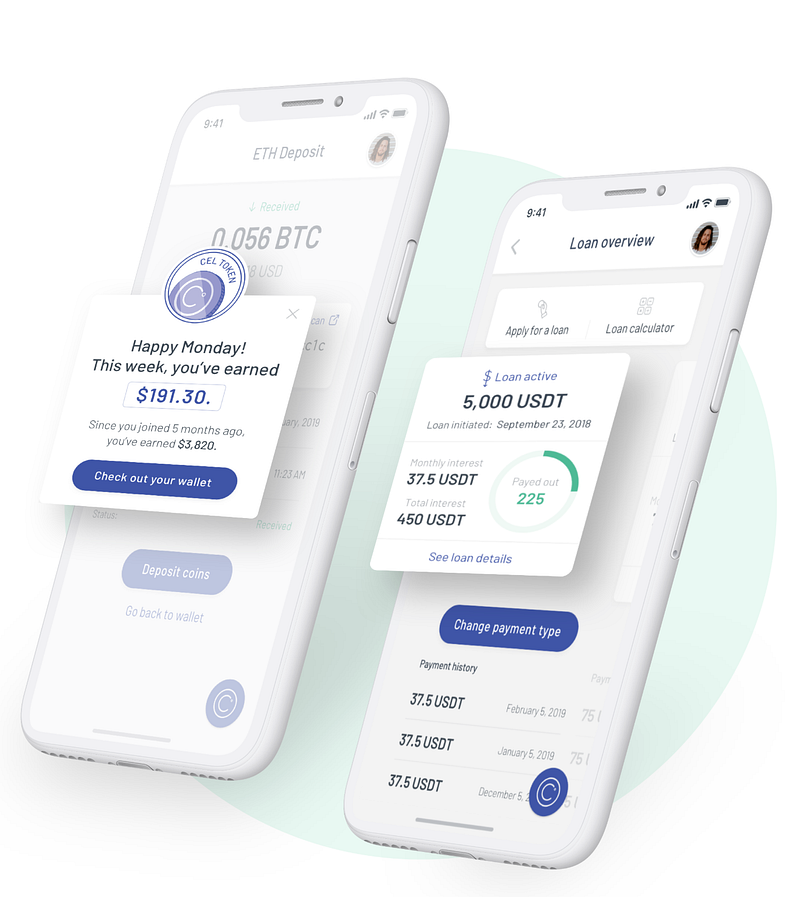
Your funds will start earning interest as soon as it hits your account. Interest is distributed every Monday morning.

Keep in mind, interest is calculated on Fridays. If you deposit funds between Friday~Monday, your funds will earn interest but the correlating interest will be distributed on the following Monday.
I hope you found this guide helpful as I had looked for something similar before joining the Celsius community myself.

If you have any further questions, you can always reach Celsius support at [email protected].
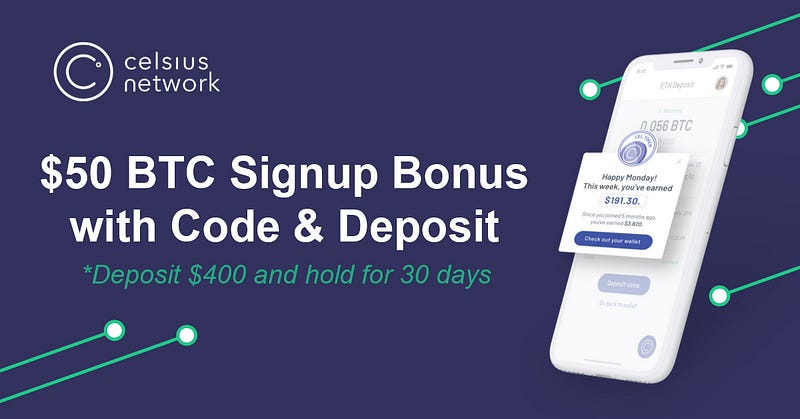
*With promo code 1861129813 we both receive $50 in BTC when you deposit $400 or more with Celsius. You will need to maintain the deposited balance for 30 days before the funds are released.

Code only works during account creation/sign up and is NOT VALID afterwards. You can create a new account with a different email if you’ve already created an account.

Bitcoin
Cryptocurrency
Cryptocurrency Investment
Investing
Passive Income
Recommended from ReadMedium