
A slide transition with changing height
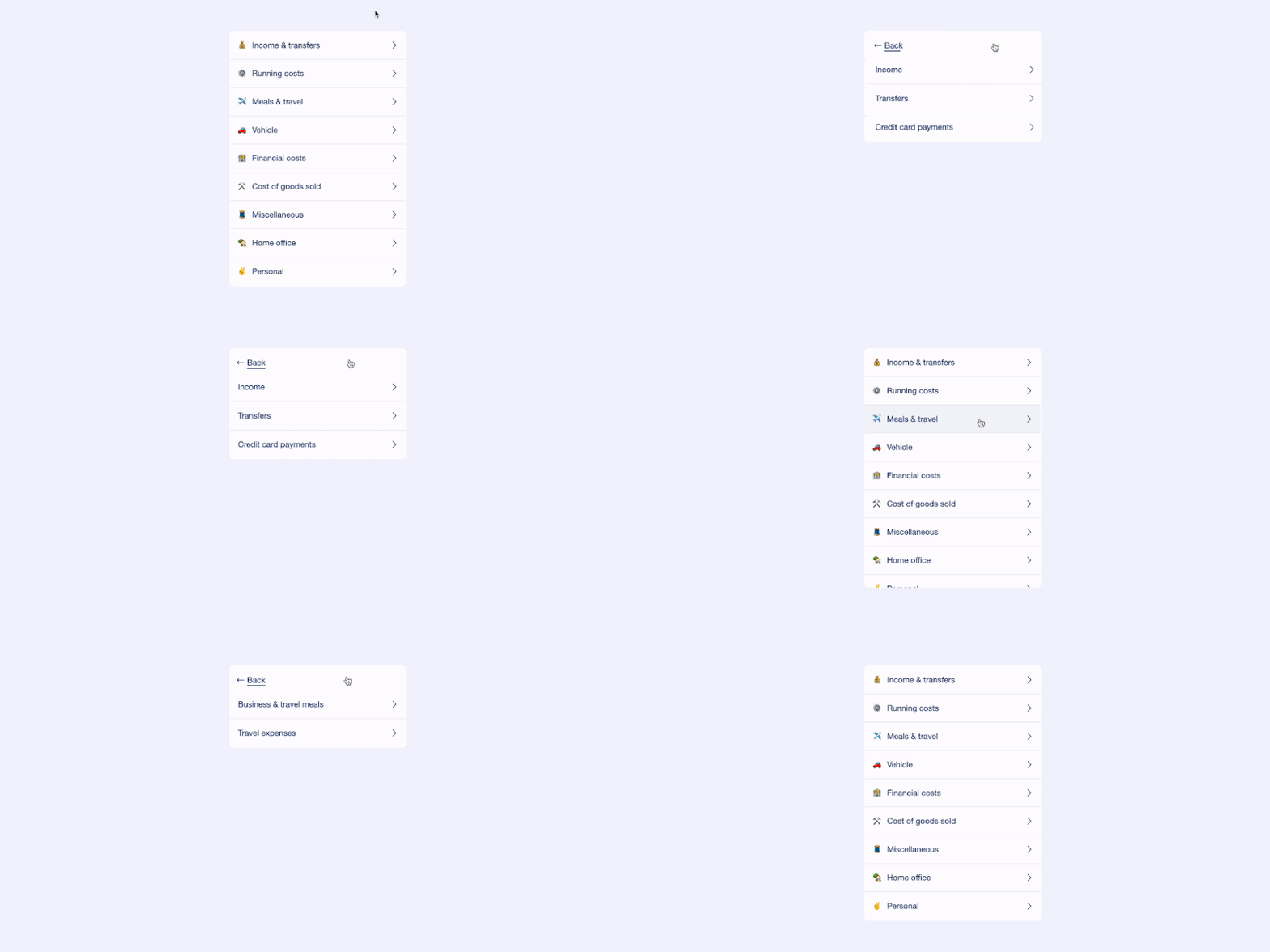
In this tutorial, I’ll be mostly talking about CSS and some standard JavaScript DOM API.
The rest of it is less important for the transition itself but that includes Vue.js 3 with <script setup> and a bit of tailwindcss.
1- The slide transition
The slide part is pretty straightforward. I’ll go over the significant parts:
<div class="parent">
  <div v-if="showGroups" class="content-groups"> ... </div>
  <div v-else-if="showCategories" class="content-categories"> ... </div>
</div>
.parent {
position: relative;
height: 506px; /* Bad magic value that we'll remove in the 2nd part */
overflow-y: hidden;
}
/* First div visible from the start */
.content-groups {
position: absolute;
top: 0;
left: 0;
width: 100%;
}
.content-categories {
position: absolute;
top: 0;
left: 100%; /* Second div is hidden, pushed to the right */
width: 100%;
}Let’s comment out the overflow-y property and both v-if for a second and here we can see our two blocks:
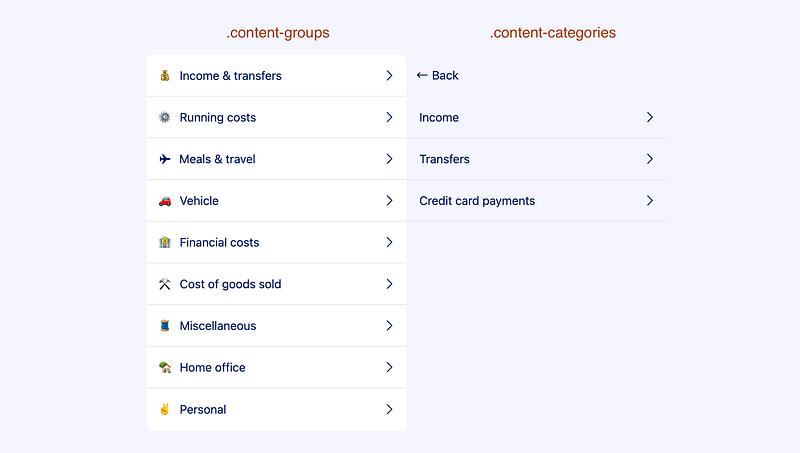
Now comes the slide transition. Let’s wrap our two children div within a <Transition> component.
To learn about the <Transition> component, the Vue.js documentation is a good starting point: https://vuejs.org/guide/built-ins/transition.html
<div class="parent">
  <Transition name="groups">
    <div v-if="showGroups" class="content-groups"> ... </div>
  </Transition>

  <Transition name="categories">
    <div v-if="showCategories" class="content-categories"> ... </div>
  </Transition>
</div>
We have given a name to these transitions. Let’s use that and add some CSS to make the first div disappear to the left:
/* "leave-from": Starting point */
.groups-leave-from {
  transform: translate3d(0, 0, 0); /* Basically, no transform */
}

/* "leave-to": End result */
.groups-leave-to {
  /* Move 100% of the parent div width to the left */
  transform: translate3d(-100%, 0, 0);
}
And now making the second div to appear from the right:
/* Remember we have "left: 100%;" for this div */
.categories-leave-from {
  transform: translate3d(0, 0, 0); /* so no transform */
}

/* 100% - 100% = 0, that's what we want */
.categories-enter-to {
  transform: translate3d(-100%, 0, 0);
}

/* And let's add the same transform to the div itself, to materialize the end result */
.content-categories {
  left: 100%;
  transform: translate3d(-100%, 0, 0); /* <-- */
}
Finally, we’ll add the transition function to both active states:
.groups-leave-active,
.categories-enter-active {
  transition: transform 0.3s ease-in-out;
}
And here we go:
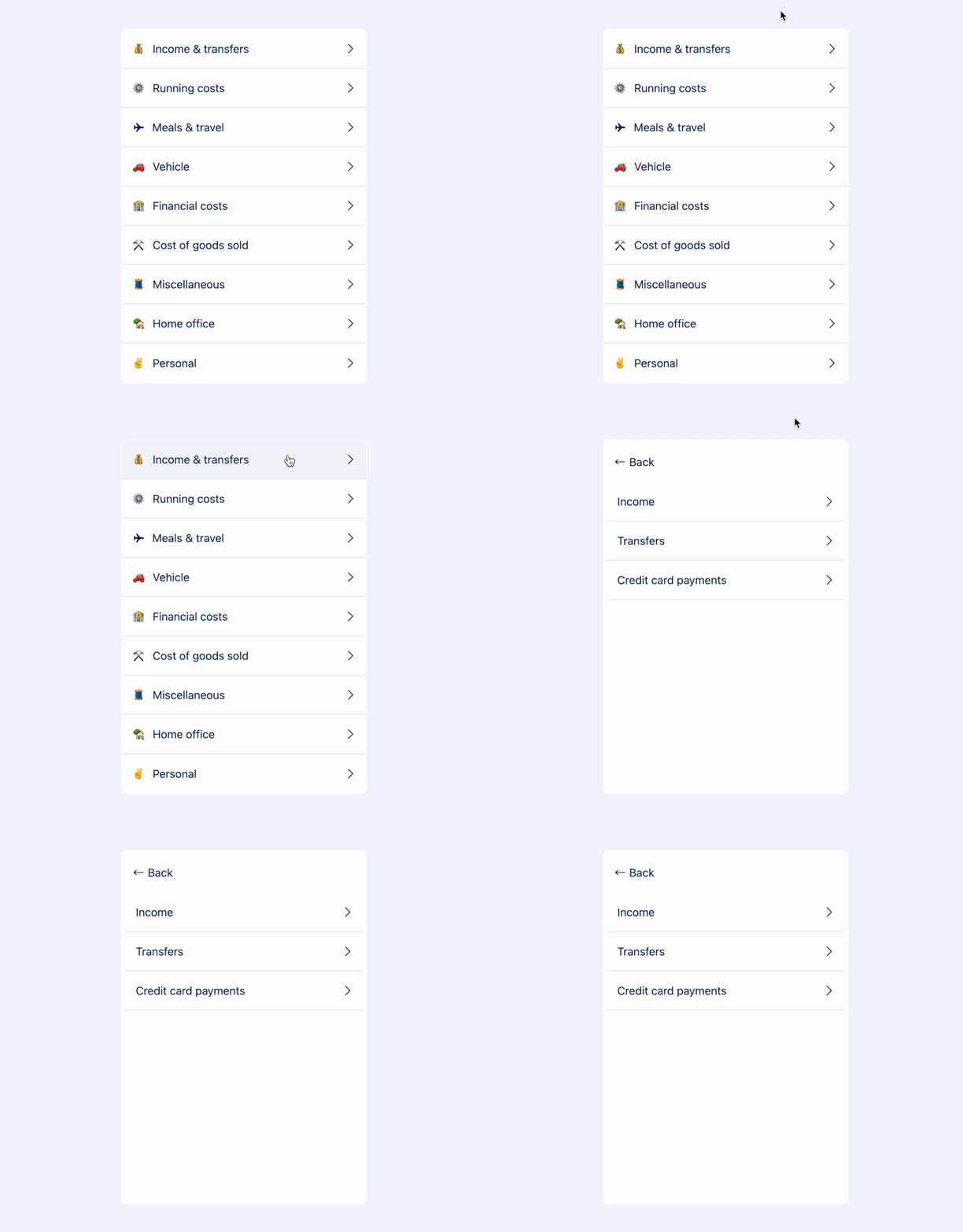
I’ll let you go over the code for handling the “Back” button. Spoil: it’s very similar.
2- Adaptive height
Notice all the empty white space below the second list? That’s what I wanted to improve and make the white card height adapt to its content.
To access DOM elements within our Vue.js code, we’ll add three ref: parentRef, groupsRef and categoriesRef.
<div ref="parentRef" class="parent">
  <Transition name="groups">
    <div v-if="showGroups" ref="groupsRef" class="content-groups"> ... </div>
  </Transition>

  <Transition name="categories">
    <div v-if="showCategories" ref="categoriesRef" class="content-categories"> ... </div>
  </Transition>
</div>
On a side-note, if your child components are custom components, I suggest to add an additional wrapping div around each child and set the ref at the wrapping div level. That is to avoid any unexpected issue since components using <script setup> are private by default (as explained here).
Our height transition will be triggered from a watch.
I’ll refactor a bit and introduce a currentBlock ref to make this watch more simple:
const currentBlock = ref<'groups' | 'categories'>('groups')

const showGroups = computed(() => currentBlock.value === 'groups')
const showCategories = computed(() => currentBlock.value === 'categories')watch(currentBlock, () => {
setTimeout(() => {
const currentHeight = parentRef.value.offsetHeight
const childRef = currentBlock.value === 'categories' ? categoriesRef : groupsRef
const newHeight = childRef.value.offsetHeight
animateValue({ start: currentHeight, end: newHeight, duration: 350 })
})
})So all the interesting logic is hidden behind this animateValue function, let’s have a look.
function animateValue({ start, end, duration }) {
  let startTimestamp
  let endTimestamp

  // Internal "step" function, called as many times as needed
  // (Called ~40 times with Chrome, ~20 times with Safari...)
  function step(timestamp) {
    if (!startTimestamp) {
      startTimestamp = timestamp
      endTimestamp = startTimestamp + duration
    }

    const elapsed = timestamp - startTimestamp
    const progress = Math.min(elapsed / duration, 1)
    const valueNow = easeOutQuart(progress, start, end - start, 1)

    // -> The important line where the actual height of the div changes
    parentRef.value.style.height = `${valueNow}px`

    // If still not the desired end value, keep animating
    if (progress < 1) {
      window.requestAnimationFrame(step)
    }
  }

  // Start animation
  window.requestAnimationFrame(step)
}

// Some "hard-to-read" easing function
function easeOutQuart(t, b, c, d) {
  return -c * ((t = t / d - 1) * t * t * t - 1) + b
}
That leverages the window API requestAnimationFrame method. You can read more about this in the MDN web docs.
And when using such API, a good practice is to check “caniuse”: https://caniuse.com/mdn-api_window_requestanimationframe ✅
I’ve used an easeOutQuart easing function, you can find many other examples here: https://spicyyoghurt.com/tools/easing-functions
Side notes
1- “prefers-reduced-motion”
When working with transitions and animations, one should always pay attention to user’s preference regarding that matter. I’m talking about “prefers-reduced-motion”. VueUse comes to the rescue: https://vueuse.org/core/usePreferredReducedMotion/
2- Bad performance on height animation
⚠️ Note that we animate the CSS height property, which is usually not recommended for a matter of performance. Indeed, it will force the browser to repaint everything… It would be much better to use transform: scaleY(...) to expand the parent white background as needed!
More readings here or here.
Well, that’s about it 🙂
You can have a look at the whole code here: https://github.com/cedric25/slide-with-auto-height
Or play with the final solution: https://slide-with-auto-height.vercel.app/


