
A Simple Guide to Templates in Flask
Understanding Jinja template engine in Flask
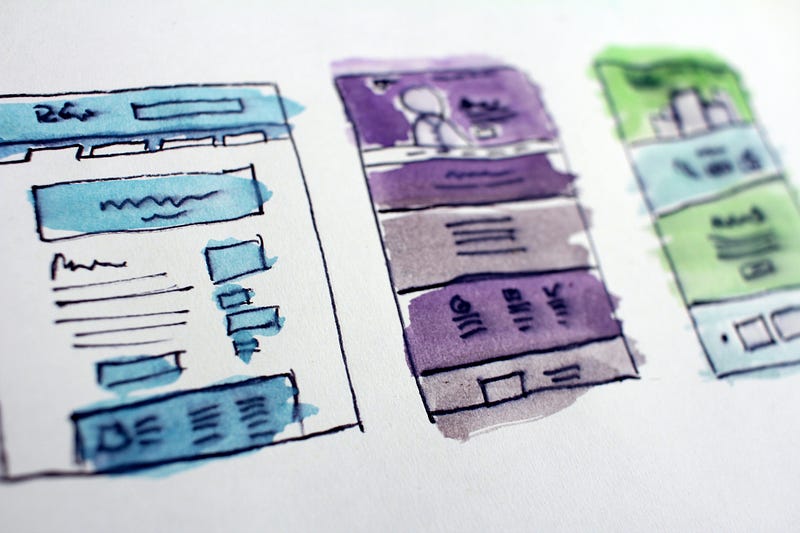
Any website you have ever visited contains a certain layout. Take the Twitter website for example,
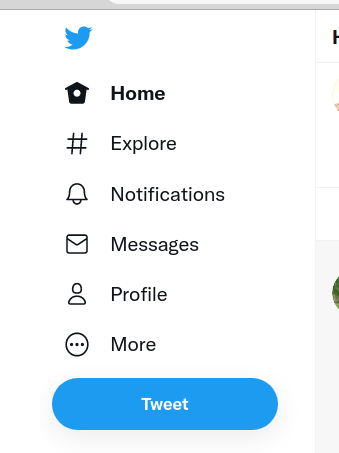
From the above image, you can see that the website is organized into various pages. i. e.Home, Explore,Notifications, Profile e.t.c. The content contained in these pages is rendered with the help of Templates. A template refers to the layout and design of a page. In this tutorial, you will create a Flask application that displays the most popular smartphones in 2021 using the Jinja template engine.
According to the documentation:
Jinja is a fast, expressive, extensible templating engine. Special placeholders in the template allow writing code similar to Python syntax. Then the template is passed data to render the final document.
By the end of the tutorial, you will learn:
- How to render template in a Flask application
- How to pass variables or data to templates.
- How to access data in the template
- Variable filters
- Conditionals in templates .ie. For loops and if statements
- Template Inheritance
Getting Started
Create a folder flaskr which will contain all the application files and folders. In the flaskr folder, create a file app.py:
mkdir flaskr
touch app.py
In app.py import Flask and create a Flask application instance:
from flask import Flask
app = Flask(__name__)
Create a route index that returns a simple web page:
Run the server with the flask run command and should see your application running at 127.0.0.1:5000/:

Rather than displaying content to the browser as HTML strings, a more organized way is to render HTML content with templates. To render a template, Flask provides the render_template method:
@app.route('/') def index(): title = 'Most Popular Smartphones in 2021' return render_template('index.html', title =title)Here you provide the name of the template and any variables as keyword arguments.
Flask automatically looks for templates in the templates directory. Create a folder called templates and create the index.html file inside the folder. The directory should look like this:
/flaskr
  /templates
    /index.html
Add the following code to index.html file:
Template Variables
Once you are inside the template, you can display the value of the title the variable we defined in the index route using a special delimiter {{ }} as follows: Replace everything between the h1 tag with {{title}}:
Variable Filters
You can also use filters to modify variables. To add a filter to a variable, you use the pipe (|) symbol to separate the variable and the filter. For example, replace() filter will replace parts of a string with a new one:
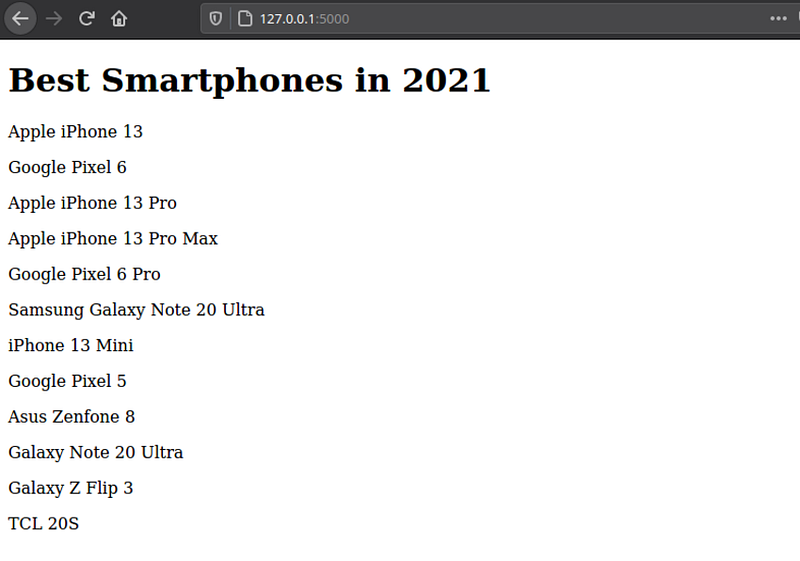
<h1>{{title | replace("Most Popular", 'Best')}}</h1>Here we replace the strings Most popular with Bestin the title.Refresh the index page and the title will have changed. replace() takes two arguments; the first argument is the substring that will be replaced, while the second argument is the replacement string.
The page should now look like this:
Other commonly used filters include:
truncate()— used to truncate a variablewordcount()— used to count the number of words in a stringround()— used to round numbersreverse()— reverse the order of a variabletitle()— will capitalize the first letter in each word.float()— converts the value to a floatfirst()— returns the first item of a valuedictsort()- sorts key, value pairs of a dictionary into a particular order.
Conditionals in Templates: For loops
Using conditions in templates can give you control over how data is handled. Create a route ‘/products’ in app.py and add a function that defines a list of dictionaries that contain details about smartphones, as shown below:
If we need to display each product on its own, we have to pass the product list using render_template and then use a for loop inside the template to loop over each product.
Create the products.html template and add the code below:
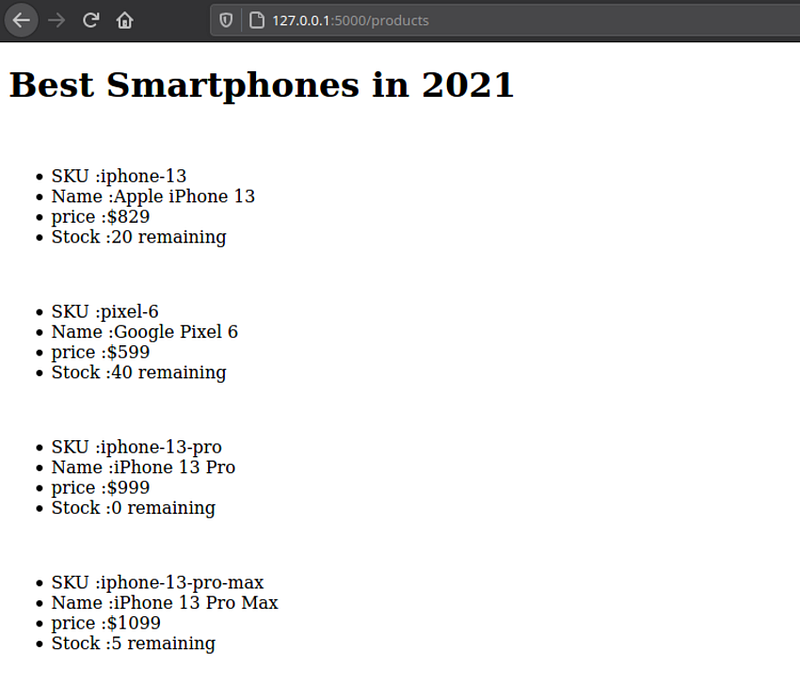
Here we use the Jinja for loop {% for product in product %} to loop over the list of products and then use python dot notation to display product sku, name, price, and quantity using paragraph tags. To close the loop, we use {%endfor%}
As you may have noticed the delimiter for the for loop is {% %}
The page now looks like this:
Conditionals in Templates: If statements
Conditional if statements use the same logic as for loops. A simple if conditional logic follows this pattern:
{% if condition %}
  <p>Result if condition is true</p>
{% endif %}
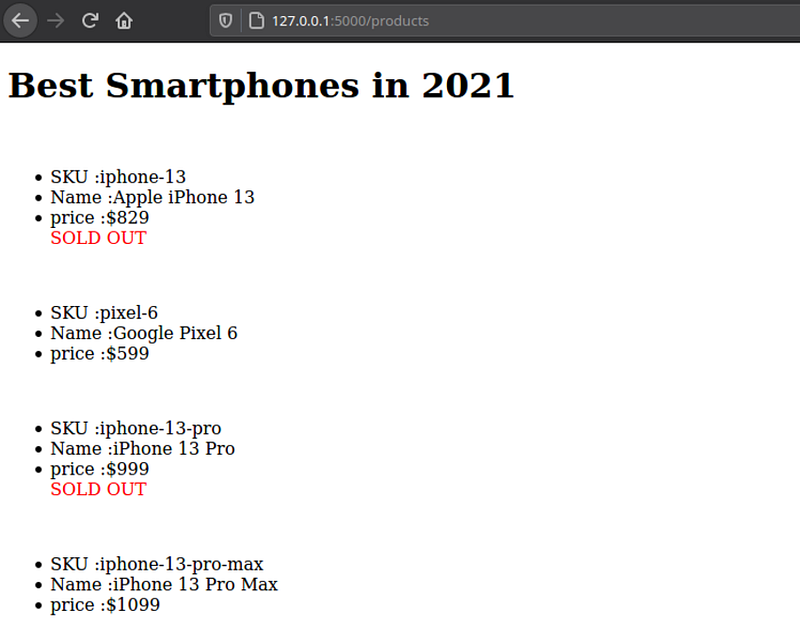
Let’s assume you only want to display SOLD OUT on products whose quantity is 0. Write an if statement below the product price paragraph:
Here we add an if statement{% if product.quantity ==0 %}.
The if statement checks if the quantity of a product is equal to 0, then instead of displaying the number of units remaining, we display the SOLD OUT in red color.
Refresh the products page, and you should see something like this:
Template Inheritance
Websites’ common elements remain the same on every page, such as the navigation bar, the footer, e.t.c.
To avoid the monotony of duplicating the elements in all the pages, jinja provides template inheritance.
For example, by having a base template that contains the common elements, other templates can inherit the contents of the base template. Add a file base.html in the templates folder with the following code:
{% block title %} {% endblock %} will be used for the title: this makes it easy to provide a custom title for each page. {% block content %} {% endblock %} will be used for the contents of a page.
To inherit the contents of the base template, update products.html as follows.
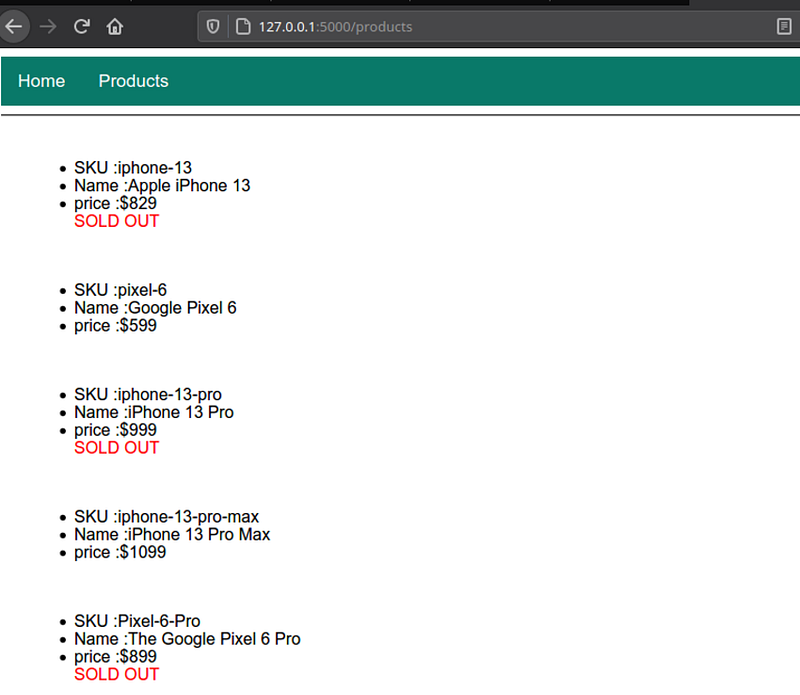
Here we use extends to inherit the contents of the base template. The code which should be in the body will be between the content blocks. The image below shows how the products page has inherited from the base template.
Url Links
The above links don't yet work. This is because we haven't provided the URLs. Let's do that using the url_for() function.
<div class="nav"> <a href="{{url_for('index')}}"">Home</a> <a href="{{url_for('products')}}"">Products</a></div>The URLs are named after the functions of the routes. i.e., index and products.
Conclusion
In this article, you have learned how to use templates to display data from variables. If you wish to build a real application in Flask to solidify your knowledge, see this guide on creating user accounts in Flask: