
A secret note to Bug hunters about URL structure and its parsers.
I wrote this article because there is no proper resource about the URL structure on the internet.
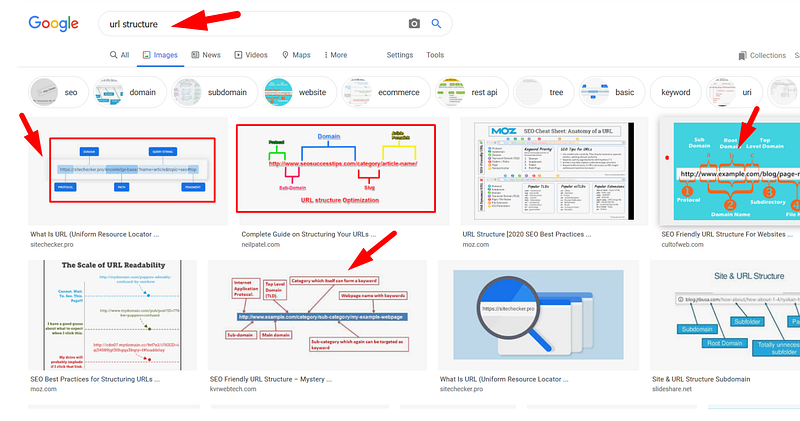
Introduction-Uniform Resource Locator (URL)
We all are familiar with the internet, so we are also familiar with URLs. We can easily recognize a string whether it is URL or not by seeing the ‘Protocol Scheme’ followed by “://” and then sequence of characters separated by “dot”.
#examples
https://example.com/resource/test.img
https://abcd.example.com/resource/index.html
Q. OK! But how the browser recognizes that the given input string at the address bar is the URL?
A. Actually, the browser first looks for the URI instead of the URL.
oh Wait!…. What is the URI?
Before we understand about the URL we should know about the Uniform Resource Identifier (URI). It worthy to directly go to the URI syntax instead of going into depth of its characteristics and rules.
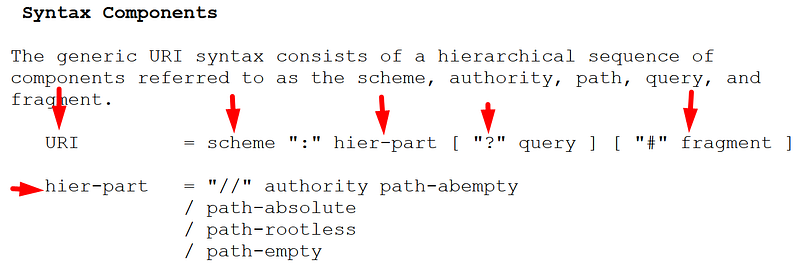
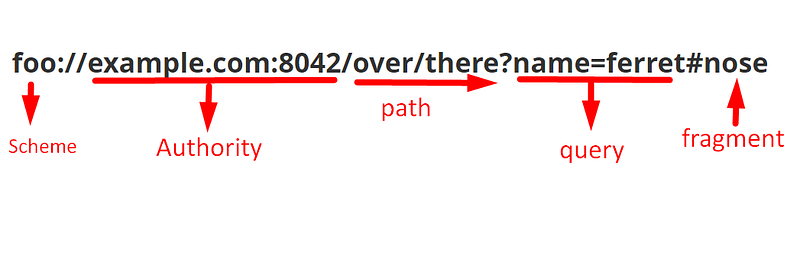
Scheme: In this we have to define the protocol. (ex: http, ftp, ldap etc.,)
hier-part: authority (This is so complicated )
Path: which defines the resource location
query: It defines the query parameters
Now you will get a doubt. What is the difference between the URI and URL.
Actually, the secret is in the Authority part.
Authority:

This is the part I missed when I was learned about the URL.
Userinfo: Which is nothing but the username, password fields which are separated by the “:” (ex: username:password)
And the remaining parts we already know.
So that the actual URI is look like below.
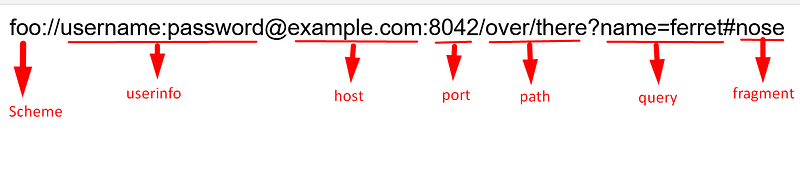
So it means “Uniform Resource Locator” refers to the subset of URIs.
Secret behind the URL parsers
Lets investigate how browsers parse URLs.
This will give the four results.
https://evil.com.#.example.com -> evil.com
https://evil.com./.example.com -> evil.com
https://evil.com.?.example.com -> evil.com
https://evil.com.\.example.com -> evil.com
So what we can achieve from the above observation is you can bypass the URL redirect validation
Assume
#if the application redirects only that subdomains via "redirect_url" and the back-end logic is implemented by matching the only the last "." separated words using regex match
GET /api/logi?redirect_url="https://evil.com.#.example.com" HTTP/1.1
Host: example.comHTTP/1.1 302 Found
Location: https://evil.com.#.example.comThe above example may look silly but the different URL parsers are giving the different host value. Because of the lack of consistence in the regex pattern two different parsers interpret the URL differently.
Sample desync parsers example:
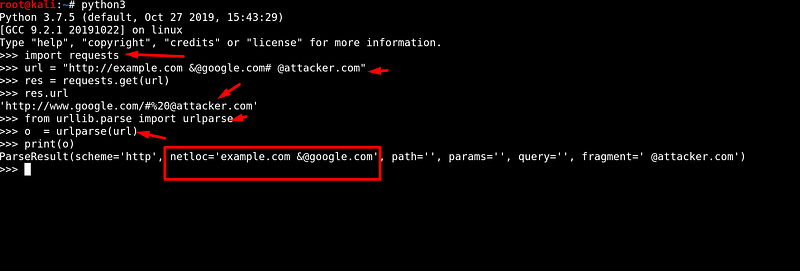
http://example.com &@google.com# @attacker.comThe above URL parsed result is varies by the different URL parsers in the python3.
This desync behaviour of parsers causes serious vulnerabilities in the web applications.
Real-world bugs due to URL parsers desync
Universal XSS in the chrome browser
Conclusion:
I recommend you to analyze the URL parsers behaviour during the web application pen-testing. So that we can construct our payloads to bypass the CORS and SSRF protection.
References
Thanks for reading. If you like this write-up please follow me and stay tune for more hacking techniques.


