

A minimalist guide to Riverpod
One of the best state management and dependency injection solution in Flutter
I tried to simplify the whole Riverpod package this time. Hope you enjoy it!
First of all
What is Riverpod?
A Reactive State-Management and Dependency Injection Framework — Remi Rousselet
In brief, Riverpod is the enhanced version of Provider
Why does Provider suck? and why needed to Riverpod?
Provider relies on Flutter/BuildContext and doesn't have DI/service locator solution built-in etc.
Also, Riverpod give us
- Catches programming errors at compile time rather than at runtime
- Removes nesting for listening/combining objects
- Increases the testability of your application.
- Auto-dispose support
- Compare the previous and new state
- Implement undo-redo mechanism
- Debug the application state
- Enables performance optimizations.
- Easily integrate with advanced features, such as logging or pull-to-refresh.
If we are ready, let’s get started!
Types of Riverpod
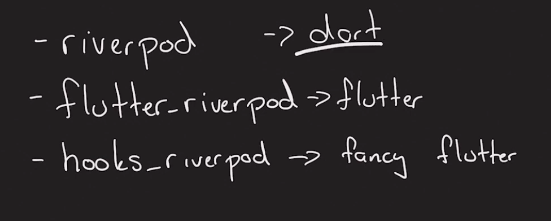
riverpod ->riverpodfor all dart projectsflutter_riverpod ->riverpodfor specified for Flutterhooks_riverpod ->flutter_riverpodcombined withflutter_hooks
Note: If you’re interested in
flutter_hooksthere is an article that I have written before you can check that out!
Providers
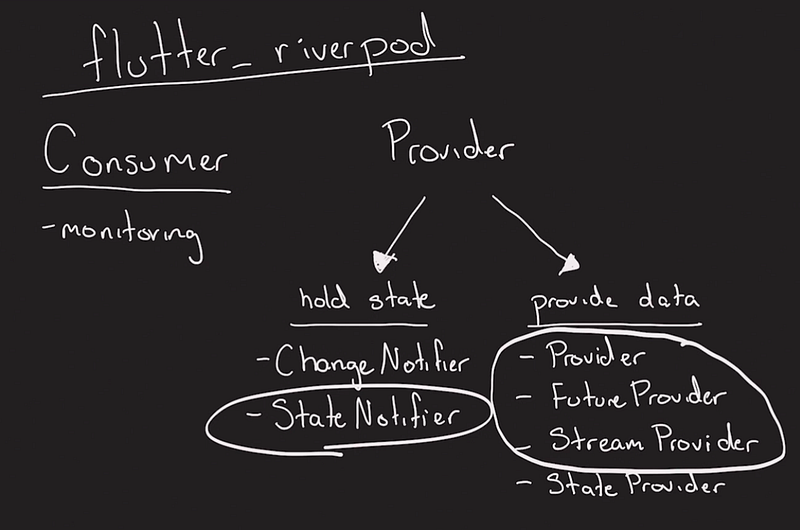
Providers give us a solution as a Dependency Injection. Let’s talk about their types.
Provider
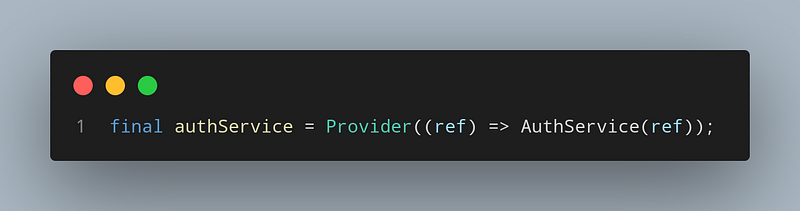
That’s the most basic version of it.
We use it when we’re getting immutable data anywhere.
It’s suitable for like services etc.
FutureProvider
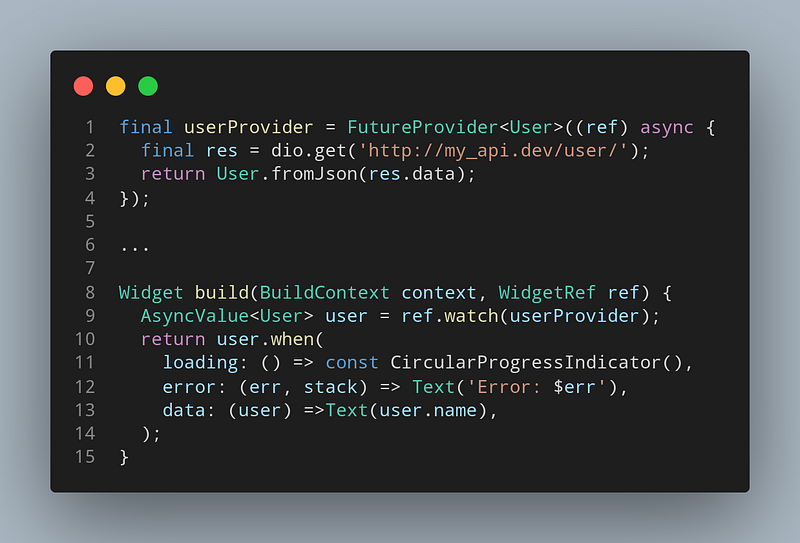
It just combines FutureBuilder and Provider. Handles error or loading states for us and rebuilds UI when data fetched
StreamProvider
Just like FutureProvider but for Streams
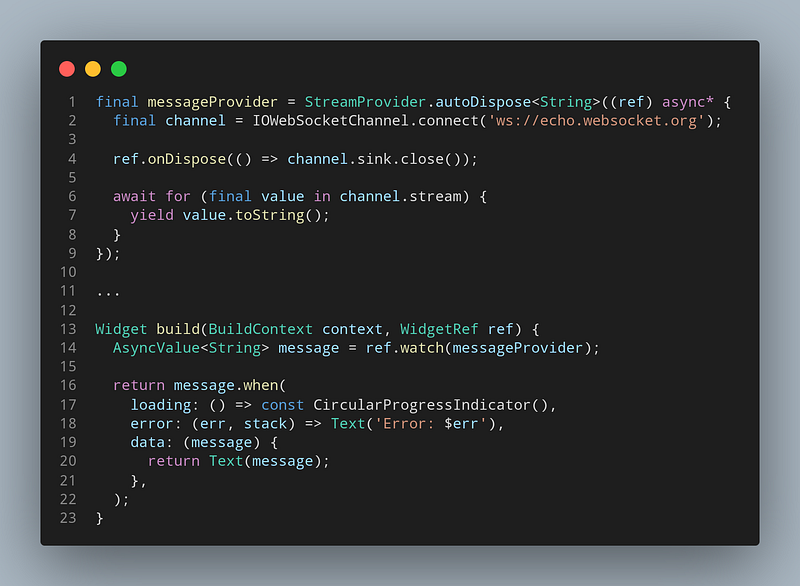
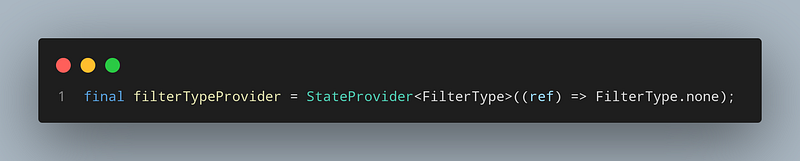
StateProvider // use (async)notifier instead
When we need a basic global state solution. (no worries, it’s not a global mutable state. It’s final, it’s fully immutable, and it’s completely safe!)
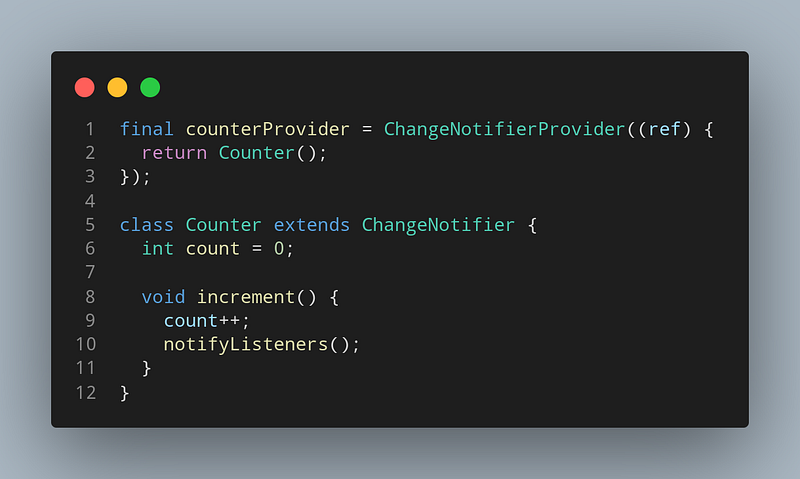
ChangeNotifier // tip: use (Async)Notifier instead
we use that as a complex state management solution.
Listens to changes and rebuilds whenever notifyListeners() is called.
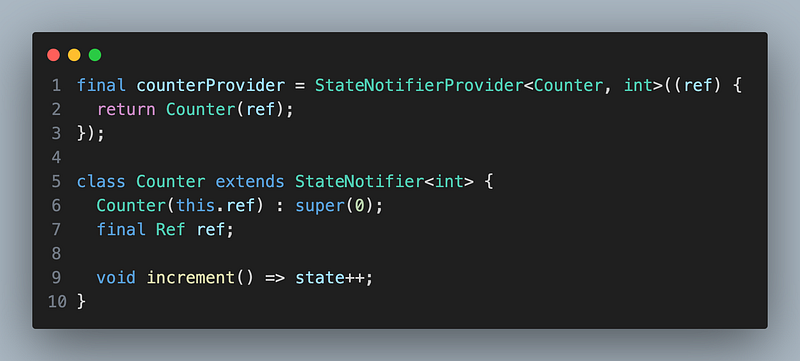
StateNotifier // Out of date! use (Async)Notifier instead
It’s like an Immutable and reactive version of ChangeNotifier
You don’t need to call notifyListeners();
This one might look more boilerplate, but it’s much safer and more advanced.
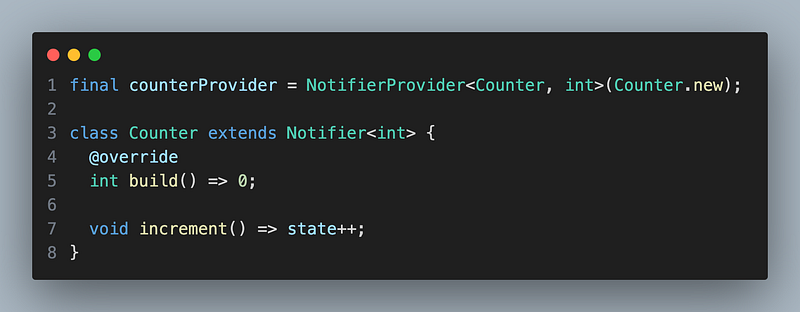
Notifier
A simplified and more integrated version of StateNotifier.
As you know, StateNotifier depends on StateNotifier package (which is a great package). but also it’s not fully integrated with riverpod. it’s a common solution for SM. Therefore, we need to pass ref into the StateNotifier in every time.
On the other hand, Notifier is a fully integrated and lightweight version of it, you can notice the difference in syntax too.
and the build method is the initialization method of the class. you can run any sync operations in it. but if you need an async or stream on init. you need to use other notifiers! (AsyncNotifier/StreamNotifier)
Note: You can only run sync methods in build(), but other internal methods are can be anything (async or even a stream) The rule is also valid for other notifiers.
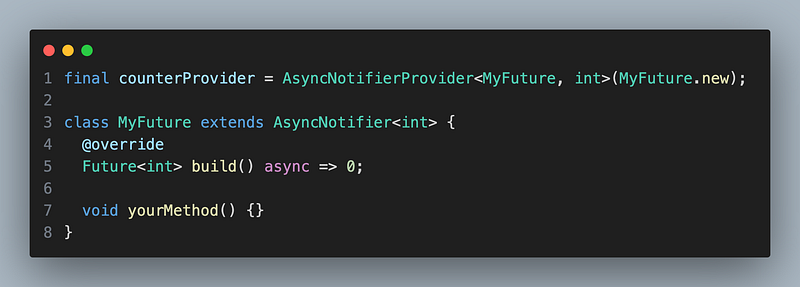
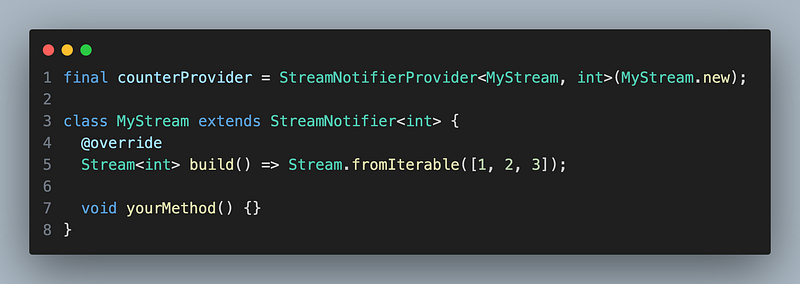
If it’s AsyncNotifier build() have to return a Future If it’s StreamNotifier build() have to return a Stream
AsyncNotifier
Async version of the Notifier. (you can also say FutureProvider’s class version)
StreamNotifier
Stream version of the Notifier (you can also say StreamProvider’s class version)
Bonus: AsyncValue
You may wonder what the heck AsyncValue is, till now, because I used it in the examples but never explained it.
Basically, It is a utility class that helps us to manage the async state.
// Pseudo code
// This fellow piece of code make all that happen!
abstract class AsyncValue<T> {
  const AsyncValue._();
  const factory AsyncValue.data(T value) = AsyncData<T>;
  const factory AsyncValue.loading() = AsyncLoading<T>;
  const factory AsyncValue.error(Object error, StackTrace st) = AsyncError<T>;

  R when<R>({
    required R Function(T data) data,
    required R Function(Object error, StackTrace stackTrace) error,
    required R Function() loading,
  });
}

/// Usage

// Basically, you can handle the data that easy!
// It has lots of benefits like;
// Type/Compile-safe, declarative, simple syntax, easy to use and manage.. .
// The stages will be automatically triggered for you.
// You don't need to make any effort for async operations
asyncData.when(
  data: (data) => Text(data),
  error: (e, _) => Text('Error: $e'),
  loading: () => const CircularProgressIndicator(),
 );

/// You can also use some handy getters, such as;
asyncData.hasValue;
asyncData.hasError;
asyncData.isLoading;
Provider Modifiers
We can also give some superpowers to providers!!
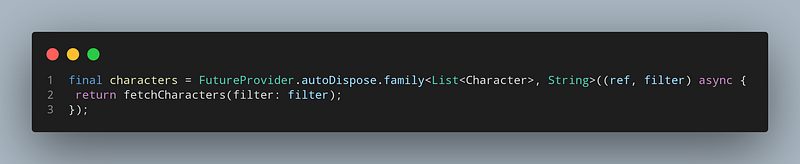
.autoDispose, which will make the provider automatically destroy its state when it is no-longer listened.
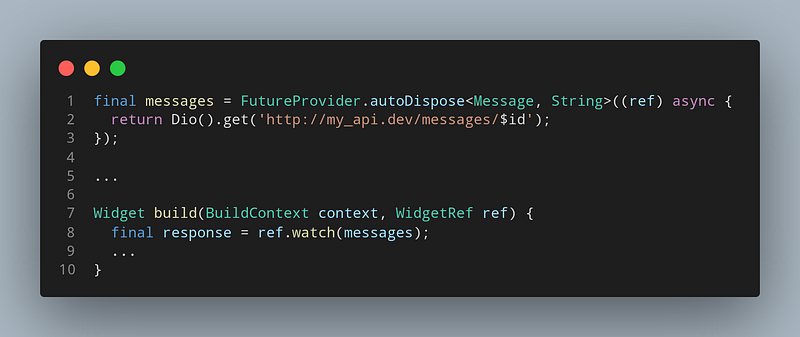
.family, which allows creating a provider from external parameters.
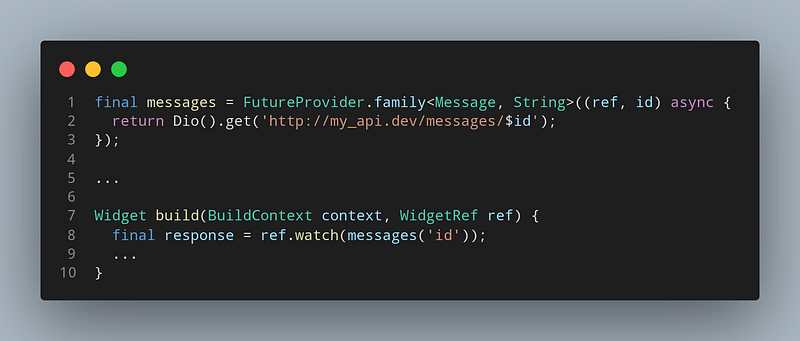
Also, you can use both of them simultaneously.
Consumer
We use consumers for monitoring the changes. It’s just for reading data
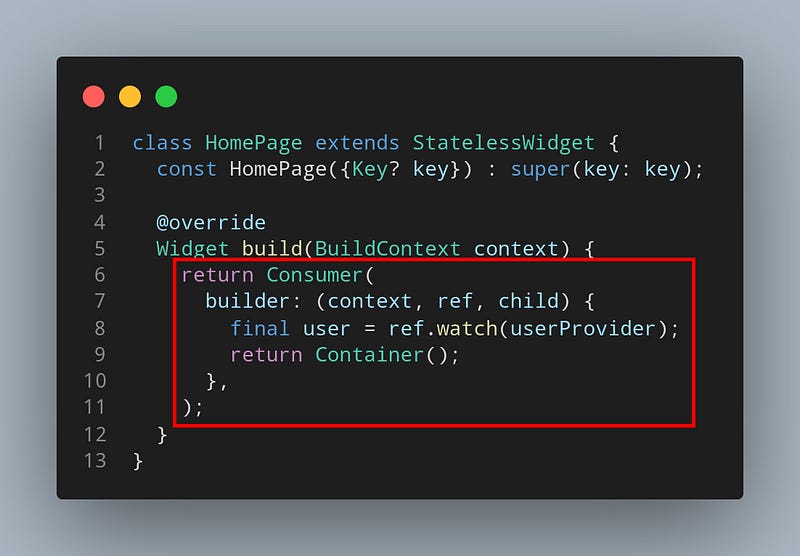
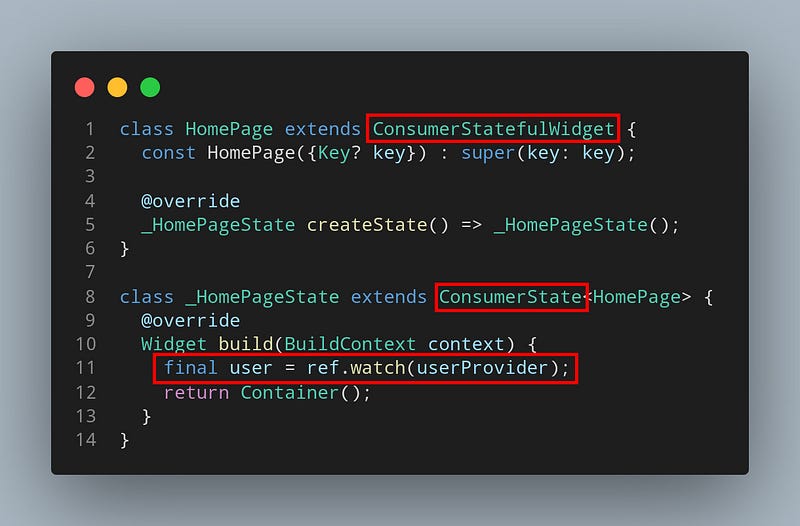
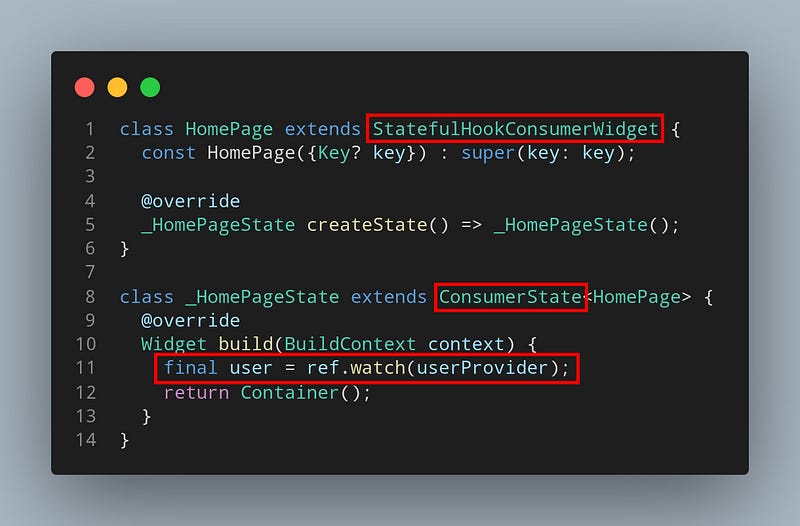
There are 5 ways to create Consumer
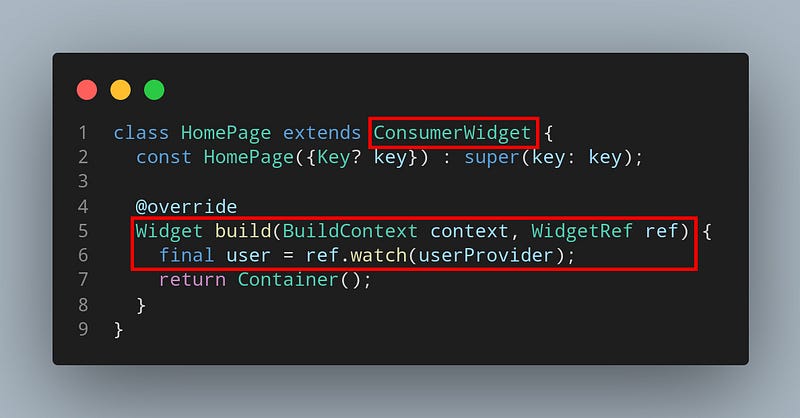
1. ConsumerWidget
StatelessWidget + Consumer
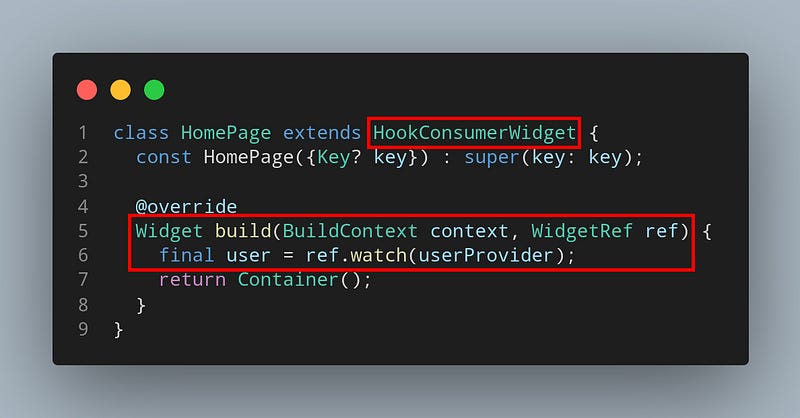
2. HookConsumerWidget
StatelessWidget + Consumer + Flutter Hooks
3. Consumer as a Widget
StatelessWidget and Widget
4. ConsumerStatefulWidget
StatefulWidget + Consumer
5. StatefulHookConsumerWidget
StatefulWidget + Consumer + Flutter Hooks
What a ref can do?
You got the pattern but wait what is ref and what can it do?
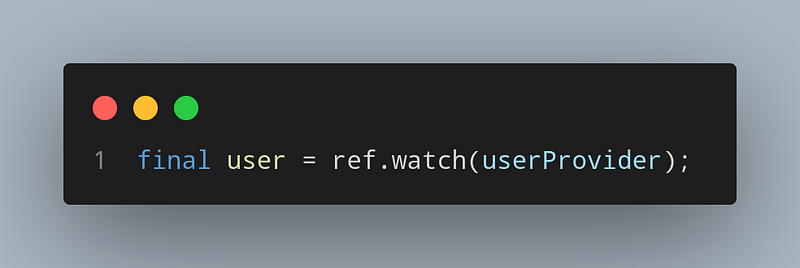
Watch — It’s your best friend, always trust it.
Listens to changes and reacts
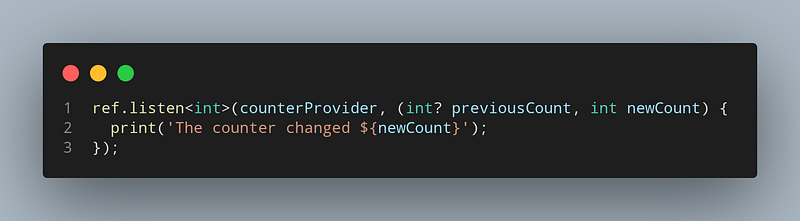
Listen — I’m your Wingman
Listen to a provider and call listener whenever its value changes.
This is useful for showing modals or other imperative logic.
Author’s Note
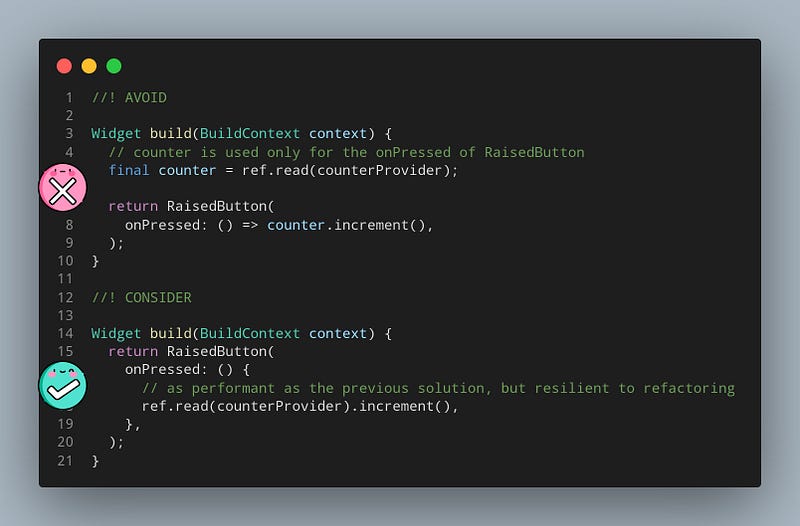
watchandlistenmethods should not be called asynchronously, like insideonPressedor an ElevatedButton. Nor should it be used insideinitStateand other State life-cycles.
In those cases, consider using
ref.readinstead.
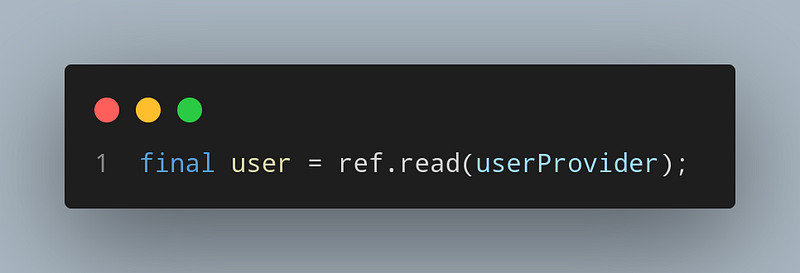
Read — Know that but don’t use that
Just read the provider once, doesn’t listen to changes.
Author’s Recommendation
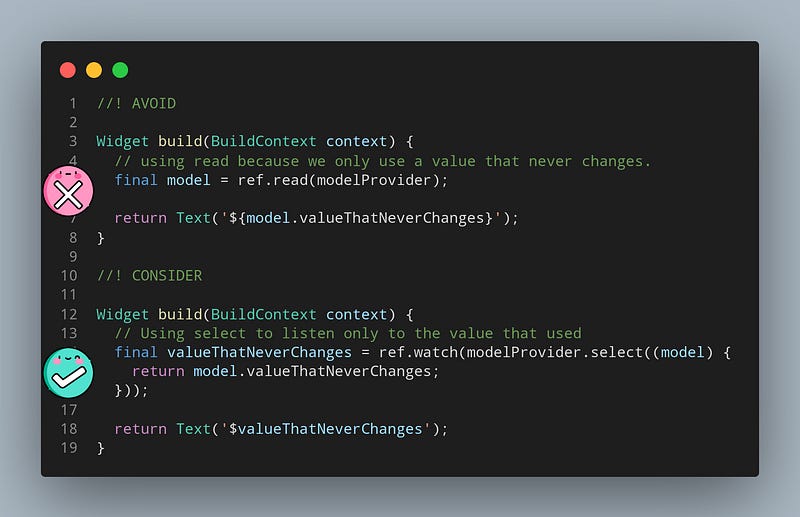
These are not bugged themselves but they’re anti-pattern. They can lead to bugs in the future. That’s because the author suggests them
One Last Thing
I taught you read method buttt….
Using
ref.readshould be avoided as much as possible.
It exists as a work-around for cases where using
watchorlistenwould be otherwise too inconvenient to use. If you can, it is almost always better to usewatch/listen, especiallywatch.
But why?
The following link explains the situation perfectly. If you don’t trust me just read the explanation
If you’re convinced already, we can continue then
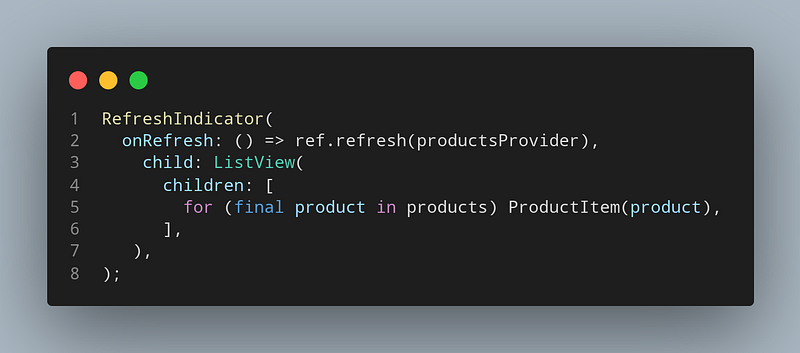
Refresh
Forces a provider to re-evaluate its state, and return the created value.
This method is useful for features like “pull to refresh” or “retry on error”, to restart a specific provider.
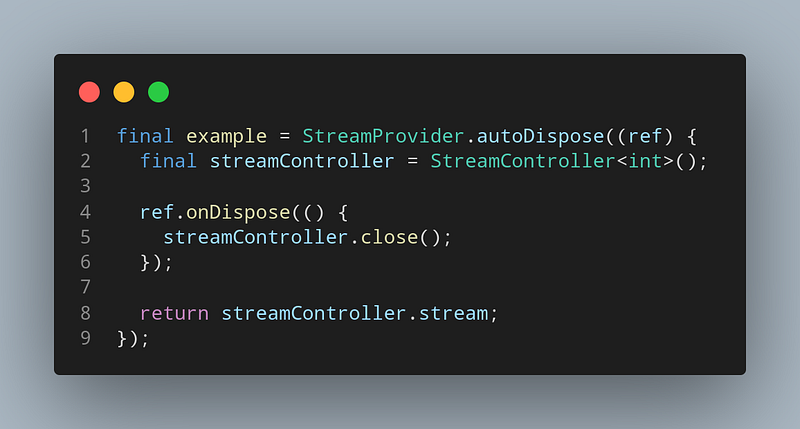
onDispose
Runs right before the provider is destroyed.
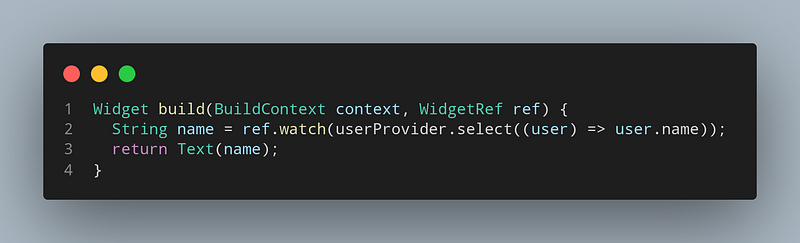
Filtering Providers
Instead of listening to the whole object, you can listen to only specific parts of the object using select method. For example, unless user’s name changes. Text widget won’t rebuild. so instead of using read I and the author highly recommends this method using watch
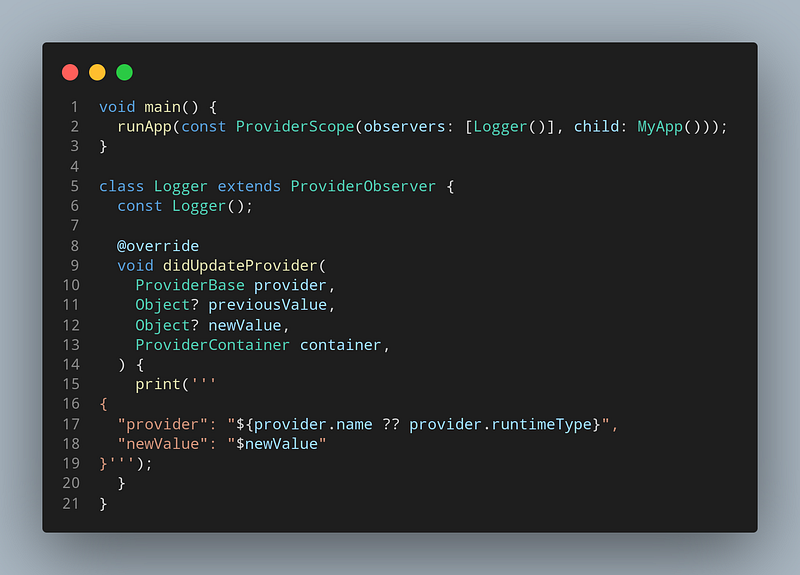
ProviderObserver
You can also observe the whole process without any hassle
didAddProvider is called every time a provider was initialized, and the value exposed is value.didDisposeProvider is called every time A provider was disposeddidUpdateProvider is called every time my providers when they emit a notification.providerDidFail is called every time when provider emitted an error, be it by throwing during initialization or by having a Future/Stream emit an error
As you can see we have lots of solutions for consumers and providers. You can combine them as you wish!
As an experienced developer, I suggest as an ultimate solution
Riverpod + StateNotifier + Hooks + Freezed
Do you want to learn more about this combination?
Just wait for next week! I’ll talk about profoundly with a real-world example
Update—Here are the next articles as I promised
References and Suggested Resources
Thank you for reading!
That was a long article and you came here all the way! You are great! Please don’t forget to clap (also maybe you don’t know claps can reach 50 times just click as you go)


