
A Fast and Easy Way to Watermark Your Creations Using Google Colab
This simple, versatile notebook can help you maintain attribution for your graphics and AI artwork. It can even embed secret data.
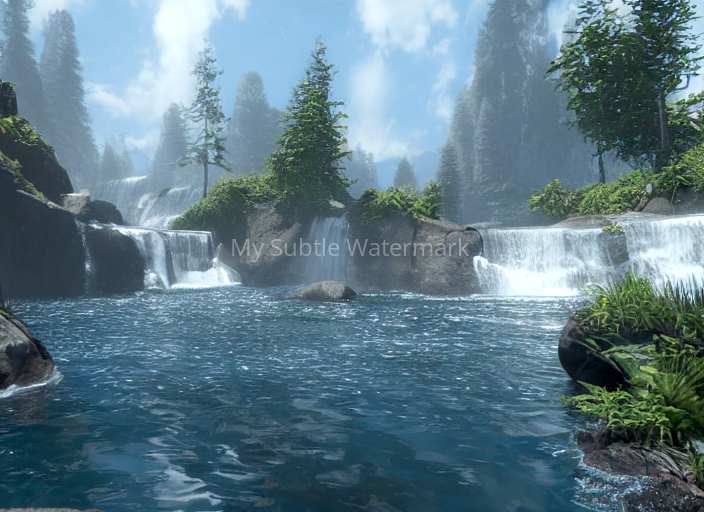
T o watermark or not to watermark, that is the question. Alas, there’s no simple answer. You’ve spent countless hours refining your data visualization or artwork to share online. Perhaps you want to help establish copyright ownership, discourage unattributed reuse of your work, or simply gain name recognition. On the other hand, you might be reticent to mar your wonderful work with possibly unsightly text.
Either way, this notebook is for you! Here’s a quick rundown.
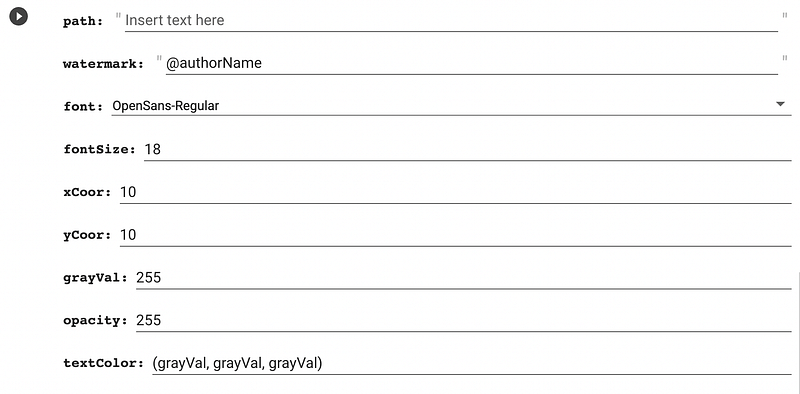
The first two code blocks will download a selection of fonts from Font Squirrel, mount your Google Drive, and create directory for the images you want to watermark. You’ll then come to this form:
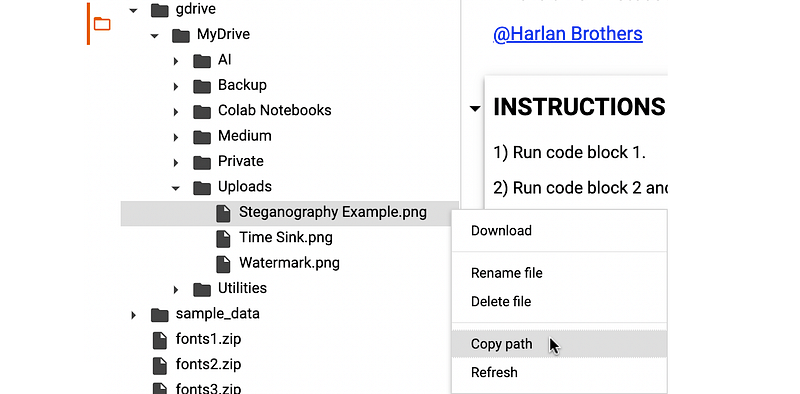
1) Using the Files pane, hover over an uploaded file in MyDrive/Uploads and press the 3 vertical dots. Copy the path and paste it into the “path” field:
2) Add your name, pseudonym, or secret message (more on that in a bit) to the “watermark” field.
3) Choose a font from the drop-down menu, and enter the font size.
4) You can position your watermark using the “xCoor” and “yCoor” variables. The point (0, 0) is located in the upper left corner of the image (unlike the usual Cartesian coordinates, positive y is down).
5) The default color palette for text is grayscale and is determined by the variable “grayVal.” For colored text, replace the “grayVal” entries in the “textColor” field with individual RGB values (e.g., (42, 70, 99)).
6) Set the “opacity.” The scale runs from 0 (transparent) to 255 (opaque).
7) Run the code block.
That’s it. The notebook will automatically download the watermarked image and also preview it so that you can tweak things without having to open the downloaded image.
Using this tool, you can be as bold or subtle as you like. With a low opacity and judicious use of font size and color, your watermark can be virtually invisible, yet sufficient for the purpose of establishing ownership of your image.
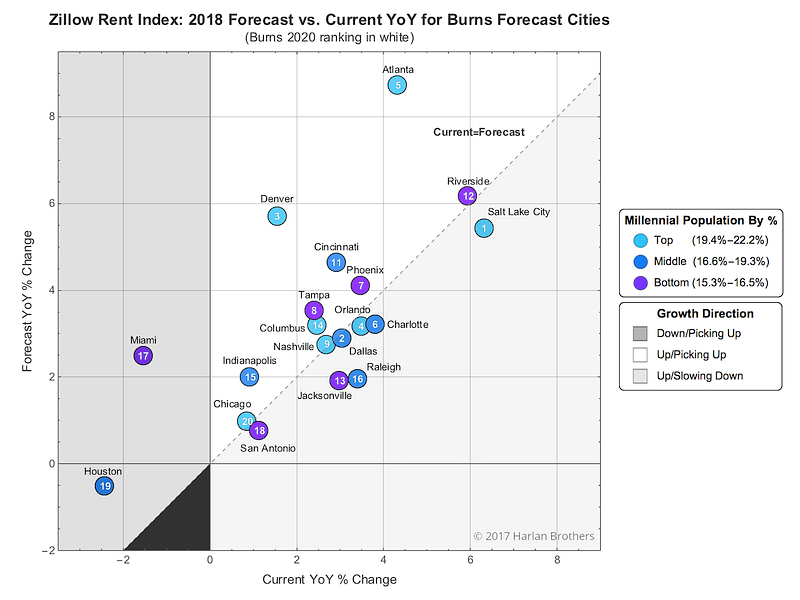
For example, let’s say I’ve come up with a nice visualization for an article about where Millennials are likely to be renting in the future (see Figure 1). Given the popularity of posts about trends in the housing market, I figure that once it’s online, some bloggers (or auto bloggers) out there are likely to “borrow” my insight and appropriate the graphic with a 50/50 chance of proper attribution.
So, I upload my 1600 x 1200 image to Google Drive and run the watermarker. After quickly previewing a few different locations, I decide that (852, 950) with the 20pt, OpenSans-Regular font and an opacity of 192 is just right — not obtrusive, but visible enough to show my authorship.
In fact, because you can be a subtle as you’d like, you can even use the notebook to explore the field of image steganography — the practice of concealing information in plain sight. For example, here are two seemingly identical images:
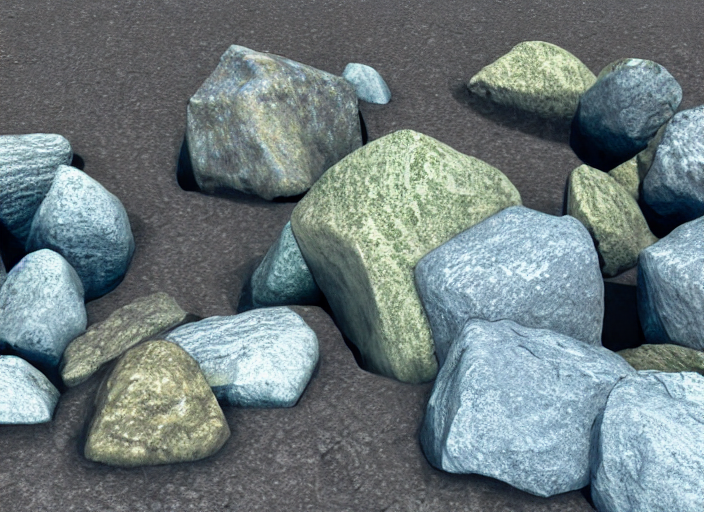
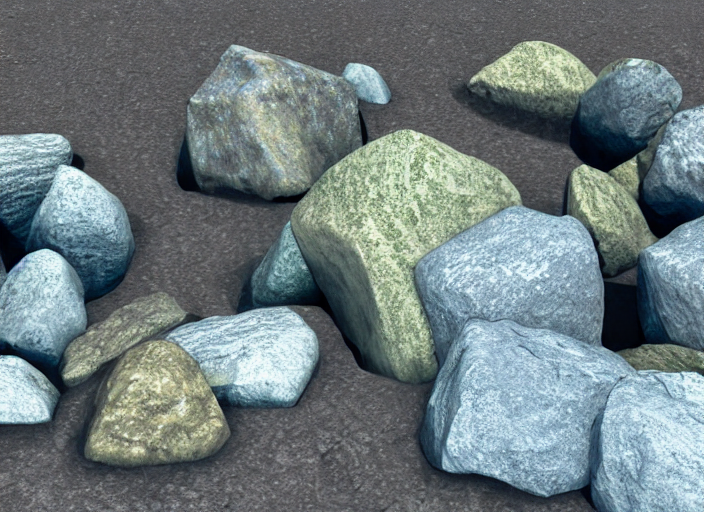
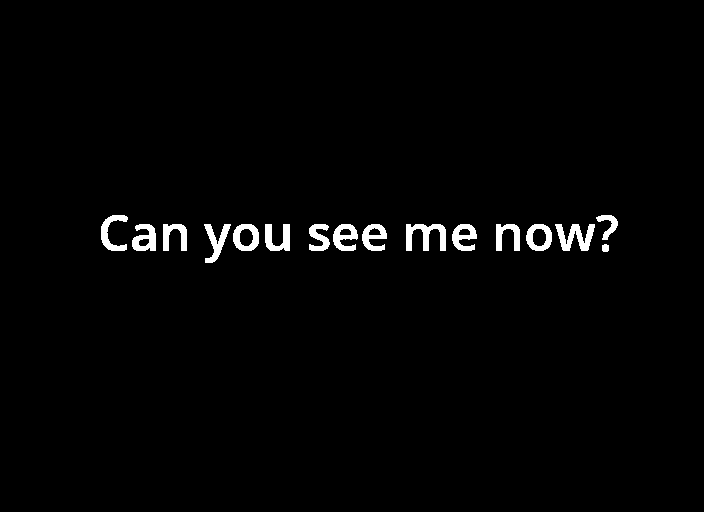
Here’s what happens when we subtract the original image (top) from the watermarked image (bottom) and apply gamma correction and binarization:
So go ahead — lay claim your intellectual property, promote your brand, or just have fun with steganography. You can download or open the Colab notebook directly from GitHub. Enjoy!
If you enjoyed this piece, you might want to consider becoming a Medium member to get unlimited access to all of the articles on Medium. If you register using this link, you can also support me as a writer, researcher, and creator.


