
A Complete Guide To Turning Your Medium Stories Into Books
Everything you need to know to sell your stories as books
“Can I use my Medium articles to create a book?”
The simple answer: Yes, yes you can.
However, it takes a little work. I put my two cents into Christopher Kokoski's post on Facebook and then started getting DMs that still haven’t ended. This is great because I want every writer to be able to write a book and sell it.
Truly, I do.
Most of us writing here on Medium probably want to publish a book. If that is you, then this post will be for you because I will share everything I have learned so far about self-publishing my books.
Which, did I mention, all started right here on this nice little platform?
This is going to be a long one, so I won’t waste any more time. Don’t let this list scare you away from doing the work. It is actually quite easy and it works very well. Here is what we will cover:
- My Story — Medium posts to income-earning books
- Medium Stories (1st Draft)
- Manuscript (2nd Draft)
- Personal Edits (3rd Draft)
- Editor Edits (4th Draft)
- Formatted Manuscript & Cover Design (5th Draft)
- Published Book (eBook, Print Book, Audiobook)
Suggestion: I would encourage you to save this to your bookmarks or your lists for future reference. Even if it is a place for ideas it will be easier to find later on!
My Story — Medium posts to income-earning books

I want to share my story with you really quickly because it always encourages me to hear how people do things and where they started. Also, I think it might help you figure out where you are in the process so you can jump right in and publish that book!
In 2017, I was writing random posts here on Medium when I finally started a series of posts about productivity tips, this series was thanks to the suggestion of Janis Cox, without her comment about this post, I wouldn’t have made it happen.
My first book, Productivity Success, started out as a listicle of 21 productivity tips. Then, I broke down each tip into a post. 21 Medium stories later, Frank McKinley told me I had enough content for two books if I wanted to do it.
This sparked in me the idea to turn my Medium stories into a book. This book went onto being on several bestsellers lists on Amazon when I finally self-published it in 2019.
Fast Forward to 2020
A year later I realized that I could take my previous model. I made a plan to take Medium posts and turn them into books again. But this time, I was going to plan it out.
The plan was to write the entire book, one “chapter” at a time as a Medium story. This meant the introduction, any setup chapters, each chapter, and the conclusion.
I started into the project and again, with my latest book published earlier this year, I was able to turn dozens of Medium stories into one book. The Gospel of John (A Christian Devotional) was published in March of this year and was a #1 Bestseller in multiple categories!
If I can do it, so can you
Honestly, if I can turn Medium stories into #1 bestselling books and make money off of them, so can you. That is why I want to share what I have learned with you. That is why I tell you my story. Because it all started with the help from other writers and doing a little work upfront.
Medium Stories (1st Draft)

Whether you are starting with a bunch of stories already completed or you have the idea in your head before writing these stories, Medium is a great place to write your first draft.
Why?
Because you get to test drive your content and get valuable feedback while writing your book. If you’ve already written the content, I would encourage you to go back and read the comments.
Here is what you need to do in either instance:
Previously Written Posts
If you have already written a series of posts you want to turn into a book, collect them somewhere. I would encourage a listicle that would help you gather them in order and keep all your posts in one spot. That's what I did with the now-defunct series feature:
This way you have one space to keep track of every single one of your posts to go back and reference them. Then, I would encourage you to download all of your posts from Medium (this makes it easier to edit them into your manuscript).
Now, you essentially have your first draft easily accessible.
Writing Your Book as a Series of Posts
If you haven’t written a single post yet, I would encourage you to do it like this:
- First article: Listicle on your topic (basically your outline).
- Second article: Your introduction.
- Every article after this: Your chapters.
Now, you don’t have to go in exact order. Especially if you have 21 points as I did. I jumped around when “chapters” were hard, or if they were easier, I went in order.
Either way, I would commit to how often you will publish and then stick to that schedule until all of your chapters are done. Once they are all done, complete a wrap-up post like the previous section and download your articles.
First draft complete!
Manuscript (2nd Draft)
Alright, you have all of your Medium stories downloaded. Now, you need to pull each one of them out and put them into one single document to make your first manuscript.
This may sound super easy, but there is a catch, and that is what we will discuss in this section because this is what makes the difference between a collection of blog posts and a book.
Pro Tip: Make sure your manuscript document is either a Microsoft Word Document or a Google Document. If you don’t have those, be prepared to save them in a .docx format. Most editors will only work in a .docx format. Some, like mine, will work in Google Docs.
Step #1: Collect and Organize
In this step, you place every story into your manuscript. Starting with your introduction, then your chapters, finally your conclusion. Simply copy and paste your articles into this document.
Once you have them pasted into your document, arrange them into the tentative order that you want your chapters to flow. This is completely up to you, though there are a few different ways you might organize things.
For my first book, I broke my book down into three parts and organized my different chapters according to these parts. For my second book, this wasn’t needed because it followed a book of the Bible.
Step #2: Remove Medium Specific Language
In this step, you are going through each chapter and taking out extra photos, lines pertaining to writing specifically on Medium, removing calls to action, etc. I also remove links that download with my stories so I can start fresh.
You can leave these backlinks, but I have found this extremely confusing and it can sometimes lead people to put your book down because it shows you have clearly copy and pasted posts into a book format.
Once all of these are removed, it will have cut down your word count a little and you will be able to move onto the next important step.
Step #3: Confirm your Theme and Update Accordingly
Now, most of us have a theme for our book. My first one was Productivity. My second one was specific to the book of the Bible I was referencing. Our individual posts sometimes stray from a main, overarching theme.
This can be a problem because a book needs to stay on point.
In this step, make sure you nail down the theme of your book in one to two sentences. Once you do that, you need to read through each chapter and make updates to make sure that you are on point with your theme.
Step #4: Add in Transitions to Help Your Book Flow
When we write blog posts, each one has a clear and definite stopping point. This is great and what is excepted. However, when you write a chapter to a book, it's okay to have these stopping points, but they need to encourage your reader to continue on to the next chapter.
In this step, you need to write in transition points at the end of each chapter.
Once these are put into place, it will help your book flow. Sometimes this is a couple of sentences. Other times, it is an entire section. It is up to you, however, I have found that it makes your book more like a book and less like a collection.
Step #5: Create Initial Formatting
This is actually pretty easy. This is where you put your chapter number at the top of each chapter with a title and/or quote. Then you space out the ned of your chapter and add in your page breaks.
This step gives a clear conclusion to the first part of creating your book manuscript.
Once these things are in order, you will be ready for the next part of publishing your book. It will help everything work more smoothly for you and help make editing a lot easier.
You have a manuscript!
You did it! A complete manuscript. This is huge because a significant portion of the work is done. Most writers never make it to author status because they cannot get to this point.
But you did. And now, you will be able to move into the next big part of the process. This part is hard, but it will help you really nail down a few things before you put other eyes on the completed manuscript.
Personal Edits (3rd Draft)
This is the hardest part of the process for me.
Maybe it won’t be for you, however, this can be difficult because it is tedious and can be mind-numbing. Yet, this is an important step before you jump into hiring an editor to work on your book too.
In this part, you are going to self-edit your book.
Personal edits come in three stages for me because I hate editing. If you have read my work online, you will likely tell that I don’t overly edit my blog posts, Medium stories, etc.
However, when it comes to a book, you are going to put this thing through fire to work to get it to its most pure state. And the first way we do this is by personally editing the entire thing. And I do it, three times.
Here are the three ways that I personally edit my books.
Pro Tip: Don’t get caught up in the personal editing process so much that you delay moving your book toward publishing. For a lot of people, this can be tricky because you want your manuscript to be flawless. Without other eyes on your book, this isn’t going to happen. So don’t get stuck here.
Personal Edit #1: Read Your Entire Manuscript Out Loud
Now, I will take my manuscript and print it out and a FedEx so I have it in paper format. Once I have it in this beautiful format, I will start reading it slowly out loud.
During this time, I will simply write my edits on the page to update later.
I highly encourage you to do this exactly as I say. Read it slowly. Read it out loud. You will find a lot of mistakes and errors in sentence structure this way and some grammatical errors as well.
The other important thing is to simply identify the issues first. Once you have done this, you can jump back in and update everything. That is why I print it out. You don’t have to do this of course, but this method has helped me since I hate editing.
Personal Edit #2: Run it through Editing Software
For both of my books, I have run them through Grammarly’s online app. I copy and paste each chapter into the app and let it do its work. Now, I only use the free version. The paid version will give you a lot more in-depth work, but that’s why I hire an editor.
I let Grammarly identify my big issues and then I correct them one chapter at a time.
This again takes a little time, but it is worth it because it will remove a lot of obvious issues with your manuscript so that way you don’t need to run through an editor with several drafts.
Personal Edit #3: Re-read Your Manuscript Out Loud
The good news is that you won’t need to do this on paper or slowly. The bad news is you are now reading your book for the third time. However, I tend to do this to help me make sure the flow is still there after two sets of personal edits.
Most of the time, I don’t find a lot of things wrong.
However, I do find sometimes that the Grammarly updates don’t make sense or they didn’t quite catch the essence or nature of the chapter so I have to make a few updates.
Personal Edits Complete
Now that your personal edits are complete, you are ready for the next major step in turning your Medium stories into a published book. To be honest, you are close to the finish line and I am excited for you!
Editor Edits (4th Draft)
This is a scary place to be for many of us.
Once we make it to this part of the process, we start to sweat a little. After all, you are taking your manuscript to someone else to not simply read it, but break it down and look for flaws and issues.
I remember for my first book, I didn’t quite know what I was getting myself into until I got my edits back and had a lot of work to do. There was a lot of work to be done, even after my personal edits.
Most of all, I was concerned that my book wasn't that great after all the markups the editor had for me. Turns out though, it was a sign of a great editor.
In this section, I’m going to share with you my experience with editors and give you the two options I have used for my two books.
Option #1: Fiverr
For my first book, I didn’t really know where to go, so I went to Fiverr. I hired a freelance editor for a couple of hundred dollars to edit my book. This was super stressful for me and I wasn’t sure what I was going to get. However, it worked out really well.
Here are a few things to do if you go this route:
- Make sure you are clear on what you want: do you want them to edit grammar only, or context as well? I had my editor do both.
- Also, complete a few “interviews” by creating a gig and having the editors come to you. They will apply and then you can send a chapter of your book to them to edit so you can see how it works out. **THIS IS IMPORTANT**
- Confirm your budget and timeline with them. Sometimes they will promise a fast delivery on Fiverr, but the edits aren’t always that great because they are turning and burning manuscripts as fast as they can.
These are a few things to think about. If you are looking for more information on picking an editor this way, I suggest you check out this article.
Option #2: Hire my editor, Adam Hillis
Adam and I know each other from a time when we both lived in Beaverton, Oregon, and went to the same church. However, after we both moved away we connected on my last book and he has been my go-to guy for the next book I am currently working on.
If you are looking for an editor that you can connect with and really nail down specifics, I highly suggest Adam. He is also super flexible which has helped me in this season of life.
Pro Tip: If you are going to look for an editor that you might know or trust, you can always reach out to writers on Medium or in Facebook groups. There are a lot of editors/writers out there that you will be able to find that might create a long-lasting relationship.
Working with Your Editor
Alright, you have chosen your editor and sent it off. After a few weeks, you will get your manuscript back and that's where some important work happens.
During your review of the edits, you will likely agree to most changes, but there might be some important re-writes for the books. This is an important time because it will help you solidify the content of your book and take it to the next level.
Once you feel satisfied with how your book is edited, you honestly completed the hardest part of the book. Everything from here is pretty easy, but this is the true work of the writer.
Formatting Your Book & Cover Design (5th Draft)
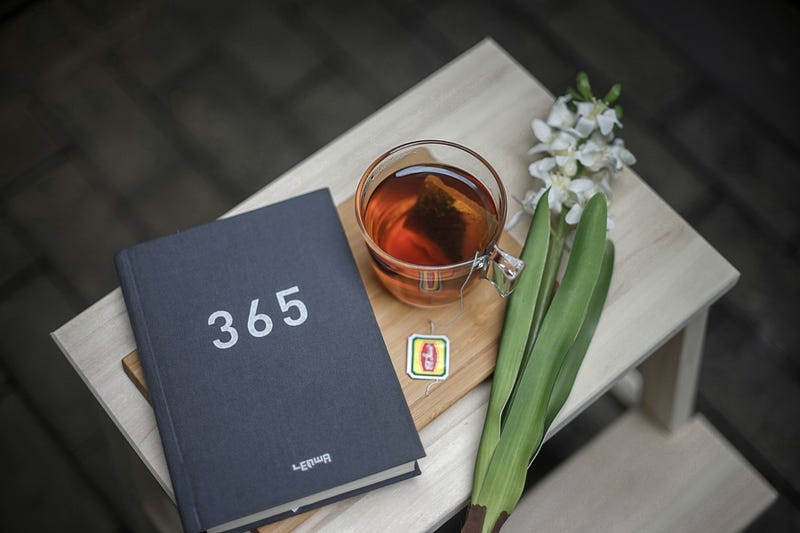
Your book's formatting and cover are probably the next most important part of this entire process right after the editor.
After you have a completed manuscript, it is time to format the interior and get a book cover design that will grab the attention of people who are going to buy your book.
People do judge books by their cover. And, they decide to keep reading books if they are formatted well and easy to read. In this section, I will share with you how I have formatted my books and how my covers have been designed.
But first, make sure you know your dimensions…
If you are planning to put your book into print through Amazon KDP, you will need to decide your book dimensions before we go any further. For a quick review of different sizes, you can check out this article.
However, to make it easier for you, the best size to use this size: 5.5 x 8.5 in.
That is a very standard size, it's what I used on my first book, and it's what I suggest for just about anyone. My second book is a little smaller, but that is specific for the type of book I wrote.
Formatting Your Book
Alright, so book formatting (the interior) can be pretty hard. I formatted both of my books. In my first book, I did this using Microsoft Word and a template. It was terrible work, but I wanted to do the work and I didn’t want to pay anyone.
For my second book, I purchased software to format my book and it was way better. But it was a big purchase and I don’t expect many people to want to do this kind of work.
If you don’t want to format your book on your own, I want to make you an offer. DM me and we can discuss the cost to format your book and I will do it for you for both print and digital.
If you want to format it yourself, you can find software and templates that will help, but it takes a little getting used to on your first book.
Book Cover Design
This is one of the most important parts of this entire process. You need an eye-catching book cover to help sell your book on Amazon or anywhere else for that matter.
I highly suggest hiring out for this task. The easiest way is to do this with Fiverr again. You can get a few different cover options for just $5 and then you can pick your final book cover design. This is what I did for my first book and it's what I’m doing for my next one.
Or, you can design your book cover yourself. I did this with my second book using Canva and Affinity Designer on my Macbook. If you do this, I highly suggest getting a lot of feedback so that way you can nail it down.
Again, I would highly suggest hiring out though because it is a difficult task to do it yourself.
Manuscript Format, and Design Complete
You are so close! Your manuscript is reader-ready with final edits and formatting. You have your design complete too. Now, you just need to upload it to a publishing platform and get it out there!
Published Book (Final Draft)

You have made it to the jumping-off point.
With everything ready, you are about to upload the cover and manuscript to your publishing site, prepare the final things, and hit publish. This is exciting and nerve-racking at the same time.
In this section, I will share my publishing site, and the other steps I take to get my books out to as many people as possible. There will be a lot of references to different places that will help publish your book, so get ready.
Amazon KDP — Print and Kindle
This has been my base of operations for selling books. I start with Amazon KDP to upload my manuscript and book cover. It is actually really easy and there is a tutorial on their website. Three things you need to be thinking about with this website:
- Book description: You want to make sure your book’s description is enticing. After someone likes your cover, they will see if they will like their book. Here is a site I use to help me create my book descriptions.
- Keywords: This is important because this will help Amazon’s algorithm push your book to the people who will buy your book. There is an easy tool that I use to help with finding the best keywords and it is Publisher Rocket.
- Categories: This is another place where I use the work of Publisher Rocket. It has helped me put my books into categories that have helped me reach #1 Bestseller on Amazon.
Once you have these things all settled in and everything uploaded, you can hit publish and it will take a couple of days before it hits Amazon’s sales pages. Once it is there, you are all set to send it out to everyone you know!
Smashwords — Digital Books
If you want to send your book out to other places, specifically digitally, you can use Smashwords. This is a great website that helped me get my book onto Apple Books and into a few different places that people read digital books. Special thanks to Jim Woods for showing me this one!
ACX — Audiobook
This is my latest find. If you want to turn your book into an audiobook, you should go over to ACX. This is a great place to upload your files or have a narrator read them for you. My latest book just got published and you can find it here for Audible!
Sell It Yourself — I Use Podia
Podia is a platform that you can use to sell digital products, courses, and more. It is my one-stop-shop for email marketing and digital products right now with more to come. This is another place where I sell my digital books. Learn more here!
Other Ways To Publish
Now, there are more places that you can publish online, and I would highly encourage you to let me know other places you have found or have used in the responses below. That will be helpful for others to find ways to sell their books too!
Conclusion

Yes, you can use your Medium articles to create books.
In fact, I think it is a great idea and it is the way that I have been working through my books since I started publishing in 2019. It is easy to do and I think it makes sense because you are writing here on already and you have instant feedback.
If you want to publish a book by the end of the year, I think this is the best way to do it. In my first book, I wrote all the posts in the span of three months and then took these steps and went from the initial manuscript to the published book in three months.
So, if you have already published a ton of content here, you are two to three months away from publishing a book.
Let’s recap the different parts again:
- My Story — Medium posts to income-earning books
- Medium Stories (1st Draft)
- Manuscript (2nd Draft)
- Personal Edits (3rd Draft)
- Editor Edits (4th Draft)
- Formatted Manuscript & Cover Design (5th Draft)
- Published Book (eBook, Print Book, Audiobook)
Now that you have this framework, get out there and start creating! You have enough information to make it happen right here and right now.
If you have any questions, feel free to leave them in the responses!
NOTES
- Affiliate Links: This post contains affiliate links. If you use these links to buy something we may earn a commission. Thanks.
- Book Formatting: If you wish to inquire about my service to format your book, please DM me and we can discuss the steps and pricing. Thanks.
- No Guarantees: Please know that this is an informative post. It does not guarantee that you will make significant amounts of money or that you will become a #1 bestseller. It is to help you on your journey.