
A C2 Channel on WordPress to Access AWS IAM Role Credentials
ACM.8 Your applications are the gateway to your cloud
~~~~~~~~~~~~~~~~~~~~~~~~~~~~~~~~~~~~~~~~~~~~~~~~~~~~~~~~~~~
⚙️ Check out my series on Automating Cybersecurity Metrics. The Code.
🔒 Related Stories: IAM | AWS Security | Application Security | Data Breaches
💻 Free Content on Jobs in Cybersecurity | ✉️ Sign up for the Email List
~~~~~~~~~~~~~~~~~~~~~~~~~~~~~~~~~~~~~~~~~~~~~~~~~~~~~~~~~~~
In the last post, we considered some of the things we will need to do to secure containers in our batch job architecture that we are creating to help with cybersecurity metrics reporting and automation.
How could an attacker use a container or some other resource in a cyber attack?
In this post, I’m going to share a lab (generally, not the exact lab) that I used to include in my 5-day cloud security class. The lab demonstrates how an attacker might gain access to an application through a flaw, establish a foothold, and then send commands to it to obtain the credentials of a virtual machine in the cloud.
Note that this attack is applicable to a number of cloud platforms, not just AWS. Each of the major cloud platforms needs a way to provide credentials to a host and allow it to carry out actions on the cloud platform. Once an attacker can get onto the host or get it to run commands on their behalf, they can do anything that host is allowed to do.
What happens if you’re running an application in a container, such as we are doing in our batch jobs? We’ll explore that scenario as well. The security of the credentials in that case depends on the security of your container.
About Developing Cloud Security Training Labs…
Why am I sharing this lab? I used to teach a 5-day cloud security class covering AWS, Azure, and GCP. If you have ever paid thousands of dollars for a class and during the class found that the labs didn’t work or were out of date with the current state of the cloud — that is, in part, why I’m not teaching that class in exactly that format anymore. I didn’t feel I could do the material justice in that particular format. I couldn’t dive as deep as I wanted to into any particular topic. Maintaining *high quality* labs is complicated as you’ll see below.
Note that I’ve since revised how I teach the material which I hope to write more about eventually, though currently my classes are on hold. You can reserve a spot in about 3 months with a contract and a deposit but I won’t be able to teach for a while due to some revisions of my home office to prevent the ceiling from falling on me. :-)Trying to maintain extensive labs across multiple cloud providers that always match what you see in the console and work consistently requires significant investment. I updated all my software before every class, updated the slide content, and had people proofread the material and test the labs. Initially I also paid someone to help me create the labs since I had to deliver the class in a very short time period. I knew what I wanted to have in the labs I just didn’t have time to do it all myself.
Have you ever checked the versions of software tools in the security classes you take and whether those versions have known CVEs? I’m not talking about the intentionally vulnerable code samples. Those updates take time and when you make them things need to be re-tested. But if you're teaching a security class, seems like things should be up to date.Another thing I didn’t like about the format of prior class was the fact that once I got the labs dialed in, people didn’t have a lot of questions and the time spent on labs in class didn’t seem to provide as much value as lecture material or demos. During class, some people would finish the labs quickly and have to sit around waiting for others to complete them. At the same time other people didn’t have enough time to finish. I would just wander around the room waiting for people to finish if they didn’t have questions.
Did you ever take a class in school where you did your homework in class? I didn’t but maybe that’s just how the schools I attended taught classes. Teachers generally taught the material in class and you did your homework - at home. Then you came back the next day to ask questions if you had any. That's how I teach my classes now. The other interesting thing is that after the first class or two, most of my labs went pretty smoothly — except this one. This lab was not that complicated to develop. I did the initial POC (proof of concept) in a very short period of time and it worked perfectly. Then, it failed to work in multiple classes — for a different reason each time — and it was something that had worked previously just fine before. In each case, I went back and did some troubleshooting and determined the source of the error.
Here a run down of the issues I faced and how a container came into the mix and foiled my hacker plans:
- In the beta class we simply didn’t get the configuration of the WordPress server completed in time to test or run the lab. I remember confusing my students slightly with a half-baked lab (sorry) but that class was free. We had fun anyway!
- For my POC (proof-of-concept) I tested with a vulnerable version of WordPress. I was paying someone I worked with before (who is awesome) to help me write some of the configuration code for the infrastructure for some of the labs. He wrote a script to deploy the specific version of WordPress I gave him, but didn’t validate the version after deployment. WordPress has auto-update configured by default…we didn’t get it to the testers in time to find that error prior to class.
And yes, I should have tested this myself right? But you have no idea how hard it is to write a 1000 slide class with 4–5 labs per day in two months…I literally stayed up all night for most of my initial classes troubleshooting and trying to fix everything so it was “perfect.” It wasn’t. I was teaching on zero sleep too which isn't exactly healthy.- Next class. I was using an exploit in Metasploit on Kali Linux. It stopped working. Period. I didn’t have time to fully troubleshoot before class unfortunately and super frustrated. But it just failed for no apparent reason when my testers tested it, even though we were now using the correct vulnerable version of WordPress and it worked just fine in my initial POC. What?
- To avoid counting on Kali Linux for that exploit or try to troubleshoot it, I simply pointed the students to a similar exploit from Pentest Monkey. I put a copy for convenience in my class BitBucket repo. Note that I created a new BitBucket repo and student group for every single class. Only the students in that class and my testers had read-only access to that code (in theory), myself, and the person helping me write the code. There. Kali Linux, you can’t mess me up. Except, magically, a special character got inserted into the script in BitBucket and the lab failed. Since the character was invisible we couldn’t see it so during class I didn’t know what was wrong. The code on Pentest Monkey worked fine. Was I going insane? We just tested this.
How did a special hidden character get into the BitBucket repo? Consider this. I had to troubleshoot why the lab failed after class since we were in the middle of class with more material to cover and not enough time to figure out what was going on. I figured out that a hidden character had been inserted into the code. Note that my concern about using tools and code that might be suspect and not enough time to thoroughly inspect and configure everything perfectly was one of the reasons I tell students not to use production AWS accounts. Additionally, everything they did in class was on a cloud VM, not from a local laptop, other than using SSH or RDP to connect to the cloud VM with a security group configured to only allow those two specific ports inbound. It wasn't necessarily fool-proof but compared to other circumstances I was in during classes, it seemed a bit safer.I host the original code I develop and ultimately deploy to BitBucket for each class in a separate private repository hosted in a different source control product. When I found the special character, I went back and checked the original source I deployed for this particular class. The special character did not exist in that repository. The only people with write access to BitBucket were myself and my lab helper whom I trust 100% and honestly, I'm not sure he would have known to do that if he was being malicious. He's not a penetration tester but he's a really good defender. I do not think he had anything to do with this.How did that special character get into the lab code? Hmm. One thing I was doing in that class which I never do in public presentations and never have done since was to dynamically update code from my laptop during class. Since then I have always, always, performed any updates from a cloud VM. One student noticed I was doing this and made a comment about it.The other thing was, there may have been some .git remnants on the VM we gave to students. Did one of my five students sabotage the class? I certainly hope not. It also could have been someone else with access to something - the network, my laptop, who knows. In any case, I knew about those problems we were just in a rush to get the class out and that was one of the issues with not having the time and money to properly develop the labs - and it is one of the reasons I only teach private classes now. I do not see how that character got into that code except because the public knew where and when I was teaching that class. I hope it was not one of my students. I had some pretty darn smart students in that class. Former DOD, Google, a person working at a hot identity startup that has since been acquired, an auditor for a large company, and a person with a PhD - in writing compilers. Sheesh. No pressure.I didn't have time to do a thorough incident response process to try to nail down what happened on top of everything else we were trying to do so we locked it down and moved on. I verified the integrity of the code after that point. (Think Solar Winds.)- Next up, I have this all working and I go to Australia. I’m up all night before this day of class testing the lab. Everything works perfectly. I go to class. *** SOMETHING ELSE FAILS. NO. WAY. *** This time it’s a WordPress scanner on Kali Linux that has worked in every other class. That’s it. I’m done with Kali Linux.
To be fair, I think the URL to the WordPress site might have changed so it might not have been Kali Linux, but to remove all possibilities, I wrote my own penetration testing virtual machine (AWS AMI) to replace Kali Linux and deployed all the tools myself in a verifiable manner. That way I knew exactly what I was working with and nothing would change — right? Things were working. All was hunky-dory.
At the end of the year I sent all my students from that first year of teaching all the lab updates which included not only things we had fixed, but also enhancements we added over the year to incorporate more insights, labs for different cloud platforms, and penetration testing throughout the class labs. So ultimately, the students got 100% working labs.- The next year, I’m teaching to a group of penetration testers. Always a tough crowd. I love you all. :) Everything works. Except. This. Lab. What in the world now? One of the students realized that WordPress was in a container. Turns out the person helping me with the lab code had decided, “Wouldn’t it be great if we deploy WordPress in a container ?” — without telling me. I already told you, he’s not a pentester. I don’t think he understood the implications of doing that and how it would affect the lab. When I describe how this lab works and what it demonstrates you will see why that causes a problem. If the container doesn’t allow the necessary ports then the C2 channel won’t work. If the container is securely configured to disallow container escape, there will be no way to access the host or the metadata service. And even if that was possible that’s not how the lab was written. *Sigh.*
- In the end, I decided to just maintain the code myself until I could afford more help and time to completely and thoroughly test the labs prior to every class, and review all code changes. We needed to further automate our whole deployment process to eliminate the possibility of error and add additional integrity checking. Automated testing would also be nice. But anyway….the lab worked perfectly from there on out.
The joys of security class labs. Let’s take a look at how this lab works and the impact of introducing a container.
Exploiting a WordPress Instance to get to AWS Credentials
Let’s get into how this lab worked. Here’s what the students did in this lab. Although I’m not currently teaching this lab I consider it copyrighted so hopefully you don’t run across it in some other class. ;-) I’ve been using it since February 2019.
- First, the students deployed a vulnerable version of WordPress in one virtual machine (VM).
- Then, they started up their 2nd Sight Lab VM.
The two VMs need access to each other on the network obviously. The students learned to deploy networks using AWS CloudFormation earlier in class so they used that to set up the proper networking. The vulnerable WordPress host was in a private network when I finally had time to complete the lab properly. Only the student’s 2nd Sight Lab VM could access it so it wouldn’t be exposed to the Internet or be attacked by someone else. The 2nd Sight Lab VM was basically a bastion host used to attack the vulnerable WordPress VM- Next the students ran a copy of WPScan from the 2nd Sight Lab AMI (no longer using Kali Linux, as you may recall.) The scan showed that the WordPress instance was vulnerable to a particular exploit.
The students learned how to pull code from a source control repository using git (used by BitBucket, GitHub, and others) in class. I know some security people don’t know how that works so wanted to make sure they understood that as we went through the section on DevOps. - Next the students pulled down the exploit code from BitBucket and used it to exploit the WordPress site. They would inject the code into a particular template that would then establish a C2 channel (which you can read about in my book if you don’t know what those are).
- At that point they could connect to the host and send commands to the operating system running the WordPress site as if they were connected with SSH, but their connection was via the malicious C2 channel established via the vulnerable WordPress version.
- Now that the students had a connection to the WordPress instance, they could run commands on the EC2 instance and do anything that EC2 instance was allowed to do via the role assigned to it. Let’s say the EC2 instance had access to all the S3 buckets in the AWS account. (ahem.) The attacker could run this command to list all the s3 buckets:
aws s3 ls- Next the attacker (student) could loop through each bucket and retrieve all the contents to a folder on the web server that serves up web pages to the public. Bingo. Data exfiltration.
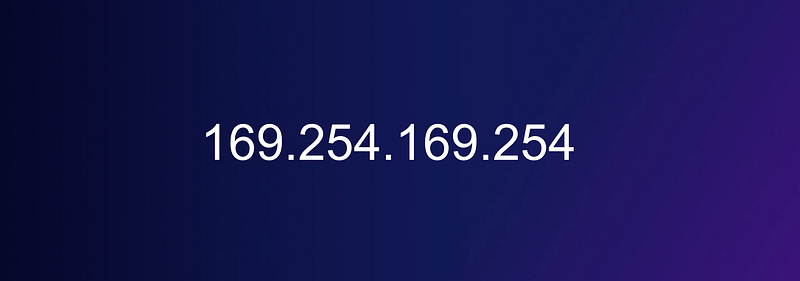
- Now let’s say the attacker wants to use the credential provided to that host by the AWS platform somewhere else. This is where the metadata service comes in. It’s possible to query the metadata service using a curl command to get the AWS access key and secret key associated with the role on the machine. The attacker could exfiltrate and use those credentials and use them on any machine they want.
The ability for an attacker to get credentials via the metadata service is, in my opinion, one of the single biggest threats in the cloud. I wrote about this topic for IANS Research about two years ago but it never got published as far as I know. I’m not sure why. I posted more detailed information in that post than I provided here, but this give you the general idea of how attackers can try to gain access to a host, use, and steal credentials.
I’ve also spoken about this issue on a number of presentations including Real World Cloud Compromise of which you can find in my slideshare.
Tip: Hopefully you've set up and are monitoring Guard Duty to detect that and using IMDSV2 to help prevent attacks like that and the Capital One breach.How containers can help defend against metadata service attacks (possibly)
How did a container break my lab? I’ve sort of outlined that already but here are the details again:
Once the WordPress site was in a container two things happened:
- The C2 channel didn’t work because the container did not open the ports used by the C2 channel to establish a connection. The website was allowing connections to port 443 and outbound anywhere. The C2 channel was trying to connect on a different inbound port. Don’t think this will completely stop all C2 channels because attackers can do tricky things to leverage two outbound ports in ways I won’t get into here.
- When the attacker tries to retrieve the credentials from the metadata service it’s typically a curl command to make a web requests to a specific local IP address and URL. The container couldn’t access the metadata IP address on the host because that wasn’t allowed due to the way containers work. Again, don’t think this method is foolproof. There are tricky attacks that leverage DNS rebinding to get around issues like this, and a container misconfiguration might allow an escape. I went over some container threats in my last post:
Understanding how all these layers work together and what attackers can ultimately do with them is critical for security. Luckily in our case, the containers are running batch jobs which should be short lived so any attempt to establish a C2 channel would be limited, but there’s still a chance someone could try to get into the container and access any secrets, leverage the permissions assigned to the container. TBD.
By the way, I created a C2 channel with Slack based on a very interesting presentation I saw by a university student at Seattle B-Sides a few years back and started incorporating that into my incident response lab. I was able to execute commands in a cloud environment using a slack bot that would update the WordPress site.
And people wonder why I don’t want to use Slack and other things that are constantly connected to third-party cloud services. Or things that could create a bridge between my systems and someone else's (like Zoom.) When I must use these risky services, I generally need to know in advance because I run certain things on separate computers and networks that do not have access to sensitive data. Pretty sure one of my fun pentesting students was trying to get me to click a crafty link in a chat window in one of my classes. Nope. Sorry.
Anyway, hopefully this post gave you some insight into how and why we need to think through protecting the credentials in the containers used by our batch jobs. Anyone who can get access to the permissions assigned to our batch jobs can do anything our batch jobs are allowed to do. As just demonstrated some of the possible attacks would be code injection into a source control repository, altered third-party components used by our code, a C2 channel or similar attack such as SSRF that can get the batch job to do the dirty work, stolen credentials, or other injection points like third-party integrations.
I can’t promise production-ready code in this series of blog posts but I’m going to try to figure out how to limit the possibility of all this nastiness. Follow me for updates.
Follow for updates.
Teri Radichel | © 2nd Sight Lab 2022
About Teri Radichel:
~~~~~~~~~~~~~~~~~~~~
⭐️ Author: Cybersecurity Books
⭐️ Presentations: Presentations by Teri Radichel
⭐️ Recognition: SANS Award, AWS Security Hero, IANS Faculty
⭐️ Certifications: SANS ~ GSE 240
⭐️ Education: BA Business, Master of Software Engineering, Master of Infosec
⭐️ Company: Penetration Tests, Assessments, Phone Consulting ~ 2nd Sight Lab
Need Help With Cybersecurity, Cloud, or Application Security?
~~~~~~~~~~~~~~~~~~~~~~~~~~~~~~~~~~~~~~~~~~~~~~~~~~~~~~~~~~~~~
🔒 Request a penetration test or security assessment
🔒 Schedule a consulting call
🔒 Cybersecurity Speaker for PresentationFollow for more stories like this:
~~~~~~~~~~~~~~~~~~~~~~~~~~~~~~~~~~~~~~~~~~~~~~~~~~~~~~~~~~~~~
❤️ Sign Up my Medium Email List
❤️ Twitter: @teriradichel
❤️ LinkedIn: https://www.linkedin.com/in/teriradichel
❤️ Mastodon: @teriradichel@infosec.exchange
❤️ Facebook: 2nd Sight Lab
❤️ YouTube: @2ndsightlab


