
A 7-Step Guide to Create Your First Udemy Course
It can make money as you sleep

Here’s how most people describe Udemy:
It’s a marketplace to buy and sell courses.
Here’s how I describe Udemy:
It’s a gift from heaven for content creators.
Am I hyping up the company too much? Probably. The thing is, Udemy solves one of the biggest problems for content creators: you don’t have to build a following to sell a course.
You can leverage Udemy’s existing audience.
What’s more, Udemy deals with the ugly stuff. Facebook ads, refunds — you name it.
I launched my first course in November 2020, and have made just over $3,000 from six Udemy courses. It’s not life-changing money, but the courses have opened the door to opportunities.
Such opportunities include freelancing for clients and working with Zero to Mastery. I now average $1,000 a month from blogging and online courses.
However, I’ve made a lot of mistakes along the way. Two of my courses have completely bombed. One got banned.
This is one of the reasons I’ve put together this guide. I don’t want you to make the same mistakes I’ve made.
The other reason is Zabe.
A little while ago, he left this comment on one of my articles:
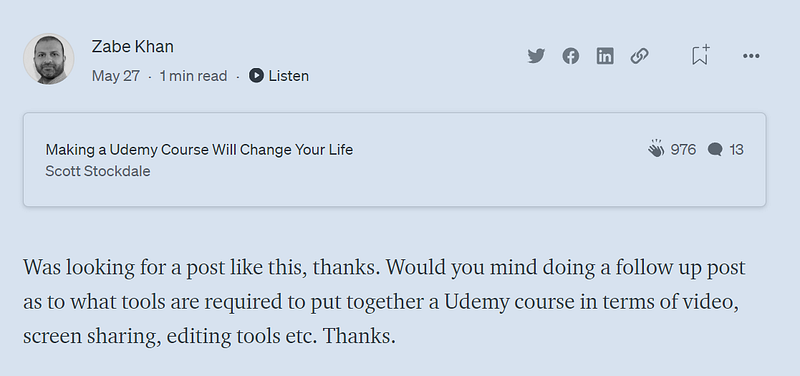
Your wish is my command, Zabe!
In this article, I’ll be laying out the process of putting your first Udemy course together from start to finish. This includes the tools you need, how to plan it, and so much more.
You’ll soon be on your way to making money in your sleep.
Let’s go!
Step #1: Be a Hunter on the Lookout For Prey
There’s no denying it.
Udemy is crowded.
However, this doesn’t mean there isn’t room.
A couple of months ago, I was chatting with a LinkedIn connection. He tutors maths and wants to make an online course. Is this a good idea?
I ran some searches on Udemy. The first was for “maths”. This proved too competitive to rank for.
I then dug deeper by searching “iGCSE maths”:
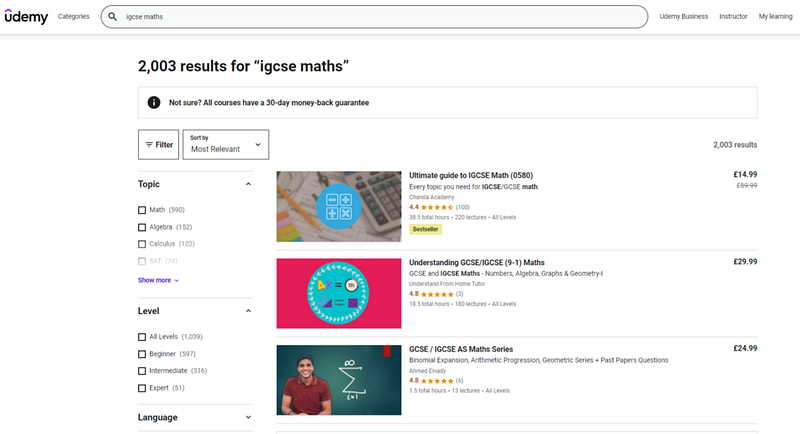
The top course has 100 reviews and was last updated in 2017. The second highest-ranking course only has three reviews.
To me, this suggests one of two things. There are either not enough people searching for this keyword to make it worthwhile, or there’s a gap in the market.
I think it’s the latter.
Next, think about making a course that destroys the competition. Are there details they’ve missed? Are the other courses too detailed? Could yours target a different audience?
I encouraged my friend to make a maths course. If he gets 20 positive reviews, his course should rank on page one.
The best time to make a course was ten years ago.
The next best time is today.
Step #2: Think Profitability
Once you’ve found a gap, ask yourself this:
Would you feel comfortable talking to a stranger about this topic on a two-hour flight?
Choosing the right topic is 80% of the game.
And here’s the thing. You don’t need to be an expert to make an online course. You just need to be further along than the people you teach.
Having said this, you need to be the right person to teach the course.
Here’s how you can think about it:
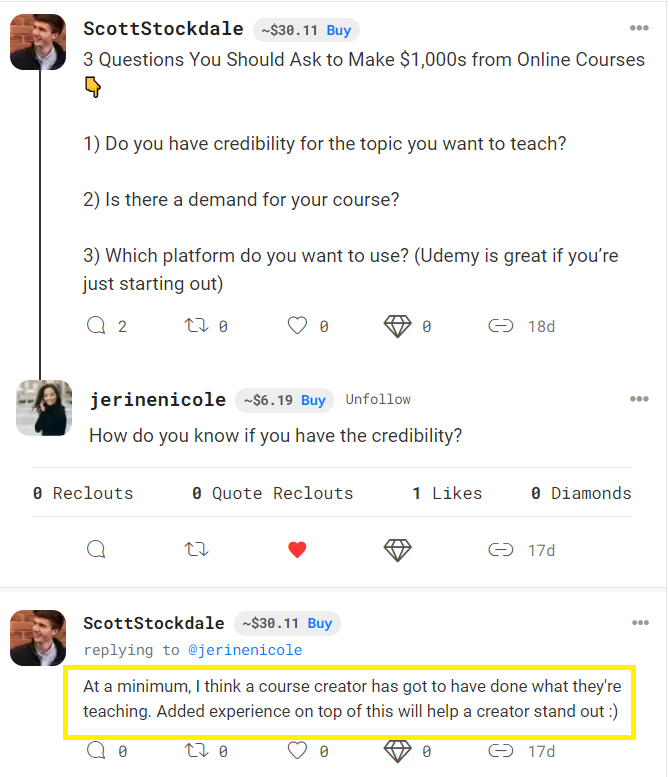
Next, you need to think about profitability. It would suck to spend 50 hours making a course that no one buys. (Trust me — I’ve been there.)
So how do you find a potentially profitable topic?
Think about creating a course that will help students get an immediate return on their investment.
For example, my Medium Writing course has an obvious payout. Students can get paid through Medium’s Partner Program.
Some topics may not offer a monetary return but a time-saving return.
My outsourcing course is a good example. It helps students save 10+ hours a week by outsourcing tasks they no longer want to do.
Step #3: Target a Keyword Like a Sniper
It’s a good idea to assess which keyword (or keywords) you could realistically rank for on Udemy.
For example, prior to my outsourcing course, the top-ranking course for the keyword “outsource to a virtual assistant” had just 19 ratings from 1,742 students. The content also seemed fluffy.
I knew I could do better.
The best way to find keywords is to do a search on Udemy. I wrote down a list of potential keywords and searched for as many variations as I could think of. Here’s a sample:
- outsource to a virtual assistant
- outsource to a va
- outsource
- remote virtual assistant
- freelance virtual assistant
The key is to find keywords that give you an opportunity to make money but aren’t overly competitive.
Look for keywords that have less than 1,000 results and around 30 reviews to rank in position one. This way, when you target a keyword, your course is likely to appear at the top of the search results — if not the very top.
Step #4: Set Up Your Camp
Once you’ve identified your keyword, it’s time to plan your course.
I wrote down a list of topics I wanted to cover and put them into five sections.
Each section begins with an intro that tells students what to expect. These intros are around two minutes long. The teaching videos are between five and ten minutes.
I recommend your first Udemy course lasts between two to three hours. If they’re shorter than this, there’s probably not enough material. Too much longer and students may feel overwhelmed.
If this is an issue, you can always break the content down into multiple courses.
It’s also important to make sure your course focuses on the primary keyword you want to target. Here are places to include it:
- At the beginning of the course title
- In the course subtitle
- Multiple times throughout the course description
- Say it in the videos themselves
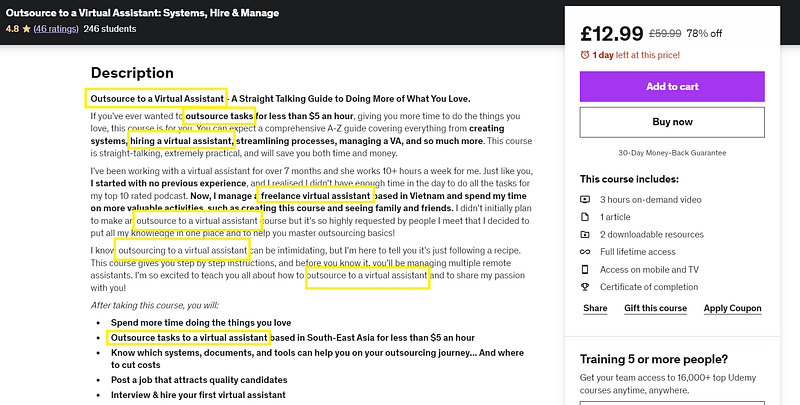
In my course description, I’ve included “outsource to a virtual assistant” multiple times, as well as variations of this. These include “outsource tasks” and “outsourcing to a virtual assistant”.
It sounds natural and I’ve been careful not to mention it too many times:
Step #5: Record Your Course
My hardware consists of a laptop and a Blue Yeti mic.
That’s it.
If you’re going to invest in anything, make it a mic. Sound is king. Otherwise, a few well-placed lamps will do the trick. A circle light can help too.
As long as you’re providing value, people are forgiving.
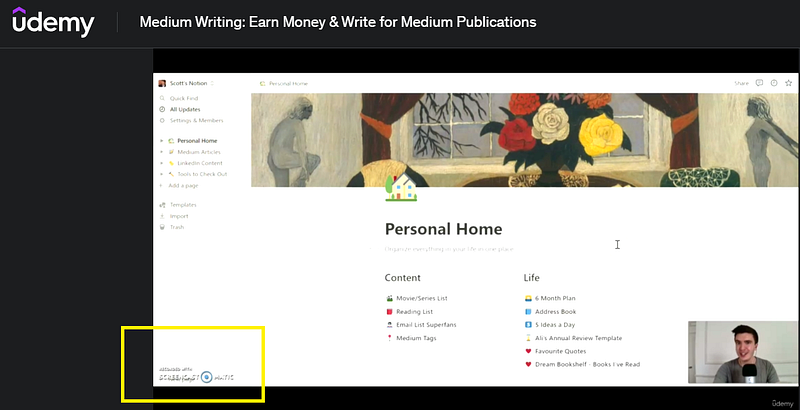
Screencast-O-Matic is the software I use to record my videos. It records your computer’s screen, as well as the video from your webcam.
If your videos are under 15 minutes, you can record them for free. (It’ll display the Screencast-O-Matic logo in the bottom left of the screen.) A full license costs $48 for the year.
For editing, I use Free Movie Maker. It came with my laptop. You could also use iMovie or Adobe Rush.
For my latest online course, I used Camtasia to record and edit my videos. It’s a fancier version of Screencast-O-Matic. The only reason I used it is that I get it for free with Zero to Mastery.
Speaking of fancy, you may want to upgrade your webcam for future courses. I bought a NexiGo N930AF.
However, you don’t have to show your face. Many successful Udemy courses are faceless, including the ones by Andrei Neagoie.
Let me repeat: fancy isn’t necessary.
Here are some extra tips:
5.1: Treat Your First Course as a Test Run
Accept the fact it may not be good. It may not make much money.
Go after a tiny niche and use it as a dummy run.
Produce, improve, repeat.
5.2: Mess up Quickly & Often
“F*ck!”
I mess up a lot. If you saw my outtakes, you’d believe me.
This is normal. I’ve spoken to experienced course creators who mess up all the time.
Still not convinced? Watch Ali Abdaal’s course on Skillshare: Editing with Final Cut Pro X — From Beginner to YouTuber.
Start at video eight.
You’ll see.
5.3: Imagine You’re Having a Conversation With a Friend
I record videos like I’m having a chat over Zoom.
It sounds silly, but it’s surprisingly effective.
5.4: Record in Private
Take the pressure off.
You don’t want to up the ante by recording in public. Someone could barge in mid-sentence.
Talking to yourself will feel strange enough without the fear of looking weird.
Record in private where you won’t be disturbed.
5.5: Zero Pressure
Give yourself a full morning or afternoon to record videos.
Don’t do it in small bites. 20–30 minutes might not be long enough for a video, even if it’s five minutes long.
Also, you’ll probably feel nervous. This is normal. Don’t rush the process and give yourself permission to f*ck up.
Pressure works in exams, but not for video recording.
5.6: Accept It Won’t Be Great
No one gets it perfect the first time.
The recording of my first course was a shambles. It was bloated and anemic. I had to re-do the whole thing.
Remember: produce, improve, repeat.
Step #6: Make a Compelling Thumbnail & Preview Video
According to YouTube, thumbnails and titles act like billboards. They help viewers decide which videos to watch.
The same is true for Udemy courses.
There are a few thumbnail rules when it comes to Udemy. Generally, they’re not allowed to include text, and it’s best to include a human face. These are seen as being more compelling for people to click on.
If in doubt, keep it simple. A picture of you and a few icons can look clean and professional:

You can use Canva’s background removal tool when you sign up for a pro account. Pro tip? Sign up for a free 30-day trial and cancel before the end of the month.
With the promo video, keep it under two minutes and answer the following questions:
- What is your course about?
- Why should people listen to you?
- What can students expect to learn by taking your course?
- What makes your course different?
- What will be the benefits to students taking your course?
Step #7: Get Those Reviews in Early
Getting the ball rolling on reviews is important for Udemy SEO.
Once it’s high in the rankings, the quality of your course should generate these in the coming months.
For my courses, I aim for 20 in the first two weeks. You may need more if you’ve chosen a competitive topic.
On a spreadsheet, plot three columns:
- People in your network who might be interested in your course
- The platform you message them on
- The date you message them (so you can follow up a week later)
The message can go something like,
“Hey [NAME], I hope you’re well! I think you might be interested in this course I’ve created, and using my exclusive discount code, you can get it today for £9.99. If you like what you see, it would be great to see you there!”
If you haven’t got many people in your network who’d be interested, here are a few ways to promote it:
- Create a podcast and interview people who you think might be interested in your course. Here’s the kicker, though: Don’t mention your course. Once you’ve developed a connection, reach out a few months later to tell them about it. I didn’t launch my podcast with this intention, but I was able to ask guests to check it out. Many did.
- Guest on other podcasts. Bring value to the episode and mention your course at the end.
- Line up the launch in relevant Facebook groups. By being an active member of a relevant Facebook group, you can tease your course before its release.
How Your First Course May Look
Two years ago, I was stressed, overworked, and running on empty. Making money online seemed like a pipedream.
I knew I had to outsource, but I wasn’t sure where to start.
I scoured Google, put together systems, and hired an assistant. She lives in Vietnam. We’ve been working together since.
When my podcast is live, she saves me ten hours a week by doing podcast-related tasks. (It’s currently on a break.) She edits audio, writes content, sends emails — you name it.
All I have to do is record episodes and upload them to Dropbox.
No stress, no crazy expense, and we spend less than 30 minutes a week communicating. The cherry on top? Now the systems are in place, she’ll be able to onboard our next team member.
She’s also working with my clients.
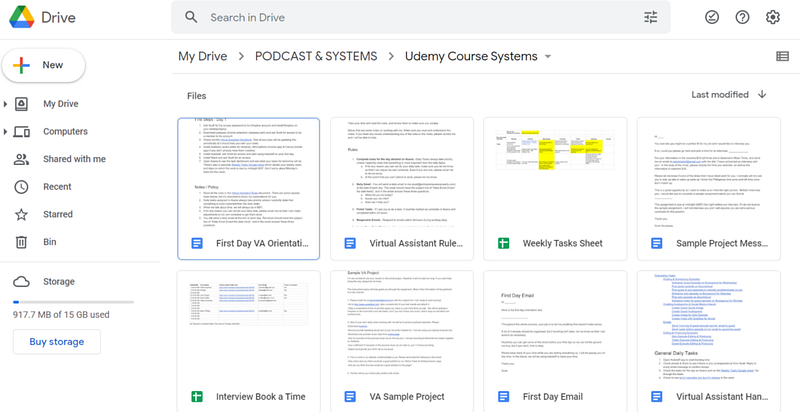
When creating my outsourcing course, then, I had everything I needed. My systems and docs live on Google Drive:
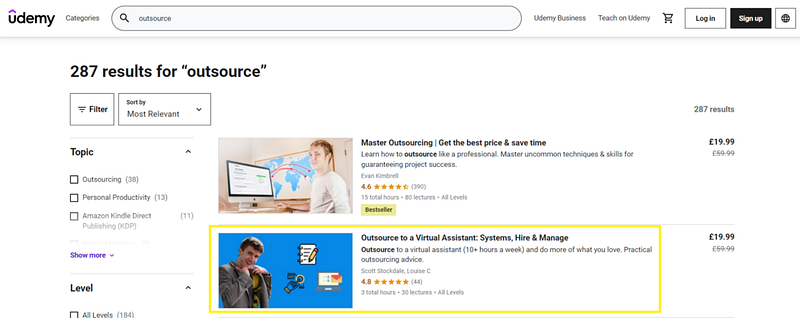
The course has over 200 students to date. It ranks highly on Udemy and delivers money every month:
Before you get excited about making money online, remember this. No one nails it the first time.
With time, though, online courses can help you make money in your sleep.
Produce, improve, repeat.
Want to ditch the 9–5? Get my free 19-page guide: Everything I Did to Quit My 9–5 Job & Transition Into Profitable, Sustainable Solopreneuring :)
Article inspired by Zabe Khan


