
99% of Users Are Using ChatGPT the Wrong Way: Use Prompt Engineering and Be Ahead of the Game!
A step-by-step guide with a number of examples to learn prompt engineering.

We all know that Artificial intelligence is a field that is continuously progressing, with new breakthroughs emerging on a daily basis.
The development of the GPT-3 and GPT-4 models, which are revolutionizing natural language processing, is one of OpenAI’s most remarkable accomplishments. Here are a few of the instances.
In addition, Playground, a platform to interact with the GPT models and learn about their potential, has been developed by OpenAI.
Furthermore, a number of new AI technologies have been introduced recently that enable non-programmers to design websites, video games, virtual worlds, and even VFX. For those who are not developers but nonetheless want to produce something unique and useful, this has opened up a whole new universe of opportunities.
And that is when your proficiency in prompt engineering will come in handy. It is one of those fields that is becoming more popular as a result of AI tools.
It includes generating content in response to a given request using pre-trained language models like GPT-3 and GPT-4. Anyone can learn how to use these models and generate valuable content with only a few clicks with the proper training.
And that’s what we will be learning here. We will explore everything you need to know about prompt engineering and how you can use it to enhance your work.
So, let’s dive in and explore the exciting world of prompt engineering!
Prompt Engineering
Prompt engineering is a fascinating concept that is gaining traction in the AI industry.
At its core, it involves asking an AI model for specific details rather than vague generalities. For instance, instead of saying “I want to create a website,” a prompt engineer would say something like “I want to create a finance tracker website using React.js and Redux.”
This specificity allows the AI model to generate a more precise response that is tailored to the user’s needs. OpenAI has even developed Playground, a tool that allows users to experiment with various prompts and see how the AI responds.
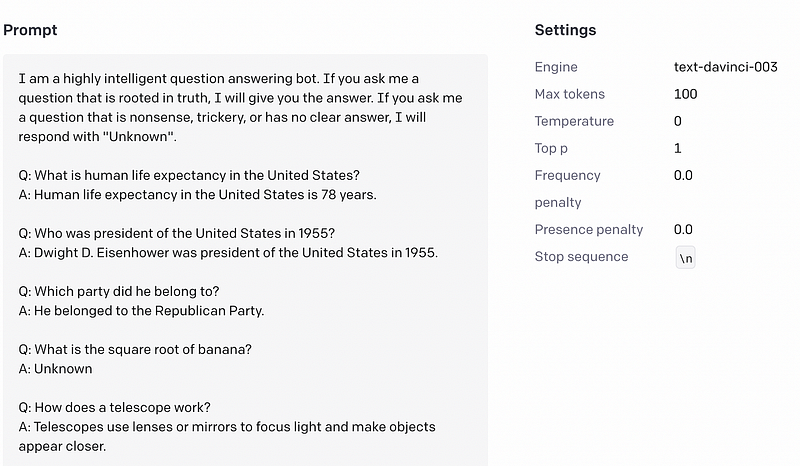
For example, here is one of the examples where the prompt is a lot more specific, and based on that, the answer will be almost correct.
I know most of you may know about this if you follow me but I want to provide basic details before proceeding.
Now let’s talk about some jargon words before proceeding further.
- Models/Engine: You can think of models like a superhero with a unique set of powers. Some of the models include “text-davinci-003” and “code-davinci-002”. In short, if you need help with your grammar, you can summon “text-davinci-003,” and if you’re knee-deep in coding problems, “code-davinci-002” is your guy.
- Tokens: Tokens are like little word nuggets that the API breaks down to process your input. According to the OpenAI documentation, 1 token ~= ¾ words or 100 tokens ~= 75 words.
You can read more about this here if you want to learn more about it.
With that said, now let’s talk about some advanced prompting techniques.
1. Understanding the Temperature Parameter
You can modify the output by changing the temperature.
This parameter controls the randomness or diversity of the generated outputs, and it can have a big impact on the style and quality of the generated text.
When the temperature is set high (1.0 or above), ChatGPT will generate more creative and unpredictable responses. This is because the model is more likely to choose less common words and phrases and to take more risks with its output.
On the other hand, when the temperature is set low (0.1 or lower), ChatGPT will generate more conservative and predictable responses. This is because the model is more likely to choose common words and phrases, and to stick to more familiar patterns of language.
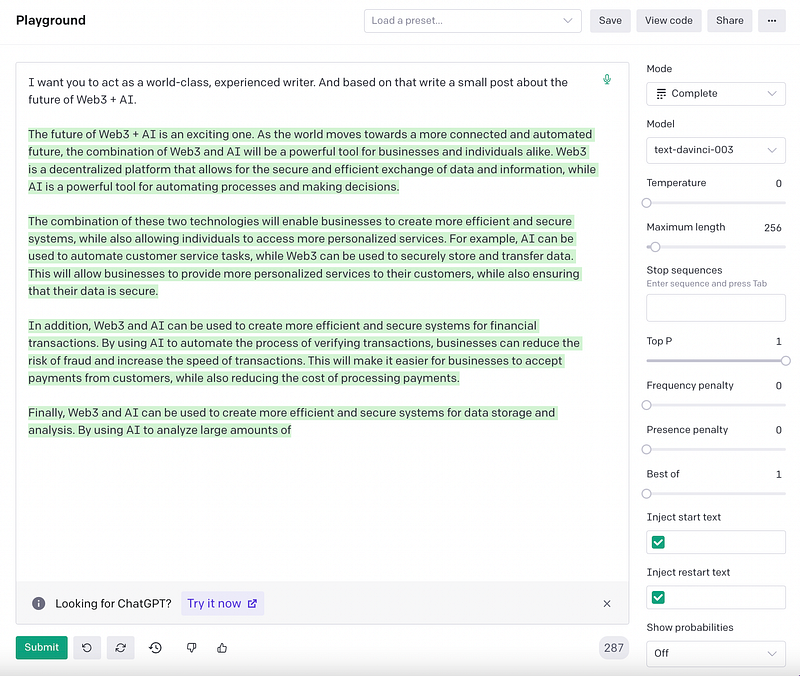
Let’s look at two instances using the same prompt to demonstrate this. The temperature is set to 0 in the first example, and then to a high value of 1 in the second.
Here is the output with the temperature as 0.
And here is the output with the temperature as 1.
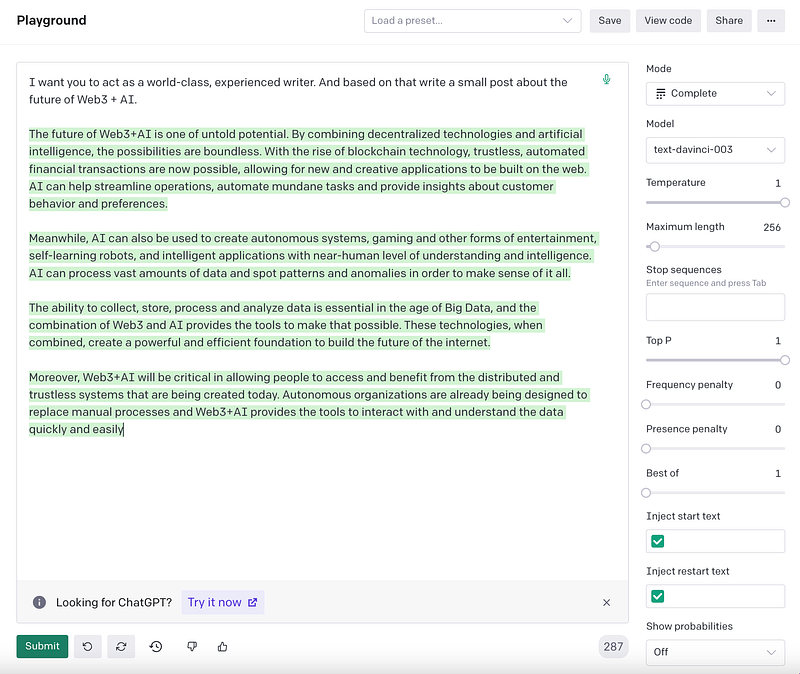
So, as you can see, the temperature setting can have a significant impact on the output of AI models like ChatGPT.
By adjusting this parameter, prompt engineers can fine-tune the style and quality of the generated text to better suit their needs.
2. Use ChatGPT to Generate Creative Writing Prompts
Have you ever struggled to come up with an engaging prompt for ChatGPT to generate content for your blog?
Well, you can ask ChatGPT.
All you have to do is ask ChatGPT what the best prompt would be for [a specific field] that you want to search on.
For example, you could ask ChatGPT the following prompt: “What’s the best prompt for ChatGPT to learn my writing style and then suggest some titles for a blog post?”
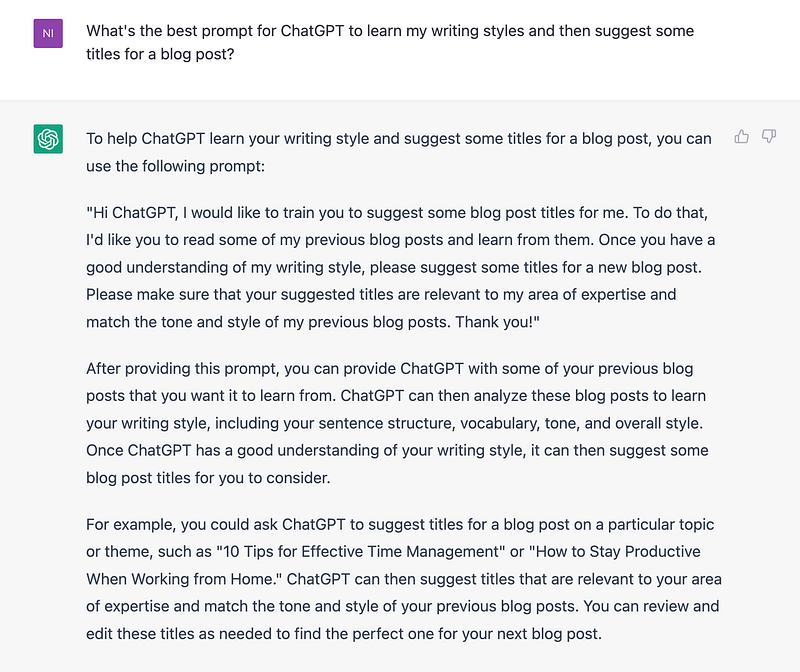
Similarly, I can ask anything.
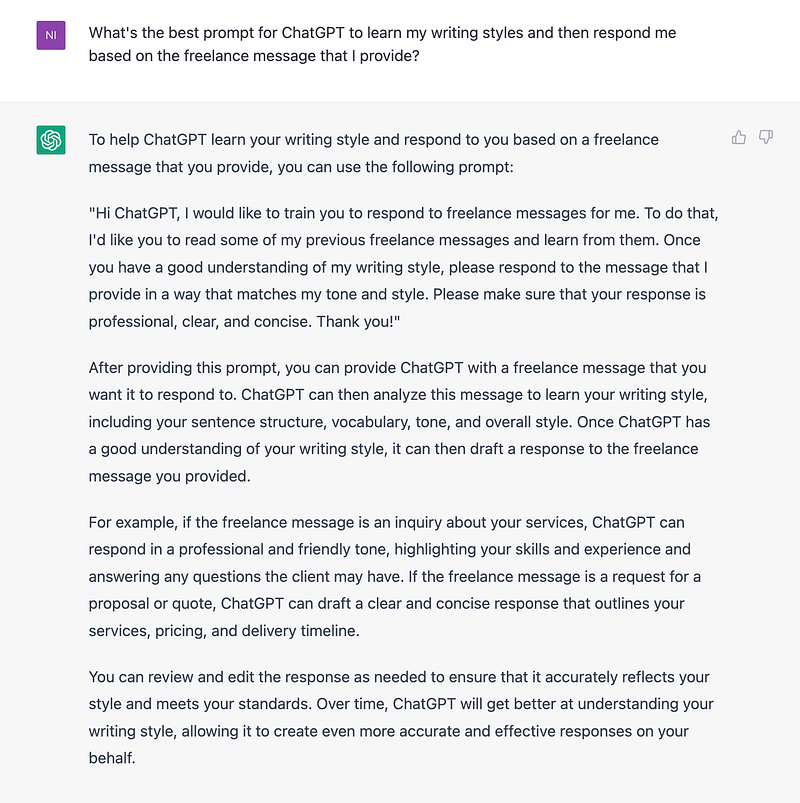
In the same way, you can ask whatever prompt you want directly to ChatGPT.
This method can save you a lot of time and effort in coming up with creative and engaging blog post titles.
So, why not give it a try and see how ChatGPT can help you generate quality content that resonates with your audience?
3. Use ChatGPT to Generate Unique Angles and Strategies
Have you ever found yourself stuck in a rut when it comes to generating fresh ideas for your blog or social media content?
Well, with ChatGPT, you can easily come up with innovative angles and perspectives for your topics.
Generating a list of ideas with ChatGPT is a simple process. All you have to do is ask ChatGPT to suggest unique angles or strategies that emphasize innovative ideas.
For example, you can prompt ChatGPT with the following: “Generate unique angles or strategies for the topic ‘How to increase following on Twitter.’ Emphasize innovative ideas.”
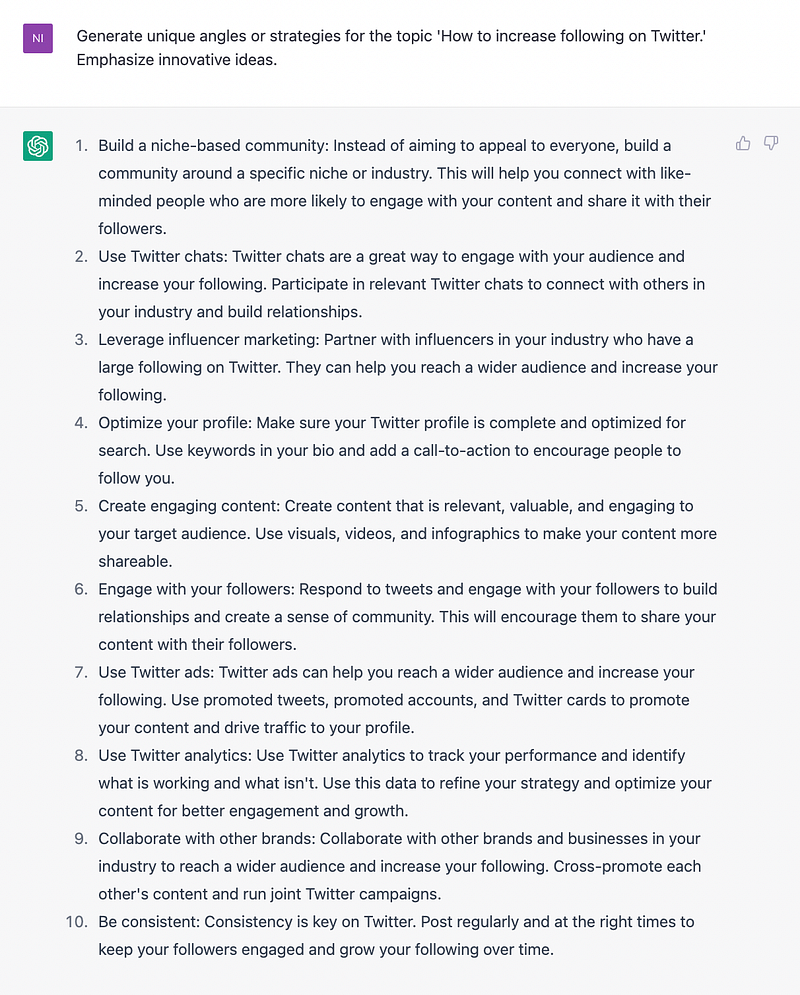
With this prompt, ChatGPT will provide you with a list of ideas and strategies that you may not have considered before.
These could include ideas such as creating engaging visual content, running Twitter contests, collaborating with influencers, using Twitter analytics to track and improve engagement, and much more.
Similarly, you can ask whatever you want.
4. Master Any Field with ChatGPT — Use It as Your Personal Consultant
You can tell ChatGPT to become an expert in a given subject. Then, you can engage in conversation or request it to produce content from the perspective of that specific prompt.
In this example, I turned ChatGPT into a best bookseller by writing this prompt: “I want you to act as the best bookseller and I will ask you questions. You have to give me unique and world-class answers.”
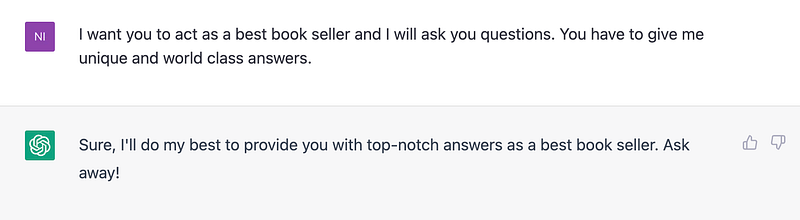
Then proceed further.
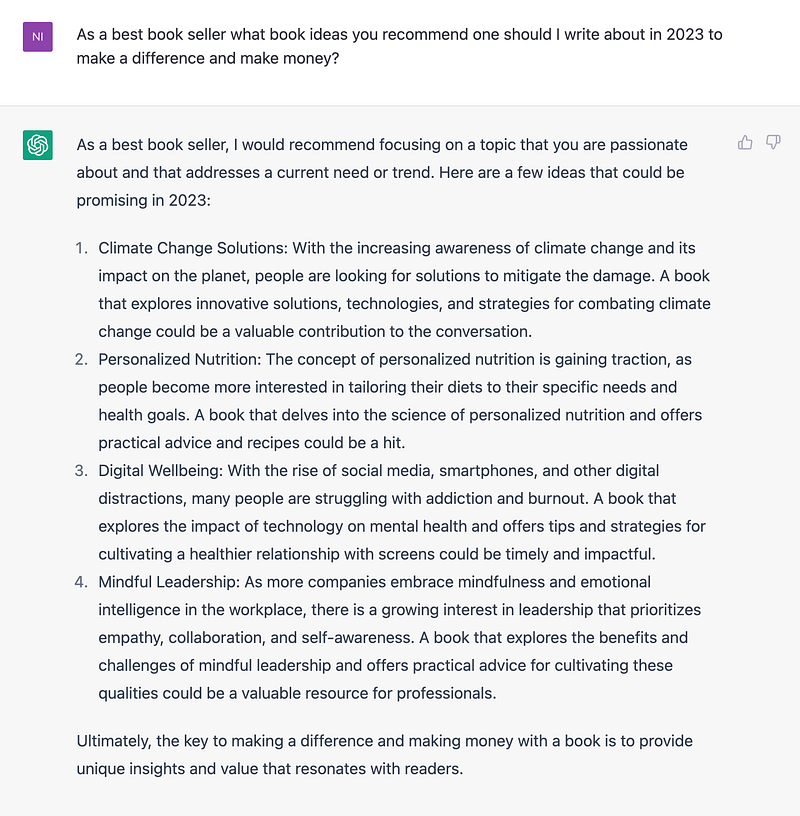
Out of this, I have a bit of experience with Digital Wellbeing. So let’s proceed with the next step.

Similarly, you may ask ChatGPT for anything. And it will provide you with the finest possible solution.
5. Use ChatGPT to Create Organized and Easy-to-Understand Tables
We all know that tables are a great way to present information in an organized and easy-to-understand way.
Let’s walk through creating a table together using ChatGPT that highlights the best AI tools by listing their Name, Category, and Oneliner.
First, we need to choose the tools we want to include in the table. For this post, let’s go with Canva, ChatGPT, Figma, Deep Nostalgia, Beatoven, and GitHub.
Once we’ve identified our tools, we can ask ChatGPT to create the table with the following prompt: “Create a table that summarizes the top AI tools. The table should include columns for Name, Category, and Oneliner. Here are the tools we want to include: Canva, ChatGPT, Figma, Deep Nostalgia, Beatoven, and GitHub.”
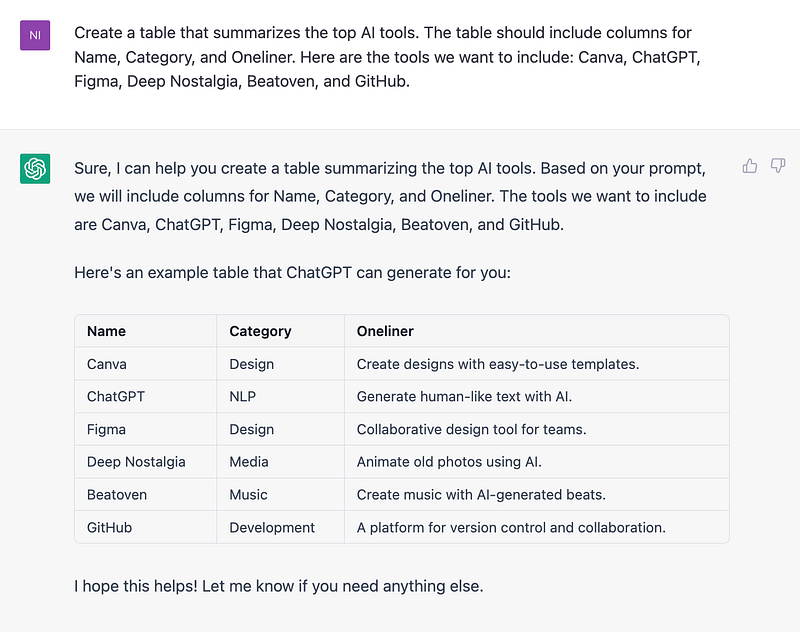
Once prompted, ChatGPT will generate a table with the specified columns and tools as shown above.
Please take note that this Twitter thread is what inspired me to write this post. I’ve taken everything I’ve learned from this one and added my learnings to it.
Hope you like it.
That’s it — thanks.
Consider becoming a Medium member if you appreciate reading stories like this and want to help me as a writer. It costs $5 per month and gives you unlimited access to Medium content. I’ll get a little commission if you sign up via my link.


