
9 Steps to Starting a Publication
And why it’s important.

There are so many publications on Medium, large and small. While you wait for acceptance after you submit to one of these pubs, you should start your own. Now. Today. When you have your own publication, it acts as your blog, without the hassle that usually comes with owning a blog on WordPress. And it’s low-cost. Most of the prominent writers on Medium have their own publication where they publish their work.
The benefits of having a publication
- You are the editor, you say what goes.
- You can niche down or up.
- No lag time — just hit publish.
- Acts as your blog without any technical issues or SEO hassle.
- A place to organize your work under tags and categories.
- The ability to send out a newsletter and communicate with your followers directly.
- A place of your own where no one tells you what guidelines to follow.
- You set the guidelines.
- More freedom in your writing.
There are many topics I’m interested in writing about; thus, I started two pubs. The Write Path focuses on writing and Medium. The Happy Spot is about all things life. Combined, they have over 1000 followers. I get to set them up any way I want and organize my work any way.
There is a lot of freedom in starting a publication.
Even if you don’t have a large following, it is never too early to start a publication. The most significant benefit to publishing to your own is the newsletter feature, which enables you to send a newsletter directly to your tribe, letting your readers know of your latest post or anything you’d like to share with them.
Here are the 9 steps
Step #1 — Choose a topic.
What do you want to write about? Be specific and think about it for a few days.
Write your interests on a piece of paper and organize subcategories under the main topic.
Your publication represents you as a writer and your area of expertise. The topics you find yourself repeatedly talking about with friends, family, and peers indicate your expertise — even if you don’t feel like an expert.
If readers or others ask you about a topic repeatedly, that is your area of expertise.
Write about those topics.
If you think you’re not an expert in anything and want to write, learn something, and take your audience through the learning process. People love to read about trial and error, mistakes along the way, or what you took away from a journey, especially if the journey wasn’t successful.
Step #2 — Set up a publication. Medium makes it super easy.
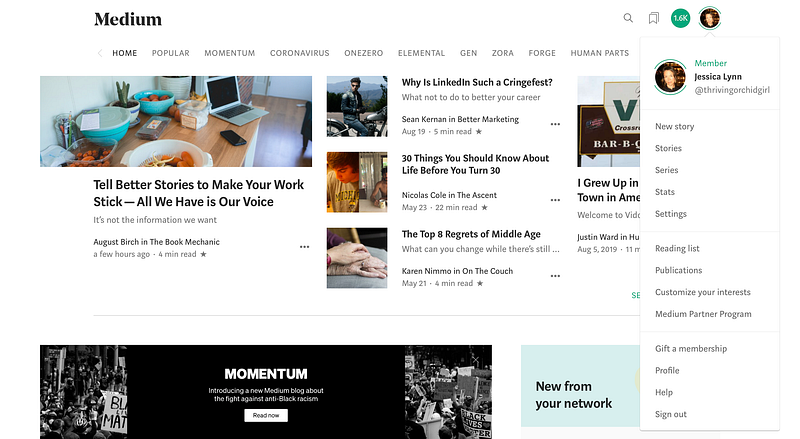
Click on your photo in your Medium profile, and a drop-down menu will appear.
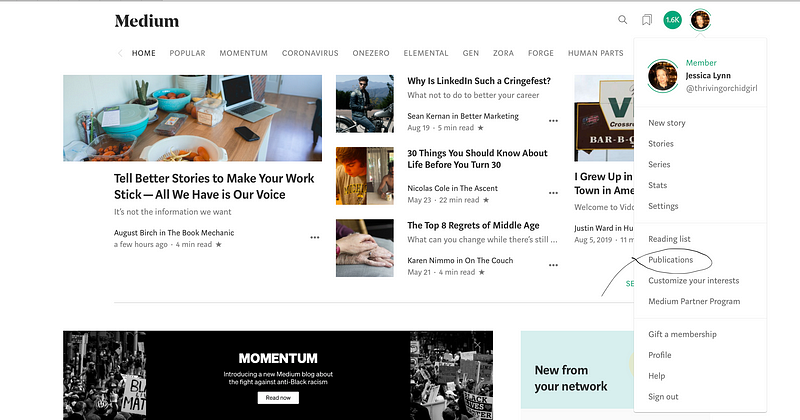
Click on ‘Publications’ (#7 on the list following the ‘Reading list’).
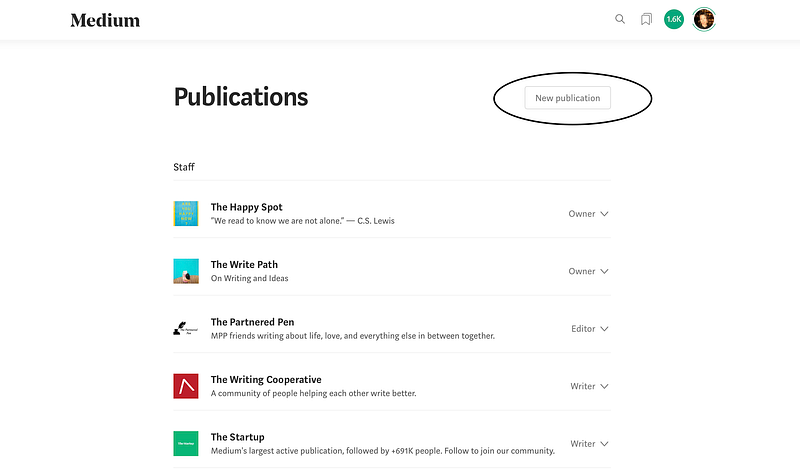
Step #3 — Click the button to the right that reads, ‘New publication.’
Step #4 — Fill in information.
On the ‘New publication screen,’ fill in Name, Tagline, Description, Publication avatar, and your contact info for your social media sites.
For my Publication avatar, I went to unsplash.com and chose a photo that struck me. Choose one with a striking color that stands out. This is what people will see across Medium.
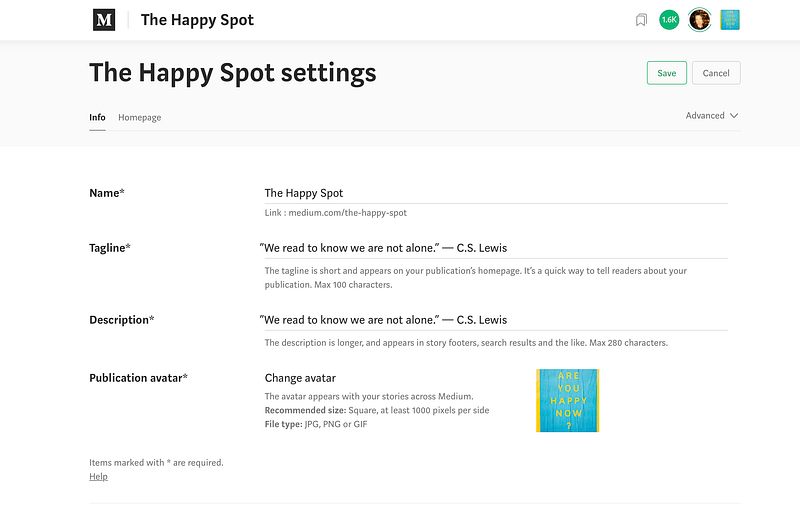
- Name — The title of your publication. Niche down in the title, so readers know immediately what the publication’s content will be focused on.
- Tagline — This will appear on your publication homepage and helps readers understand your publication.
- Description — Describes what your publication is about. This will be used in footers, search results, and other places. I used the same line for my description and tagline.
- Publication avatar — Pick a photo that represents you and your pub. I chose a color that is attractive to me and thought would stand out on Medium. This works like a user icon and appears in previews of your publication’s content. It is a square and should be at least 60x60px in size.
Step #5 — Link your publication to your social media sites.
You don’t have to if you don’t have them or don’t want them linked — just a suggestion. The social media sites you do have will appear if you link them. Add them here.

Step #6 — Add your tags.
Don’t skip adding ‘Tags’ that represent your blog (publication).
Below are mine. I wanted to write posts that contained the following topics; Happiness, Life Lessons, Mindfulness, Relationships and Money.

Tags allow people to search for — via tags — your writing and publication. And allow you to organize your publication via tags.
Select up to five.
Scroll down to the bottom of the page and hit ‘Next.’
Step #7 — Fill in the homepage.
Clicking ‘Next’ takes you to your publication’s homepage, where you will upload a photo.
Click on ‘homepage.’
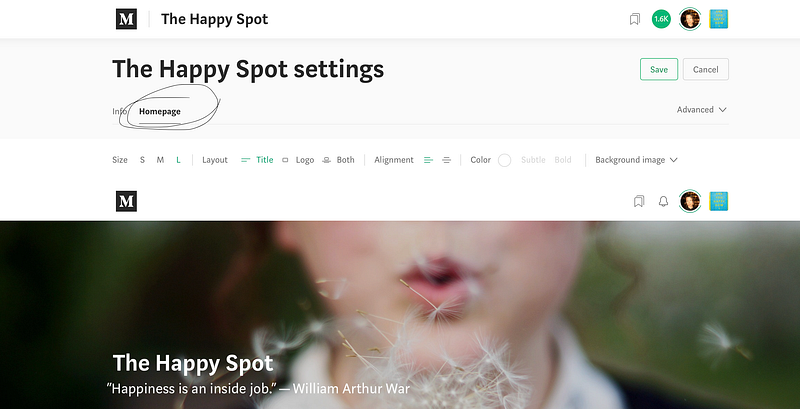
I found an image from Unsplash. Unsplash has high-quality photos and an image for any publication.
Pick a quote that resonates with you and represents your space on Medium.
I choose one of my favorite quotes, “Happiness is an inside job,” from William Arthur Ward, it represents what I’m writing about in The Happy Spot. I often write about psychology, mental health and life lessons. I think this quote both represents the title of my publication and the content within it.
Step #8 — Set up your publication’s navigation page.
Again, be intentional.
Brainstorm ideas on a large piece of paper or a large dry-erase whiteboard.
Think about your publication. Ask yourself what interests you enough to write about often. You will want to post to your publication a few times a week if an audience is what you seek. Your true fans will follow you and expect new content.
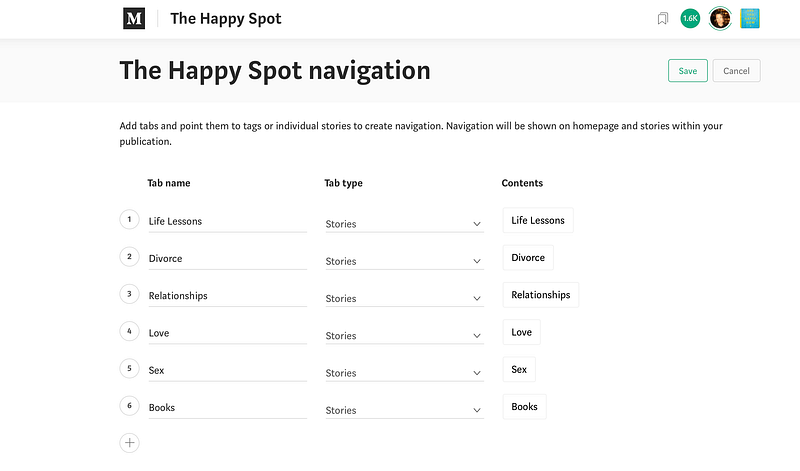
Fill in your categories under ‘Tab name.’ These categories will appear at the top of your publication, under the image you chose. Like so,
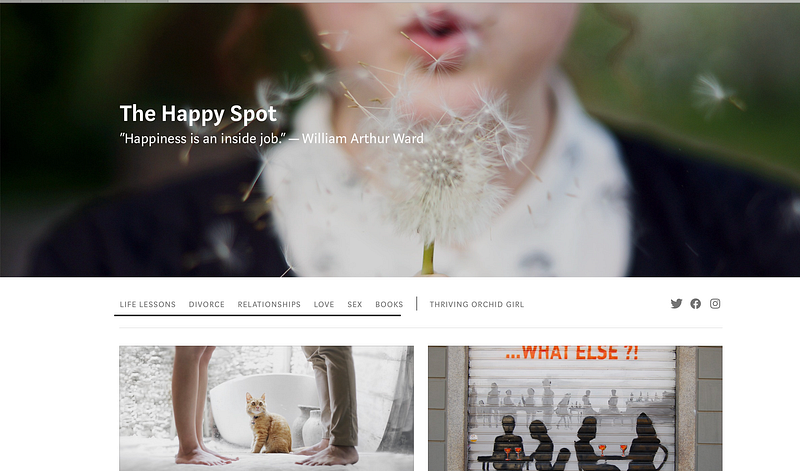
The categories represent the topics in your publication.
The stories you publish will be organized under these categories depending on what tags you give each story.
Select any number you like, but I would stay under five. You don’t want to write about more than five to start. You’ll attract more readers when you have definitive topics you write about regularly. Your tribe wants to know what they can expect, they want to rely on your content.
Reliability is how you gain a tribe.
For example, if you are an expert in investing in the stock market and your publication is all about investing, your categories could be something like; Stocks, Bonds, ETFs, Dividends, Brokerage Accounts.
These five categories will appear at the top of your publication.
When you write a story about how you can reinvest dividends into the same stock by creating what is called a ‘drip,’ you would tag the post with the tag, ‘Dividends,’ and that story will appear under the ‘Dividends’ category on your publication’s navigation bar.
Add tabs and point them to tags or individual stories to create navigation. Navigation will be shown on your homepage and stories will be filed within your publication.
Your publication will help you organize your work effortlessly.
It acts as an umbrella to house all your Medium stories, as long as you select ‘add to publication’ and then pick the pub you want your story to file into and then click ‘submit.’
#9 — Set up a feature page.
Set up a feature page by clicking the ‘New feature page’ button.
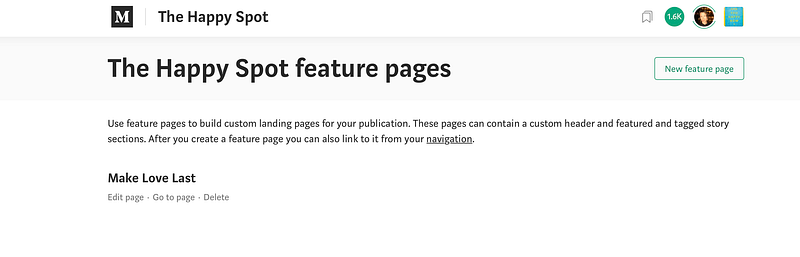
A feature page is a custom landing page for your publication.
I have one feature page for my writing publication called “30-Day Medium Challenge,” within The Write Path.
I set this up when I started writing on Medium over a year ago.
The feature page can contain a custom header and featured and tagged story sections.
After you create a feature page, you can also link it to your navigation.
Under the featured page set-up, you can add featured stories. I chose to add five stories in a grid format. Starting with my story, Five books and One Website That Will Teach You How to Write Better.
Once you complete these nine steps, you have a publication.
That is it, it is that simple to set up a publication on Medium.
You are the writer, editor, and owner, precisely like a website on WordPress without all the headaches and expenses that come with setting up and maintaining a blog, so you have more time to write.
When you write a story for your publication, make sure you click ‘Add to publication,’ and then hit ‘Publish.’
You have added it to your publication.
Write on.
Jessica is a writer, an online entrepreneur, and a recovering Type A personality. She lives in Los Angeles with her extrovert daughter, two dogs, and two cats.


