
9 Powerful Tools For Creators to Insanely Boost Their Productivity
Build a content plan, grow your community, and learn to monetize your online presence with these tools.

As a digital creator, the currency you trade in is time.
- How to get more done in less time?
- How to build a consistent posting schedule without exhausting yourself?
- How to be present on multiple platforms without working for 12+ hours a day?
If you figure out the answers to these questions, you’ll never have to worry twice about making a living by doing what you love.
But not all writers are this sorted when they begin.
I know because I’ve struggled with productivity for years before I could form a system that helped me produce quality content without burning out.
In this post, I’m sharing nine powerful tools that can insanely boost your productivity as a digital creator. Make sure to read until the end and leave your thoughts and recommendations in the comments.
1. Motion
What it does: It creates a single schedule that keeps track of all tasks and meetings and arranges them in the order of priority.
Cost: 63 cents a day (7-day free trial available.)
Do you spend weekends completing pending work instead of having fun with your family? Then meet Motion.
It’s an amazing app that aims to help you get through work faster so you can have more time for yourself.
When you enter your tasks and schedule meetings, the tool will time-block your day based on the priority of each task.
If something unexpected comes up and you can’t meet your deadlines, Motion’s AI will automatically replan the calendar for you.
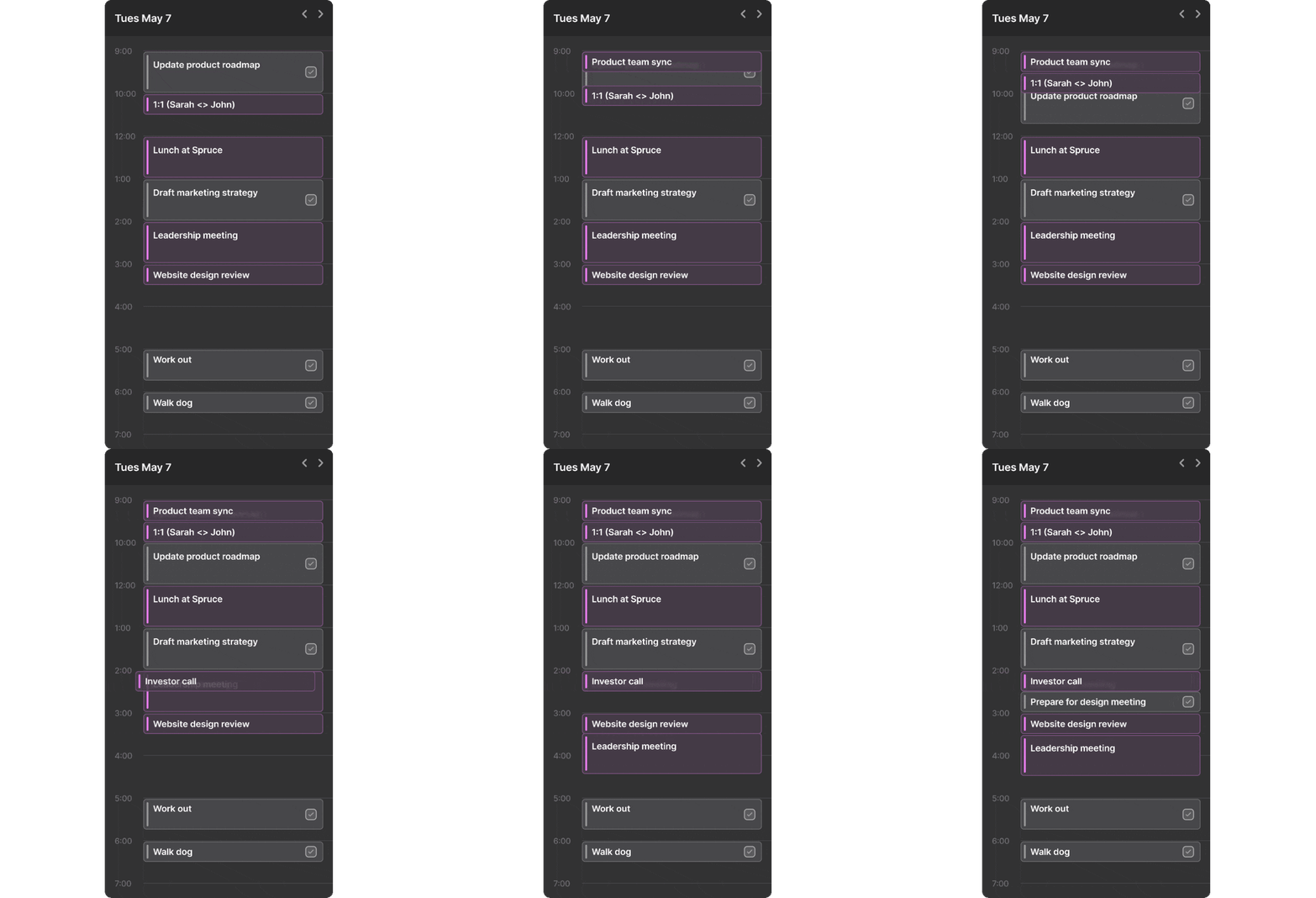
What I love the most about this tool is that you can integrate all your Google accounts. This brings your calendars, meetings, and events in a single view, so you never have to log in to different calendars and worry about missing important events.
Motion has a lot of other features that make your life ultra-productive.
2. QuillBot
What it does: It’s an AI-powered writing platform that helps you rewrite sentences, paragraphs, and whole articles into unique versions.
Cost: Free ($4.17 per month on an annual subscription of the premium version where you get access to extra writing modes.)
Do you want to repurpose your published content but don’t want to rewrite it from scratch? Then QuillBot is your pick.
Used by over 60 million overall writers, QuillBot helps you write clear and concise sentences using AI. Its output quality is amazing, and you can rewrite it as many times as you wish in the free version.
It allows you to rearrange and reorder sentences without losing the original context. It cuts your writing time in half and makes your content appear professional by using relevant synonyms.
Its interface is super intuitive and easy to use. All you need to do is enter your original content in the left box, click “paraphrase,” and the tool will generate the output in the right box.
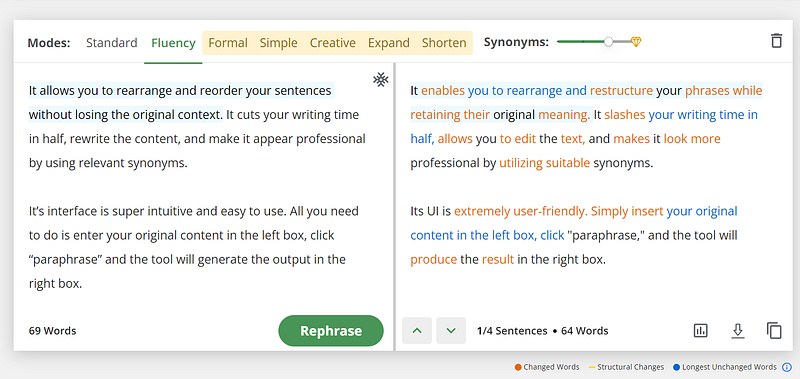
Along with paraphrasing, QuillBot provides a summarizer for quickly summarizing the content and can also detect plagiarism and grammar mistakes. It has a co-writer that helps you write faster from scratch. Simply put, Quillbot brings all your writing needs under one umbrella, so you don't have to spend money on multiple tools.
3. Simplified
What it does: It’s an all-in-one AI-powered app that helps teams and businesses with content creation and marketing.
You can design, create videos, write copy and manage social media without switching tabs.
Cost: Free ($18 per month billed annually in the Small Team plan.)
Are you struggling to create social media designs and videos that hook your audience?
Then meet Simplified.
It’s one of the most powerful yet simple design tools I have come across that helps you create stunning images and videos in seconds.
It has 1000s of social media templates, including Reels, TikToks, banners, Instagram stories, etc. You can choose any template and easily customize it using the resource library. It's filled with millions of free stock photos, videos, icons, and fonts.
The tool also has a one-click video editing feature, which makes it super easy to add and edit videos. You can animate any image element or add GIFs to the background.
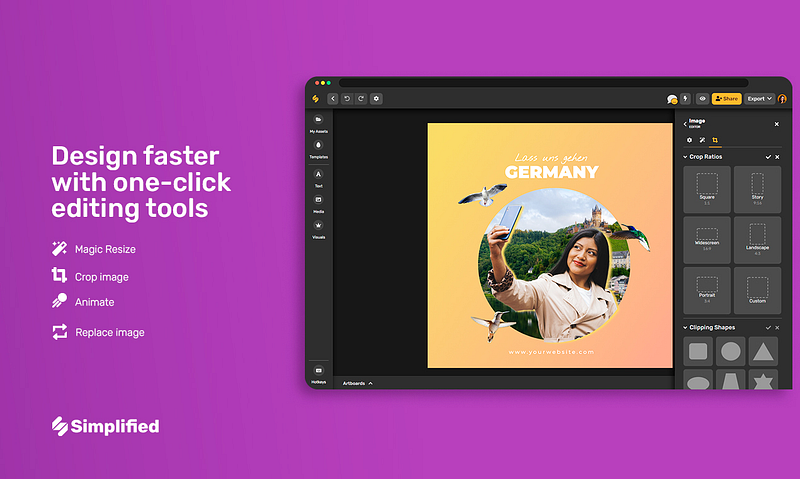
Its magic AI removes backgrounds, resizes images, and generates images from text prompts in one click. Simply put, it’s an all-in-one tool for creating all marketing content.
4. Candor
What it does: It helps you craft an authentic profile that showcases how you work to potential clients.
Cost: Free.
Resumes are outdated, and your Linkedin bio doesn’t do you justice.
Candor profiles are a new way of sharing how you work and who you are as a person to your clients and audience.
It helps you stand out from the crowd and share insights into your personality with your audience.
The profile is interactive, beautifully designed, and allows people to understand your work style and what you like/dislike to bond beyond work.
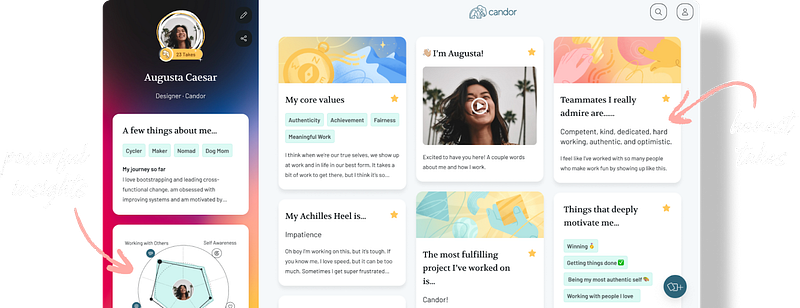
You can also invite other people to add their views to your profile. They can rate your soft skills and mention what they think your strengths and weaknesses are. This way, you get a 360-degree outlook on your personality and suggestions on where you can improve.
This will help you understand yourself better and unlock hidden superpowers as you can now see yourself from other people’s eyes.
Candor profiles are simple, fun, and only take a few minutes to create. Don’t miss out on all the insights and fun you can have by creating and sharing your own Candor profile with your friends and clients.
Create your profile for free here.
5. Friday AI
What it does: It’s an AI writing tool that makes creating content feel like a Friday afternoon.
Cost: It has a free trial where you can generate content up to 20 times. The Pro plan starts from $15.75 per month billed annually to get 200,000 words/month. (You can also use the ‘10DOLLAR’ coupon to get $10 off your first month of Friday)
Do you want to write ultra fast without sacrificing the quality of your content? Then check out Friday AI.
It makes writing compelling content so fast that it feels like magic.
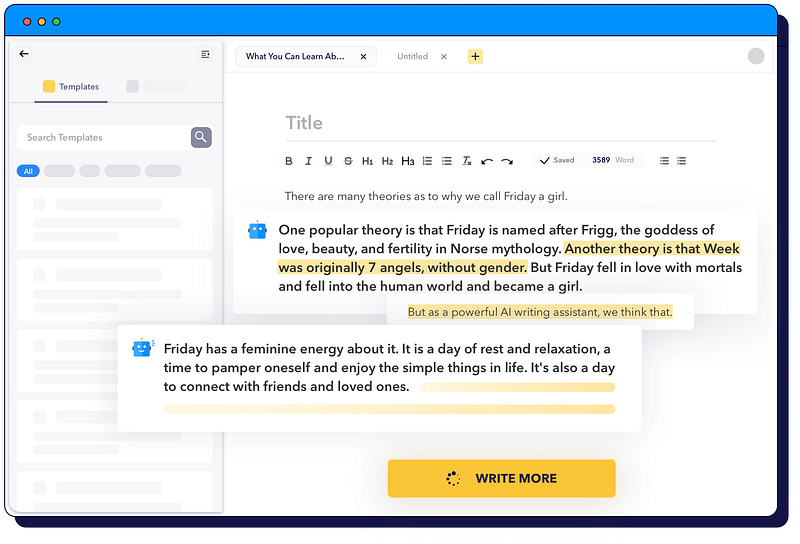
You can use its AI to write up to 500 words in a second, which normally takes 15–20 minutes by hand. You can also choose from 40+ templates and 30+ writing tones to create customized content for every platform.
It’s affordable, efficient, and saves you a lot of content creation time.
What I love the most about this tool is its ‘blog workflow’ template. It provides writing prompts that beat writer’s block and lets you create attention-grabbing content on the go.
With Friday AI, you’ll never waste another second staring at a blank screen.
6. Burb
What it does: It’s an all-in-one tool to help you build a loyal community with automation.
Cost: Free ($39 per month for the Creator plan when your audience grows to more than 100 members.)
Building an online community is one of the biggest assets of a creator.
But a community isn’t easy to grow.
You can’t always be available to nurture your community because it takes away the attention from other business activities.
To make the community-building process feel like a breeze, I highly recommend you to use Burb.
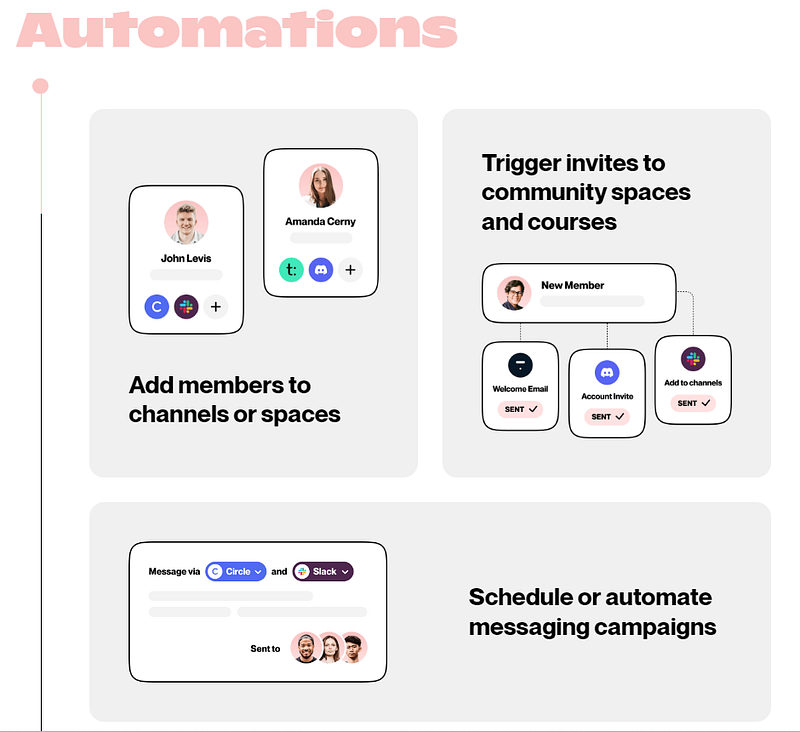
It automates most of the redundant and manual effort that goes into growing an engaged community, like inviting new members, sending welcome messages, sharing regular nurturing content, etc.
It seamlessly integrates with all community hosting tools like Slack, Discord, Circle, Thinkific, Teachable, Convertkit, etc., so you can communicate with your audience from a single point of interaction instead of logging into all these tools separately.
Burb lets you schedule posts and DMs. You can automate messaging across multiple channels so you can build deep bonds with your audience at scale.
It also gives you complete insights into your community’s performance and which message is getting the best response. This will help you make data-driven decisions and craft better messaging.
Click here to grow your community with automation for free.
7. TextSniper
What it does: It’s a powerful tool for Mac users to extract text from images, videos, zoom calls, or any on-screen source in seconds.
Cost: One-time purchase of $7.99 for a one-Mac license. (Also available at the Mac App Store for $11.99 for six member license.)
Do you ever come across interesting infographics or videos you want to copy text from, but rewriting takes a lot of time? Then meet TextSniper.
This tool lets you quickly copy non-selectable text from a digital document and save it for later use.
All you need to do is, click the TextSniper menu bar and select an area containing the text. It’ll copy all the written words in your clipboard, ready to be used anywhere. It can also preserve the original text formatting, which makes it super easy to use it directly in your content.
It also has an amazing text-to-speech feature that reads the words out loud. This is great for people learning new languages or those with visual impairment to easily understand the on-screen text.
TextSniper also goes beyond the text by scanning QR codes and barcodes without you having to pick up your phone and scan them manually.
Simply put, getting this tool is a no-brainer if you’re a Mac user, as it makes your life so much easier.
8. The Future Party
What it does: It’s a daily newsletter that curates stories about business, pop culture, and entertainment.
Cost: Free.
As a creator, it’s challenging to keep up with all the major changes happening in the creator economy. The FOMO is real. What if an incredible new opportunity arises, but you never heard about it?
That’s where The Future Party comes in. It’s a free daily newsletter that covers the highlights of business, tech, entertainment, etc., breaking down how it can impact the future.
For example, in their latest issue, I learned that Spotify is entering the audiobook business. And to set their foot in the market and compete with the giants, they might want to partner with authors and give special deals to their readers.
Being both an author and a reader, I think this is a great opportunity to explore. Currently, it’s only available to the US market. But when they launch this in India, I’ll use this opportunity to buy exclusive audiobooks or publish my old books on this channel for wider reach.
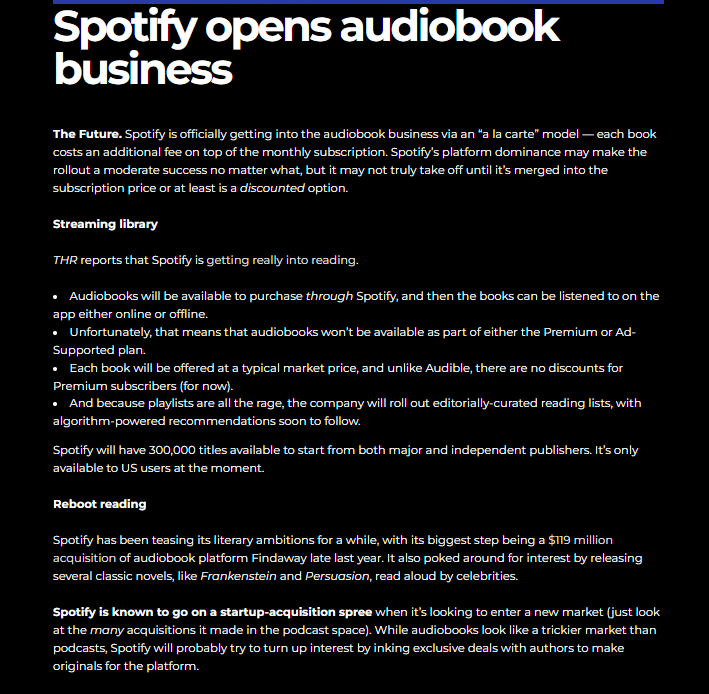
This is just one example. Every morning at 7 am PST, they send an email with exciting insights and news about all the cool things happening in the world straight to your inbox.
Join over 180,000 subscribers to stay updated. It’s free.
9. Instaminutes
What it does: It summarizes your meetings and extracts key takeaways using AI.
Cost: Free ($10 per month on the annual subscription of the premium version to get 1800 mins of notes/month.)
Do you struggle with taking notes and concentrating in your meetings simultaneously? Then meet Instaminutes.
It analyzes your virtual meetings and extracts actionable insights with just one click.
All you need to do is turn on its extension during the meeting. Its AI will automatically examine everything said on the call and summarize the essential points. So you can walk away with the most valuable stuff and know exactly what to do next.
Instaminutes connects with over 50 popular meeting tools like Google Meet, Zoom, and Microsoft Teams to streamline your workflow and easily prepare meeting minutes.
The best thing about this tool is you can track your meetings and get advanced insights in your intelligence dashboard, including:
- Who spoke what?
- What were the key takeaway points?
- How long the meeting went?
And much more.
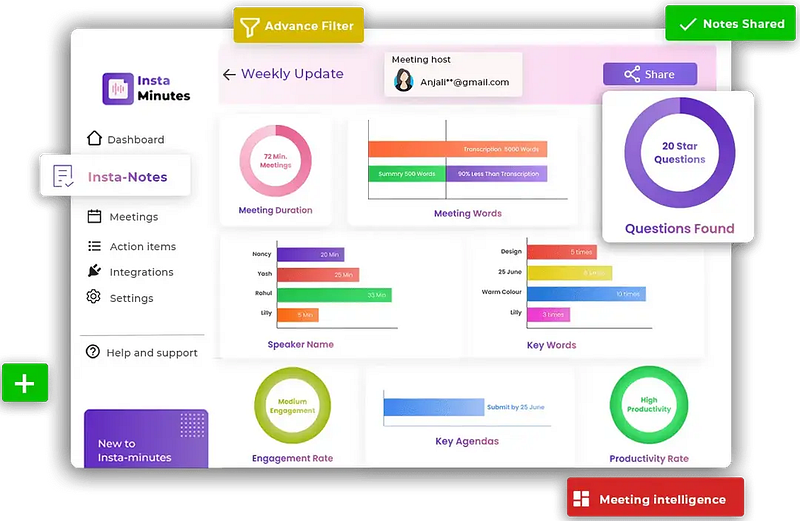
It also gives you complete access over the transcripts so you can review them later and train its AI to generate accurate summaries.
Click here to summarize your meetings for free.
Final Words
Summarizing, here are the 9 excellent tools for creators to insanely boost their productivity:
- Motion: Creates a productive schedule for you to get more done in less time.
- QuillBot: Paraphrases original content into multiple unique versions.
- Simplified: Allows you to create stunning designs and videos in seconds.
- Candor: Creates the most authentic profile to show your “true self” to the world.
- Friday AI: Helps you write 10x faster.
- Burb: Nurture and grow your community with automation.
- TextSniper: Extracts any on-screen text on Mac.
- The Future Party: Shares the latest news on business, entertainment, and pop culture.
- Instaminutes: Summarizes meetings and gives key insights.
I hope you found some fantastic tools to enhance your productivity and do more in less time. Which of these tools are you planning to use next? Let me know in the comments.
Author’s note: Some of the links mentioned in this article are sponsored. But I love these tools so much, I would never have shared them with you if I didn’t think they can add amazing value to your life and journey as a content creator.


