9 Midjourney V6. Prompting Technique You Need to Know 🎨
Relearn Prompt Writing to Take Your AI Art to the Next Level!
With the latest Midjourney V6, we can make some cool pictures, almost like real life. But making these pictures might need a different way of prompting to help.
The new Midjourney V6 understands things more like a person, which is both an excellent thing and a bit tricky.
Previously, I introduced the “4W1H” Technique and “Text Generating Pro Tips” in structuring your prompt. Today, I am sharing more tricks and tips to note when writing prompts with Midjourney V6.
Let’s get started!
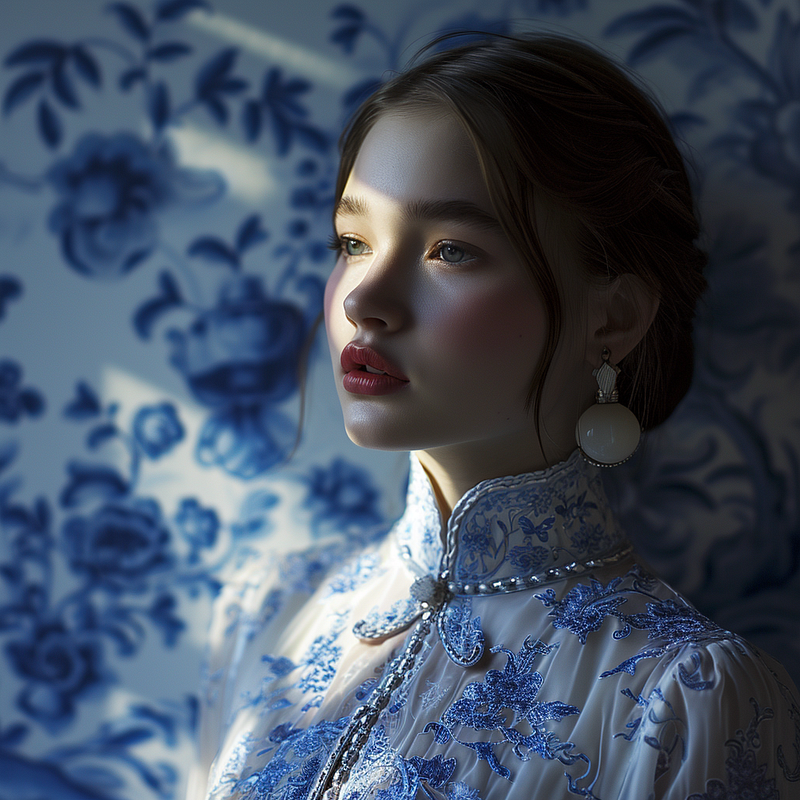
Midjourney
Midjourney’s AI Art Generative Tool is a remarkable game-changer for unleashing your creative potential! This fantastic technology uses artificial intelligence and machine learning to help you easily create stunning visuals.
If you are just starting, I know crafting the perfect prompt is challenging. So, here is a beginner’s guide and list of prompts to get you started:
V6 is a Revolution in Midjourney Prompting
V6 utilizes natural language and has significantly increased memory for each /imagine compared to previous versions. This allows for
- Longer and more detailed prompts
- Ability to control composition, include multiple subjects and add text
👉🏻 V6 Essentials
I’ve compiled a list of tips and prompts specifically for Midjourney V6. Save this list to stay updated on the latest tutorials !
Exploring V6’s Language Processing Capabilities ✨
Let’s first explore how V6 is different from the old version, V5.2, and see how it helps you make super accurate and awesome AI-generated arts.
Here are the six key takeaways regarding the changes:
- 1. Reduced Sensitivity to Redundant Words: V6 is now less likely to be affected by filler words or non-descriptive language
- 2. Natural Language: V6 can process more natural, conversational prompts, shifting from keyword-centric language.
- 3. Refined Interpretation of Complex Prompts: Greater coherence in interpreting prompts with multiple subjects, actions, and settings, enabling more layered and narrative-driven images.
- 4. Better Text Generation Capability: V6 has an enhanced ability to incorporate specific text into images.
- 5. Longer Prompts: In the previous version, emphasis was placed on Words 1–5, but longer prompts of 40+ words were often overlooked. With V6, the system can now understand longer prompts (350+ words).
- 6. Prompt Multiple Objects: V6 shows much more control and clarity. By following the right structure, you can prompt multiple objects easily.
Crafting Effective V6 Prompts 🎨
Crafting effective Midjourney V6 prompts requires a clear and vivid description in natural language. You can focus your prompt with:
- Descriptive Vocabulary
- Spatial Relationships
- Explicit Style
Avoid overloading prompts with unnecessary information or non-descriptive filler words.
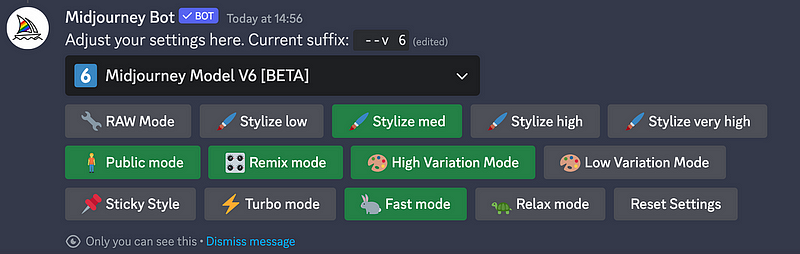
To turn it on select V6 from the dropdown menu under /settings or type --v 6 after your prompt
Here are Nine Skills to prompt with Midjourney V6
1. Simplify Prompting
Be specific about your preferences, as V6 has improved natural language understanding. Simplify prompts by removing unnecessary “fluff” words that don’t add value.
V6 understands requests more naturally without exaggerated descriptors.
I recommend using The “4W1H” Technique that I recently talked about if you are not sure how to begin.
Here is one example that follows the “4W1H” Technique”
Prompt: A portrait of a beautiful lady in brown long hair and white dress, standing in front of the sea, blue hour, soft color
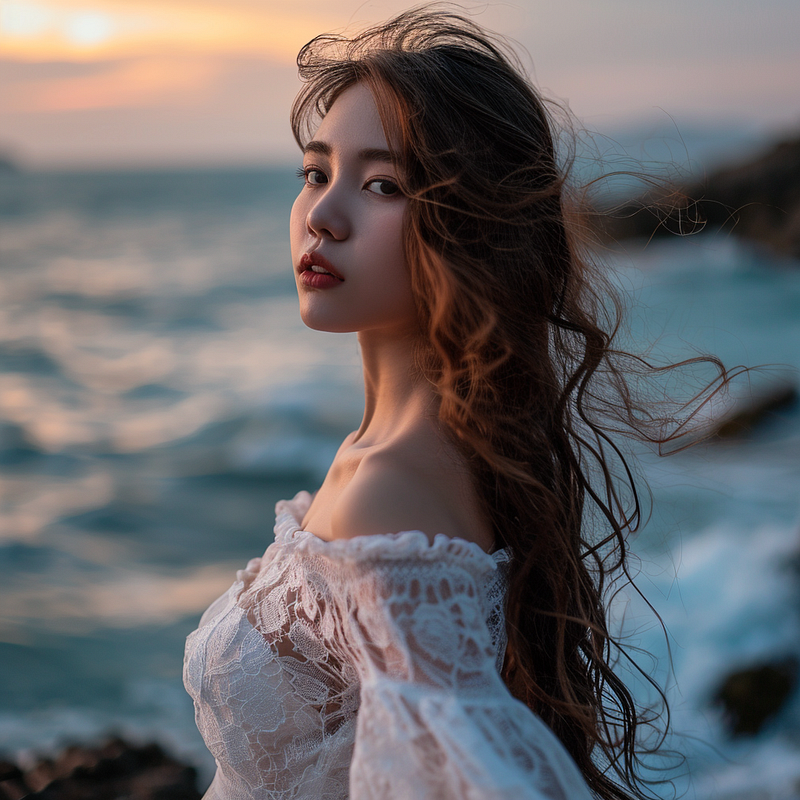
📌 Most important change might be to strive to write in simple sentences of English that have good spelling and punctuation.
2. Use Raw Style for Photorealistic Images
When using styles and options, use “--style raw” for more photorealistic images.
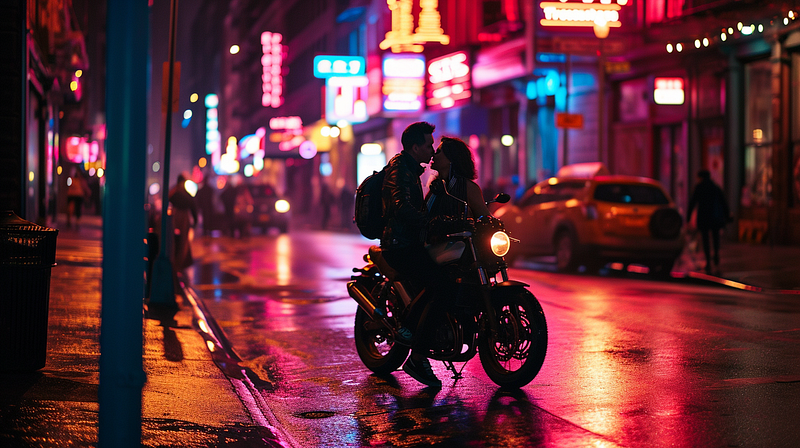
Pre-wedding photo
Prompt: A pre-wedding photo of a couple on a motorbike taken in the New York street with neon light
--ar 16:9 --style raw --v 6
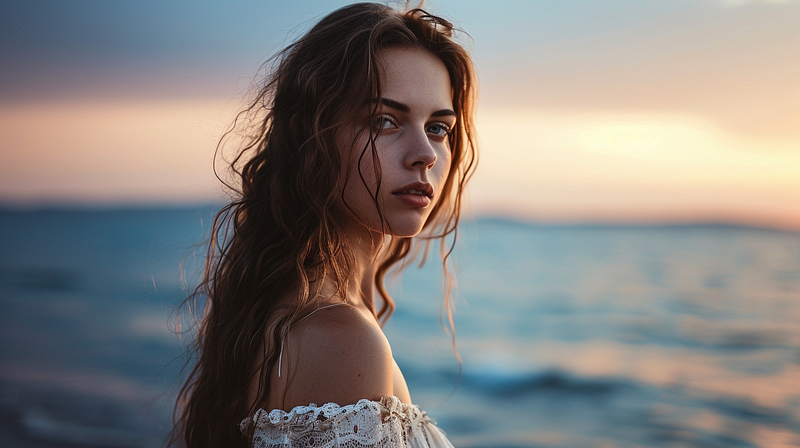
Portrait
Prompt: A portrait of a beautiful lady in brown long hair and white dress, standing in front of the sea during blue hour, soft color
--ar 16:9 --v 6
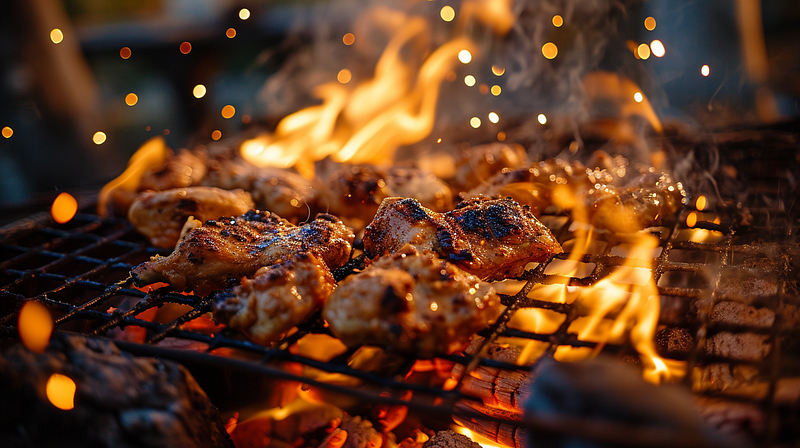
Food Photography
Prompt: Food photography of grilled chicken stew on the bbq rack with flames and sparks
--ar 16:9 --style raw --v 6
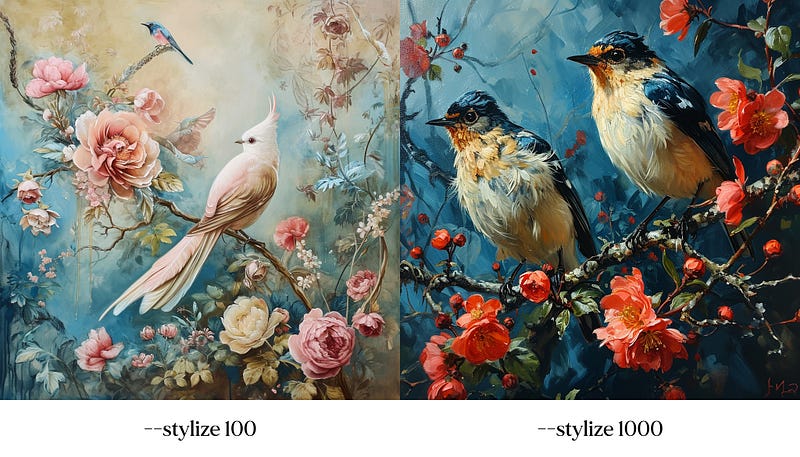
3. Using “--stylize"
Adjust “stylize” values to enhance prompt understanding or aesthetics (default is 100, adjustable up to 1000).
Prompt: Rococo art art style painting of birds and flowers painted with pastel color
--v 6 --stylize [100/1000]
4. Control Composition of Multiple Objects
With V6, we can now have a higher control over composition. You can place things where you want on the canvas, using language to control composition. (e.g., “on the left,” “in the background”).
It supports the control of more than one subject or object now.
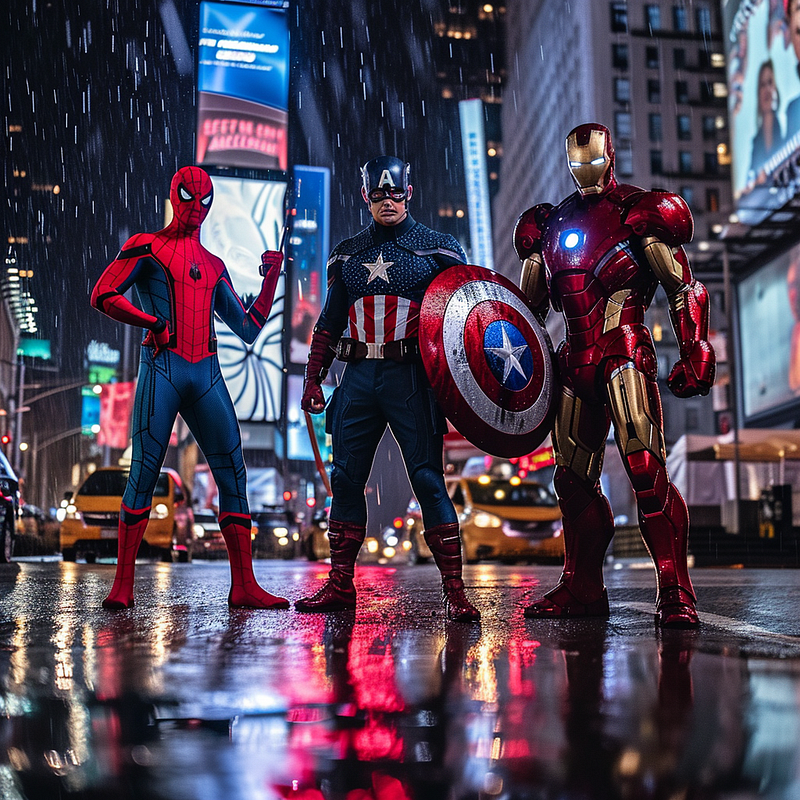
Spiderman, Captain America and Ironman
Three popular superheroes standing on New York City. The hero on the left is an optimistic Spiderman in a strong wide stance. The hero in the middle is brave Captain America holding his shield high. The hero on the right is powerful Ironman with his suit. It is raining in the street at night. Photography inspired by Marvel film poster
--v 6
Food Photography
Prompt: Food Photography of a creamy tomato soup. The tomato soup comes with a swirl of fresh cream sitting in the middle of the table, topped with crispy croutons and a sprinkle of basil, a bowl of fresh tomato on the left, herbs on the right. High angle shot inspired by editorial food photography.
--v 6
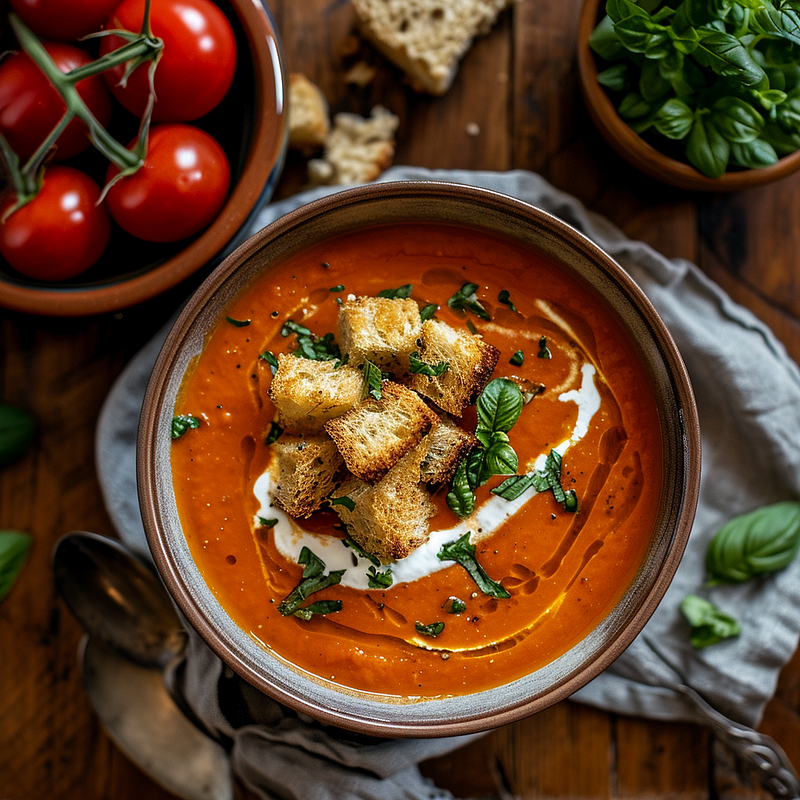
💡 The key to prompting multiple subjects in V6 is giving Midjourney a clear semantic link between the overall scene and the individual details.
V6 doesn’t require any special prompting, but a starter template suggested by Midjourney will help you explore what works well for multiple subjects in V6.
Here, I share a prompt structure for you to follow:
5. Descriptive Language
Utilize visually descriptive adverbs and adjectives to convey the desired style and mood.
- Avoid cluttering prompts with excessive information or non-descriptive filler words such as “amazing” and “incredible” as they do not contribute to the visual description.
- Be deliberate.
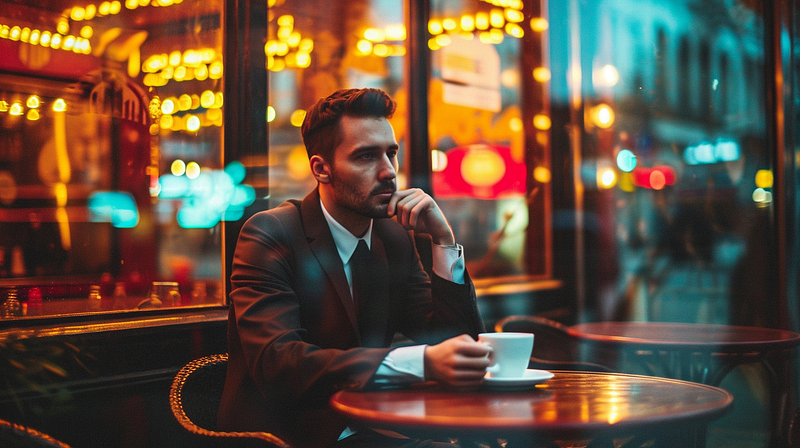
Prompt: Photo of a young handsome man in a suit with a cup of coffee in his hands sitting at a table, shot through an outdoor window of a coffee shop with neon sign lighting, window glares and reflections, depth of field, raining outside at night
--ar 16:9 --v 6
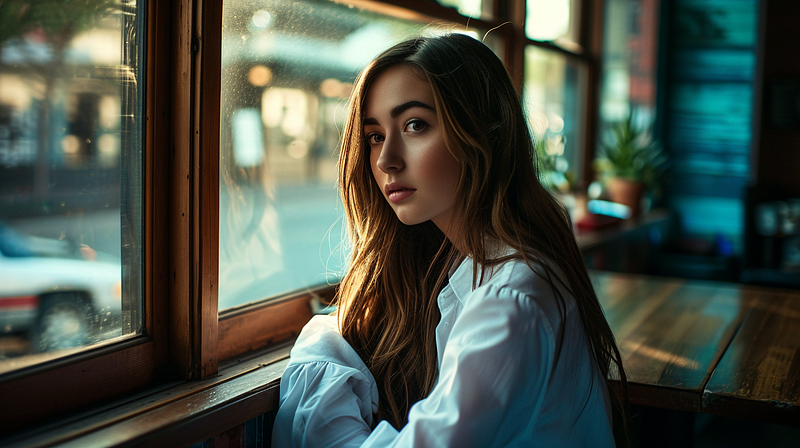
Prompt: Half shot of a beautiful woman with brown long hair and white shirt siting beside the window in a cafe in the afternoon, with high-contrast and a moody blue color grade
--ar 16:9 --v 6
6. Referencing Art, Design, and Culture
If you have a particular artistic style or theme in mind, please describe it clearly.
You can also provide references to artists, art movements, design movements, photography styles, cultures, ethnicities, etc. to help guide the AI in creating the desired content like “Inspired by Vincent Van Gogh” or “ Baroque Art Style”
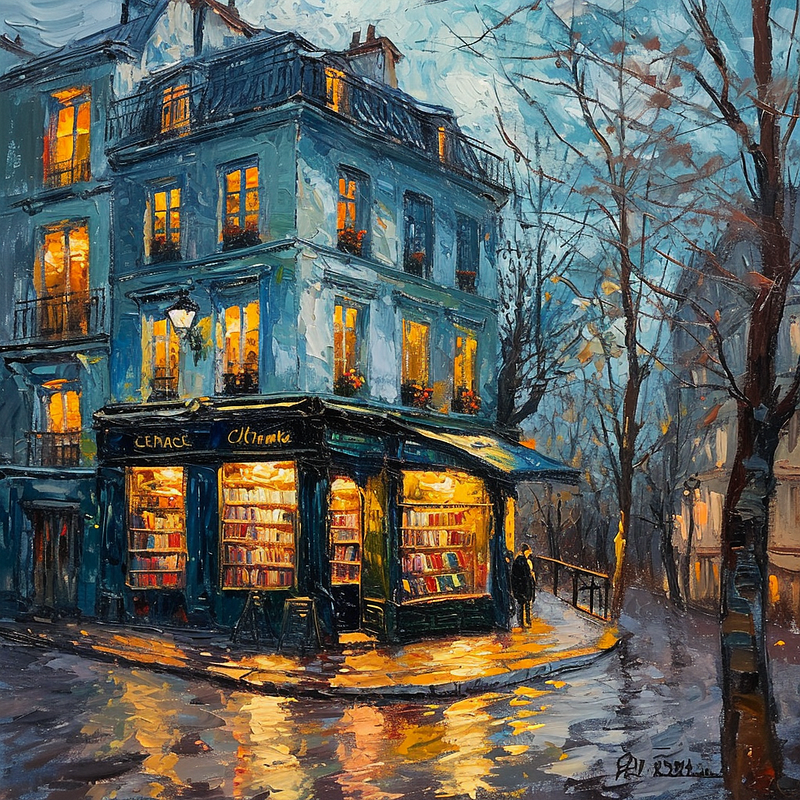
Let’s look at this example below and see how the reference to artists can make a difference.
Painting of Bookstore Inspired by Different Artists
Prompt: A painting of a boutique bookstore in Paris street, inspired by [ Vincent Van Gogh/ Leonardo da Vinci/ Pablo Picasso/ Studio Ghibli ]
--v 6
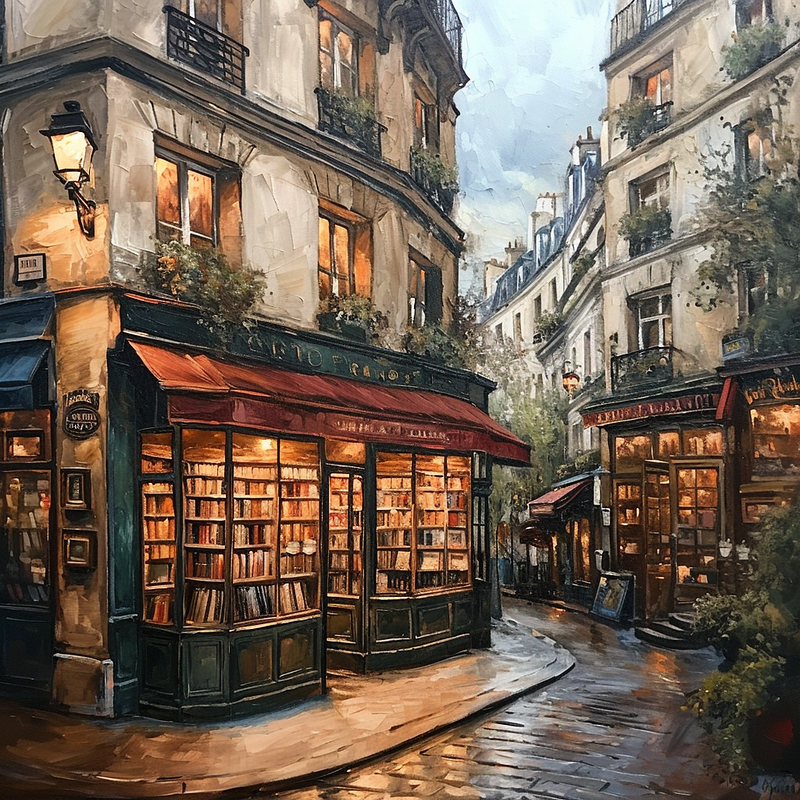
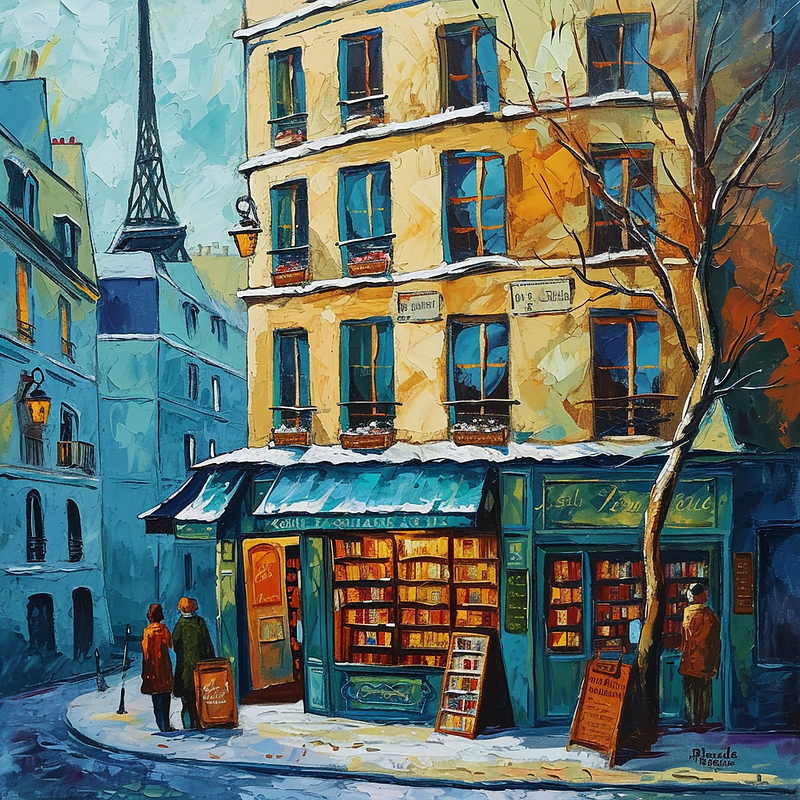
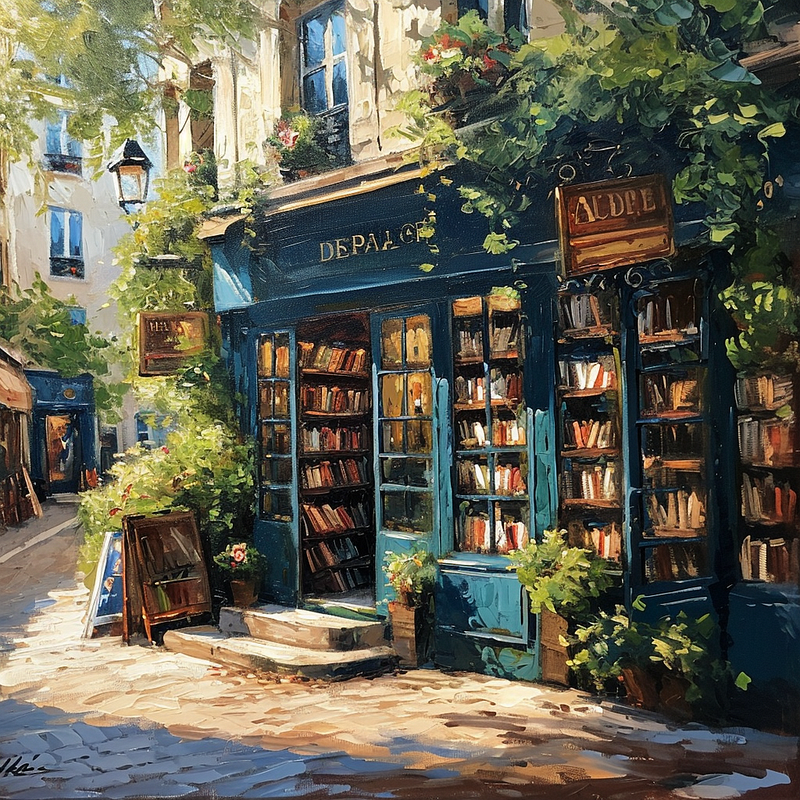
For more art style inspiration, refer to this article below:
7. Text Incorporation
V6 has an enhanced ability to incorporate specific text into images. Simply by enclosing it in “quotation marks” and indicating its placement.
- Use phrases like:
says, printed on, entitled, inscribed with, labeled as, marked with, branded with, embossed with, engraved with, stamped with, adorned with, scripted with, lettered with, etc. - You can also print text on things, such
speech bubble, post-it note, book cover, poster, sign, t-shirt, mug, billboard, newspaper, magazine, greeting card, envelope, license plate, calendar, ticket, product packaging, business card,etc. - To have text or letters appear alone, it sometimes helps to add the phrase
typography designto the prompt. You can explore using phrasesisolated on a white backgroundif you’d like the canvas to be otherwise blank.
Happy 2024
Prompt: High fashion photo of a futuristic girl wearing a glasses engraved with the text “Happy 2024”
--style raw --v 6
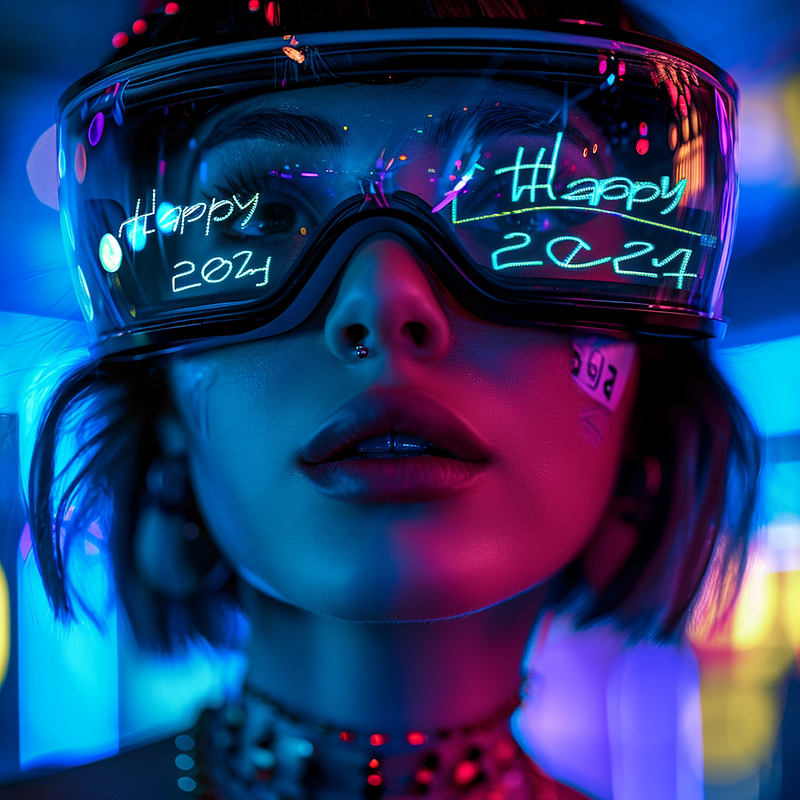
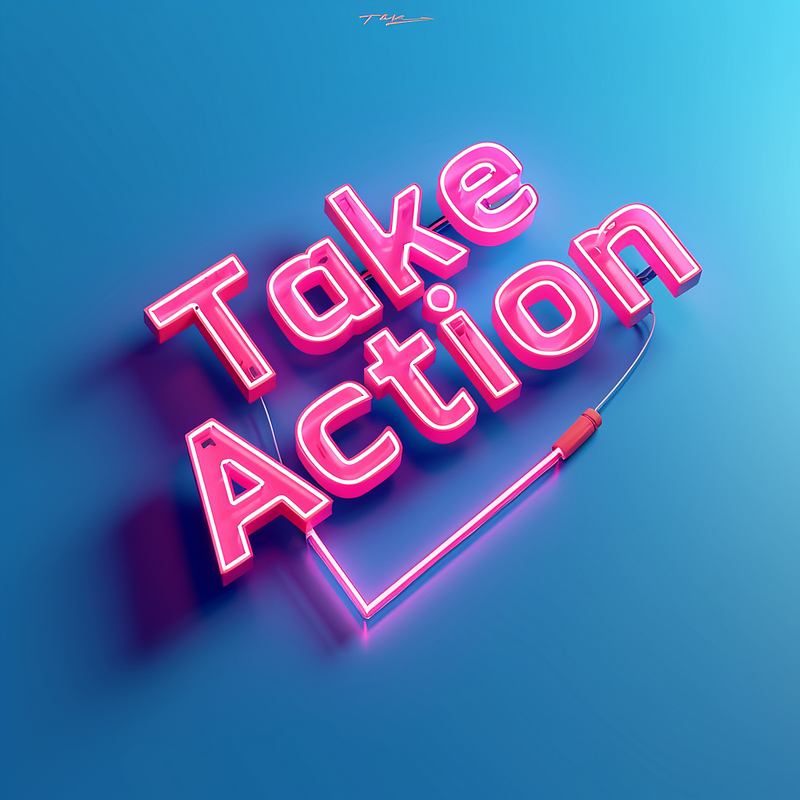
Take Action
Prompt: Text “Take Action” in 3D isometric letter shape with neon light tube
--style raw --v 6
👉🏻Top Tips for Text Generation
I have written an article, especially for prompting text with Midjourney V6, learn more about it here:
8. Avoiding Vague Words
Avoid vague words that are weaker contributors:
extra, ultra, super, hyper, insanely, extremely, quite, rather, somewhat, notably, especially, significantly, remarkablyindeed, forthwith, moreover, henceforth, furthermore, nevertheless, nonetheless, thereby, heretofore, thuslyuntil, before, after, since, while, during, till, throughout, upon, whenever
Avoid using unnecessary words that were previously thought to improve image quality, such as
4k, 6k, 8k, 16k, ultra 4k, octane, unreal, v-ray, lumion, renderman, hd, hdr, hdmi, high-resolution, dp, dpi, ppi, 1080p
9. Natural Language and Grammar
- Communicate with V6 using clear and simple language
- Pay attention to grammar and punctuation to avoid misunderstandings in image generation.
Final Thoughts
Midjourney V6 prompting rewards specificity, visual descriptors, and clear communication. Simpler and more direct language produces better results than exaggerated prompts.
With practice in prompt structure and word choice, you can guide V6 to generate stunning creations that precisely match your creative vision.

👉🏻Passive Income with AI Art: Master Midjourney 🎨
Don’t Get Left Behind in the AI Art Gold Rush of 2024! Midjourney is exploding. Early adopters are raking in big bucks selling AI art online.
This is your ticket to passive income with AI art.💰 “Master Midjourney 2024: Beginner to Pro” digital guide.
It comes with:
- 🎨 1,000+ money-making prompts for stunning, sellable art
- 💡 Advanced Midjourney prompt writing, structure and techniques
- 🖼 Specialized commercial guidance for graphic design, branding, logo, UI, photography, mockup and more
- 🚀 Insider tips to maximize profits
- 💰 AI Arts Monetisation Strategies
- 💼 Top AI tools to edit Midjourney creations

📚 Continuous education
This guide is designed for continuous education, new tutorials are added regularly so you stay ahead. With lifetime access for a single purchase, it’s the gift that keeps giving.
I’ve poured my heart into creating this guide. I hope you enjoy it ❤️

Hey friends 👋 I am Christie — An AI Art Educator & Creator 😊 Also a coffee lover ❤️☕️
If you’re craving more Insider Tips, Prompts and Tricks for creating and generating income with AI art, join me on this journey.
🎨 Hit that “Follow” button to stay in the loop for more AI wisdom 💌 Stay tuned for more tutorials!
Let’s explore the limitless possibilities of AI Art and build passive income together! 🚀💰