
9 Great JavaScript Extensions for Visual Studio Code to Speed Up Your Development
Who wants to code faster and easier?
Do you know what makes a great code editor?
For me, those are the extensions it provides.
I have used many code editors. But when it comes to extensions, I have to say VSCode is a great editor with many amazing extensions.
And if you are using VSCode, here are the extensions that you should install.
ESLint
https://marketplace.visualstudio.com/items?itemName=dbaeumer.vscode-eslint

My life is a mess, so I don’t want my code to be that messy. That is why I use ESLint for all my projects.
ESLint is amazing in keeping your code unified and organized. It’ll check your code style, find bugs related to using variables such as undeclared variables or use of undefined variables. That’s how quality code is built.
In short, if you want your code to be clean, you should use ESLint.
Debugger for Chrome
https://marketplace.visualstudio.com/items?itemName=msjsdiag.debugger-for-chrome
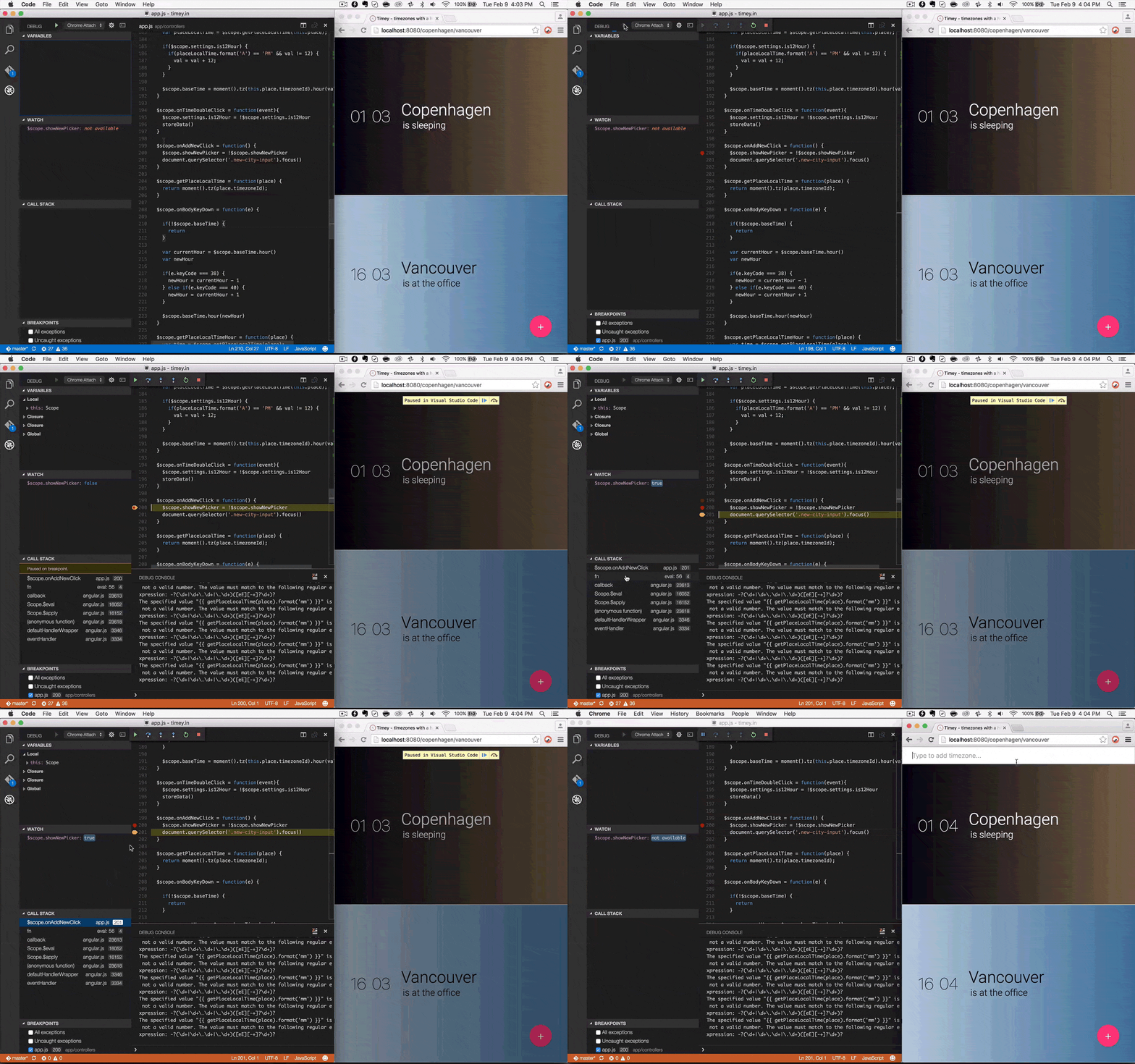
I usually debug using console.log() before. Well, it’s a common way to debug but not the best way. To know how the code works, you must put console.log() everywhere. Sometimes it makes your code become a mess.
The best tool I know is Chrome debugger built-in tools. Now, you can use it directly in VSCode by installing Debugger for Chrome.
This tool provides almost every feature of the chrome debugger. This means you don’t need to open Chrome, you just debug directly while coding with your beloved VSCode editor.
Quokka
https://marketplace.visualstudio.com/items?itemName=WallabyJs.quokka-vscode
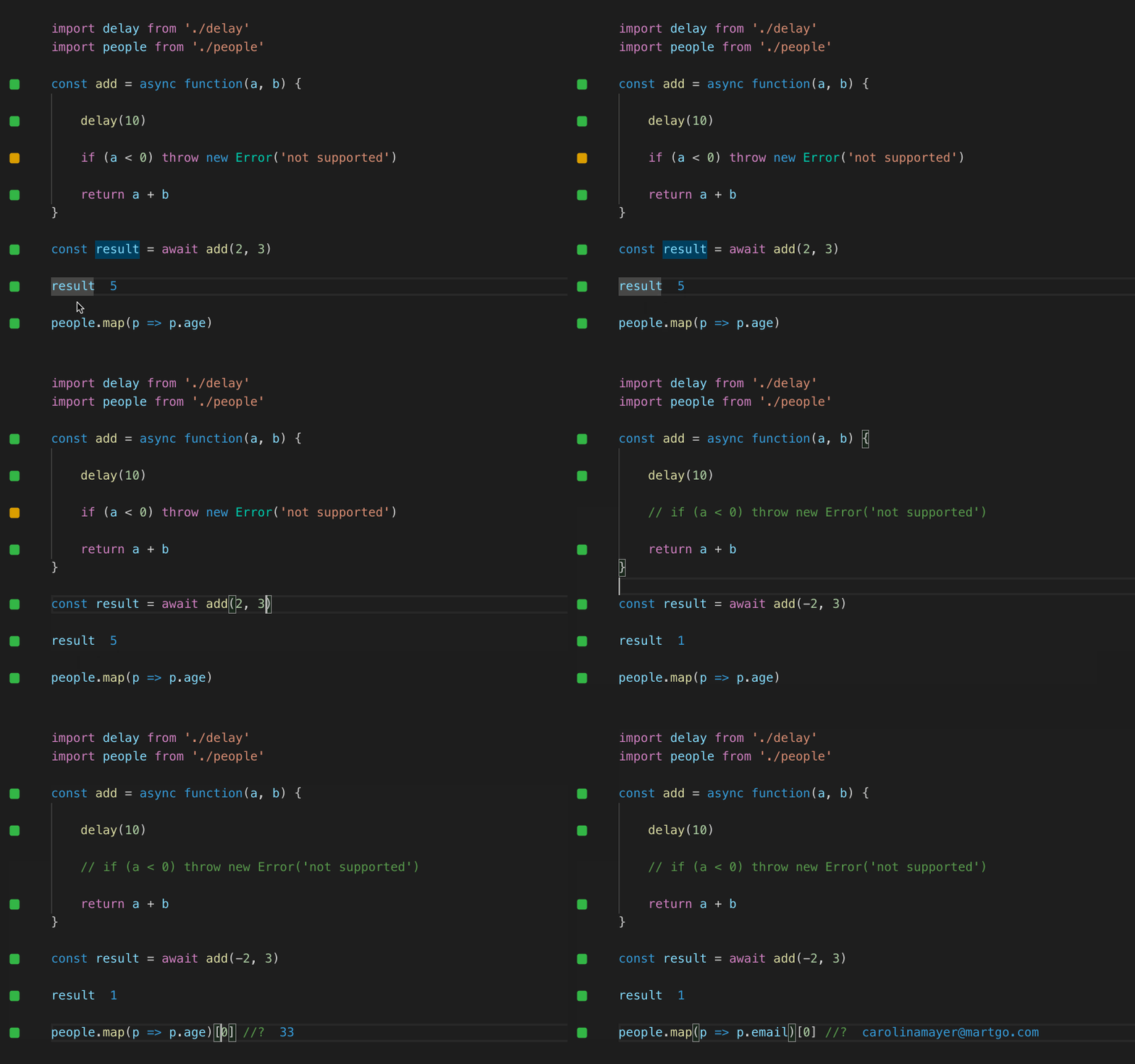
Quokka is a great way for you if you want to do a quick test for a function right inside your editor without using other tools like Chrome Developer Tools.
Prettier
https://marketplace.visualstudio.com/items?itemName=esbenp.prettier-vscode

When working in a team, maybe everyone has their own coding style. That is hard to keep the code consistent.
Prettier is a way to create a style standard for everyone to follow. The best part: you don’t have to format by yourself. You just need to define a coding style standard and leave the rest for your editor. Yes, it formats your code automatically.
Import Cost
https://marketplace.visualstudio.com/items?itemName=wix.vscode-import-cost

Importing a package/module in an innocent way will make your project size bigger. This is not good at all.
The Import Cost will help you check the size of an imported package by displaying inline the size of the package. As a result, you will consider whether to use that package or use another package so that the size of the project is as small as possible.
GitLens
https://marketplace.visualstudio.com/items?itemName=eamodio.gitlens

Do you want to know who modified your line of code inside VSCode editor? You should use GitLens.
You can also use GitLens to view all the changes from a source file, compare 2 branches, see blame, and beyond.
JavaScript (ES6) Code Snippets
https://marketplace.visualstudio.com/items?itemName=xabikos.JavaScriptSnippets
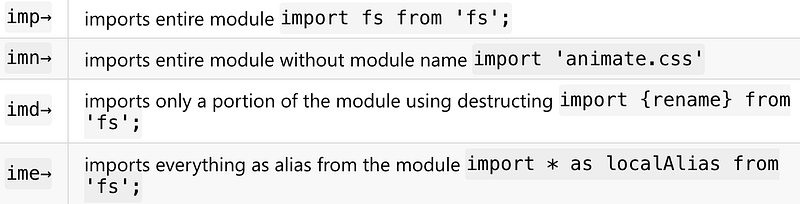
This extension contains code snippets for JavaScript in ES6 syntax for Vs Code editor (supports both JavaScript and TypeScript), which is what you should use for the modern web development. With just a few keystrokes, you can quickly add ES6 codes to your project.
Path Intellisense
https://marketplace.visualstudio.com/items?itemName=christian-kohler.path-intellisense
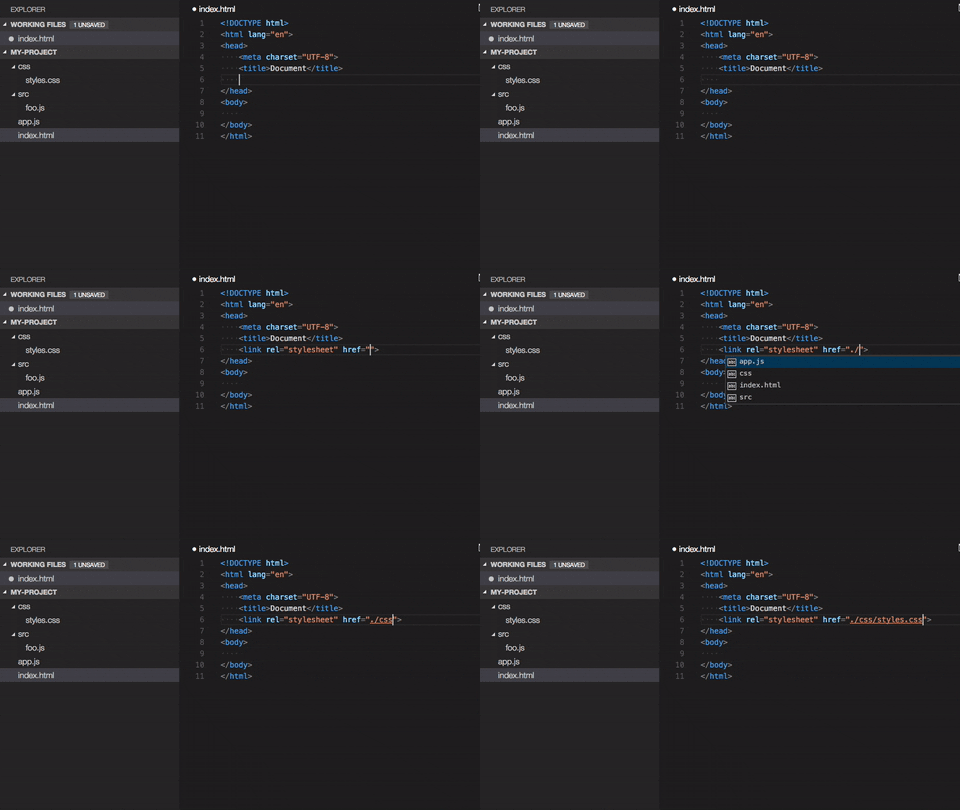
Remembering exact file paths to reference can be tricky, especially when you’re working with a big project.
Well, Path Intellisense can save your day for that. All you have to do is just typing a path and this extension will complete filenames automatically for you.
Live Server
https://marketplace.visualstudio.com/items?itemName=ritwickdey.LiveServer
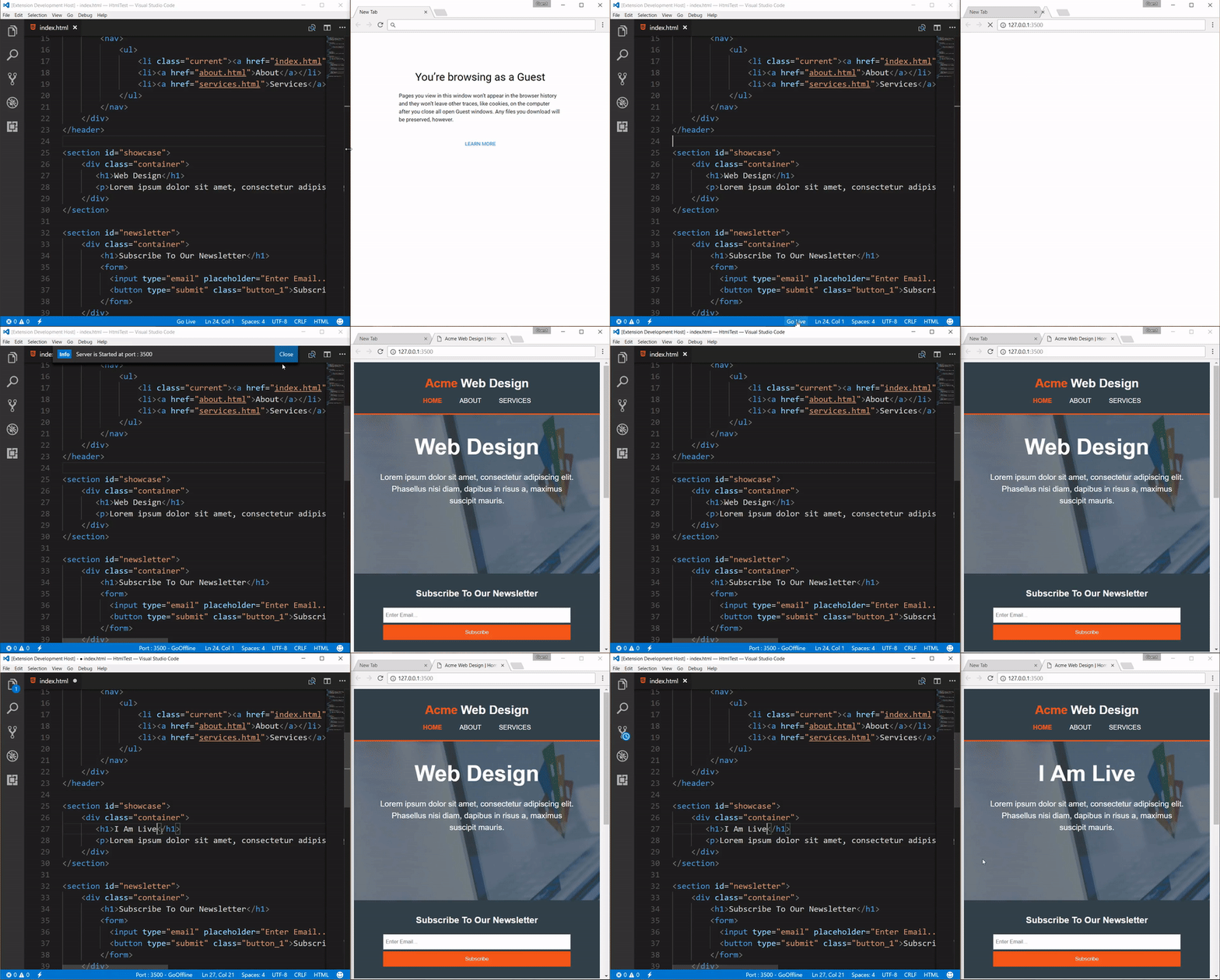
You change your JavaScript code. You go to your browser and refresh it. Well, it’s obsolete. Because now you have Live Server, which supports live reloading.
With Live Server, you change your code, save it, and that’s it. Check this one out if you want to speed up your writing code.
Certainly, the list of extensions above is not very complete. But they are the ones that I find best so far.
Would you like to add more to this list? Please leave the comment for your favorite extensions below.


