
MidJourney v5.1 Is Here with Exciting “Raw Mode” Feature
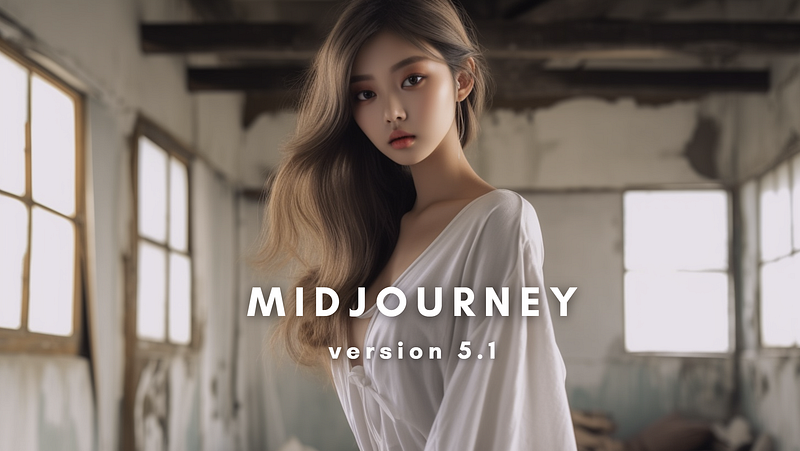
The king of AI image generators is back with another exciting update: its latest and most advanced AI model, MidJourney v5.1. This latest iteration offers a range of notable enhancements, including:
- More opinionated and easier to use with short prompts
- “RAW Mode” which is an unopinionated mode
In addition to these technical improvements, V5.1 also introduces a number of new features, including:
- Improved coherence
- Higher accuracy for text prompts
- Reduced unwanted borders or text artifacts
- Sharper image quality
Let’s delve deeper into these features.
More opinionated
Version 5.1 has a stronger default aesthetic and should be easier to use with simple text prompts. Here’s an example.
Prompt: high contrast surreal collage — v 5.1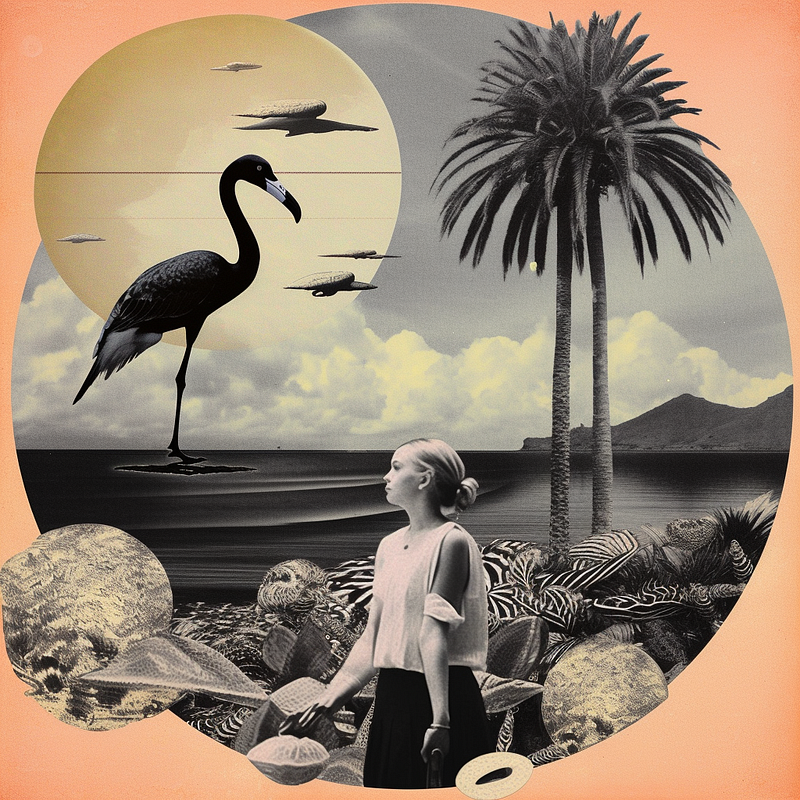
Impressively cool, isn’t it?
RAW Mode
This mode facilitates the generation of images that present a more natural, less refined appearance. Just add “—style raw” to the argument to remove some of the default Midjourney aesthetic style.
Here’s how it looks using the same prompt as before.
Prompt: high contrast surreal collage — style raw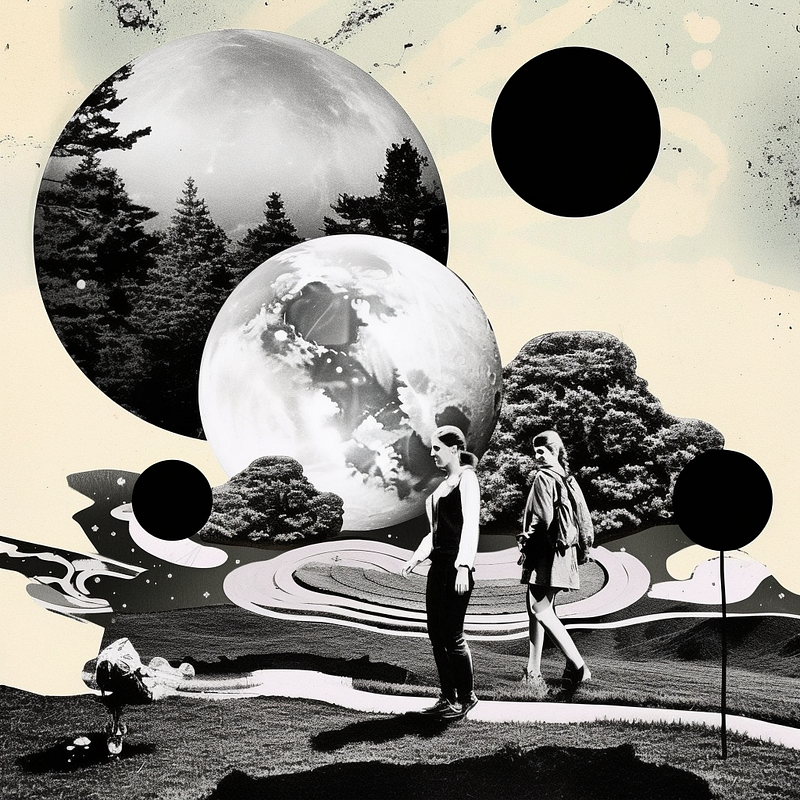
Observably, the raw mode presents more irregularities and fewer stylistic features than the default model. Do you agree with me?
Other new features and improvements:
- Improved coherence: Images in v5.1 are now more cohesive and realistic, with fewer unwanted artifacts. This is due to a number of improvements to Midjourney’s underlying technology, including a new neural network architecture and a new image processing pipeline.
- Higher accuracy for text prompts: Midjourney is now better at understanding and responding to your prompts, resulting in more accurate and creative images.
- Reduced unwanted borders or text artifacts: Images in v5.1 are now cleaner and more polished, with fewer unwanted borders or text artifacts.
- Sharper image quality: Images in v5.1 are now sharper and more detailed, with a wider range of colors.
Here are examples of how the images compare with the previous model:
Prompt: Picture of children riding on the back of a dinosaur,
in the style of hyper — realistic portraiture, andreas rocha, ultra hd,
donato giancola, close — up intensity, character caricatures,
interactive experiences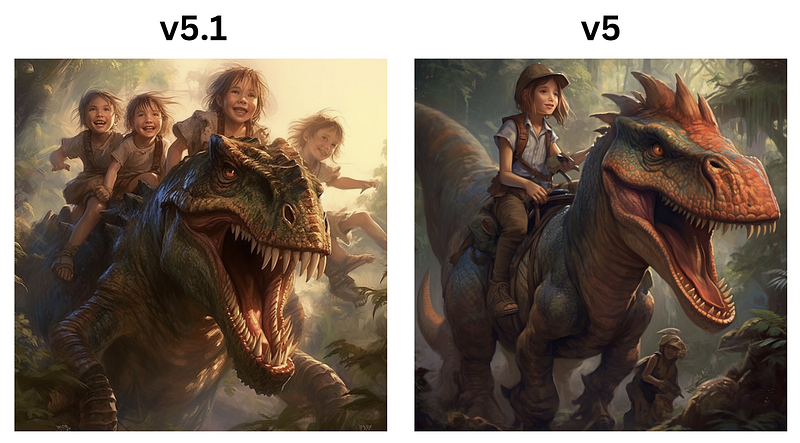
From the comparisons, v5 fails to adhere to the prompt of children riding the dinosaur. That’s a big win for the new model.
Here are a few more examples:
Prompt: Asian brunette with long blonde hair in pattern by jinxi,
in the style of vibrant use of light and shadow, retro futurism,
close — up shots, hyper — realistic, saturated color scheme,
elegant, emotive faces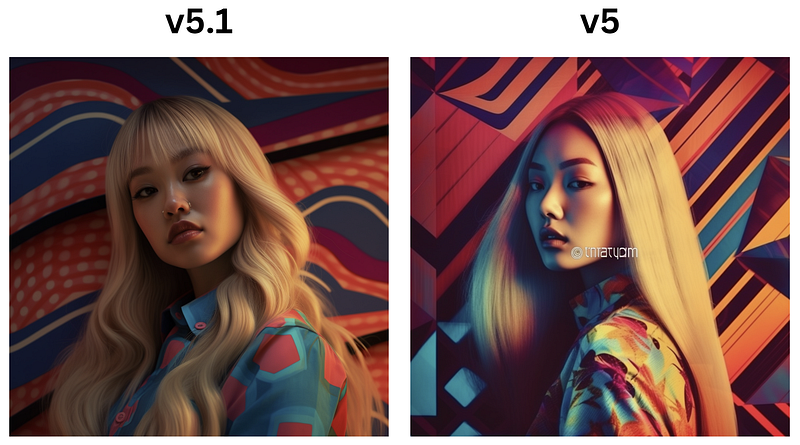
Prompt: A house covered with moss in the year 2060, intricate details,
high definition, real photography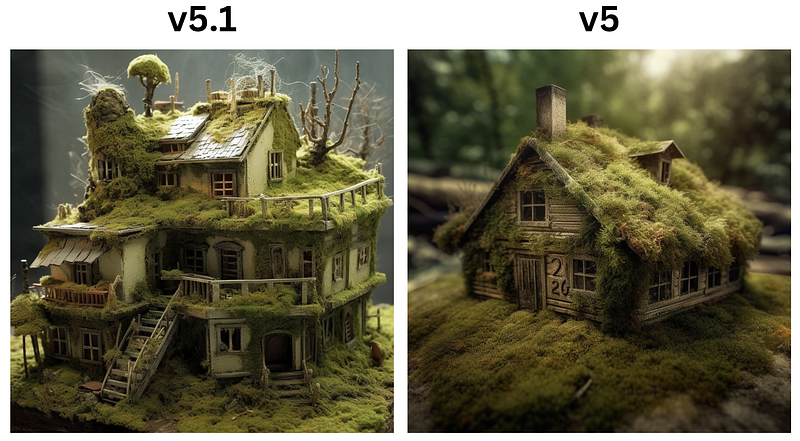
Which image do you like better?
How to Enable v5.1
To use Midjourney V5.1, simply go to the MidJourney Discord bot and bring up the settings page with the “/settings” argument.
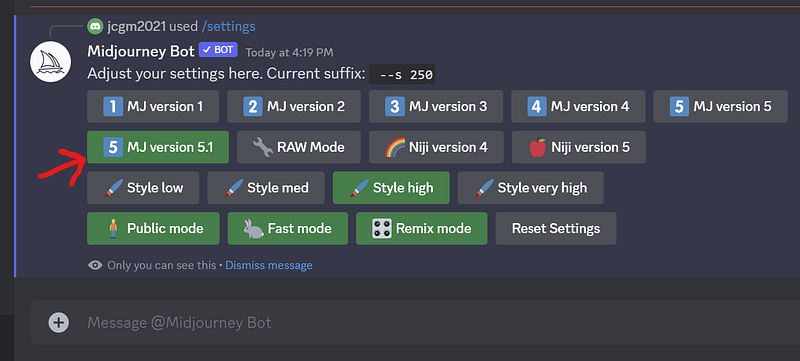
Click on the “MJ version 5.1” button, and you are good to go.
Similarly, you can add the “ — v 5.1” parameter at the end of the prompt to trigger the use of the latest model.
Final Thoughts
Overall, I’m truly impressed by the quality of the images generated by version 5.1. It is a major step forward for Midjourney. It offers a number of significant improvements that make it the most powerful and versatile AI art platform available today.
The MidJourey team has obviously been hard at work, and the release of MidJourey version 5.1 is a testament to their relentless pursuit of AI image generator perfection.
Stay updated with the latest news and updates in the creative AI space — follow the Generative AI publication.
Please support my work on Medium and get unlimited access by becoming a member using my referral link here. Have a nice day!”