
7 useful VS Code extensions To Make Life Easier
Power Up Your Weapon

A soldier loves his weapon above all else. Developers are soldiers, and an integrated development environment(IDE) is a weapon. The most important responsibility of a soldier is to always sharpen his weapon and use it effectively. VSCode is one of the best weapons a soldier can have. Here I have compiled a list of 7 extensions that will help you in your development journey.
1. Live Server
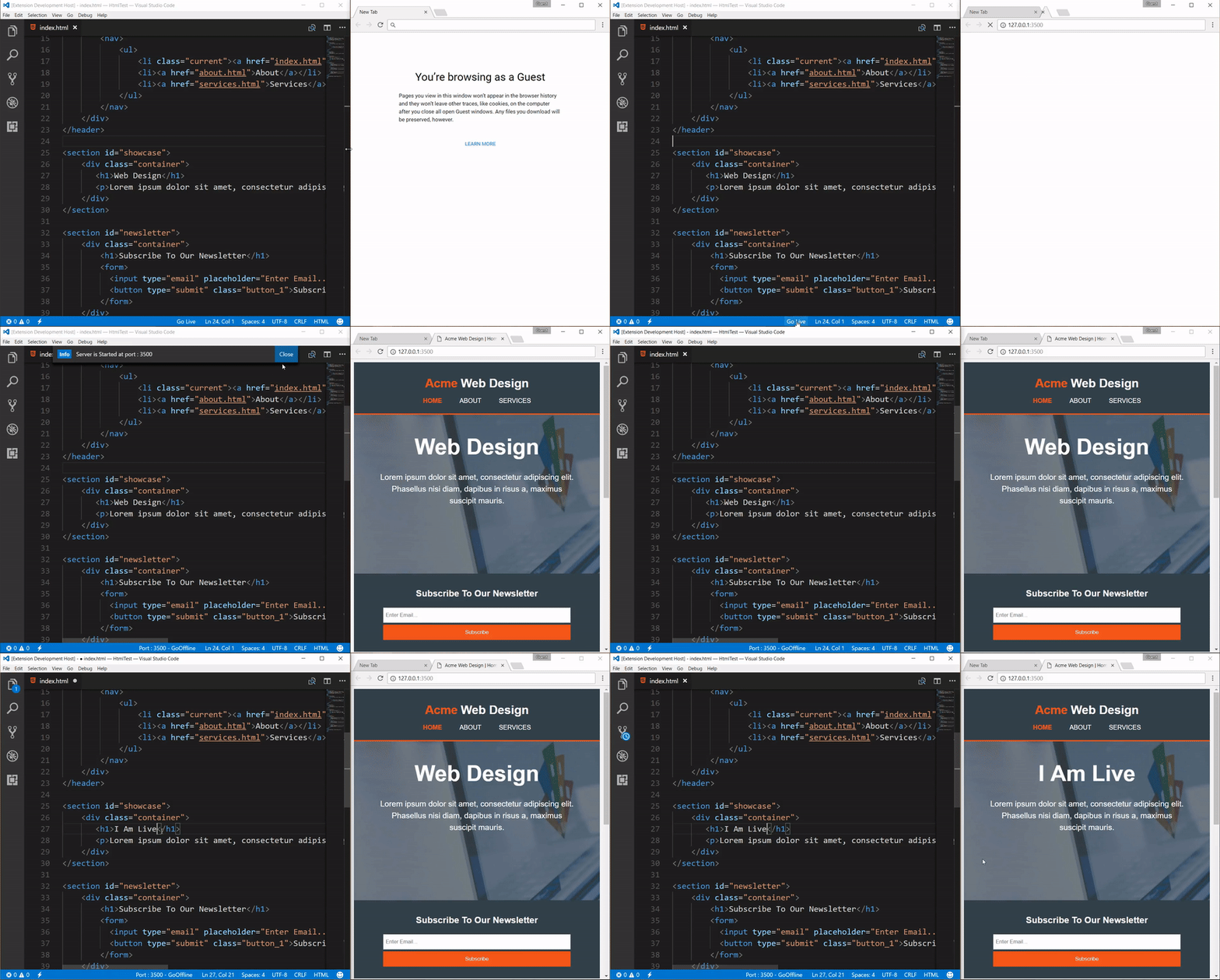
It is one of the most installed VS code extensions with over 40.8 million installations. It helps to Launch a local development server with a live reload feature for static and dynamic pages. It has many other features like Support for excluding files for change detection, Hot Key control, and many more.
2. Peacock
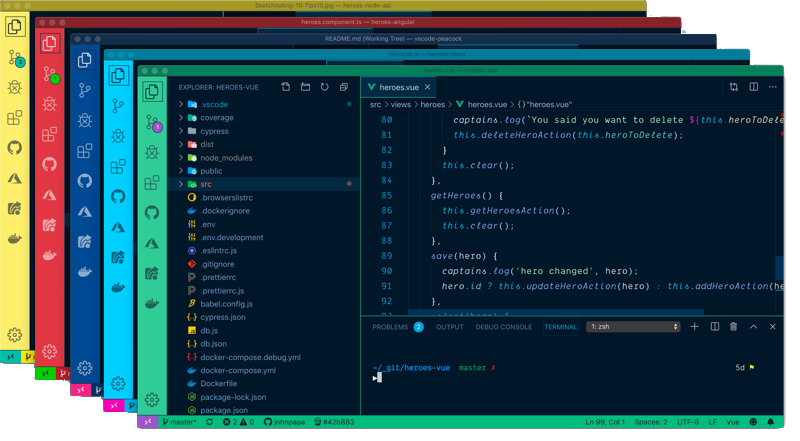
Sometimes we use multiple workspaces to work on multiple projects. Peacock helps us to quickly identify your workspace. There are some beautiful preset colors. Also, the colors are easily changeable. It has more than 257k installation
3.GitHub Pull Requests and Issues
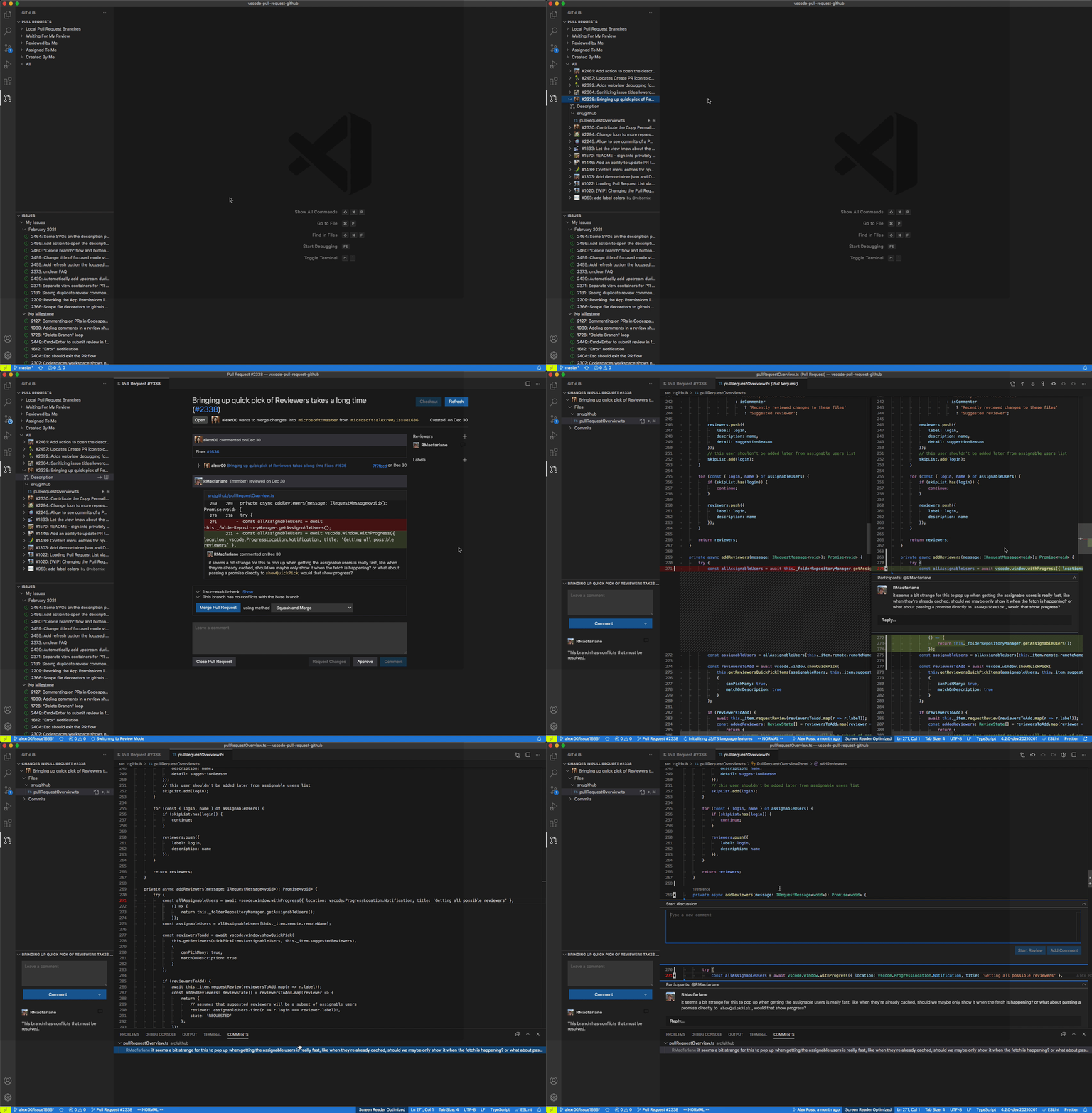
I think it is hard to find a person who does not use GitHub. If you find someone please let me know. In any kind of project, there will be lots of pull requests and issues. This extension will help you to review and manage the pull requests and issues in VS code. It has more than 14.9M installation.
4. Remote — SSH
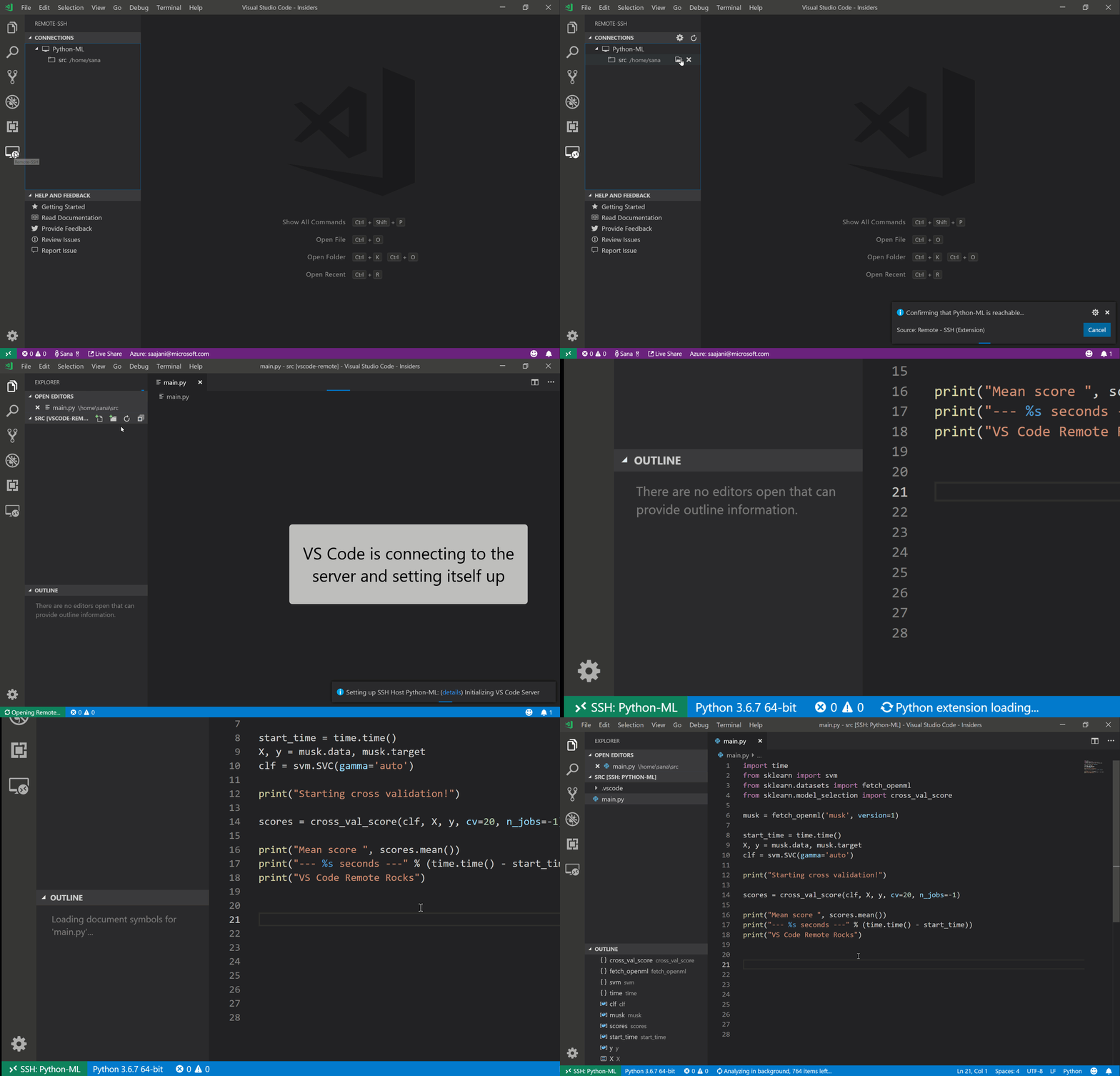
This extension lets you use any remote machine with an SSH server as your development environment. This can greatly simplify development and troubleshooting in a wide variety of situations. You also can open any folder on the remote machine and work with it the same way you would on your own computer. It has more than 17.6M installation.
5. Todo Tree
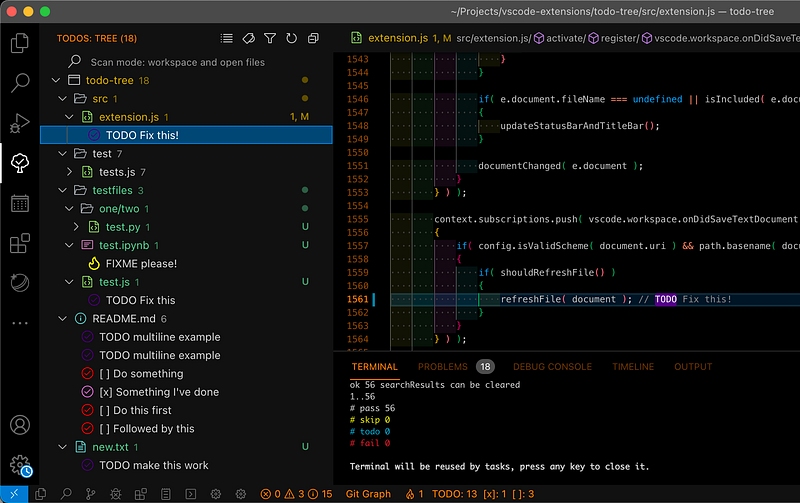
Everyone has a TODO list. Sometimes we keep some tasks for later like making improvements to the code or fixing the bug. TODO Tree helps us to see the TODO list in an organized tree view. It also highlights comments like TODO and FIXME. It has more than 360k installations.
6. CSS Peek
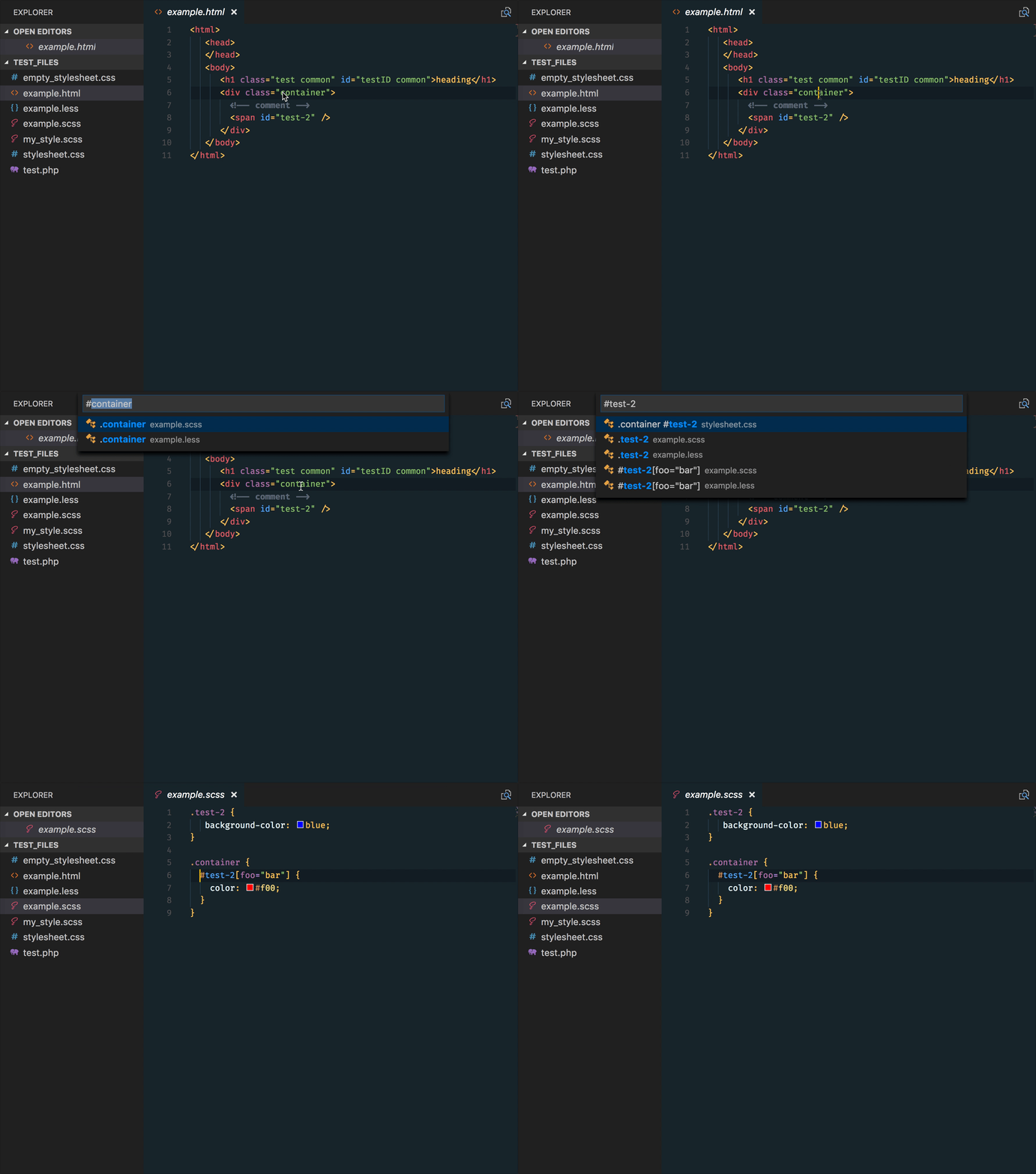
If you are working as a frontend engineer you are probably working with CSS. This extension will be very helpful if the project files get bigger. This extension extends HTML and EJS code editing with Go To Definition and Go To Symbol in Workspace support for css/scss/less (classes and IDs) found in strings within the source code. It has more than 4.9Mk installations.
7. Thunder Client
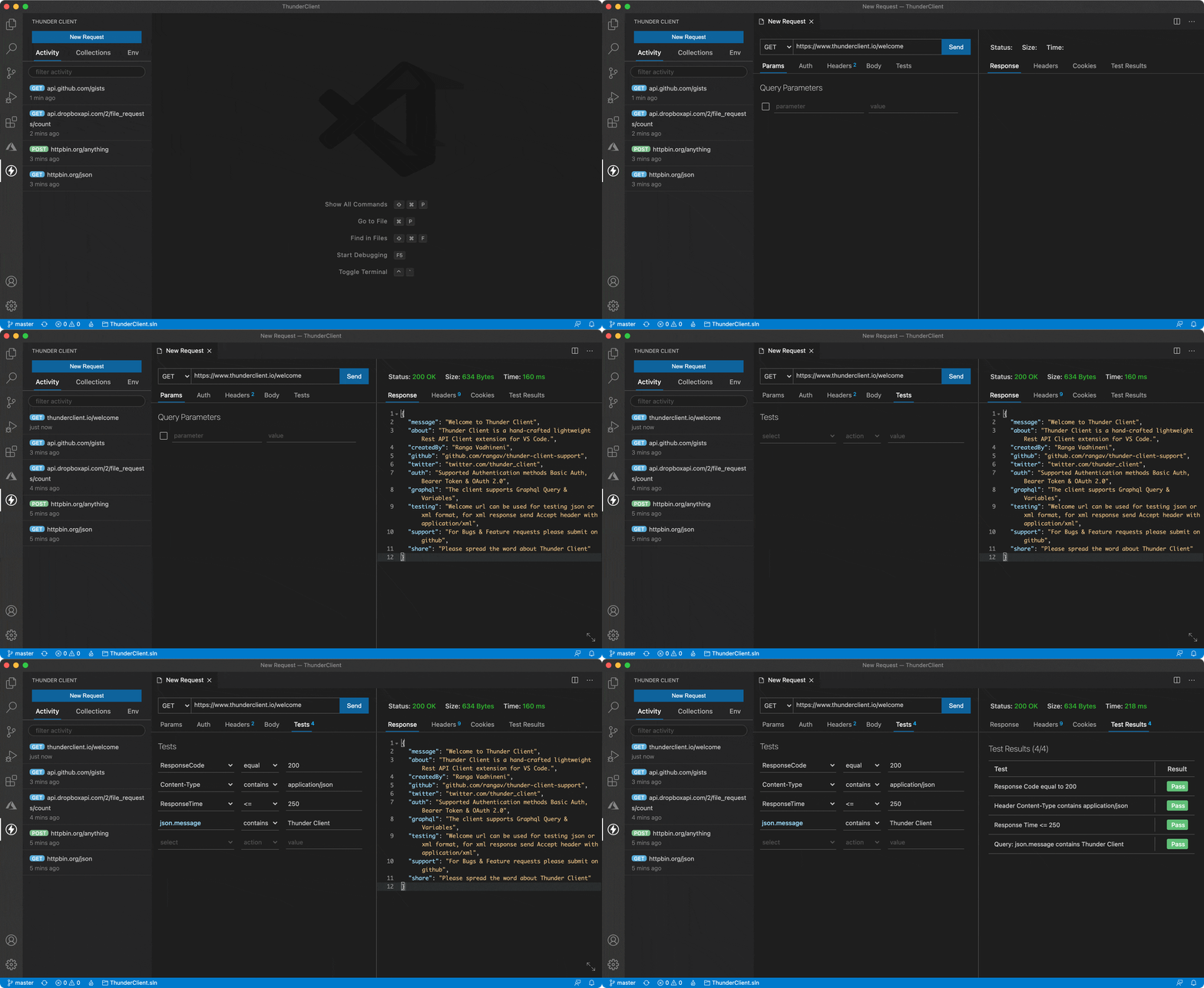
We have all used Postman for API testing. Right? This is a lightweight HTTP Client Extension for Testing APIs. It is an alternative to Postman. It also supports GraphQL. It has more than 2.8M installation.
That’s all for today. I hope this extension will help to make the development journey easier.
If you know of any other useful VSCode extensions, please share them in the comments. Until we meet again. Cheers!
Want to Connect? If you want to, you can connect with me on Twitter.