avatarFarhan Tanvir

Free AI web copilot to create summaries, insights and extended knowledge, download it at here

4468

Abstract

<h3>No config yet highly configurable image picker for Android Click to see how image picker looks... Add this to your…</h3></div>
            <div><p>github.com</p></div>
          </div>
          <div>
            <div style="background-image: url(https://miro.readmedium.com/v2/resize:fit:320/0*fGCZLvMcP0KSIxWt)"></div>
          </div>
        </div>
      </a>
    </div><h1 id="d3da">4. GSON</h1><figure id="1cef"><img src="https://cdn-images-1.readmedium.com/v2/resize:fit:800/1*pn7vcOI5mmBKFuTo7oj0Cw.png"><figcaption></figcaption></figure><p id="d64b">This is another most used library in android development with more than 20k stars on Github. This is a Java library that can be used to convert Java Objects into their JSON representation. It can also be used to convert a JSON string to an equivalent Java object. As you have already understood that this library is for java but if you want to use this functionality with Kotlin you can check this <a href="https://github.com/square/moshi">library</a>.</p><div id="80f8" class="link-block">
      <a href="https://github.com/google/gson">
        <div>
          <div>
            <h2>GitHub - google/gson: A Java serialization/deserialization library to convert Java Objects into…</h2>
            <div><h3>Gson is a Java library that can be used to convert Java Objects into their JSON representation. It can also be used to…</h3></div>
            <div><p>github.com</p></div>
          </div>
          <div>
            <div style="background-image: url(https://miro.readmedium.com/v2/resize:fit:320/0*EvylrakpRnumMV81)"></div>
          </div>
        </div>
      </a>
    </div><h1 id="2131">5. MultiSnapRecyclerView</h1><figure id="ea09"><img src="https://cdn-images-1.readmedium.com/v2/resize:fit:800/1*CxO61H-1EkDO4GBWxIOFkA.gif"><figcaption></figcaption></figure><p id="f2ff">Snapping in Multiple RecyclerView can sometimes be problematic. This library will help to achieve this functionality easily. As you have guessed this library easily provides a snapping feature to your RecyclerView. It also provides some other functionality like horizontal and vertical scrolling, the listener to be called when snapped, reverse layout, etc. This library is built on Kotlin. It has more than 2k stars on Github.</p><div id="6744" class="link-block">
      <a href="https://github.com/TakuSemba/MultiSnapRecyclerView">
        <div>
          <div>
            <h2>GitHub - TakuSemba/MultiSnapRecyclerView: Android library for multiple snapping of RecyclerView</h2>
            <div><h3>dependencies { implementation 'com.github.takusemba:multisnaprecyclerview:x.x.x' } This is an Android Library for…</h3></div>
            <div><p>github.com</p></div>
          </div>
          <div>
            <div style="background-image: url(https://miro.readmedium.com/v2/resize:fit:320/0*s8Em7UzSgMJI_34m)"></div>
          </div>
        </div>
      </a>
    </div><h1 id="3a5b">6. TapTargetView</h1><figure id="4c64"><img src="https://cdn-images-1.readmedium.com/v2/resize:fit:800/1*8cg83E_nzSjoqarcKLw_Hg.gif"><figcaption></figcaption></figure><p id="dc6b">If you want to introduce users to new features and functionality at relevant moments then this library is an excellent resource for you. Its implementation of tap targets from <a href="https://material.io/archive/guidelines/growth-communications/feature-discovery.html">Google’s Material Design guidelines on feature discovery</a>. It also provides lots of customization like typeface, shadow, color, etc. It has more than 5k stars on Github.</p><div id="ac62" class="link-block">
      <a href="https://github.com/KeepSafe/TapTargetView">
        <div>
          <div>
            <h2>GitHub - KeepSafe/TapTargetView: An implementation of tap targets from the Material Design…</h2>
            <div><h3>An implementation of tap targets from Google's Material Design guidelines on feature discovery. Min SDK: 14…</h3></div>
            <div><p>github.com</p></div>
          </div>
          <div>
            <div style="background-image: url(https://miro.readmedium.com/v2/resize:fit:320/0*FLTSZk8sBFGeevQA)"></div>
          </div>
        </div>
      </a>
    </div><h1 id="7bb3">7. shimmer</h1><figure id="b766"><img src="https://cdn-images-1.readmedium

Options

.com/v2/resize:fit:800/1*UV0itW7lj-W92Cc51mm7Eg.gif"><figcaption></figcaption></figure><p id="93e6">This one is from Facebook. As you have guessed this library provides an easy, flexible way to add a shimmering effect to any view in your Android app. It has more than 5k stars on Github.</p><div id="acf3" class="link-block"> <a href="https://github.com/facebook/shimmer-android"> <div> <div> <h2>GitHub - facebook/shimmer-android: An easy, flexible way to add a shimmering effect to any view in…</h2> <div><h3>Shimmer is an Android library that provides an easy way to add a shimmer effect to any view in your Android app. It is…</h3></div> <div><p>github.com</p></div> </div> <div> <div style="background-image: url(https://miro.readmedium.com/v2/resize:fit:320/0*R54fuuZSaW5fdZO2)"></div> </div> </div> </a> </div><h1 id="5983">Where is the previous part?</h1><p id="65dc">There are lots of awesome Android libraries. I want to share as many as possible resources to make your development journey easier.</p><p id="0132">If you have missed the earlier part please check the below.</p><div id="a37a" class="link-block"> <a href="https://readmedium.com/7-useful-android-libraries-you-should-use-in-your-next-project-86fbf7e2171d"> <div> <div> <h2>7 Useful Android Libraries You Should Use in Your Next Project</h2> <div><h3>Power up your android development</h3></div> <div><p>medium.com</p></div> </div> <div> <div style="background-image: url(https://miro.readmedium.com/v2/resize:fit:320/0*afsKQ5wFXnzJDZEn)"></div> </div> </div> </a> </div><div id="babf" class="link-block"> <a href="https://medium.com/geekculture/7-useful-android-libraries-you-should-use-in-your-next-project%E3%83%BCpart-2-f601c6fc469"> <div> <div> <h2>7 Useful Android Libraries You Should Use in Your Next ProjectーPart- 2</h2> <div><h3>Power Up Your Android Development</h3></div> <div><p>medium.com</p></div> </div> <div> <div style="background-image: url(https://miro.readmedium.com/v2/resize:fit:320/0*YnAgzN4tZvcN66LU)"></div> </div> </div> </a> </div><div id="ed9e" class="link-block"> <a href="https://medium.com/geekculture/7-useful-android-libraries-you-should-use-in-your-next-project%E3%83%BCpart-4-7bba1762a4cc"> <div> <div> <h2>7 Useful Android Libraries You Should Use in Your Next ProjectーPart- 4</h2> <div><h3>Power Up Your Android Development</h3></div> <div><p>medium.com</p></div> </div> <div> <div style="background-image: url(https://miro.readmedium.com/v2/resize:fit:320/0*wqmq6v7I7vc-jhcC)"></div> </div> </div> </a> </div><div id="51a2" class="link-block"> <a href="https://medium.com/geekculture/7-useful-android-libraries-you-should-use-in-your-next-project%E3%83%BCpart-5-a96de81be21"> <div> <div> <h2>7 Useful Android Libraries You Should Use in Your Next ProjectーPart- 5</h2> <div><h3>Power Up Your Android Development</h3></div> <div><p>medium.com</p></div> </div> <div> <div style="background-image: url(https://miro.readmedium.com/v2/resize:fit:320/0*wkueqeN7fvK2WPui)"></div> </div> </div> </a> </div><p id="620e">That’s all for today. I believe these libraries will help you a lot in your development journey.</p><p id="e6f5">If you know of any other beautiful Android libraries, please share them in the comments. Until we meet again. Cheers!</p><div id="912f"><pre>Want <span class="hljs-keyword">to</span> <span class="hljs-keyword">Connect</span>?<span class="hljs-keyword">If</span> you want <span class="hljs-keyword">to</span>,you can <span class="hljs-keyword">connect</span> <span class="hljs-keyword">with</span> me <span class="hljs-keyword">on</span> Twitter</pre></div></article></body>

7 Useful Android Libraries You Should Use in Your Next ProjectーPart- 3

Power Up Your Android Development

Photo by Louise Viallesoubranne on Unsplash

Why would you create custom functionality when a library can accomplish the same thing? Libraries are the best friends and life savors of developers. In my opinion, a good project makes use of some of the best libraries available. Here I have compiled 7 android libraries that will help you in your development journey.

1. TouchImageView
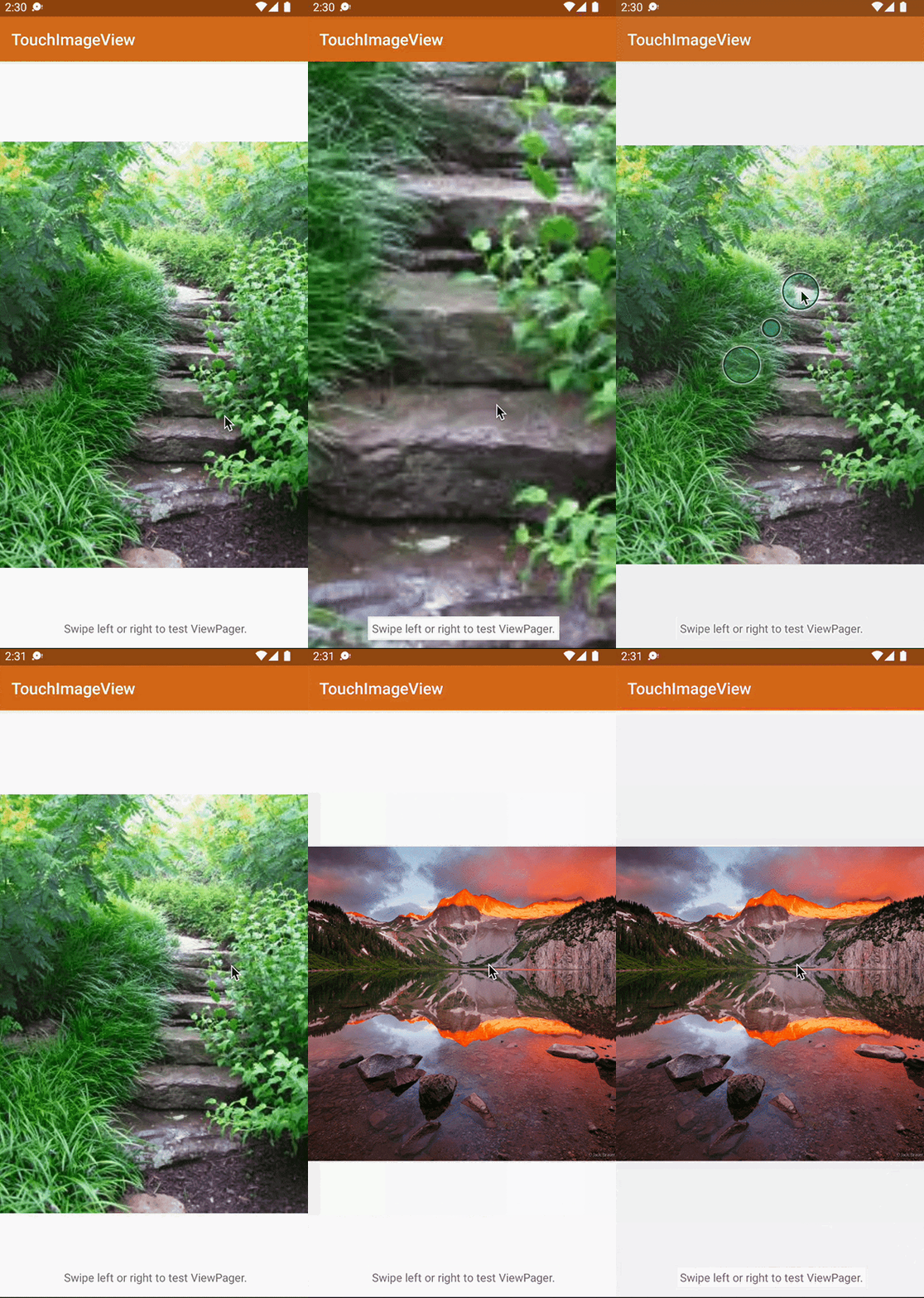
This library saved me a lot of time. Recently I had a task to implement pinch to zoom and double-tap to zoom functionality on a ViewPager2. After trying several other libraries and codes I have achieved the desired functionality with this library. This library extends ImageView and supports all of ImageView’s functionality. This library provides lots of functionality like pinch zoom, dragging, fling, double-tap zoom functionality, and other animation polish. The intention is for this library to mirror as closely as possible the functionality of zoomable images in Gallery apps. It has more than 2k stars on Github. I highly suggest this library.

2. AnyChart
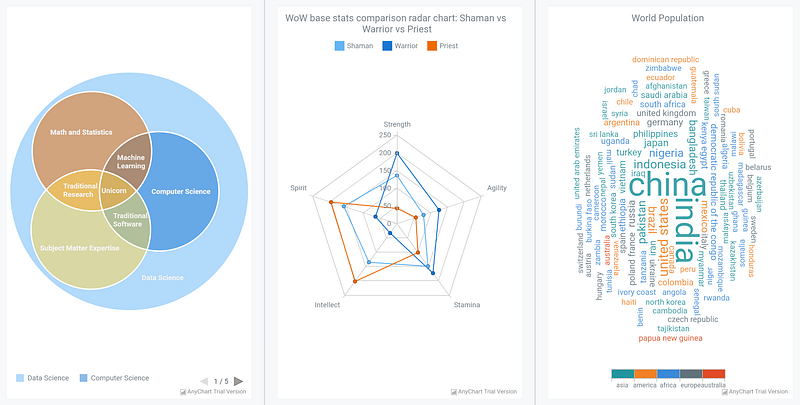
If you want to show a Chart in your android app then this is a great library for you. This is an amazing data visualization library for easily creating interactive charts. It runs on API 19+ (Android 4.4) and features dozens of built-in chart types like Pie Chart, Column Chart, Radar Chart, etc. It has more than 1.5k stars on Github.

3. android-image-picker
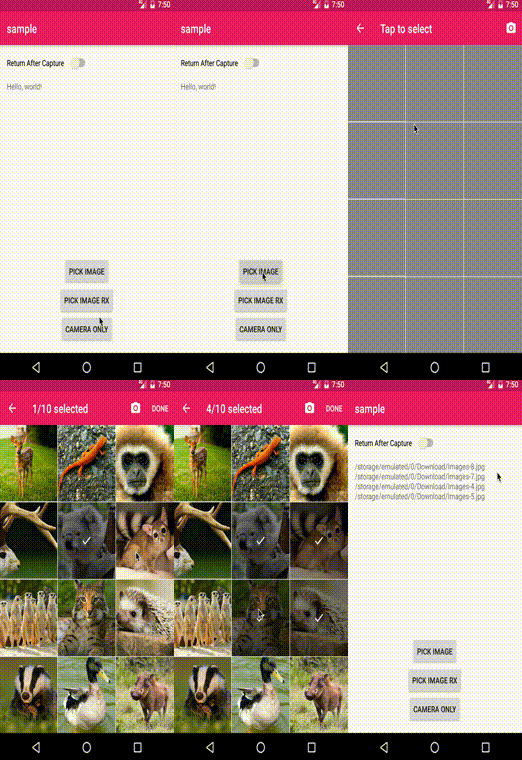
Image Picker is one of the commonly used functions in most mobile apps. But sometimes it is hard to create an image picker from scratch with lots of configuration. This library will help you in this scenario. You can customize it as you want like single or multiple image modes, including video, language, image selection title, and many more. This library is built on Kotlin. It has more than 900 stars on Github.

4. GSON
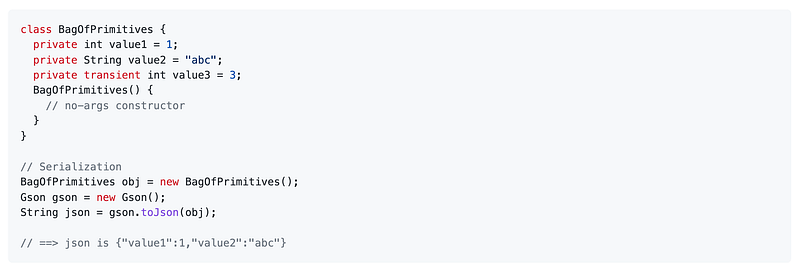
This is another most used library in android development with more than 20k stars on Github. This is a Java library that can be used to convert Java Objects into their JSON representation. It can also be used to convert a JSON string to an equivalent Java object. As you have already understood that this library is for java but if you want to use this functionality with Kotlin you can check this library.

5. MultiSnapRecyclerView
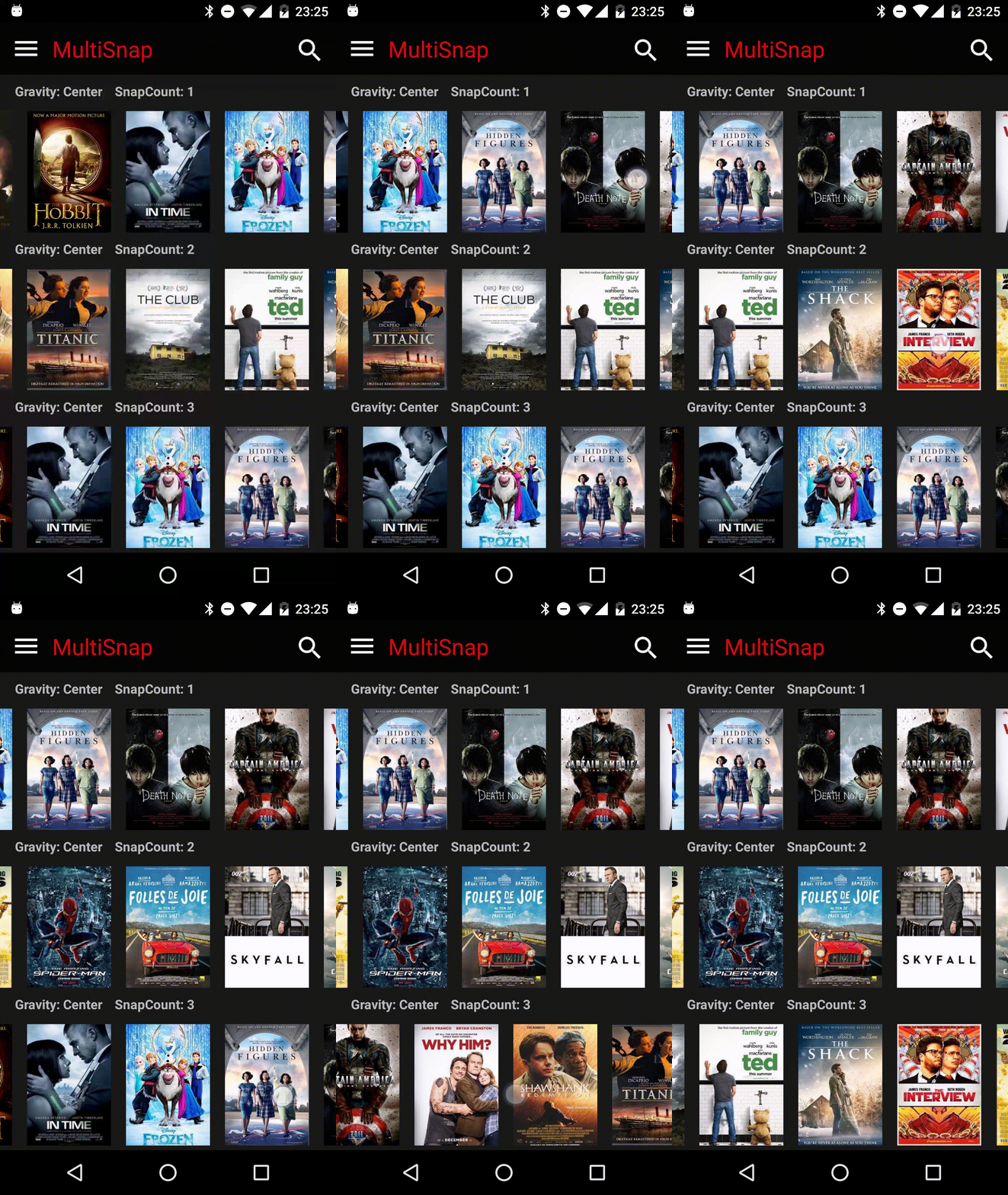
Snapping in Multiple RecyclerView can sometimes be problematic. This library will help to achieve this functionality easily. As you have guessed this library easily provides a snapping feature to your RecyclerView. It also provides some other functionality like horizontal and vertical scrolling, the listener to be called when snapped, reverse layout, etc. This library is built on Kotlin. It has more than 2k stars on Github.

6. TapTargetView
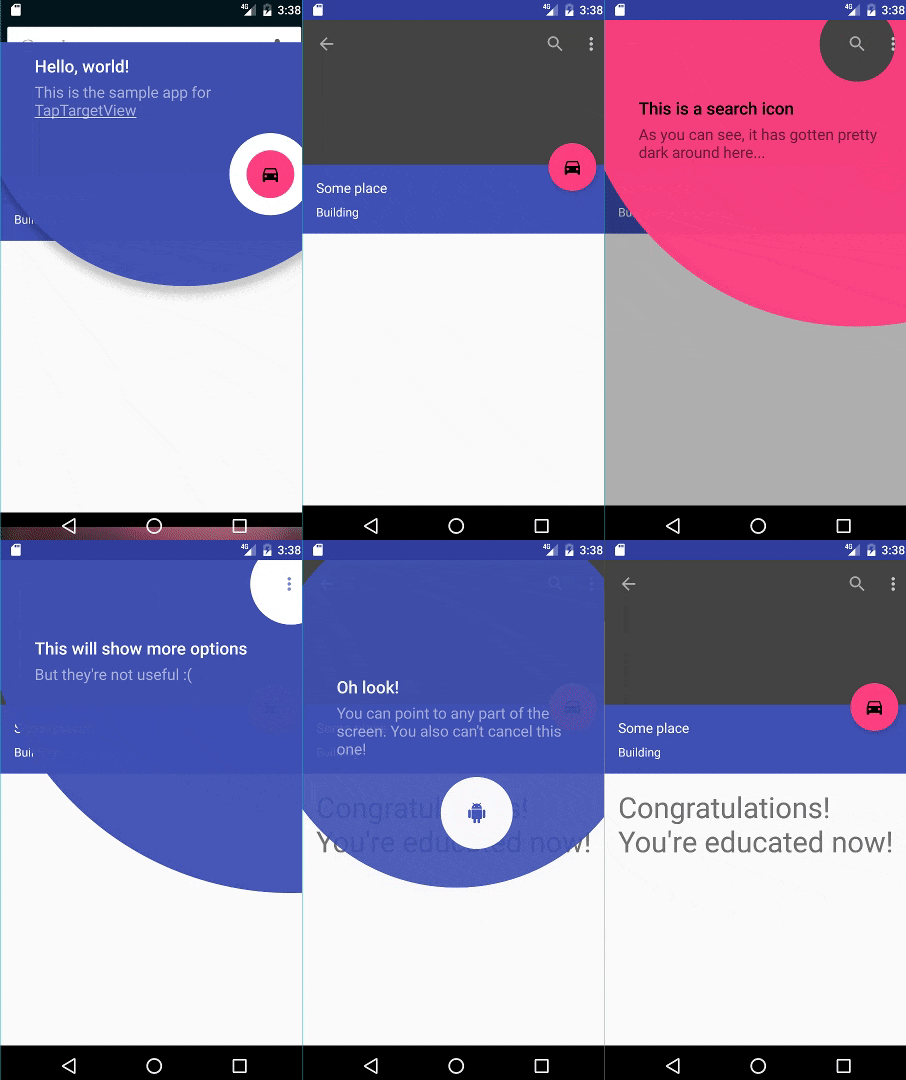
If you want to introduce users to new features and functionality at relevant moments then this library is an excellent resource for you. Its implementation of tap targets from Google’s Material Design guidelines on feature discovery. It also provides lots of customization like typeface, shadow, color, etc. It has more than 5k stars on Github.

7. shimmer
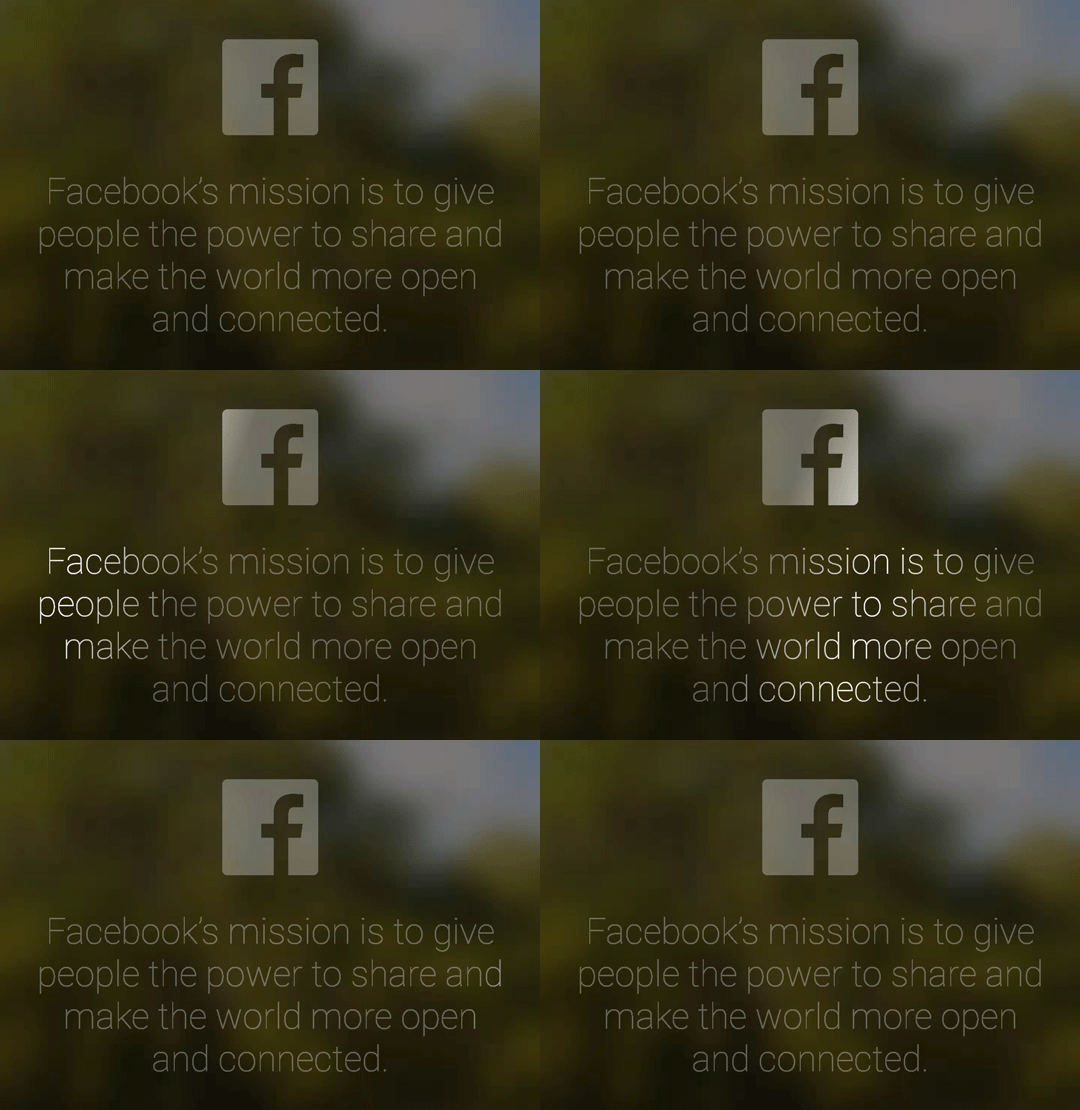
This one is from Facebook. As you have guessed this library provides an easy, flexible way to add a shimmering effect to any view in your Android app. It has more than 5k stars on Github.

Where is the previous part?

There are lots of awesome Android libraries. I want to share as many as possible resources to make your development journey easier.

If you have missed the earlier part please check the below.

That’s all for today. I believe these libraries will help you a lot in your development journey.

If you know of any other beautiful Android libraries, please share them in the comments. Until we meet again. Cheers!

Want to Connect?If you want to,you can connect with me on Twitter
Android
Android App Development
Software Development
Mobile App Development
Programming
Recommended from ReadMedium