
7 Steps to Start a Publication
How to start a publication from scratch to gain a following.

Even if you don’t have an audience — yet — starting a publication on Medium is a good idea.
One thing I find interesting and exciting about Medium is you can start a publication, and treat it as your blog, without all the techie hassle.
If you’re a newbie and don’t have any followers, starting your own publication is a great way to gain followers and get noticed.
It’s equivalent to setting up a website, but in the time it takes to unload the dishwasher.
Be creative here.
You get to pick an image for your header, a quote that speaks to you, and make a list of categories in the topics that most interest you and represent you as a writer.
Here are the steps to setting up a publication
Step One — Be intentional.
Ask yourself, What am I good at? What do I want to write?
Your publication represents you as a writer and your area of expertise.
My publications concentrate on writing, blogging, and entrepreneurship, along with my other interests, relationships and love. Because these topics are varied, I created two publications, The Write Path and The Happy Spot.
Be intentional about picking categories.
If your passion and experience are in gardening, you can have an entire publication dedicated to creating the perfect garden, or a pub on finance and investing in the market or a publication about cooking.
Figure out what you know and love, or, you are at least interested in learning — this works too — and write about that.
Many successful blogs are not written by experts but written by curious people who wanted to learn about one thing and then wrote about their journey in figuring out their one thing for the audience.
People love to read about mistakes, course corrections, and how you mastered something through trial and error.
Bonus: It is better to niche down at first. You will find die-hard fans who stick with you and see you as an expert on the one or two topics you write in. You can write about any topic you want, but I think when you are coming in without an audience, it is better to focus on one or two issues.
Once you get your footing on Medium, and find fans, expand to other topics.
Step Two — Set up a publication. It’s easy.
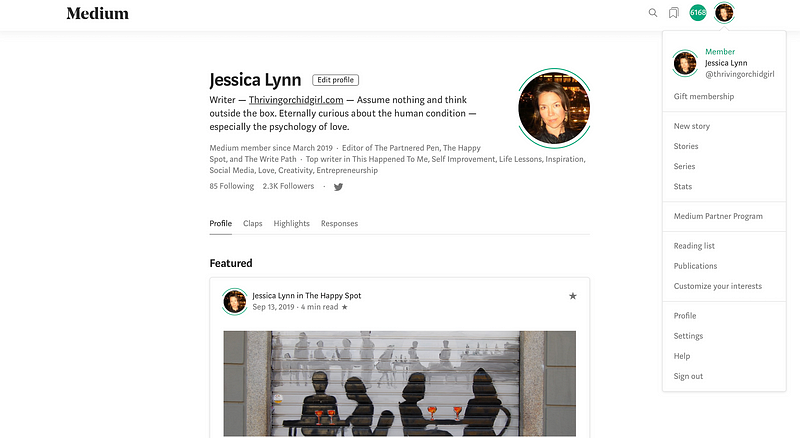
Click on your photo in your Medium profile, and a drop-down menu will appear.
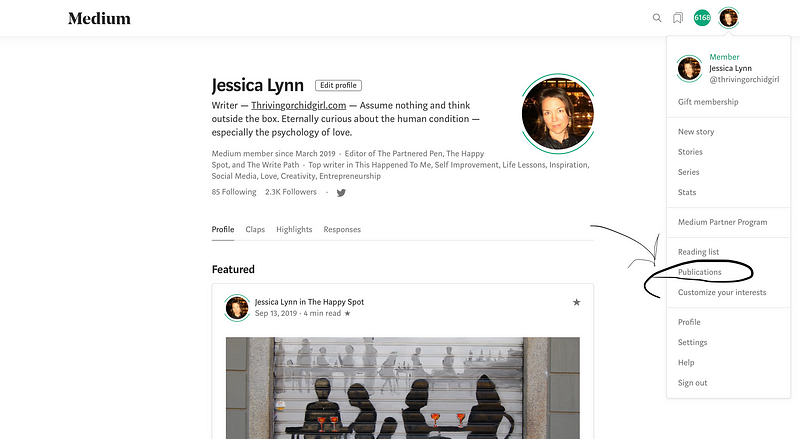
Click on ‘Publications’ (it’s #8 on the list after ‘Reading list’).
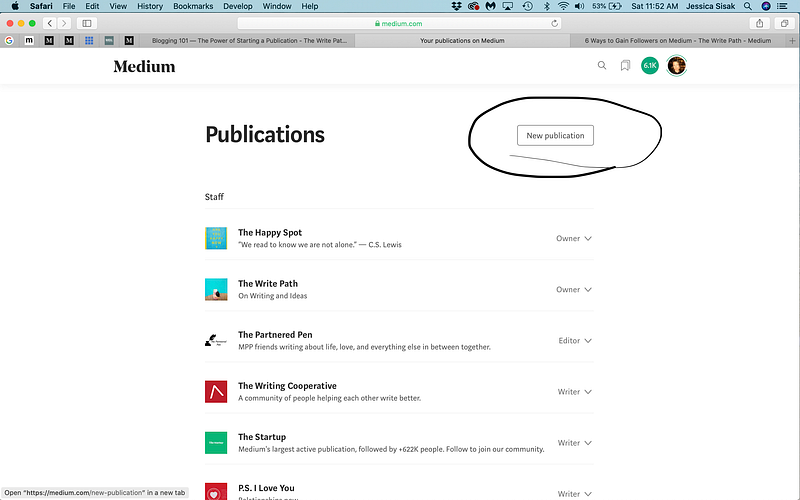
Step Three — Click the button to the right that reads, ‘New publication.’
Step Four —Fill in info.
On the ‘New publication screen,’ fill in Name, Tagline, Description, Publication avatar, and your contact info for your social media sites.
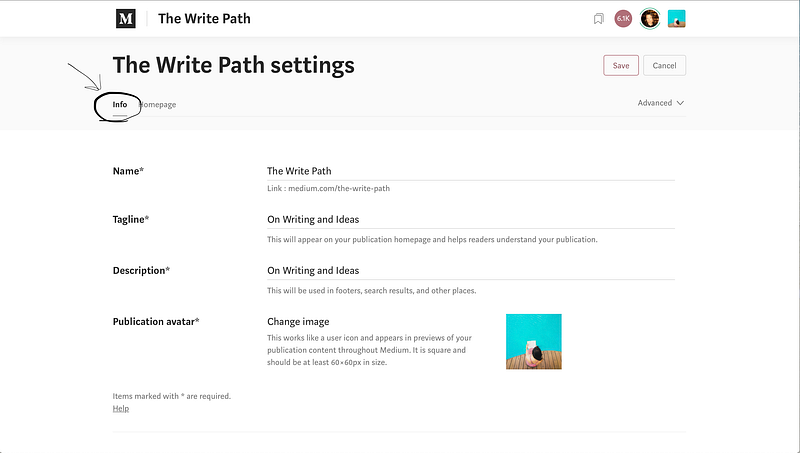
It’s OK if you don’t want to link your publication to social media sites, you can skip this step if you want to.
Don’t skip adding the ‘Tags’ that represent your blog.
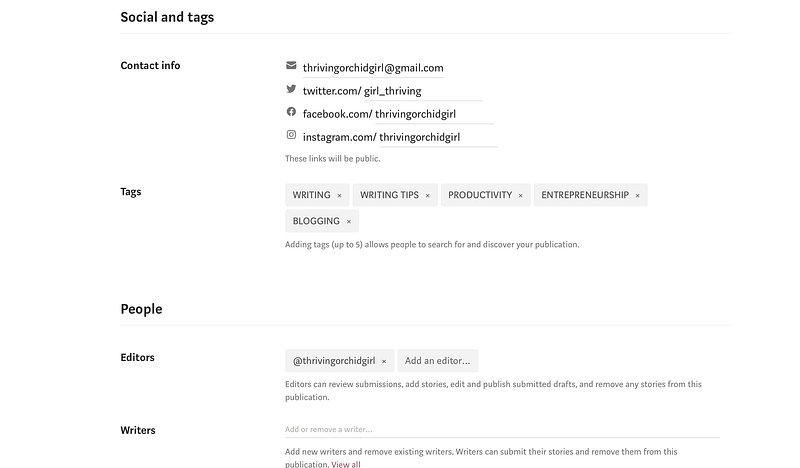
Tags allow people to search for and discover your publication.
You can select up to five.
For my writing pub, my categories are Writing, Writing tips, Productivity, Entrepreneurship, and Blogging. For The Write Path, I stick to mostly writing in these topics.
Scroll down to the bottom of the page and hit ‘Next.’
Step Five — Fill in homepage.
Clicking ‘Next’ takes you to your publication’s homepage, where you will upload a picture.
I found an image from Unsplash. Unsplash has high-quality photos and an image for any occasion.
I went with hands typing at a laptop because I mostly write about writing and blogging, so this image fits what my publication offers.
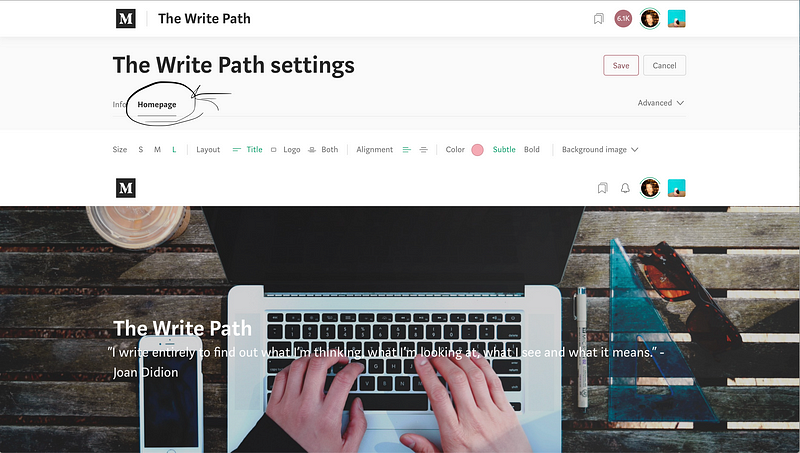
I picked a favorite quote on writing from one of my favorite authors, Joan Didion, it reads, “I write entirely to find out what I’m thinking, what I’m looking at, what I see and what it means.” This I why I got into writing in the first place back in 3rd grade when I started my first journal. Journaling allows me to understand myself and what I think and feel.
I never stopped writing.
Step Six — Set up your publication’s navigation page.
Again, be intentional.
Fill in your categories which will appear at the top of your publication, under the image you chose.
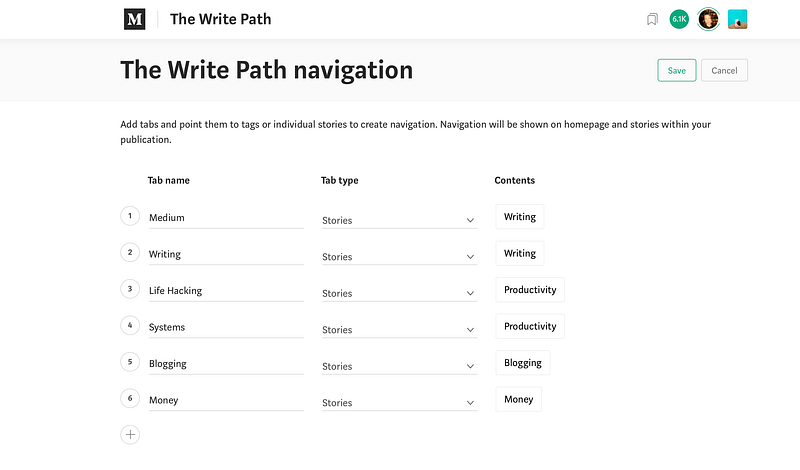
The categories represent the topics in which you write.
Your stories will be organized under these categories depending on what tags you give each story. Select any number you like, but I would stay under five.
Let’s say you’re an expert gardener, and you want to blog about gardening.
Your categories could be something like Succulents, Tulips, Shrubs, Mulch, and Tools.
These five categories will appear at the top of your publication.
When you write a story about how you created a beautiful tulip garden, you’ll tag the story with the words ‘tulips’ and maybe ‘tools.’
That story will then appear under both categories; Tulips and Tools.
Your publication will help you organize your work effortlessly. It acts as an umbrella to house all your stories in Medium, as long as you select ‘add to publication’ and then pick the pub you want your story to file into and then click “submit.”
Step Seven — Set up a feature page.
Set up a feature page by clicking the ‘New feature page’ button.
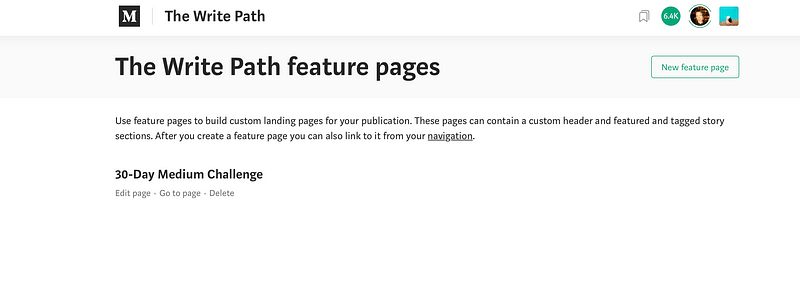
A feature page is a custom landing page for your publication.
I have one feature page for my writing publication called “30-Day Medium Challenge.”
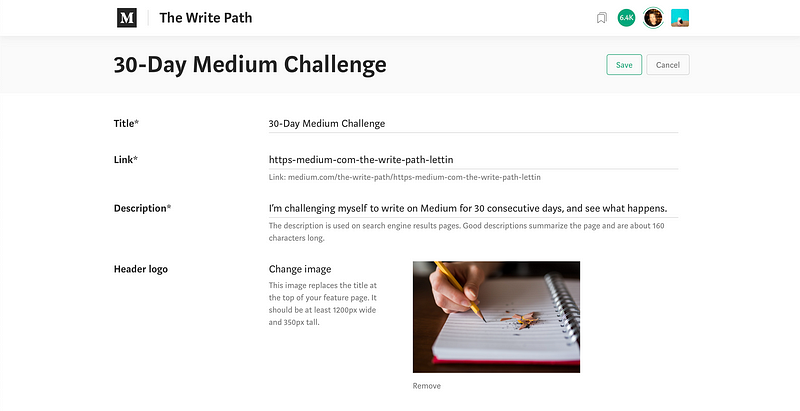
I set this up when I started writing on Medium nearly a year ago.
These pages can contain a custom header and featured and tagged story sections.
After you create a feature page, you can also link to it from your navigation. Under the featured page set-up, you can add featured stories. I chose to add five stories in a grid format. Starting with my story, Five books and One Website That Will Teach You How to Write Better.
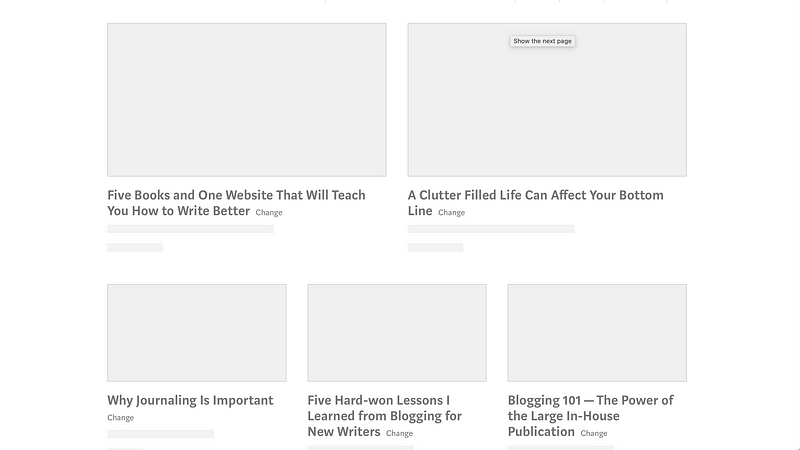
Once you complete these seven steps, you have a publication. That is it, it is that simple to set up a publication on Medium. You are the writer, editor, and owner. Precisely like a website on WordPress without all the headaches that come with setting up and maintaining a blog, so you have more time to write.
When you write a story for your publication, make sure you ‘Add to publication,’ and then hit ‘Publish.’
In a later post, I’ll talk about and walk you through the ‘letter feature’ that allows you to send stories right to your follower’s inbox, another positive to having a publication — you can reach your audience more directly.
Write on.
Jessica is a writer, an online entrepreneur, and a recovering type-A personality. She lives in Los Angeles with her extrovert daughter, two dogs, and two cats.


