avatarShantanu Kumar

Free AI web copilot to create summaries, insights and extended knowledge, download it at here

4056

Abstract

otes! Sembly generates pragmatic insights for your ‘minutes of meeting’. What sets Sembly apart from all the other AI meeting apps is the comprehensive ways of aligning your projects, tasks and activities with your to-do lists.</p><p id="f073">If you’re a freelancer who has several projects to handle in a short span of time, this tool will help you stay more organized, on time and efficient with planning your workday.</p><p id="b0fd">Currently, the app has partnered with Google Cloud and Google for Start-ups to help drive their success.</p> <figure id="876b"> <div> <div> <img class="ratio" src="http://placehold.it/16x9"> <iframe class="" src="https://cdn.embedly.com/widgets/media.html?src=https%3A%2F%2Fwww.youtube.com%2Fembed%2FpY9NdKV6760%3Ffeature%3Doembed&amp;display_name=YouTube&amp;url=https%3A%2F%2Fwww.youtube.com%2Fwatch%3Fv%3DpY9NdKV6760&amp;image=https%3A%2F%2Fi.ytimg.com%2Fvi%2FpY9NdKV6760%2Fhqdefault.jpg&amp;key=a19fcc184b9711e1b4764040d3dc5c07&amp;type=text%2Fhtml&amp;schema=youtube" allowfullscreen="" frameborder="0" height="480" width="854"> </div> </div> </figure></iframe></div></div></figure><h1 id="1bec">4. Mokker</h1><p id="3e2a"><i>(<a href="https://mokker.ai/">View Source</a>)</i></p><figure id="0203"><img src="https://cdn-images-1.readmedium.com/v2/resize:fit:800/1*8ApBCuq1xMxLb94pq7zueA.png"><figcaption></figcaption></figure><figure id="55bf"><img src="https://cdn-images-1.readmedium.com/v2/resize:fit:800/0*0KZubn_1cCY6dNLb.jpg"><figcaption></figcaption></figure><p id="fff8">The struggles of removing backgrounds smoothly is a dreadful task for many designers. Worry not cause Mokker has got you covered. This website helps you create professional visuals with ease and has more than 100+ background templates you can use for your images.</p><p id="074a">With clients who don’t have the budget to do photoshoots from scratch, but still want marketable visuals, that’s when Mokker saves the day!</p><p id="0b28">Some of the best features of the app are:</p><ul><li><i>API for integration.</i></li><li><i>You can use high-quality images.</i></li><li><i>Photo props and more than 100+ background templates.</i></li></ul><h1 id="01df">5. Wide Canvas</h1><p id="f512"><i>(<a href="https://www.widecanvas.ai/">View Source</a>)</i></p><figure id="b008"><img src="https://cdn-images-1.readmedium.com/v2/resize:fit:800/1*EydBw5yk7g95jwQwej_Lyw.gif"><figcaption></figcaption></figure><p id="e047">If you’ve ever used TL Draw, an app that helps you turn sketches into applications. Wide Canvas AI takes it up a notch with its ability to bring your imaginations to life by just ‘talking’ or texting to the AI canvas. So, you can send a code by just speaking to the canvas and it will automatically do the job for you.</p> <figure id="7143"> <div> <div> <img class="ratio" src="http://placehold.it/16x9"> <iframe class="" src="https://cdn.embedly.com/widgets/media.html?type=text%2Fhtml&amp;key=a19fcc184b9711e1b4764040d3dc5c07&amp;schema=twitter&amp;url=https%3A//twitter.com/widecanvasdotai/status/1733506946123047039%3Fs%3D20&amp;image=" allowfullscreen="" frameborder="0" height="281" width="500"> </div> </div> </figure></iframe></div></div></figure><p id="fd58">This is incredibly useful for people who are designing apps or websites, or aren’t too good with drawing things. This app will do the impossible for you!</p><p id="f40b">A fairly new AI tool in the market, however, if you play around with it you might be able to get pretty cool results. So, check it out!</p><h1 id="7815">6. Frontify</h1><p id="cde1"><i>(<a href="https://www.frontify.com/en/">View Source</a>)</i></p><figure id="c6d6"><img src="https://cdn-images-1.readmedium.com/v2/resize:fit:800/0*SNfVqFde8-Qb1T77.jpg"><figcaption></figcaption></figure><figure id="7b7c"><img src="https://cdn-images-1.readmedium.com/v2/resize:fit:800/1*KQ3jrccRLbmA

Options

5RaUSW9hzw.png"><figcaption></figcaption></figure><p id="fb7c">To save up on time creating social posts for your clients and brands, Frontify amalgamates templates, brand guidelines and DAM all in one place for optimal results. It has brands such as Uber, Volkswagen, Gant and many more as clients to strengthen the brand identity and bring them closer to their audiences.</p><p id="60e6">Use Frontify to create <b>prototypes, get design feedback, take visual notes and create interface specifications </b>according to measurements, color and typography.</p><h1 id="f2a9">7. Time Hero</h1><p id="56ee"><i>(<a href="https://www.timehero.com/">View Source</a>)</i></p><figure id="6046"><img src="https://cdn-images-1.readmedium.com/v2/resize:fit:800/0*p85AVJXVfEbctwyj"><figcaption></figcaption></figure><figure id="5b1f"><img src="https://cdn-images-1.readmedium.com/v2/resize:fit:800/1*dVQNBGMfrcBS1-ASDdeung.png"><figcaption></figcaption></figure><p id="be4e">Need help to plan your projects and schedule them in your calendar? Well, then TimeHero is something you should bookmark. They have automated machine learning capabilities that would send reminders to employees for meetings, and even send emails to people when the project is due.</p><p id="4712">So, if you have a team of people working under you, this is a tool that can help you keep track of all the work and the timelines.</p><figure id="1022"><img src="https://cdn-images-1.readmedium.com/v2/resize:fit:800/1*TfBcNxFqPMcK7AC_DXAfvA.png"><figcaption></figcaption></figure><p id="29b9">It even syncs people’s personal calendars with the other members of the team, to collaborate more efficiently.</p><p id="cd41">It even syncs people’s personal calendars with the other members of the team, to collaborate more efficiently.</p><p id="c986">In conclusion, these AI tools are going to be your go-to buddy to keep things organized, get design feedback, and help you keep track of your deadlines. Something a personal secretary could even do the job that AI will do for you. What do you think?</p><p id="1515">Would love to hear your thoughts in the comments section below.</p><p id="e97b"><b><i>If you found this article helpful, you might want to check out the following:</i></b></p><div id="bf5b" class="link-block"> <a href="https://uxplanet.org/embracing-ai-as-a-designer-8-amazing-ai-tools-to-elevate-your-branding-process-8adae0d6defa"> <div> <div> <h2>8 Amazing A.I. tools to elevate your Branding process.</h2> <div><h3>Embracing A.I. as a Designer</h3></div> <div><p>uxplanet.org</p></div> </div> <div> <div style="background-image: url(https://miro.readmedium.com/v2/resize:fit:320/0*CmUT1n7P7M38MPTQ.jpg)"></div> </div> </div> </a> </div><div id="1e46" class="link-block"> <a href="https://uxplanet.org/i-used-the-10-most-popular-ai-logo-design-tools-and-heres-what-i-found-f079bc06a13b"> <div> <div> <h2>I gave the same prompt to 10 different Logo Design (AI) tools. Here are the results…</h2> <div><h3>10 tools, 1 prompt, 10 different results.</h3></div> <div><p>uxplanet.org</p></div> </div> <div> <div style="background-image: url(https://miro.readmedium.com/v2/resize:fit:320/1*VCzelfv5BBHQw4XgJJLmNg.png)"></div> </div> </div> </a> </div><p id="5365">If you enjoy reading stories like these and want to support me as a writer, consider <a href="https://medium.com/@shantanu.kr/membership"><i>signing up to become a Medium member</i></a>. It’s $5 a month, giving unlimited access to Medium stories. I’ll earn a small commission if you sign up using my link.</p><p id="5f00"><a href="https://medium.com/@shantanu.kr/membership">https://medium.com/@shantanu.kr/membership</a></p><p id="09c5"><b><i>Much love!</i></b></p></article></body>

7 New A.I. Tools In The Market That You Should Bookmark As A Designer

Your New Creative Buddies

While the dominance of AI might be one of the biggest fears for graphic designers, however, many of us in the industry have now started embracing it as our ‘creative buddy.’ This collaboration between designers and humans is definitely something that is here to stay. So, embracing it as designers gives us the opportunity to learn and grow alongside AI. Perhaps, even finding ways to complement each other’s strengths?

This article will help you understand how you can use A.I. tools to amp up your productivity as a designer, save time and achieve remarkable results!

1. KREA
(View Source)

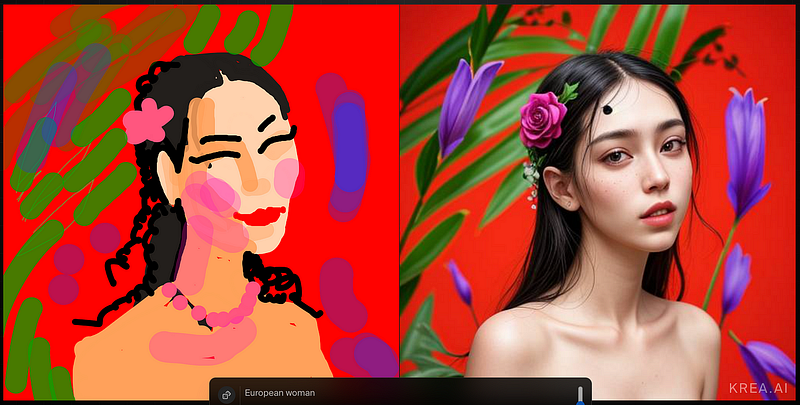
If you’re looking to enhance your images or designs in the most compact and simple way possible, then KREA is the right pick for you. With over 2500 AI models to choose from to fit into the artistic visions and imaginations of every designer, KREA is a game-changer for the creatives in the industry.

With a recent upgrade in their functionality, you can now use their ‘Real Time Enhancer’ which upscales your images swiftly.

2. LABS.GOOGLE
(View Source)

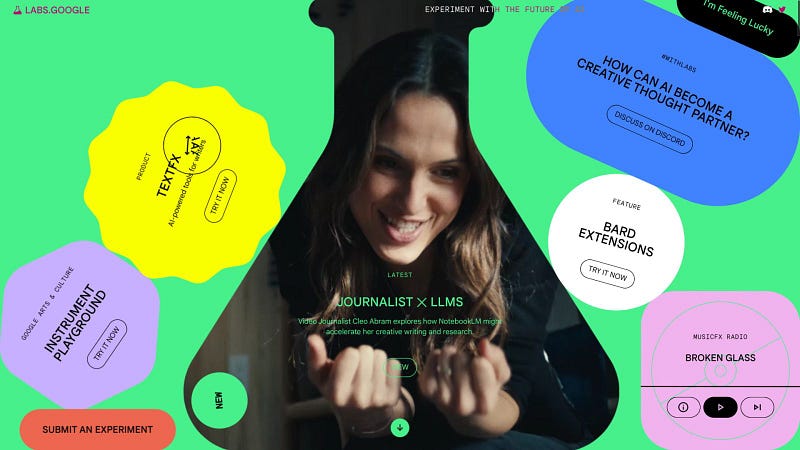
This platform is probably one of the best ways to start experimenting with A.I. especially if you’re new to it. Each designer has various projects and clients they work on, so to customize your projects according to every client can sometimes become burdensome. LABS.GOOGLE helps you to meet your individual needs and curates technology in a way to cater to your various design needs.

Take your creativity up a notch with their NoteBookLM, Bard Extensions, TextFx, and other features that will bring your ideas to life, faster and efficiently.

3. Sembly

(View Source)

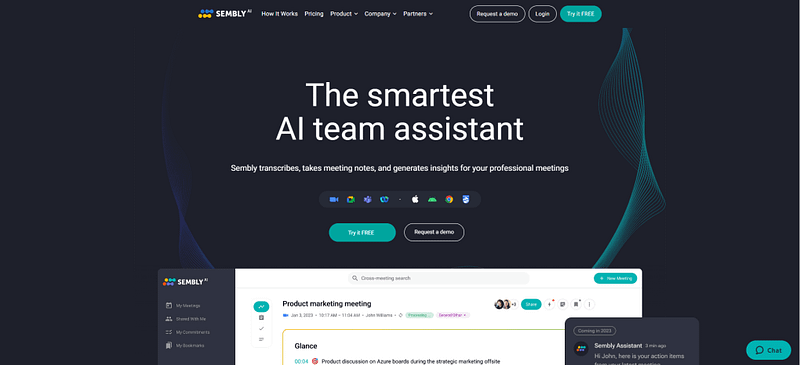
Say goodbye to taking your basic meeting notes! Sembly generates pragmatic insights for your ‘minutes of meeting’. What sets Sembly apart from all the other AI meeting apps is the comprehensive ways of aligning your projects, tasks and activities with your to-do lists.

If you’re a freelancer who has several projects to handle in a short span of time, this tool will help you stay more organized, on time and efficient with planning your workday.

Currently, the app has partnered with Google Cloud and Google for Start-ups to help drive their success.

4. Mokker

(View Source)

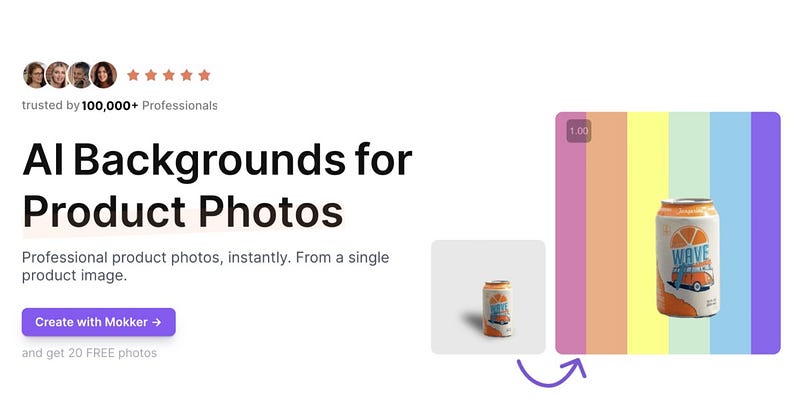
The struggles of removing backgrounds smoothly is a dreadful task for many designers. Worry not cause Mokker has got you covered. This website helps you create professional visuals with ease and has more than 100+ background templates you can use for your images.

With clients who don’t have the budget to do photoshoots from scratch, but still want marketable visuals, that’s when Mokker saves the day!

Some of the best features of the app are:

  • API for integration.
  • You can use high-quality images.
  • Photo props and more than 100+ background templates.

5. Wide Canvas
(View Source)

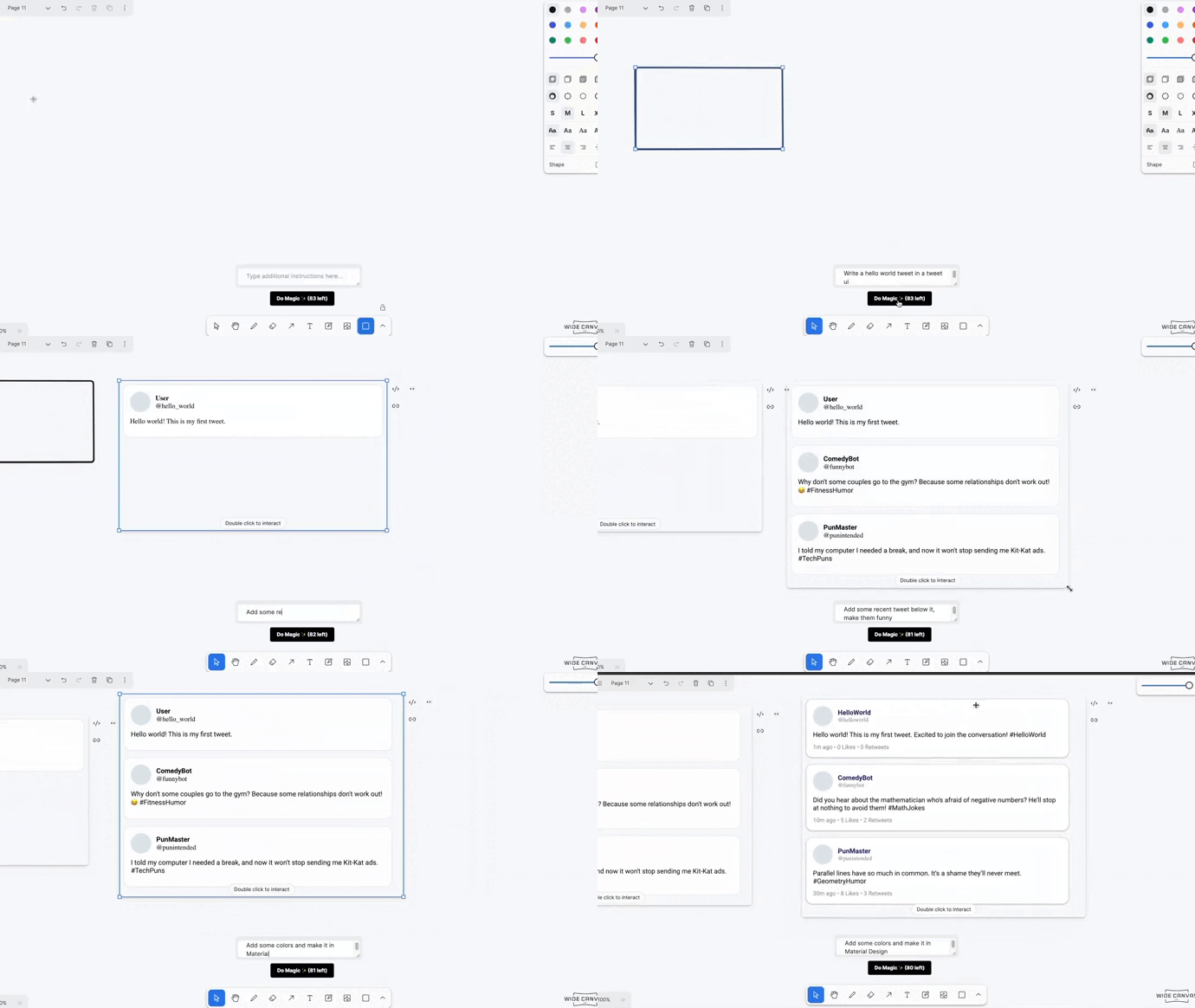
If you’ve ever used TL Draw, an app that helps you turn sketches into applications. Wide Canvas AI takes it up a notch with its ability to bring your imaginations to life by just ‘talking’ or texting to the AI canvas. So, you can send a code by just speaking to the canvas and it will automatically do the job for you.

This is incredibly useful for people who are designing apps or websites, or aren’t too good with drawing things. This app will do the impossible for you!

A fairly new AI tool in the market, however, if you play around with it you might be able to get pretty cool results. So, check it out!

6. Frontify
(View Source)

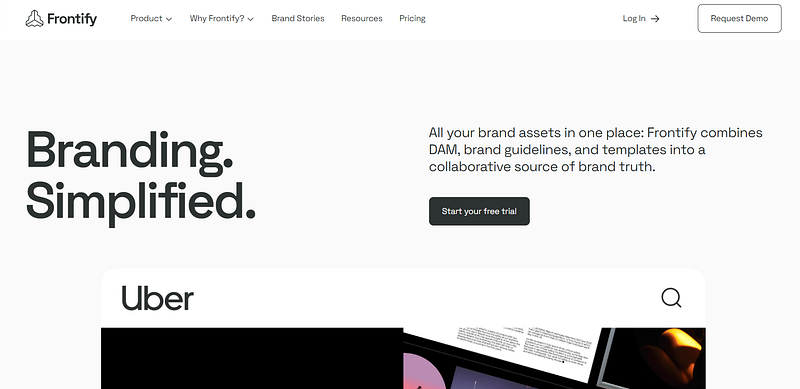
To save up on time creating social posts for your clients and brands, Frontify amalgamates templates, brand guidelines and DAM all in one place for optimal results. It has brands such as Uber, Volkswagen, Gant and many more as clients to strengthen the brand identity and bring them closer to their audiences.

Use Frontify to create prototypes, get design feedback, take visual notes and create interface specifications according to measurements, color and typography.

7. Time Hero

(View Source)

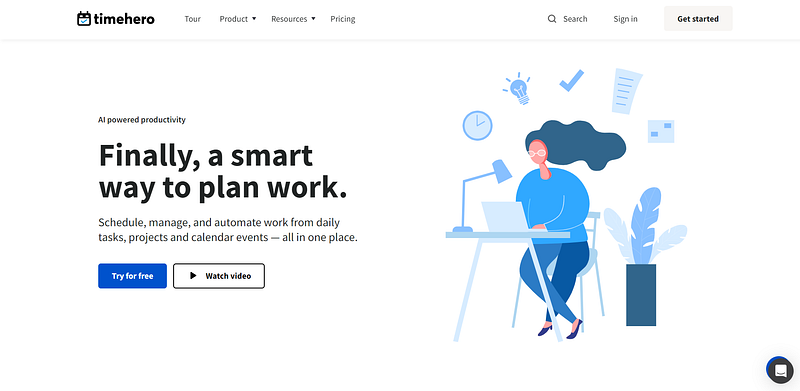
Need help to plan your projects and schedule them in your calendar? Well, then TimeHero is something you should bookmark. They have automated machine learning capabilities that would send reminders to employees for meetings, and even send emails to people when the project is due.

So, if you have a team of people working under you, this is a tool that can help you keep track of all the work and the timelines.
It even syncs people’s personal calendars with the other members of the team, to collaborate more efficiently.

It even syncs people’s personal calendars with the other members of the team, to collaborate more efficiently.

In conclusion, these AI tools are going to be your go-to buddy to keep things organized, get design feedback, and help you keep track of your deadlines. Something a personal secretary could even do the job that AI will do for you. What do you think?

Would love to hear your thoughts in the comments section below.

If you found this article helpful, you might want to check out the following:

If you enjoy reading stories like these and want to support me as a writer, consider signing up to become a Medium member. It’s $5 a month, giving unlimited access to Medium stories. I’ll earn a small commission if you sign up using my link.

https://medium.com/@shantanu.kr/membership

Much love!

Design
AI
Technology
UX
Education
Recommended from ReadMedium