
7 JetBrains IDE Themes to Make Your Life Beautiful
Make Your IDE Beautiful and Boost Your Productivity

An IDE is a weapon of a developer. The majority of our time as developers is spent looking at the IDE. In addition to being pleasing to the eye, a beautiful IDE boosts productivity.
JetBrains is a cutting-edge software vendor specializing in the creation of intelligent development tools, including IntelliJ IDEA, PyCharm, Android Studio, etc. Though the definition of beautiful depends on one’s perspective, Here I have compiled the 7 best JetBrains IDE themes that will make your life more pleasant.
1. Material Theme UI
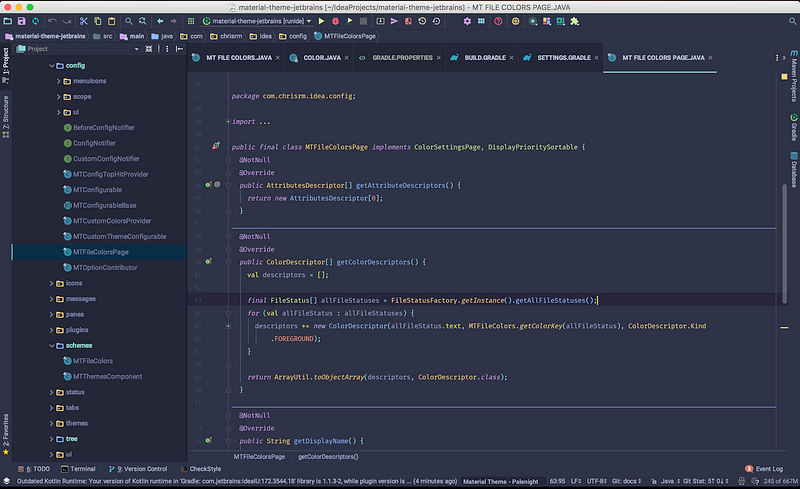
This is the one I am using right now. It is one of my favorite. This changes the original appearance to google’s Material Design look and feel. It also offers other features like beautiful color schemes supporting a vast majority of languages, customization of most of the IDE’s controls and components, some useful tweaks, and many more. It has an installation of 12.5M.
2. One Dark theme
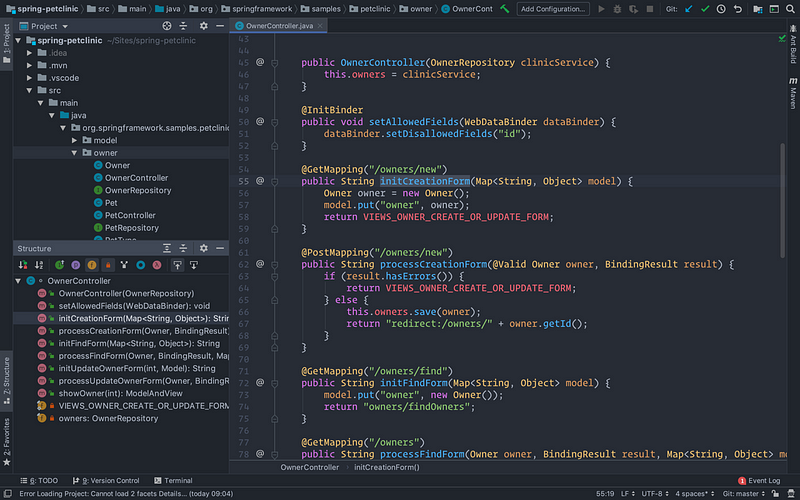
This is one of the highly rated and most installed themes with more than 3.5M installation and a rating of 4.8. I think the black theme is an essential thing for developers. This theme provides the lovely colors of the Atom One Dark theme.
3. Gradianto
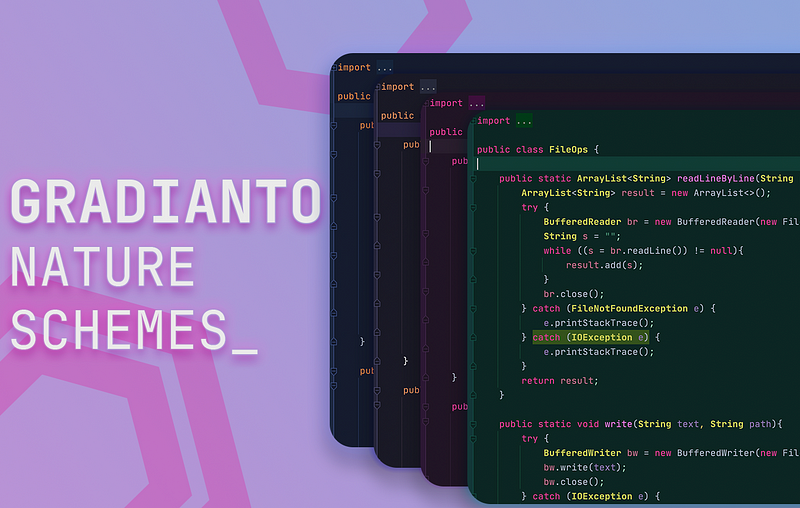
This theme is the winner of the Intellij theme contest 2019 Hosted by JetBrains. It aims to be easy on the eyes while being colorful and bright. It ships with the gradients found in nature. This theme has more than 903.7k installations and a rating of 4.7.
4. Monokai Pro Theme
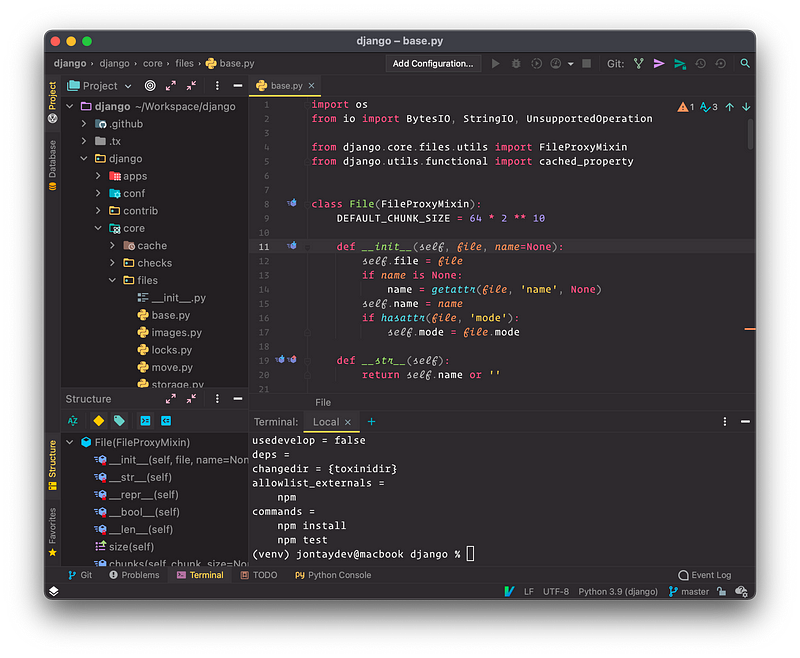
This is the unofficial Monokai Pro theme. This theme includes the default theme, classic theme, and four filters: Machine, Octagon, Ristretto, and Spectrum. It also has a no-italics version. This theme has more than 791.9k installations and a rating of 4.88.
5. Visual Studio Code Dark Plus Theme
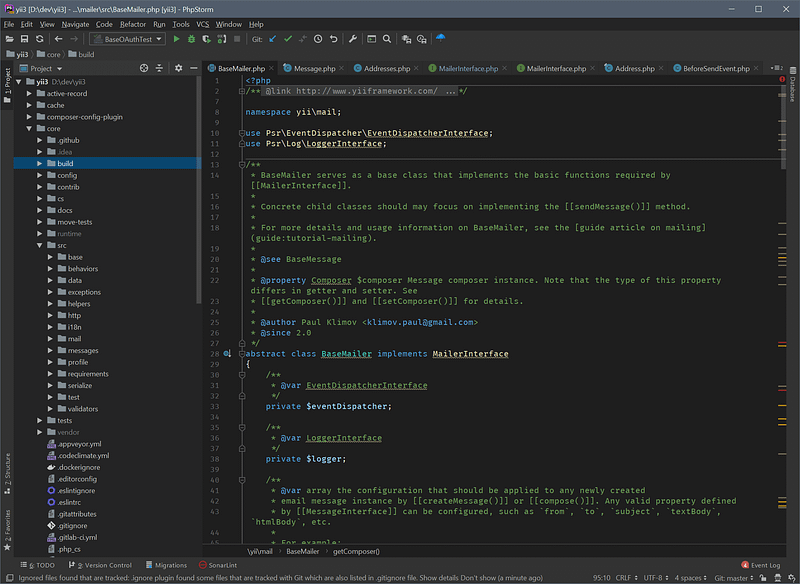
Alongside JetBrains IDE, VSCode is also one of the best IDE. If you are also a fan of VSCode then I think you will like this theme. I think by the name you have already understood that this is a dark theme inspired by the default Visual Studio Code “Dark Plus” theme. This theme has more than 660.9k installations and a rating of 4.84.
6. Nord
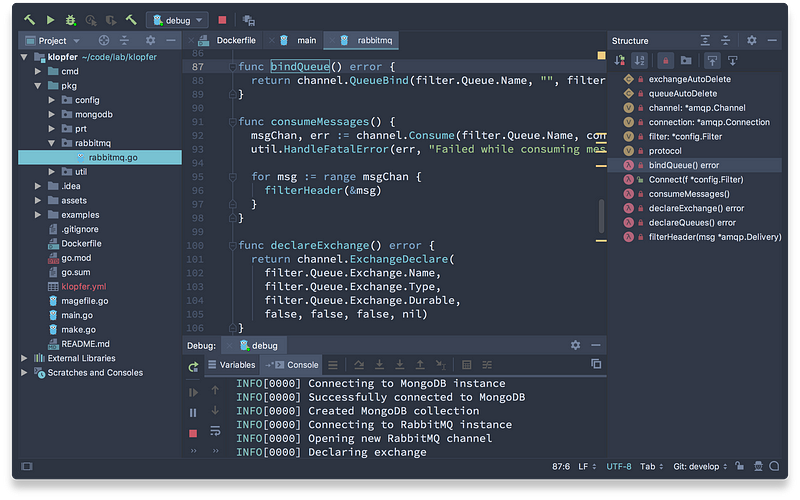
If you liked Nord's color palette, then you will obviously like it. This is an arctic, north-bluish clean, and elegant theme for your IDE’s UI and editor color theme. it is designed for a fluent and clear workflow. This theme has more than 369.2k installations and a rating of 4.72.
7. Gray Theme
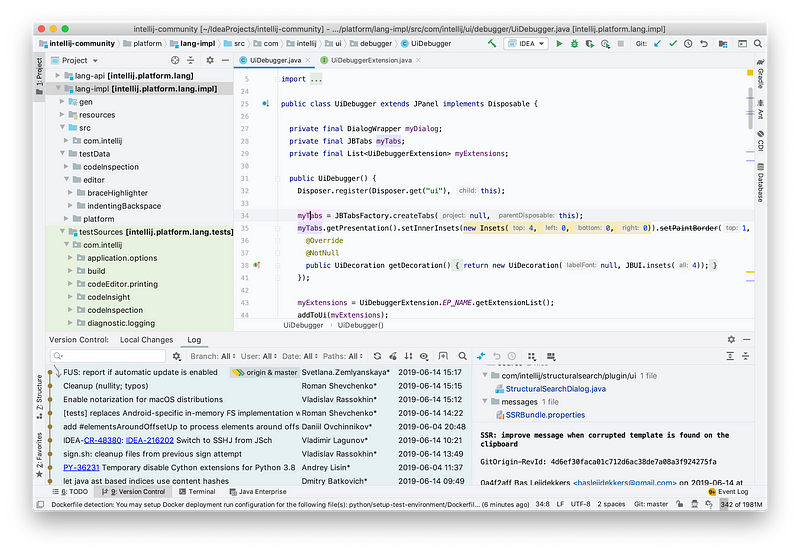
If you write a lot of Markdown then you will like this theme. This is a low-contrast light theme with lots of space between text lines which will be helpful for your Markdown writing. This theme has more than 192.3k installations and a rating of 4.86.
Where is the Next part?
There are lots of awesome JetBrains IDE themes. I want to share as much as possible about the power of your beloved IDE.
If you want to know more awesome themes please check the below.
What theme you are using right now?
That’s all for today. I hope this theme will help to make the development journey pleasant.
If you know of any other beautiful IntelliJ IDE themes, please share them in the comments. Until we meet again. Cheers!
Want to Connect?. If you want to,you can connect with me on Twitter


