
6 Tips of API Documentation Without Hassle Using Swagger (OpenAPI) + Spring Doc
Build Spring Boot application with auto generated API doc

Nowadays, systems are talking to each other for the execution of business functions. Thanks to the prevalence of REST API, the use of HTTP verbs such as GET, POST and DELETE clearly show the nature of an API, making the system integration much easier. For example, you are able to understand the purpose of API based on the pattern of REST API:
- GET /customers/{customerId} (retrieve customer records)
- POST /customers (create / update customer record)
- DELETE /customers/{customerId} (delete customer record
However, HTTP verbs cannot explain complicated API operations if the system logic is not just CRUD actions on system records. Therefore, API documentation is essential to a smooth system integration. While documentation of most system specifications are based on traditional text formats, the same format for API documents is not quite readable and difficult to understand.
API Documentation
Swagger (aka Open API) is a popular standard when it comes to API documentation. API endpoints are defined in YAML based on which an intuitive UI is generated.
This is part of the example of API definition for customer API:
The generated documentation is in HTML format, readers can expand the section of each API to view the detail
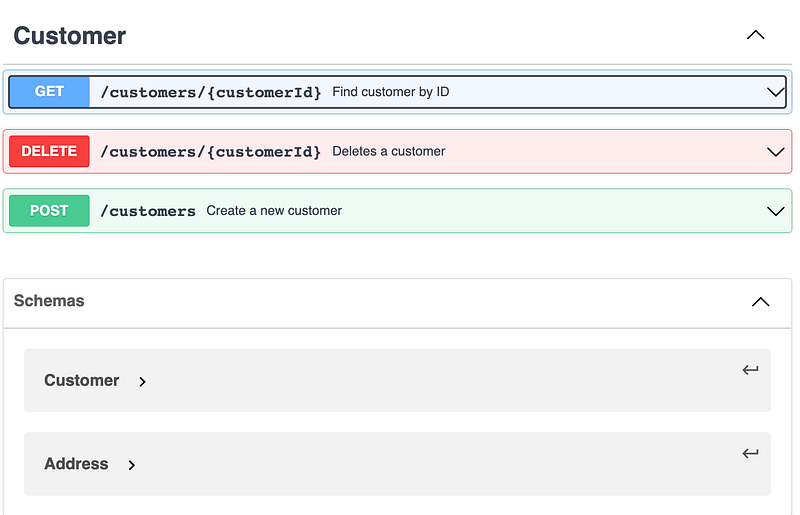
Swagger is a good stuff for API development, search online and get to know more if you are new to it.
What is the problem?
Although Open API spec is great for API design and documentation, preparing API spec in a YAML file still takes time. If you are exposing APIs as a service provider, then it is a chore to maintain the separate API YAML file whenever there are changes on API interfaces.
How can we get the job done more efficiently? Putting documentation as part of coding sounds like a good choice such that developers modify API endpoint and the document in one place. In fact, documenting the API as part of source code is possible by the use of Swagger’s annotations and generation of API doc by Spring Doc library.
In this article, I’m going to show you how to do it on a Spring Boot application using Swagger annotations and Spring Doc library.
Forex Trading API
Let’s create API documentation for the following forex trading API endpoints. It offers a journey of forex deal transactions starting with getting the latest rates and reserving a rate followed by trade deal submission:
- [GET] /rates/latest : Fetch the latest foreign currency rates
- [POST] /rates/book : Reserve an exchange rate
- [POST] /deals : Submit a new foreign exchange deal
- [GET] /deals: Fetch submitted foreign exchange deals
Tip #1 — Generate API Document Using Spring Doc
Spring Doc library is a powerful tool which automates the generation of API documentation. Without writing any comments or documentation, Spring Doc library is able to generate API doc by examining an application at runtime.
To quickly generate API documentation for your Spring Boot application, add this dependency to your maven pom.xml
<dependency>
  <groupId>org.springdoc</groupId>
  <artifactId>springdoc-openapi-ui</artifactId>
  <version>1.6.11</version>
</dependency>
Then, start up the Spring Boot application and go to http://localhost:8080/swagger-ui.hml
You will see the generated API document. Easy, isn’t it?
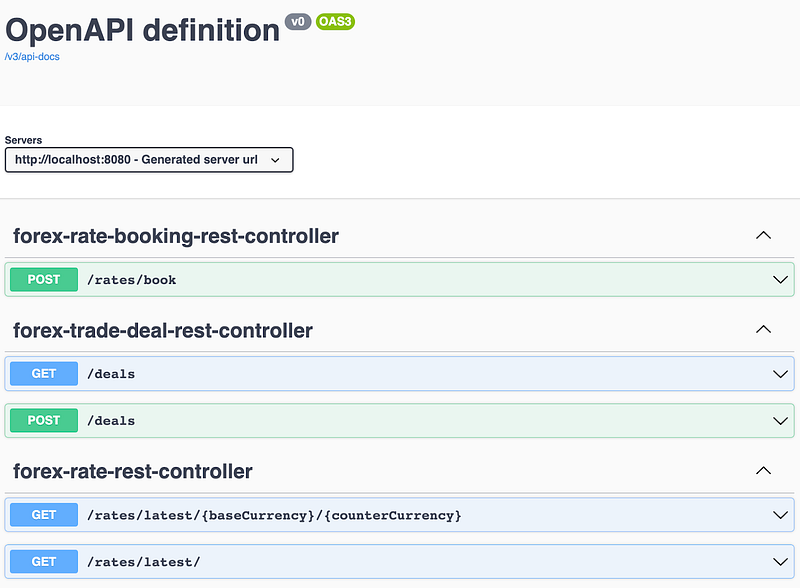
Behind the scene, Spring Doc library scans all the exposed endpoints of @Controller and @RestController and renders the API documentation using Swagger UI
Tip #2 — Customize API Information
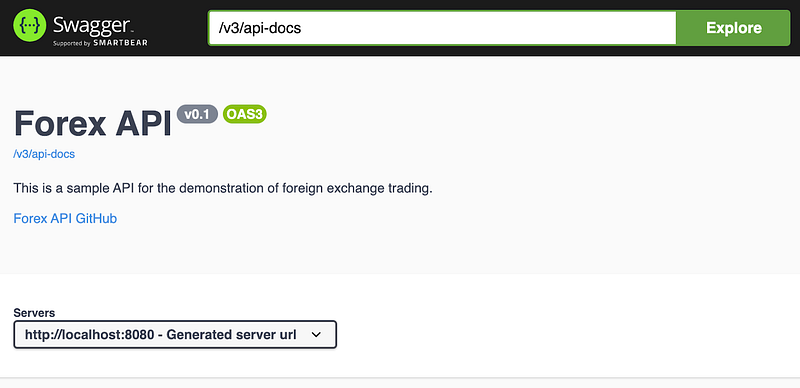
As you can see, the default title “OpenAPI definition” is not relevant. To customize the title with description, define OpenAPI as a bean. As Spring Doc library detects the bean, the generated API doc will be updated accordingly.
Here is the example of OpenAPI for the forex API:
The title now has been updated with description and link to the GitHub project:
Tip #3 — Group API Together
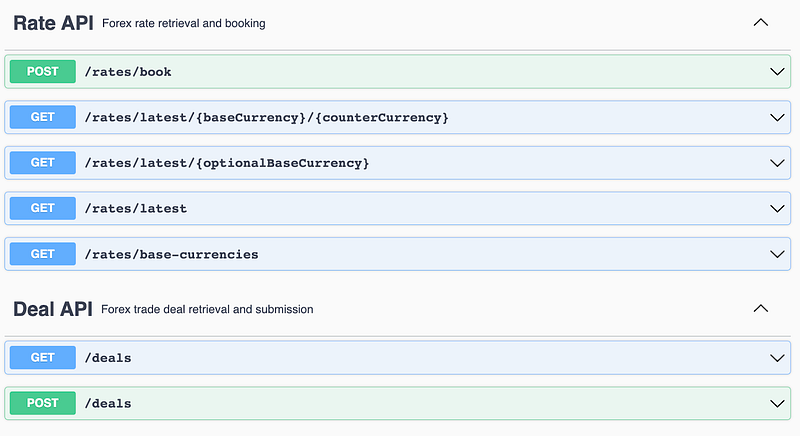
By default, endpoints are grouped by controllers in the generated API doc. It makes more sense to group the endpoints by the nature of the API with the following categories, say Rate API and Deal API:
- [Rate API] — fetch the latest rates and book a rate
- [Deal API] — submit and retrieval trade deals
To do so, add @Tag to controller classes. The same tag @Tag(name = “Rate API”, description = “Forex rate retrieval and booking”) is applied to both ForexRateBookingController and ForexRateController while @Tag(name = “Deal API”, description = “Forex trade deal retrieval and submission”) is applied to ForexDealController
Here is the sample code of how Tag annotation is applied to the controller class. It can be applied at the method level as well.
APIs are categorized according to @Tag on the endpoints:
Tip #4 — Add Meaningful Endpoint Description
API operation might not be simply a database CRUD action, it is worth mentioning system logic, validation rules and the usage that gives developers a smooth journey of system integration.
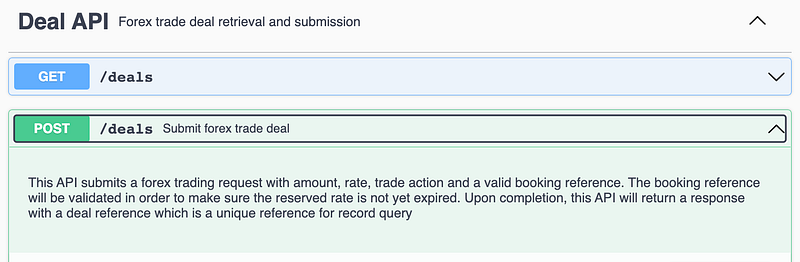
@Operation on method level offer a way to define the API summary and description. The example below shows the usage of @Operation and the generated API doc
API doc of POST /deals endpoint now has summary and description:
Tip #5 — Enrich Your API Doc with Example Values
Even though the API is straightforward, it may not be that easy for developers to understand the usage and what values should be put into the request. So, example values are extremely useful as they give the readers an idea how the API can be consumed.
Without specifying example values, Spring Doc library does not generate any example values for path variables and query parameters. The API doc below shows the forex rate retrieval for specified base currency and counter currency without any example values.
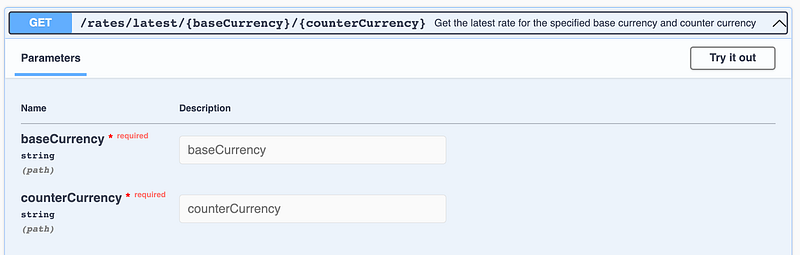
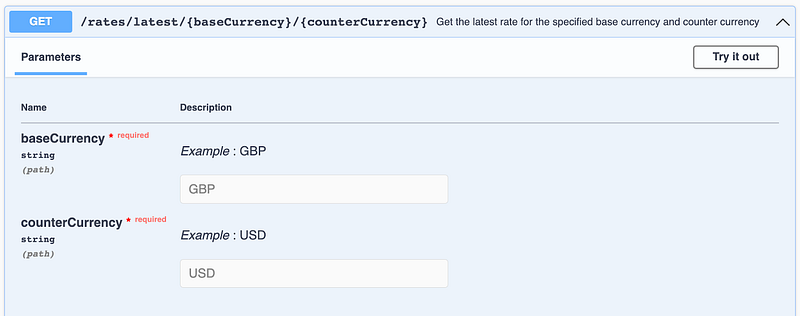
@Parameter allows you to explain the usage of input parameters. Let’s give the sample input currency to the forex rate API
The example values of base currency and counter currency on the API doc:
How about example values of the request body? Spring Doc library tries to mock up sample values based on the data model definition, however, the values are primitive and meaningless as shown below:
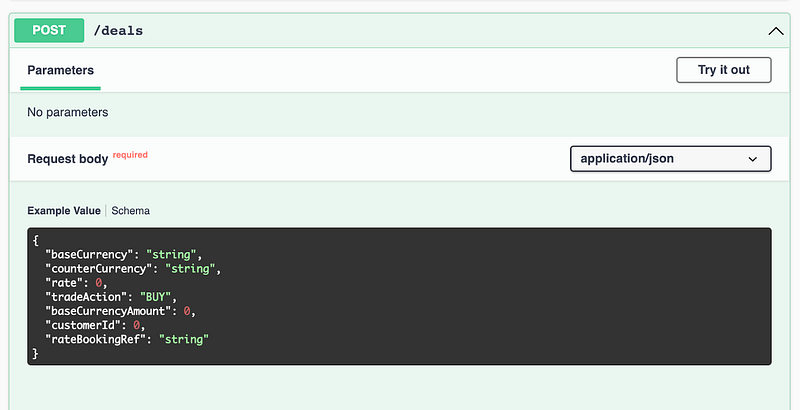
Setting up meaningful example values can be done by adding @Schema to attributes of the POJO:
Now, the example values of the request body is shown on the API doc
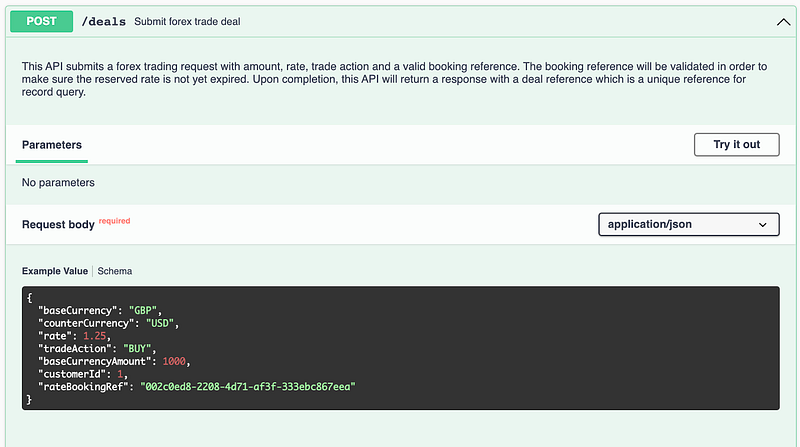
The example values set by @Schema on POJO are commonly shared by all APIs which involve the same POJO. Instead of documenting the example values at the global level, the alternative is to specify example values at the controller level.
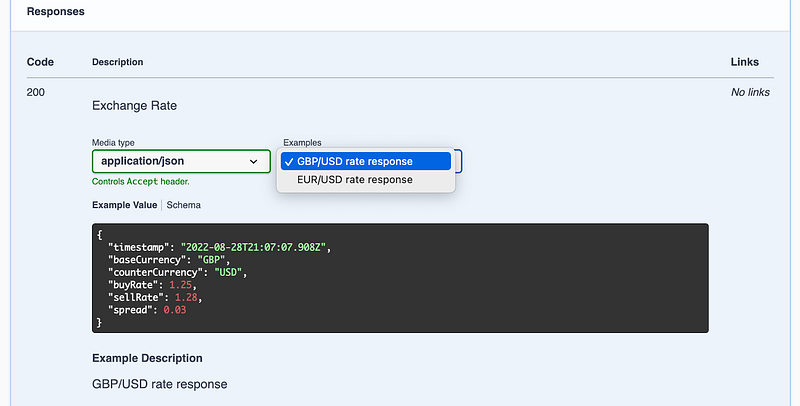
@ApiResponse defines the documentation of API response. For each response, there is content (@Content) which contains examples (@ExampleObject).
This example documents 2 example values for response code 200 for the forex rate of GBP/USD and EUR/USD respectively.
With the @ApiResponse above, the generated API doc will show a dropdown list for the selection of the 2 example values:
Tip #6 — Document API Responses
The generated API documentation covers all response codes as long as relevant beans exist in the Spring Boot configuration. The forex API doc by default below shows the endpoint of forex deal submission with response code 200 and 400.
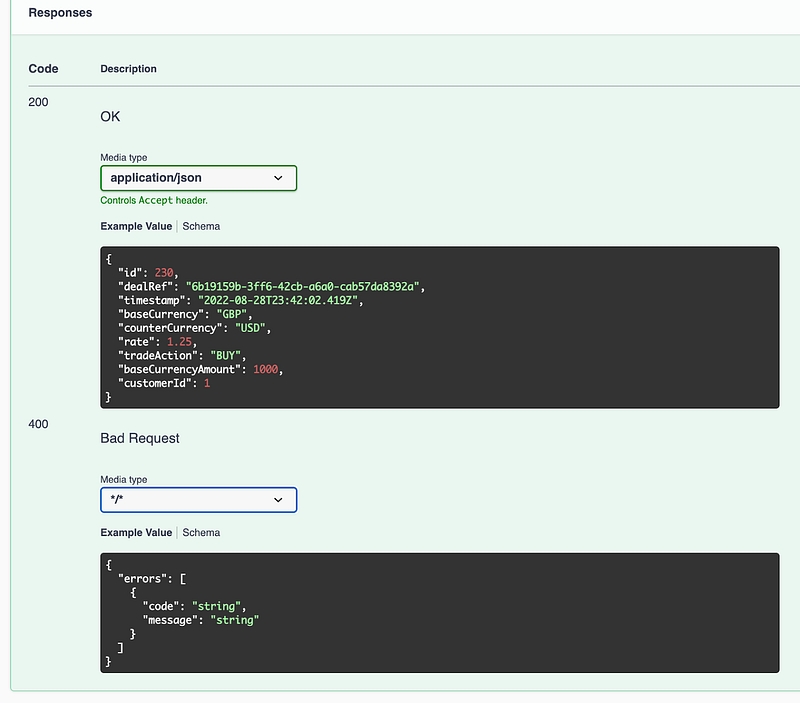
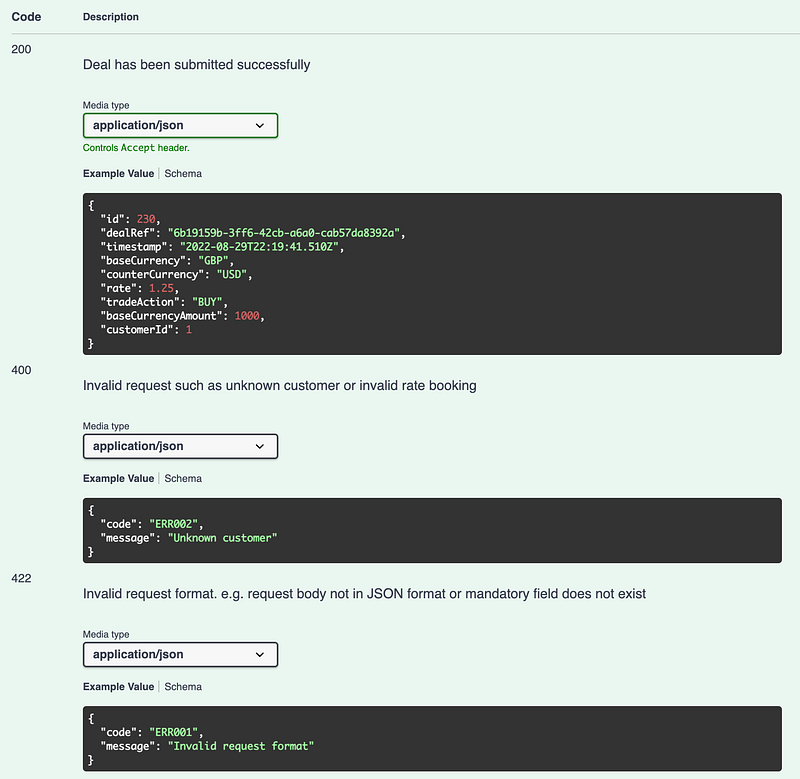
To document API responses with description, data model and example values, this example shows you the usage of @ApiResponse for how to do it for the forex trade deal submission endpoint with response code 200, 422 and 400.
Here is the updated API doc with the list of API responses:
Final Thoughts
Documentation is an essential element when it comes to API development. Your clients would either misuse your APIs or get stuck if you ignore the importance of API documentation. Rather than creating a monotonous document in Word or text format, defining API in Swagger (aka OpenAPI) YAML format which can be rendered into an interactive HTML API doc.
The 6 tips in this article give you a quick overview how to document API making use of annotations. Without any extra effort, API doc is auto-generated and render in Swagger UI by Spring Doc library during runtime execution.


