
6 reasons that prove the Apple ecosystem is great
We’ve all heard about the ecosystem — today it struck me how real it is
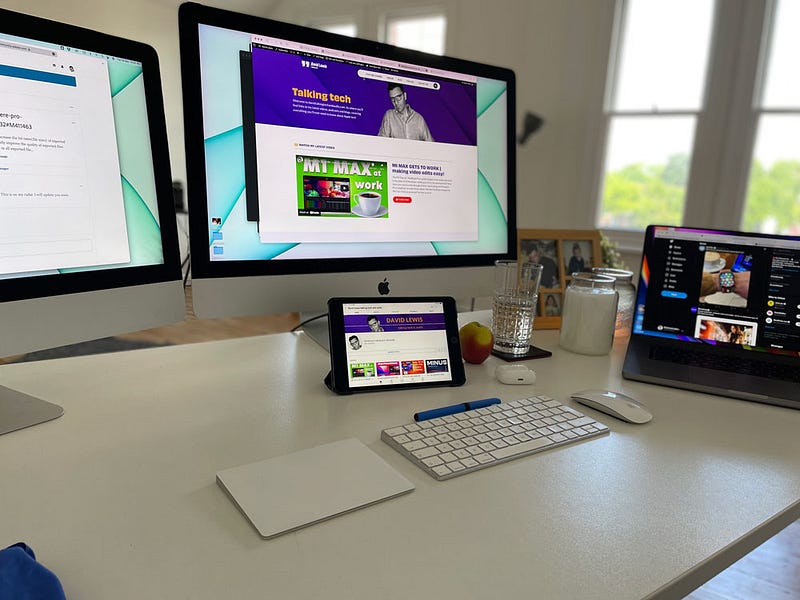
I am as guilty as the next, for trotting out the trite phrase ‘the Apple ecosystem’. It trips off the tongue, when you are in my line of work, a tad too easily. We all know what is meant by it, but sitting in my office today, it struck me how very real it is.
As I write this blog, I have two iMacs, an iPad Mini, an iPhone, and a MacBook Pro on my desk. Aside from that being overkill, the interconnectivity and ease with which they all work and talk to one another is remarkable. It got me thinking, what are my 6 favourite Apple ecosystem features.
1. Universal Clipboard
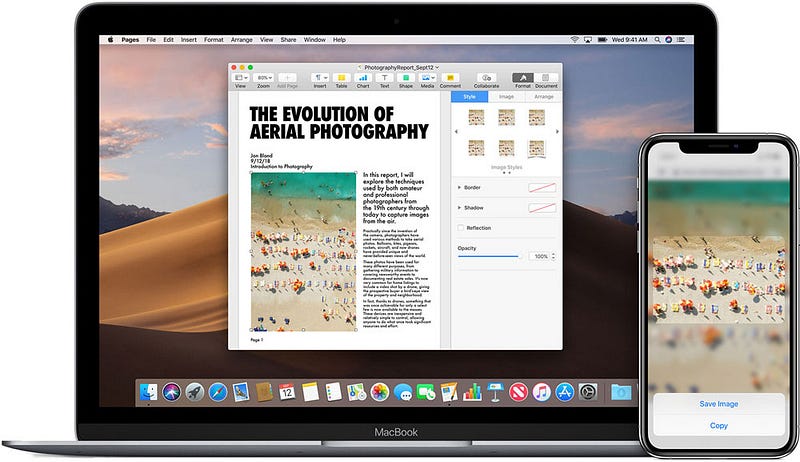
I must have been a Mac and iOS user for four or five years before I learned this ninja tip. I probably use it most days, and it is such a game changer. Basically, it lets you copy any text, URL, image or message from one device and paste straight to another. As long as you are signed in with the same Apple ID and have Handoff (more of which later) enabled, you are good to go. Read more about it here. The stuff of magic and super useful.
2. Universal Control
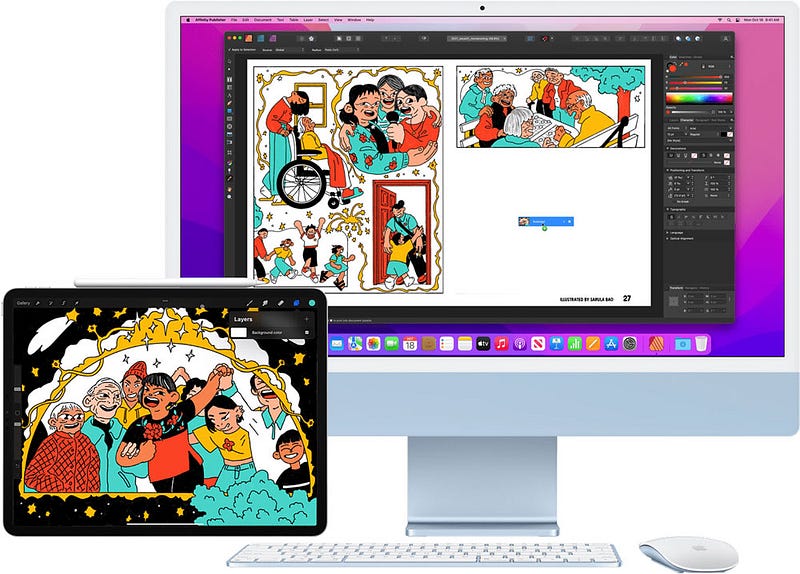
This was unveiled a year ago, at WWDC by Craig Federighi (SVP of software engineering). We had to wait awhile, and I am hardly surprised! What seems so simple on screen to use, I’d imagine, was an engineering nightmare to make a reality. In the situation I find myself today, with numerous Apple devices around me, now, thanks to Universal Control, I only need one keyboard and mouse to use them all. Super, super convenient, and a desk de-clutterer! You can control up to two nearby Macs or iOS devices with just the single keyboard. I am using it now — working between two Macs. Once enabled (System Preferences > Displays >Universal Display), all you do is drag your mouse from screen to screen. That ‘live’ device will then use your keyboard etc. Not only that, but you can drag and drop files from desktop to desktop. You can even drag from Mac to iPad (as long as you have a compatible file type). Hugely productive. If you have more than one Mac or iOS device on your desk, then Universal Control is for you.
3. Sidecar
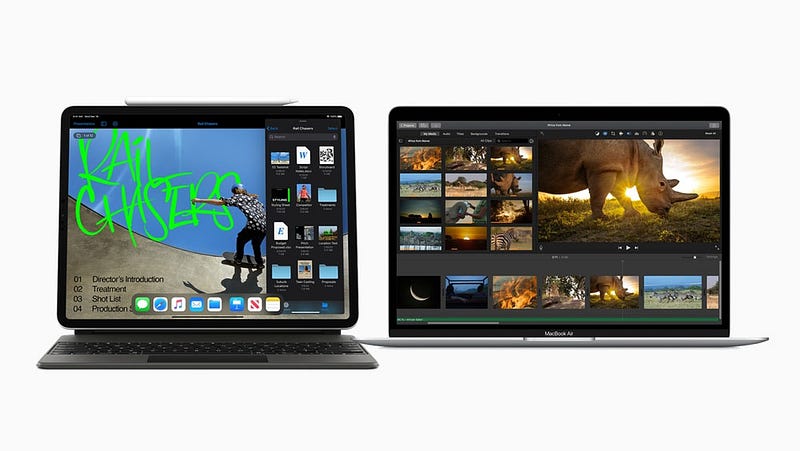
This one goes hand in glove with Universal Control. And, it could save you a fortune as well! If you have a 12.9-inch iPad Pro, you have one of the most gorgeous panels out there — a Liquid Retina XDR, backlit, mini LED display. What better way to use it than as a secondary, desktop display for your Mac? Of course, any iPad will work, but with one of the larger ones, you could almost argue, that you don’t need the £1500 Studio Display! You have already bought the iPad, and using Sidecar extends or mirrors your Mac desktop. You can use gestures for scrolling actions, thereby, getting the most from your experience. Check if your device is Sidecar ready here.
4. Secure Code Autofill
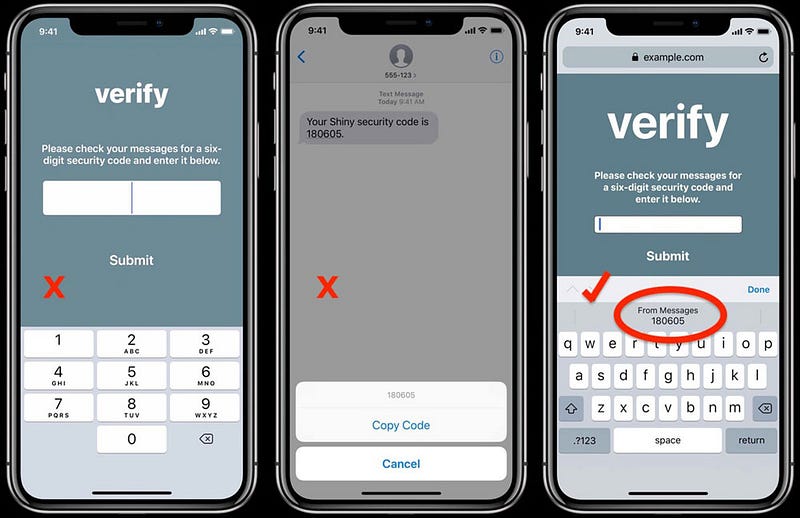
I get that Two-Factor Authentication is a good thing, I really do. But it is also a proper pain in the butt! When all you want to do is log back in to a website etc, and then you are asked for the code that has just been sent you via SMS. Grrrrr! Well, some genius at Apple found a way to speed this up. So long as you are on iOS 12 & macOS Mojave or later, then, depending upon how your notifications are set up, you may well not have to leave the app or page you are on. With Autofill, you just hover your cursor in the empty text field, and the code number will be there waiting for you. Just ensure you have Text Message Forwarding switched on, and you too can experience this wizardry.
5. Handoff
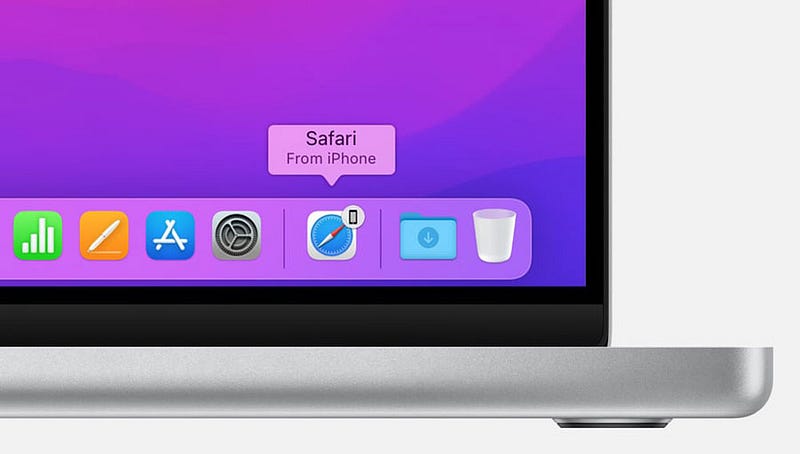
Another big coup for the Apple ecosystem, is Handoff. Whilst not new, it was actually part of the iOS8 and macOS10 release, Handoff is another big win for productivity. I constantly use it when looking at a website on the iPad, and then carrying on working with it over on the desktop of my Mac. You will see the icon in your Macs dock, showing it knows you have a tab open somewhere nearby. Another hack I love using this for, is to save me from signing in to a website again. If I have just opened a page on one Mac, I use Handoff to carry on using it on another device (particularly useful if transferring to a MacBook and leaving the office, for instance).
6. Airplay & Apple TV
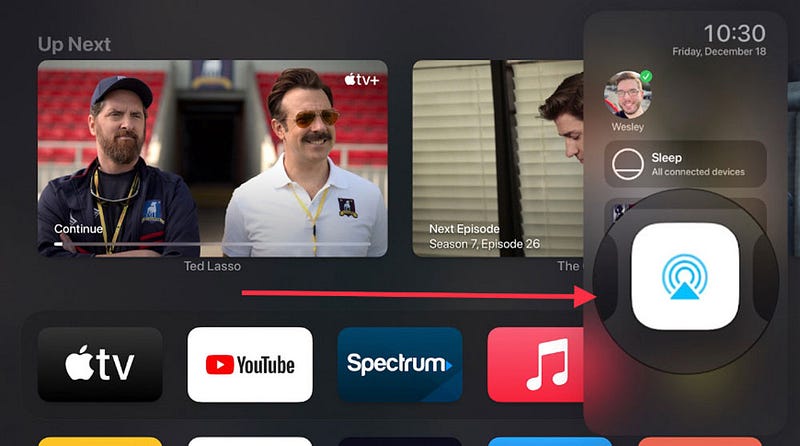
If you’ve been reading my blogs recently, then you’ll know I am a recent convert to Apple TV and its Originals content. This week I have got in to season two of Homes, and I am excited to watch David Attenborough’s Prehistoric Planet this week as well. I have recently bought the Apple 4K box, and one of the features (there are many) I love, is the ability to share audio to my AirPods Pro (check compatibility here). I came across this accidentally, but now use it all the time. Press and hold the TV icon on your Apple TV remote, select the Airplay symbol, navigate to headphones, and select the ones you want to use. Better still, if you really don’t want to speak with the ‘other-half’, then simply select Share Audio, and you can pair up a second pair of headphones. It’s actually not as anti-social as it sounds…it’s a great way to watch immersive TV.
Conclusion
As I said at the start, the ecosystem is far more than just an Apple fanboys favourite phrase. It is a real thing that makes itself felt every day. Apple is all about improving productivity for the hours we spend with our Macs and iOS devices. Whilst many will argue we pay over the odds for the privilege of using Apple, one thing is for sure, they work in unison in an unrivalled way. Today, I am a happy little chappie, as I see all this working in-front of me.
I’d love to know your favourite Apple ecosystem hacks and ways that you work with Apple to enhance your workflow.
Before you go
Join my behind-the-scenes mailing list
Originally publish at https://talkingtechandaudio.com on 24th May, 2022


