avatarVivek Naskar

Free AI web copilot to create summaries, insights and extended knowledge, download it at here

3248

Abstract

ry</i></a>, that does the same thing. The best part is that it is absolutely free too.</p><h2 id="282e">Medium Enhanced Stats</h2><p id="37a3">If you thought Medium’s stats are incredible, then you might want to try out this extension that gives you an overall perspective of your reads, views, claps, articles and followers. It aggregates the Medium stats and presents you in a detailed image.</p><figure id="c0ef"><img src="https://cdn-images-1.readmedium.com/v2/resize:fit:800/1*st7Fk7YOC0c_HGrCFDQmaw.png"><figcaption>Photo by the Author</figcaption></figure><p id="473d">This is a free extension available just for Chrome. Unfortunately, I was unable to find this or any other equivalent Firefox plugin (<i>on the day of this writing</i>).</p><h2 id="2f0e">Todoist</h2><p id="77dc">If there is one app that I appreciate and am thankful for the most, it is this one. This is ranked as “<i>the best to-do list right now</i>” by The Verge. It is used by 25 million individuals to organise, plan, and collaborate on large and small tasks. I cannot empanize enough how many features this extension has.</p><figure id="94ee"><img src="https://cdn-images-1.readmedium.com/v2/resize:fit:800/1*MuCH4w4x3FhA8vve1_LI9w.png"><figcaption>Reminders in Todoist</figcaption></figure><p id="464e">There are so many features and customizations in this extension that include theme change, setting reminders, adding blog posts as reading lists, saving time in a wishlist, among other things.</p><figure id="8855"><img src="https://cdn-images-1.readmedium.com/v2/resize:fit:800/1*mUHLgwFeQItpRBmCDMZyqQ.png"><figcaption>Browser dashboard in Todoist.</figcaption></figure><p id="52f6">It also syncs with your smartphone app. It is free and compatible with a variety of browsers. There is also a <i>PRO</i> edition with more features.</p><h2 id="e748">Screencastify</h2><p id="7fcb">Screencastify Record is Chrome’s most dependable video-creation app. In seconds, you can create, edit, and share videos. In addition, interactive questions allow you to rapidly test viewer comprehension. Include your desktop, browser tab, and/or camera in the video to display your presentation, ideas, and personality.</p> <figure id="b09d"> <div> <div> <img class="ratio" src="http://placehold.it/16x9"> <iframe class="" src="https://cdn.embedly.com/widgets/media.html?src=https%3A%2F%2Fwww.youtube.com%2Fembed%2FCX-XvngtsZw%3Ffeature%3Doembed&amp;display_name=YouTube&amp;url=https%3A%2F%2Fwww.youtube.com%2Fwatch%3Fv%3DCX-XvngtsZw&amp;image=https%3A%2F%2Fi.ytimg.com%2Fvi%2FCX-XvngtsZw%2Fhqdefault.jpg&amp;key=a19fcc184b9711e1b4764040d3dc5c07&amp;type=text%2Fhtml&amp;schema=youtube" allowfullscreen="" frameborder="0" height="480" width="854"> </div> </div> </figure></iframe></div></div></figure><p id="c19b">Screencastify is used by over 10 million people all around the world. Because it uses your Google Drive, you’ll need to provide permission to your Google Drive, which will store the videos after they’ve been recorded so you may share them with others.</p><p id="2a4c">You’ll also be able to publish straight to your YouTube channel. This is incredibly beneficial to co

Options

ntent authors, students, instructors, doctors, and a variety of other professionals. The free version allows you to record up to 5 minutes, which you may repeat indefinitely. The <i>PRO</i> edition, on the other hand, has no time limit.</p><h2 id="b4d2">Checkbot: SEO, Web Speed & Security Tester 🚀</h2><p id="d390">Checkbot is a sophisticated website tester that informs you how to enhance your website’s SEO, page speed, and security. Checkbot scans 100s of sites in minutes, testing for 50+ common website issues based on Google and Mozilla best practises.</p><figure id="c950"><img src="https://cdn-images-1.readmedium.com/v2/resize:fit:800/1*75luFEmWnptkZqtHPMl9Pg.png"><figcaption>Analysed my personal blog using Checkbot</figcaption></figure><p id="588c">Although Medium does not require this extension, if you maintain a website or a blog, it will be quite useful. I constantly test my <a href="https://thedeveloperstory.com/">personal blog</a> for problems and missing links.</p><p id="151b">These extensions have greatly impacted my life for the better. I am sure there are plenty of other extensions, including alternatives to these. I use many extensions in my day-to-day life and I have included the most widely used ones that might be useful to you.</p><p id="88e6"><i>If you liked reading this, then you might also find the below story worth your time.</i></p><div id="ef77" class="link-block"> <a href="https://readmedium.com/much-needed-dopamine-detox-helped-me-cope-with-problems-i-never-thought-i-had-4825c6dd643d"> <div> <div> <h2>Much Needed Dopamine Detox Helped Me Cope With Problems I Never Thought I Had</h2> <div><h3>You won’t realize the benefits until you try.</h3></div> <div><p>medium.com</p></div> </div> <div> <div style="background-image: url(https://miro.readmedium.com/v2/resize:fit:320/1*lUdyTwhMlA7qPFVccTSB5w.jpeg)"></div> </div> </div> </a> </div><div id="0e7b" class="link-block"> <a href="https://readmedium.com/five-skills-you-must-have-in-2022-that-would-help-you-for-lifetime-b06bbdf124f8"> <div> <div> <h2>Five Skills You Must Have In 2022 That Would Help You For Lifetime</h2> <div><h3>“The future belongs to those who learn more skills and combine them in creative ways.” — Robert Greene</h3></div> <div><p>medium.com</p></div> </div> <div> <div style="background-image: url(https://miro.readmedium.com/v2/resize:fit:320/1*_UrTHX85MoHA_Z-7PE3MJQ.jpeg)"></div> </div> </div> </a> </div><p id="c38c"><i>If you enjoy reading stories that help you learn, live and work better, consider <a href="https://viveknaskar.medium.com/subscribe">becoming a subscriber</a>. Becoming a member will get you unlimited access to 10000s of stories, articles and writers. It is just $5 per month. <a href="https://viveknaskar.medium.com/membership">If you sign up using my link</a>, I will earn a small commission that helps me write more articles.</i></p></article></body>

6 Browser Extensions That You Must Use To Increase Your Productivity

With great software comes great productivity.

Photo by Kiyun Lee on Unsplash

A year back, I was the most lost person on the planet, trying to figure out my routine and schedule in order to make myself productive as much as possible. Of course, like everyone in my situation would, I started reading books and watching videos to get every possible inspiration.

I absorbed a lot from them, especially from the videos. However, one of the most neglected features that every writer and internet user must and should use is browser extensions.

Being a software developer, I already use extensions a lot that helps me in the development or testing of my code for my web applications. Being a writer, I also found some of the most useful extensions that I use to make better use of time.

Although sometimes I use multiple browsers such as Google Chrome, Mozilla Firefox and Brave browser (I am sure you might also do), I will be extremely biased towards Chrome for obvious reasons: it is the most popular and widely used browser in the world.

Grammarly

This might be the most common browser extension that everyone reading this might already have. It is used by more than 10 million users worldwide in Chrome alone. The fact that Grammarly has been around for 12 years and has been widely recommended by multiple organisations and blog sites, including Medium, is an absolute achievement.
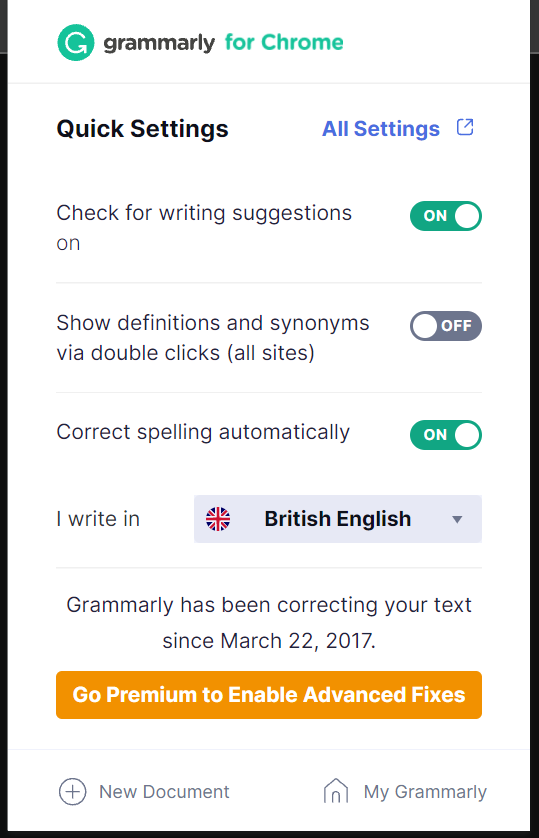
I have been using Grammarly since 2017. Photo by the Author

Grammarly offers a browser extension for all the popular browsers such as Chrome, Firefox, Microsoft Edge, Brave and Safari. It is also completely free, but there’s a PRO version as well with some additional advanced features.

StayFocusd

StayFocusd is a free productivity extension that helps you remain focused on work by limiting the amount of time you may spend on time-wasting websites.
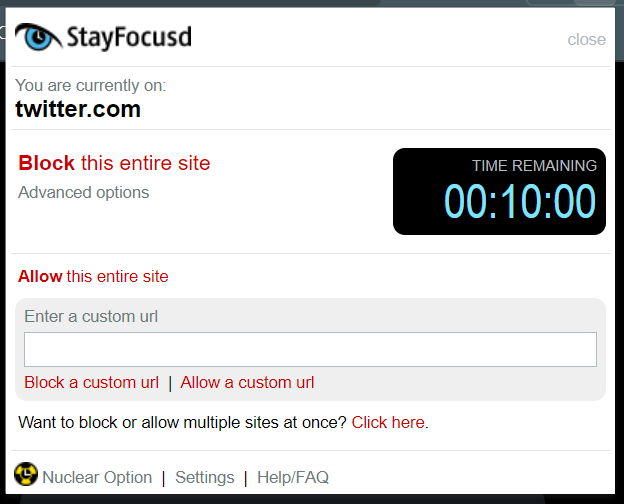
A snapshot of StayFocusd. Photo by the Author

When you’ve used up your allotted time, the sites you’ve blocked will be inaccessible for the rest of the day. Despite the fact that this is a Google Chrome extension, it will work with Chrome, Chromium, and Brave browsers. There is a similar extension for Firefox called Monastery, that does the same thing. The best part is that it is absolutely free too.

Medium Enhanced Stats

If you thought Medium’s stats are incredible, then you might want to try out this extension that gives you an overall perspective of your reads, views, claps, articles and followers. It aggregates the Medium stats and presents you in a detailed image.
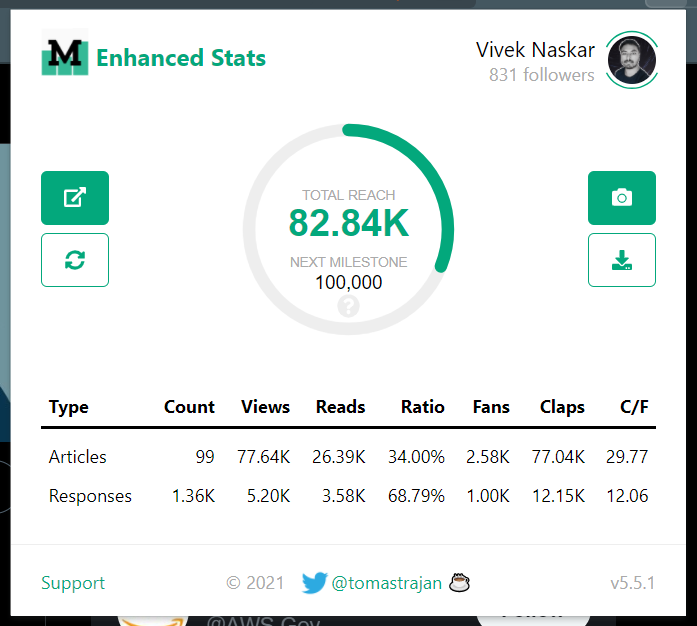
Photo by the Author

This is a free extension available just for Chrome. Unfortunately, I was unable to find this or any other equivalent Firefox plugin (on the day of this writing).

Todoist

If there is one app that I appreciate and am thankful for the most, it is this one. This is ranked as “the best to-do list right now” by The Verge. It is used by 25 million individuals to organise, plan, and collaborate on large and small tasks. I cannot empanize enough how many features this extension has.
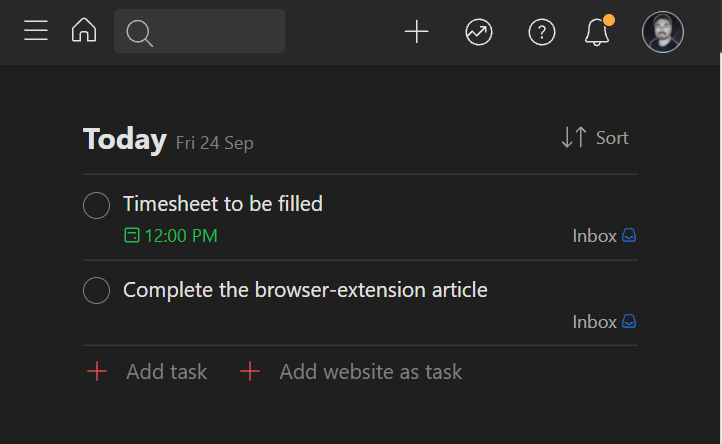
Reminders in Todoist

There are so many features and customizations in this extension that include theme change, setting reminders, adding blog posts as reading lists, saving time in a wishlist, among other things.
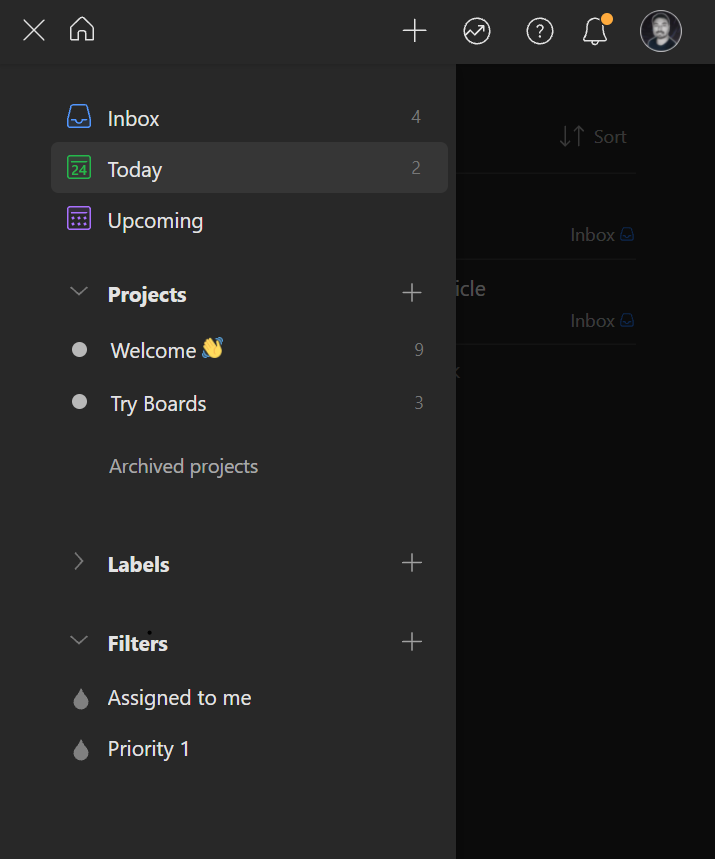
Browser dashboard in Todoist.

It also syncs with your smartphone app. It is free and compatible with a variety of browsers. There is also a PRO edition with more features.

Screencastify

Screencastify Record is Chrome’s most dependable video-creation app. In seconds, you can create, edit, and share videos. In addition, interactive questions allow you to rapidly test viewer comprehension. Include your desktop, browser tab, and/or camera in the video to display your presentation, ideas, and personality.

Screencastify is used by over 10 million people all around the world. Because it uses your Google Drive, you’ll need to provide permission to your Google Drive, which will store the videos after they’ve been recorded so you may share them with others.

You’ll also be able to publish straight to your YouTube channel. This is incredibly beneficial to content authors, students, instructors, doctors, and a variety of other professionals. The free version allows you to record up to 5 minutes, which you may repeat indefinitely. The PRO edition, on the other hand, has no time limit.

Checkbot: SEO, Web Speed & Security Tester 🚀

Checkbot is a sophisticated website tester that informs you how to enhance your website’s SEO, page speed, and security. Checkbot scans 100s of sites in minutes, testing for 50+ common website issues based on Google and Mozilla best practises.
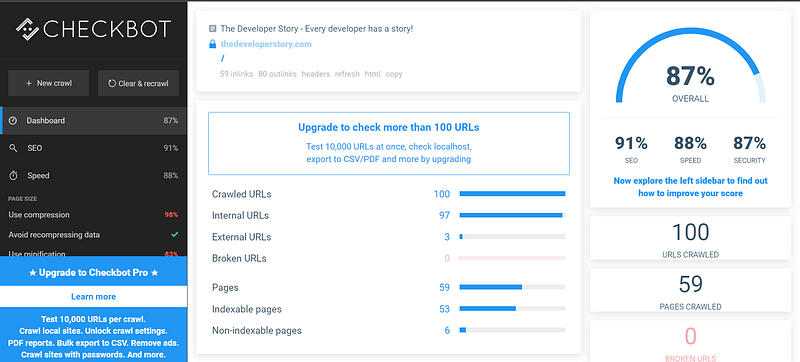
Analysed my personal blog using Checkbot

Although Medium does not require this extension, if you maintain a website or a blog, it will be quite useful. I constantly test my personal blog for problems and missing links.

These extensions have greatly impacted my life for the better. I am sure there are plenty of other extensions, including alternatives to these. I use many extensions in my day-to-day life and I have included the most widely used ones that might be useful to you.

If you liked reading this, then you might also find the below story worth your time.

If you enjoy reading stories that help you learn, live and work better, consider becoming a subscriber. Becoming a member will get you unlimited access to 10000s of stories, articles and writers. It is just $5 per month. If you sign up using my link, I will earn a small commission that helps me write more articles.

Writing
Productivity
Life Lessons
Lifestyle
Medium
Recommended from ReadMedium