avatarVictor Mong

Free AI web copilot to create summaries, insights and extended knowledge, download it at here

2862

Abstract

strong, compelling, powerful headline.</p><p id="9bf2">According to David Ogilvy, the father of copywriting, <a href="https://blog.kissmetrics.com/david-ogilvy/">five times as many people</a> will read the headline and skip the content</p><p id="7449">Your headline is the first impression your article makes on the reader. That’s why successful writers sometimes write up to 50 headlines for one article before settling for the best one. Of course, you don’t necessarily have to write 50 headlines every time, the point is that having a tool that allows you to write better headlines will greatly improve your chances on Medium.</p><p id="d69f">The CoSchedule headline analyzer is one such tool. You can install the Chrome extension and start analyzing your headlines on the go.</p><p id="f172">I like this tool because it helps you write headlines that are optimized for search. What's more, it also shows you how your headline scores in terms of SEO, readability, emotion, readers’ sentiment, and other key headline metrics.</p><p id="83c5">To install this extension on your browser, go <a href="https://bit.ly/3hL4wBs">here</a></p><h1 id="3e87">3) Headlinr</h1><figure id="9cc0"><img src="https://cdn-images-1.readmedium.com/v2/resize:fit:800/1*32L2TGC6A0X9bqMqqckavQ.jpeg"><figcaption>Author’s screenshot from Headlinr</figcaption></figure><p id="e7f1">Creator of Headlinr, <a href="https://headlinr.com/live/">Paul Clifford</a> describes the tool as,<i> “The world’s first browser plugin that allows you to instantly crank out irresistible, proven headlines for any piece of content you can imagine!”</i></p><p id="122c">Headlinr extension helps you create catchy headings by just typing in your keywords.</p><p id="2270">The tool contains several in-built headline suggestions that automatically adjust based on the keywords you type in.</p><p id="d132">However, some of the headings may sound ridiculously stupid. It’s prebuilt after all. But you’re likely to find what you need to create a good headline.</p><p id="25dc">The free version only offers 30 headline ideas. But you can upgrade to the <a href="http://headlinr.com/getpro/">Pro version</a> to access all the headings.</p><p id="36e9"><b>Download the extension <a href="https://chrome.google.com/webstore/detail/headlinr/plhlpcokjhajajgmpbapiohjhldkjdbi">here</a>.</b></p><h1 id="9768">4) One Tab</h1><figure id="0611"><img src="https://cdn-images-1.readmedium.com/v2/resize:fit:800/1*oN0um14a4Re524ehXK166A.jpeg"><figcaption>Author’s screenshot from One Tab</figcaption></figure><p id="cd6a">I’m guilty of opening too many tabs when I’m working on an article. There’re downsides to this — it can lead to distractions as you navigate from one page to another, and your computer memory can easily be eaten up.</p><p id="d6de">But this OneTab extension solves the problem for me hands down.</p><

Options

p id="146b">First, it “save up to 95% of memory” by reducing the number of open tabs on the browser.</p><p id="f7a5">Secondly, it eliminates many of the distracting tabs and helps you focus on the one that truly matters for each project. This makes you much more effective and productive.</p><p id="0d3c">So any time you notice too many open browsers, click the OneTab icon to convert all of your tabs into a list. Then access the tab you want from there anytime.</p><p id="b389"><b>If you want this extension, click <a href="https://chrome.google.com/webstore/detail/onetab/chphlpgkkbolifaimnlloiipkdnihall?hl=en">here</a></b></p><h1 id="ac8f">5) StayFocusd</h1><figure id="6411"><img src="https://cdn-images-1.readmedium.com/v2/resize:fit:800/1*mpumpCHM4OR8QCzrH7RnCA.png"><figcaption>Author’s screengrab of StayFocusd page</figcaption></figure><p id="3bea">As a writer, no matter how important a website is at any given moment if it doesn't have a direct impact on the job at hand, you’re simply wasting your time on it.</p><p id="be08">You may not know that the reason you just can seem to finish your articles on time is because of the incredible amount of time you spend browsing the web.</p><p id="1853">Think about it, you peek at Facebook posts, check your email, Tweet a little, spend hours on Pexels.com screening the perfect image for your post. But if you have a target of finishing an article on time, all of these can be time-wasting.</p><p id="3724">That’s when StayFocusd can become a ‘helpmeet.’</p><p id="1881">According to the website:</p><p id="0813" type="7">“StayFocusd increases your productivity by limiting the amount of time that you can spend on time-wasting websites.”</p><p id="610f">This helps you to remain focused on your work by limiting the time you spend on websites that can be distracting.</p><p id="ec26">All you have to do is specify the amount of time you want to spend on a particular website every day and once you’ve used up that time, it’s bye-bye to that particular website for the rest of the day.</p><p id="27da">If this sounds like something you’d like to try, you can get the extension right <a href="https://chrome.google.com/webstore/detail/stayfocusd/laankejkbhbdhmipfmgcngdelahlfoji?hl=en">here</a>.</p><h1 id="a832">Final thought</h1><p id="b94f">Writing is a competitive game, especially here on Medium. Make no mistake about it, every single writer here is doing their best to get maximum results. And you can massively improve your chances by leveraging available writing tools, free of charge.</p><p id="cf83">These tools will help you cut down on unnecessary spelling and grammar errors, write better headlines that grab attention, declutter your browsing experience, and prevent you from spending too much time on websites.</p><p id="230c">Try these tools and continue to succeed.</p></article></body>

5 Chrome Extensions You Should Be Using Now As A Writer

You can use them to be a better writer

Photo by Anthony Shkraba from Pexels

Like doctors and engineers, writers also use several tools to make their work easier and help them become more productive.

Thankfully, some of these tools are extensions that you can simply install in your Chrome browser.

Whether it’s fixing grammatical errors, coming up with a great headline, or simply decluttering my browser tab, Chrome extensions take the hard part out of my hard work.

Here I have shared some of my favorite Chrome extensions. The good thing is that these extensions work directly with Medium editor, making it super easy for you to write faster and achieve your monthly writing goals.

I highly recommend them.

1) Grammarly
Author’s screenshot of Grammarly page

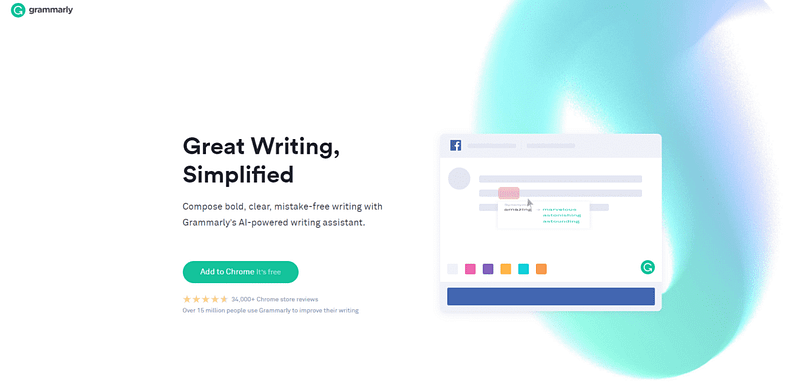
I cannot overemphasize the importance of properly editing your work to minimize spelling and grammar errors.

Most readers will easily stop reading your article if they start noticing too many errors. 42.5% of readers in a UK study of 1,003 web users said grammar and spelling blunders influence what they read.

The truth is you’ll hardly notice all the errors in your work by yourself. You need a tool that provides a kind of a third eye. That’s what Grammarly does.

The good thing is this extension helps you edit directly on the Medium editor by highlighting spelling errors, wordy constructions, and other grammatical mistakes.

If you’re not already using this tool, you’re losing out big time.

You can download this extension right here.

2) Headline Studio by CoSchedule
Author’s screenshot from CoSchedule

Make no mistake about it, the biggest roadblock between your article and thousands of readers is a strong, compelling, powerful headline.

According to David Ogilvy, the father of copywriting, five times as many people will read the headline and skip the content

Your headline is the first impression your article makes on the reader. That’s why successful writers sometimes write up to 50 headlines for one article before settling for the best one. Of course, you don’t necessarily have to write 50 headlines every time, the point is that having a tool that allows you to write better headlines will greatly improve your chances on Medium.

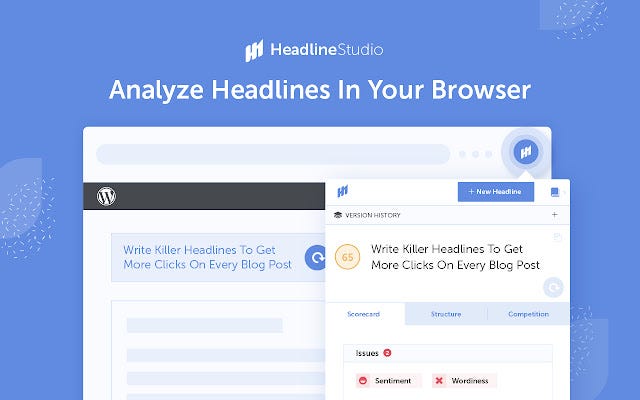
The CoSchedule headline analyzer is one such tool. You can install the Chrome extension and start analyzing your headlines on the go.

I like this tool because it helps you write headlines that are optimized for search. What's more, it also shows you how your headline scores in terms of SEO, readability, emotion, readers’ sentiment, and other key headline metrics.

To install this extension on your browser, go here

3) Headlinr
Author’s screenshot from Headlinr

Creator of Headlinr, Paul Clifford describes the tool as, “The world’s first browser plugin that allows you to instantly crank out irresistible, proven headlines for any piece of content you can imagine!”

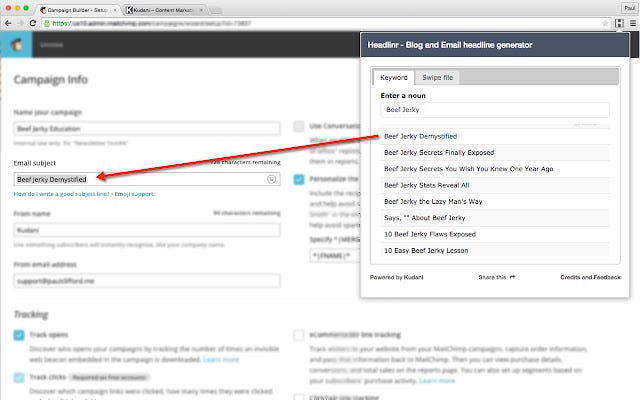
Headlinr extension helps you create catchy headings by just typing in your keywords.

The tool contains several in-built headline suggestions that automatically adjust based on the keywords you type in.

However, some of the headings may sound ridiculously stupid. It’s prebuilt after all. But you’re likely to find what you need to create a good headline.

The free version only offers 30 headline ideas. But you can upgrade to the Pro version to access all the headings.

Download the extension here.

4) One Tab
Author’s screenshot from One Tab

I’m guilty of opening too many tabs when I’m working on an article. There’re downsides to this — it can lead to distractions as you navigate from one page to another, and your computer memory can easily be eaten up.

But this OneTab extension solves the problem for me hands down.

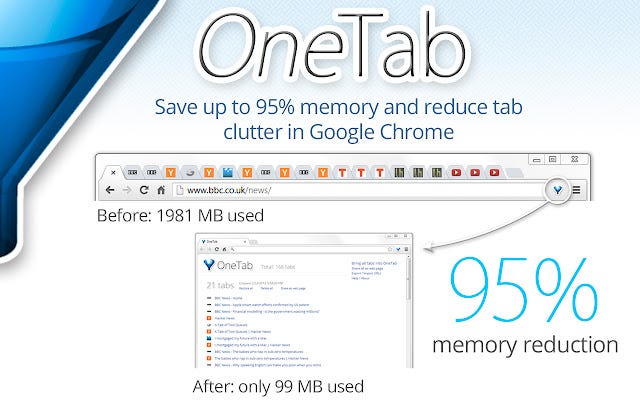
First, it “save up to 95% of memory” by reducing the number of open tabs on the browser.

Secondly, it eliminates many of the distracting tabs and helps you focus on the one that truly matters for each project. This makes you much more effective and productive.

So any time you notice too many open browsers, click the OneTab icon to convert all of your tabs into a list. Then access the tab you want from there anytime.

If you want this extension, click here

5) StayFocusd
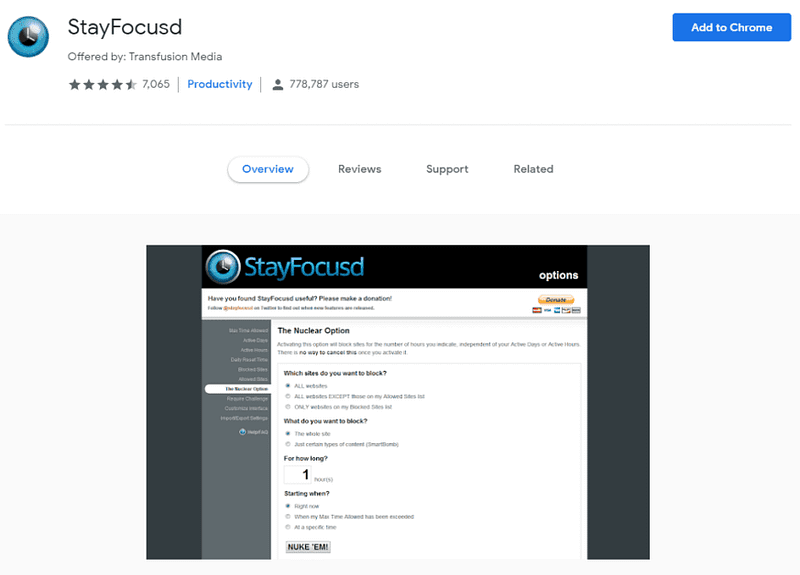
Author’s screengrab of StayFocusd page

As a writer, no matter how important a website is at any given moment if it doesn't have a direct impact on the job at hand, you’re simply wasting your time on it.

You may not know that the reason you just can seem to finish your articles on time is because of the incredible amount of time you spend browsing the web.

Think about it, you peek at Facebook posts, check your email, Tweet a little, spend hours on Pexels.com screening the perfect image for your post. But if you have a target of finishing an article on time, all of these can be time-wasting.

That’s when StayFocusd can become a ‘helpmeet.’

According to the website:

“StayFocusd increases your productivity by limiting the amount of time that you can spend on time-wasting websites.”

This helps you to remain focused on your work by limiting the time you spend on websites that can be distracting.

All you have to do is specify the amount of time you want to spend on a particular website every day and once you’ve used up that time, it’s bye-bye to that particular website for the rest of the day.

If this sounds like something you’d like to try, you can get the extension right here.

Final thought

Writing is a competitive game, especially here on Medium. Make no mistake about it, every single writer here is doing their best to get maximum results. And you can massively improve your chances by leveraging available writing tools, free of charge.

These tools will help you cut down on unnecessary spelling and grammar errors, write better headlines that grab attention, declutter your browsing experience, and prevent you from spending too much time on websites.

Try these tools and continue to succeed.

Writing
Writing Tips
Inspiration
Creativity
Productivity
Recommended from ReadMedium