
5 things costing under £150 that made my life better in 2023

As the last article of the year, I wanted to look back on the products I purchased in 2023 that have made a big difference to me.
I’ve put a budget limit of £150 (that’s about $190) on the products to make things more interesting.
Hopefully, you’ll find something below that will flick your switch.
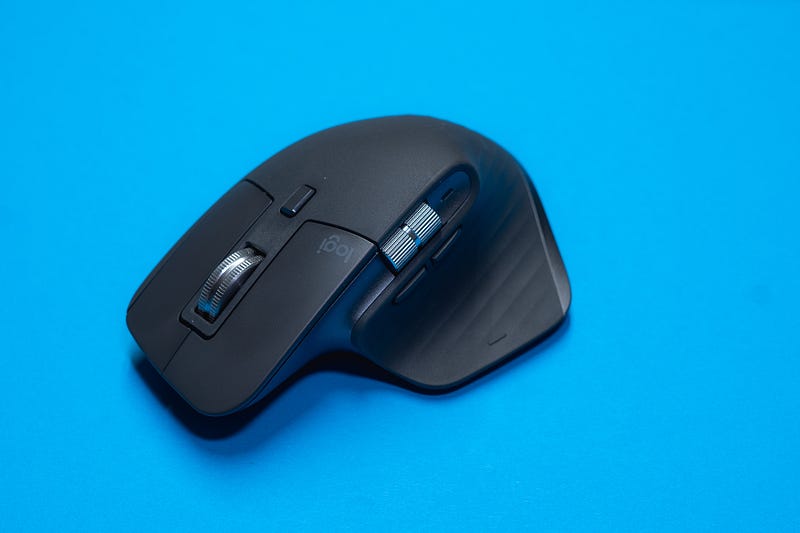
1. Logitech MX Master 3S Mouse (£89.99)
There has been a lot of feedback about the Apple Magic Mouse — and most of it hasn’t been positive.
I had been using one for several years when it was given to me by my employer and it was fine — I didn’t know any better, although I soon got frustrated when I had to continually stop what I was doing for a couple of hours to charge the mouse back up.
2023 was the year that I was made redundant. The silver lining to that was that I had to give the Apple Mouse back, which allowed me to upgrade to the MX Master 3S and the difference has been like night and day.
Aside from feeling so much more comfortable in my hand and its ability to switch between three different devices, the Logitech mouse allows me to program the various buttons based on the software that I’m using.
The result is that the mouse re-programs itself based on the work that I’m doing and so I’m able to carry out a lot of my processes and procedures more efficiently.
There’s also the added bonus that when the mouse needs charging, I can just insert a cable into the end of it and carry on working, rather than having to down-tools to search for a lightning cable.
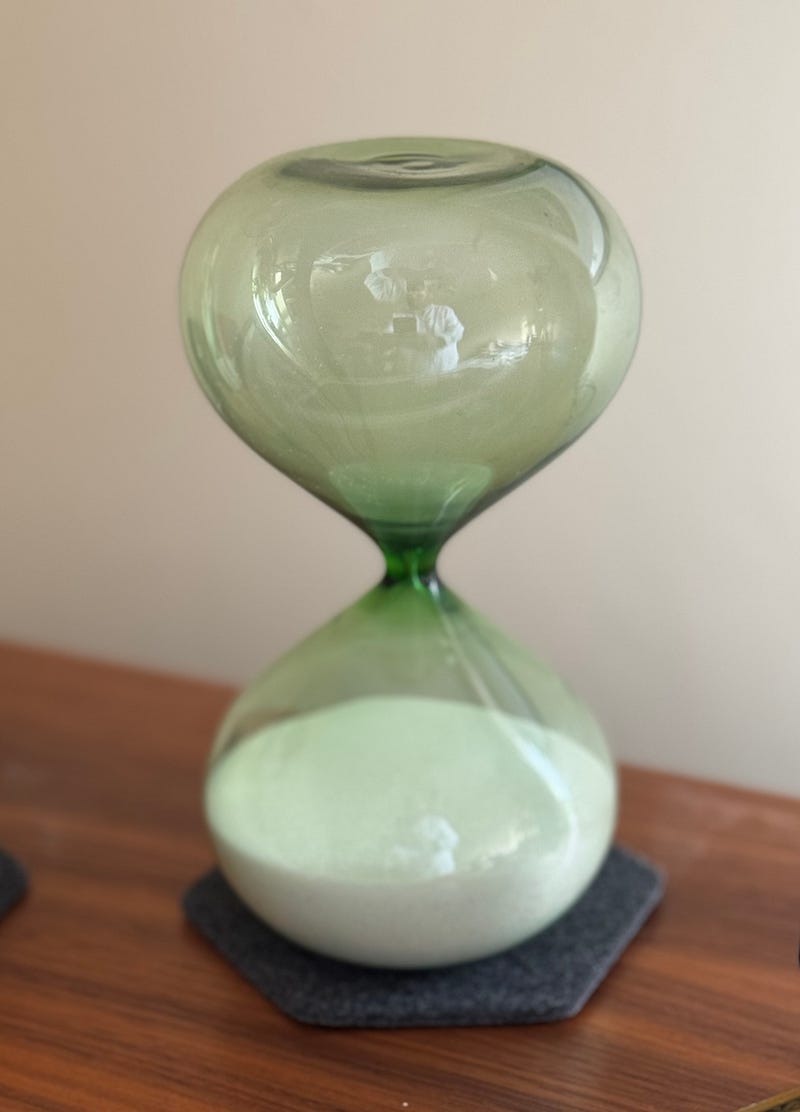
2. Hightide Hourglass (L) — Green (£35)
I have an admission to make about my timer. I only bought it a few weeks ago, so you could argue that I need to be working with it for a longer period before it gets included in this list.
That’s understandable. I would just say that in the few weeks that it has been paired with my Sony MX5 headphones, I’ve found my focus to be much improved and, as such, my writing has become more effortless.
The reason for all this centres around the Pomodoro Technique, which I’ve found to be a huge help over the last few months. For those of you who haven’t come across the Pomodoro Technique before, it consists of someone doing 25 minutes of deeply focused work (with no distractions) on a single task before taking a break for five minutes.
The timer lasts around twenty-five minutes, meaning that whatever my task is, I can simply turn the timer over and get to work. The headphones reinforce my focus by cancelling out any background and playing some high-quality white noise (from my preferred app, Portal).
This is about more than just functionality though — after all, there are plenty of Pomodoro apps that will count to twenty-five minutes for me. The timer looks great on my desk, has a lovely green glow to the glass and somehow turning the timer upside down produces more of a commitment to my work than just starting a timer on my phone.
3. Readwise (£69.99 for the year)
I’ve written a lot about Readwise. It is the centre of my data collection universe which, in turn, means that it is at the heart of 90% of all of the content I create. Before 2023, Readwise was fairly limited in as far as it only pulled highlights from digital books.
The last twelve months, though, have seen Readwise release a second app called Reader that stores data from a lot more different sources such as Twitter/X, web pages, PDFs and videos meaning that the number of places from which I can store information has exploded.
What’s more, Readwise and the new Reader app are tightly integrated. That means that Reader doesn’t just store content (similar to Read-it-Later apps like Pocket or Instapaper), it also allows me to highlight information from any piece of content which, in turn, pushes the highlights into my PKM by category.
As such, I can pull together thoughts, ideas and quotes from multiple sources quickly and easily which increases the quality of my writing and decreases the time that it takes me to write everything up.
In short, if you’re a content creator, Readwise is definitely worth looking at. I couldn’t run my business without it. If you haven’t tried it, you can get a sixty-day trial (as opposed to the standard thirty days) by clicking on this link.
4. Skechers Hands Free Slip-Ins (£85)
I’ve had my fair of challenges over the last 12 months. Chief amongst them was a stroke that put me in hospital for six months and meant that I needed three months of hard rehab that was largely focused on getting me walking again.
Just getting on to my feet was hard enough and, having done that, I then needed to get my feet into a pair of trainers (which required two hands) and then tie the shoes up with fingers that didn’t always do what I wanted them to do.
That was until one of the physios showed me her pair of Skechers.
I ordered a pair that afternoon.
These things are as comfy as anything and, true to their name, just let my feet “Slip in” without any kind of hassle. What’s more, they fit perfectly without the need for any laces, so I could just put them on and focus on the rehab rather than spending ten minutes in pain while I tried to get my feet into my previous shoes.
The Skechers are probably the best thing I’ve bought this year. They’ve certainly had the biggest impact.
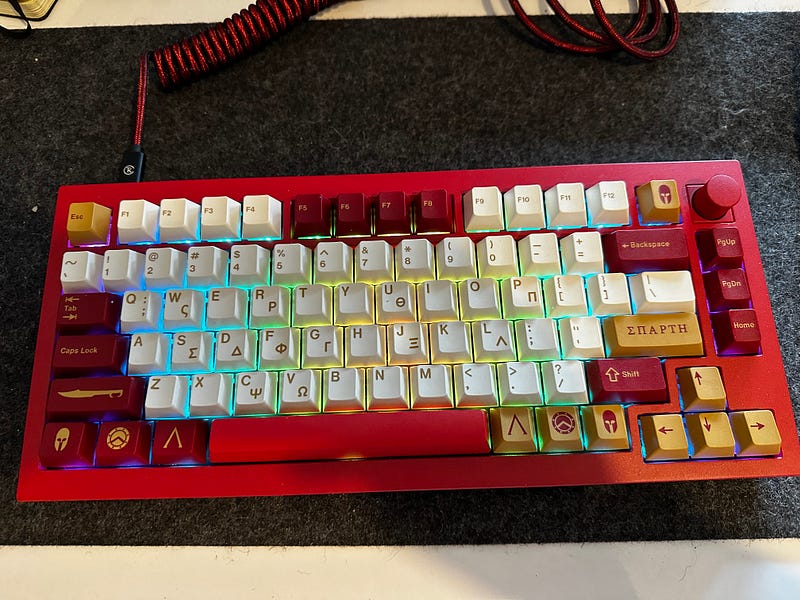
5. Keychron Q1 Keyboard — Version 2 (£135)
Over the last 18 months, I’ve started to slide down the rabbit hole that is Mechanical Keyboards. I’ve already written an article on how much I love my Keychron K7, but the Q1 is right up there too — although it’s a very different beast.
The K7 is a low-profile, light board with Bluetooth capabilities that can be carried to coffee shops and can connect to three different devices wirelessly.
The Q1 is unashamedly a desktop keyboard, though. It’s wider, made of metal and requires a wired connection to work with a single device.
It’s so satisfying though. I went for the red version with Gateron G Pro Brown switches and also found out the hard way how expensive keycaps can be by purchasing some customs to give me my first experience of customising the look of a board.
While the K7 still gets plenty of finger time, the Q1 has become a fixture on my desk while I’m working from home. I don’t see that changing any time soon — well not until I build my own board from scratch, anyway!
One last thing
If you found the article above useful, then there are three things you can do to support my writing:
1. Hit those clapping hands so that other people with your interests will become aware of it. Hopefully, they’ll find it useful too 2. Follow me here on Medium so that you become the first to know when similar content is posted 3. Carry on the conversation. Either leave me a message here or get in touch on Twitter/X or Mastodon. I promise I’ll get back to you!


