

5 Syntactic Applications Of Asterisks In Python, The Last One Is Surprising
The asterisks * contributed lots of syntactic sugar of Python
Many programming languages use asterisks “*” in many scenarios, so does Python. For example, one of the most common usages of asterisks in other programming languages is probably the memory pointers. This concept exists in many popular languages such as C++ and Objective-C.
However, Python doesn’t use memory pointers. Instead, there are much more cases that allow us to do more tricks using asterisks. This could either improve our code in terms of reliability or even bring some new features. That is the so-called “syntactic sugar”. In this article, I’ll list 5 tricks of the underscores. Hope they could help.
1. Operators
Hmm, I bet everyone knows this. However, to ensure the completeness of this summary about the asterisks in Python, please allow me to present it here.
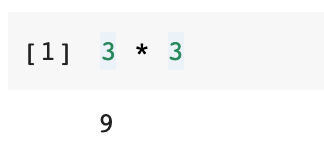
Using the asterisk sign as a multiply operator probably exists in all the programming languages.
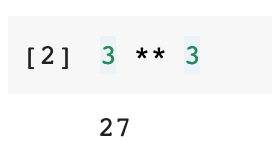
Apart from that, Python introduces one more operator which is the power operator. a ** b will calculate the number a to the power of b. In some other programming languages, it could be a ^ b.
2. Passing Variable-Length Parameters

This is probably the most “Pythonic” usage of the asterisks. In Python, we can write a function that allows variable-length parameters.
For example, we can write such a function to sum all the numbers that passed in. To allow the parameter to be variable-length, we need to add an asterisk in front of the parameter name.
def sum_all(*numbers):
    print('numbers:', numbers)
return sum(numbers)sum_all(1, 2, 3, 4, 5)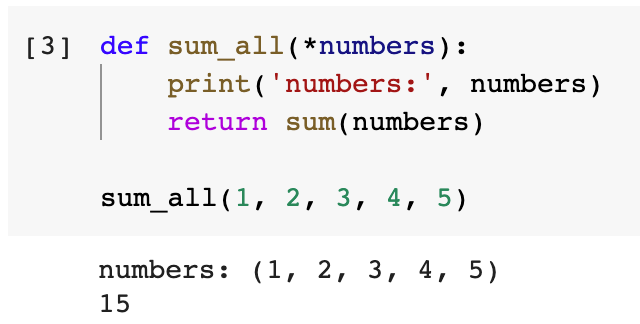
Please be noted that I didn’t check the types of arguments if they are numbers. This function is only for demonstration purposes.
Python also allows passing key-value pairs in variable-length as parameters. We just need to put double asterisks in front of the parameter name as follows.
def give_me_dict(**my_dict):
return my_dictgive_me_dict(name='Chris', age=33, gender='Male')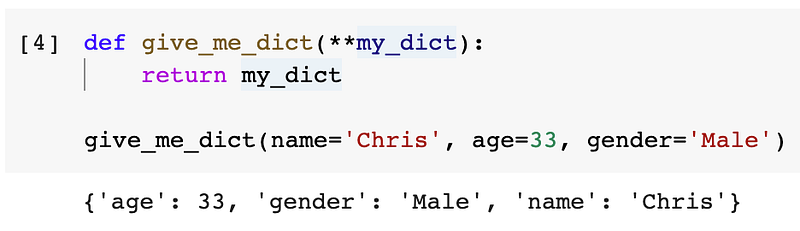
These two features give developers lots of flexibility during programming. If you want to know more about the variable-length parameters in Python, I have written another article for this topic for you to check out.
3. Unpacking List and Dictionary

We usually need to use a for-loop to iterate a list or a dictionary when we want to do something to all their items. However, in some scenarios, we may not have to do so.
3.1 Unpacking List
Suppose we have a list of names as follows. Now we want to print all the names.
student_list = ['Alice', 'Bob', 'Chris']We could use subscriptions to get them one by one, or a bit more clever, using a for-loop.
print(student_list[0], student_list[1], student_list[2])# Orfor name in student_list:
print(name)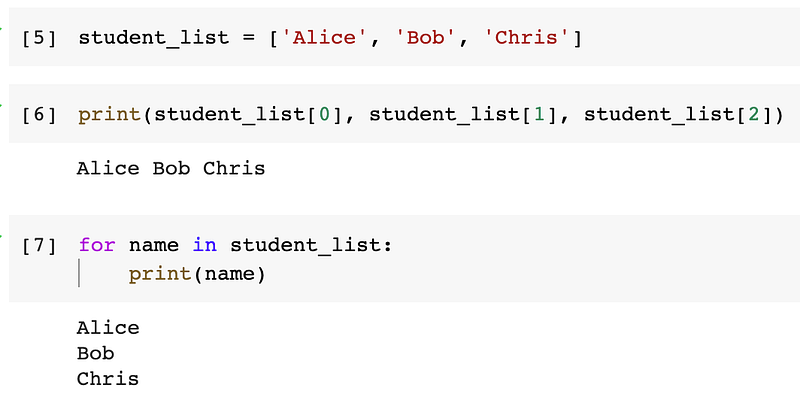
There is another way that is even more clever, that is using an asterisk to unpack the list.
print(*student_list)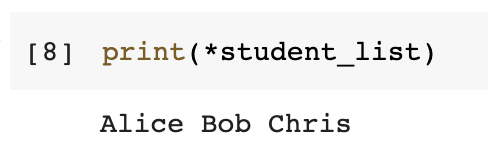
We can even unpack more than one list in one go.
print(*['Alice', 'Bob'], *['Chris'], 'David')
To combine multiple lists with some loose items, we can also use asterisks to unpack the lists.
[*['Alice', 'Bob'], *['Chris'], 'David']This trick can also be used when we want to put multiple lists into a tuple or a set.
(*['Alice', 'Bob'], *['Chris'], 'David')
{*['Alice', 'Bob', 'Chris'], *['Chris'], 'David', 'Chris'}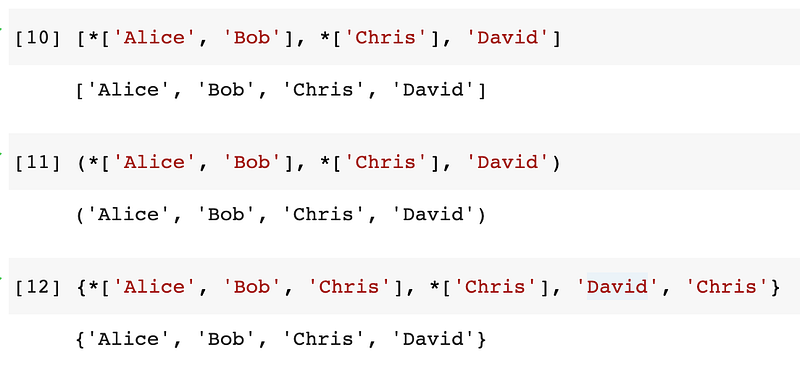
Now, let’s consider a more advanced use case. We have got a 2-D list as follows. Each sub-list has two items, a name and an age. It is not easy to use so we want to transpose the 2-D list so that one list has all the names and the other one has all the ages.
my_list = [
    ['Alice', 31],
    ['Bob', 32],
    ['Chris', 33]
]
The easiest way to do this is to unpack the list in a zip() function.
for i in zip(*my_list):
    print(list(i))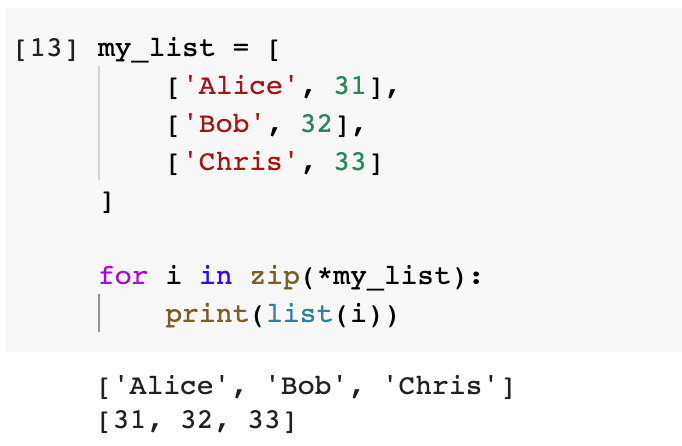
This is equivalent to doing such.
for i in zip(['Alice', 31], ['Bob', 32], ['Chris', 33]):
    print(i)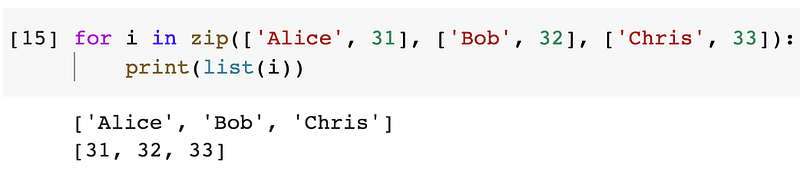
If we still want a 2-D list, we can put the two sub-lists into a parent list using list comprehension.
[list(i) for i in zip(*my_list)]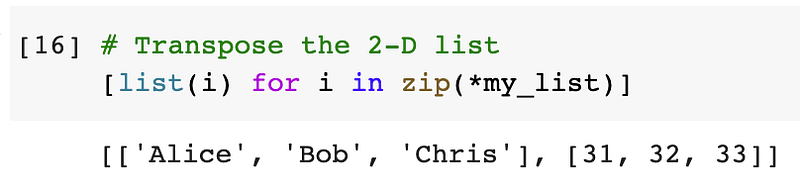
If you are not quite familiar with the zip() function, please check out one of my previous articles that deep dive into this.
3.2 Unpacking Dictionary
Since Python 3.5, the asterisks can also unpack dictionaries, but we need to put double asterisks in front of the dictionary variable to unpack it.
One of the most common usages would be combining multiple dictionaries together. Suppose we have two dictionaries as follows to be combined, we can unpack them and put them inside another empty dictionary.
my_dict1 = {
    'name': 'Chris',
    'age': 33
}
my_dict2 = {
'skill': 'Python'
}my_dict = {**my_dict1, **my_dict2}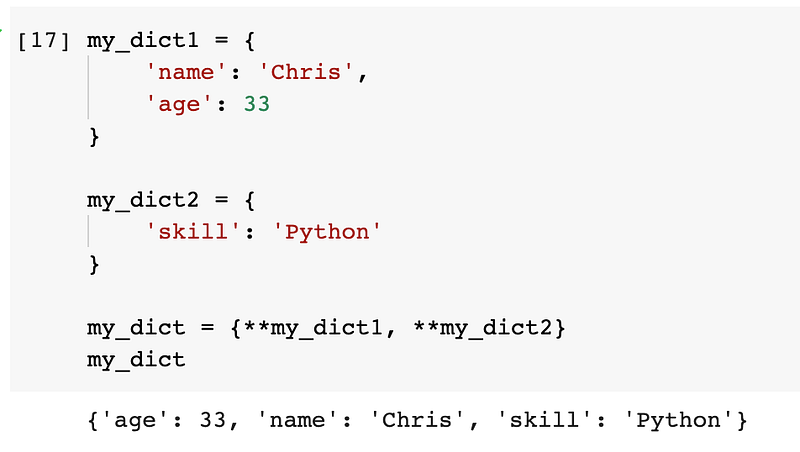
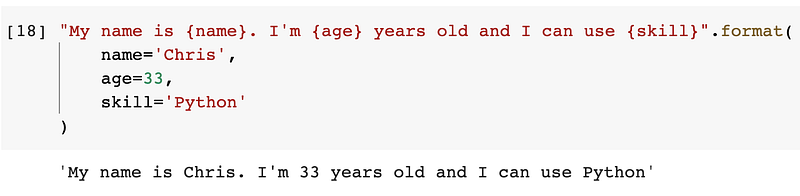
Another sample usage pattern will be the format string. Although I love the f-string syntax in Python, the format string still has some advantages. For example, it allows the parameterised string with parameter names.
"My name is {name}. I'm {age} years old and I can use {skill}".format(
    name='Chris',
    age=33,
    skill='Python'
)
In this case, we can unpack the previous dictionary and put it in the format string to pass the arguments.
"My name is {name}. I'm {age} years old and I can use {skill}".format(**my_dict)
This is very neat and clean. Also, we can even unpack multiple dictionaries into this.
"My name is {name}. I'm {age} years old and I can use {skill}".format(**my_dict1, **my_dict2)
3.3 Unpack Range
One of the usages that are not very common of using asterisks for unpacking is for a Python range. We usually use range() to tell a for-loop how many times it needs to be looped. We can also use it to generate a range of sequential numbers as follow.
list(range(10))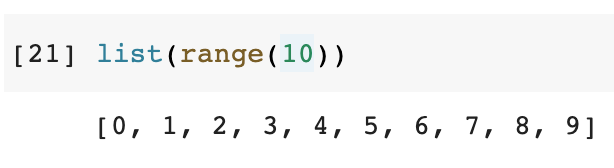
Syntactically, we can also use an asterisk to unpack the range object, though I don’t think there are any benefits in this case.
[*range(10)]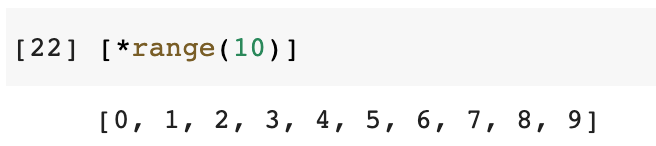
4. List Packing Up

Yes, we can not only unpack lists using asterisks but also pack items up in some scenarios. For example, we can use the following syntax to use 3 variables for getting 3 items from a list respectively.
students = ['Alice', 'Bob', 'Chris']my_classmate1, my_classmate2, me = students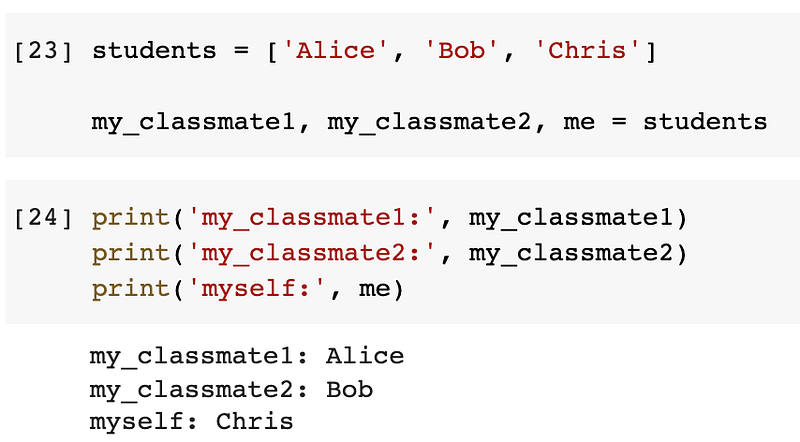
Suppose in the above case, it doesn’t matter who are my classmates, we just want my name at the last and all the other names should remain in a list. In this case, we can use an asterisk to pack all the other items up.
students = ['Alice', 'Bob', 'Chris']
*other_students, me = students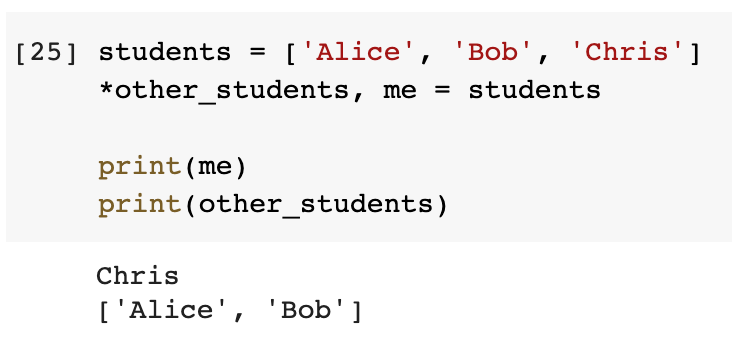
You may know that the syntax is also applicable for a tuple. However, it needs to be noticed that using an asterisk for packing up the items will always return a list. In other words, it cannot be smart enough to return a tuple, though the original object is a tuple
students = ('Alice', 'Bob', 'Chris')
*other_students, me = studentsprint(me)
print(other_students)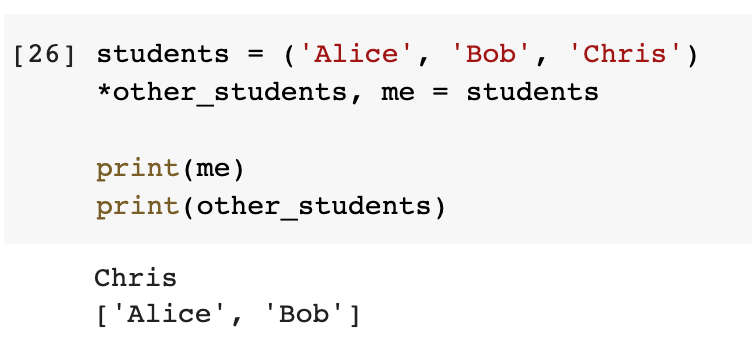
Using this trick, we can also treat a string as a list of characters and get some particular ones with all the others packed up.
product_code = 'A320'
class_indicator, *model = product_codeprint('Class indicator: ', class_indicator)
print('Model:', ''.join(model))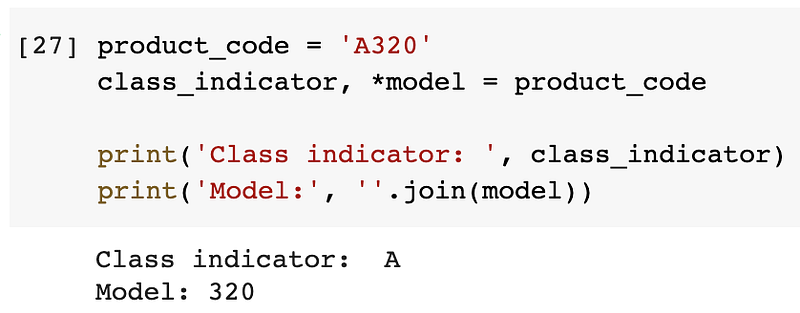
This is for demo purposes again, since I definitely believe using slicing is easier and more readable.
print('Class indicator: ', product_code[0])
print('Model:', product_code[1:])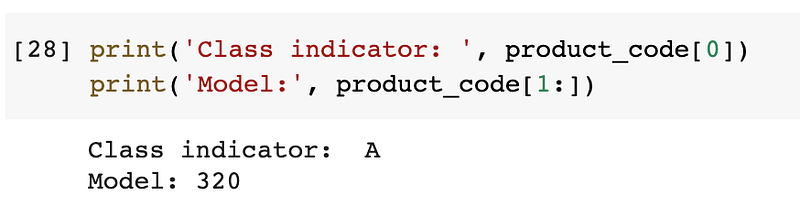
5. Enforcing Keyword Argument

I won’t believe this is a frequent usage, because the requirement is not common. However, it is good to know that Python has such a feature. That is, we can put an asterisk in the parameter list in a function to force all the parameters to the right must be passed in with an explicit keyword.
For example, we can define a function as follows.
def my_func(arg1, *, arg2):
    print(arg1)
    print(arg2)
Now, if we try to pass the two arguments, the error will be thrown.
my_func('a', 'b')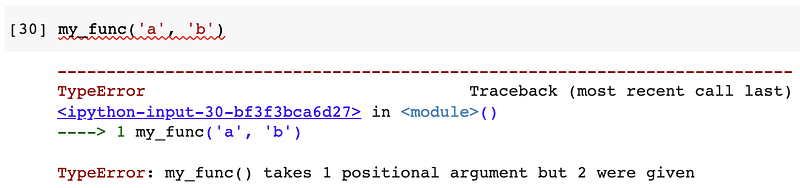
To use this function, we have to explicitly specify the key of the parameter arg2 because it is to the right of the asterisk.
my_func('a', arg2='b')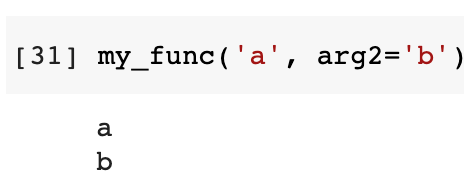
Summary

In this article, I have summarised all the 5 different usage patterns of asterisks in Python. It can be an operator or an indicator for passing variable-length arguments. It can also unpack lists, dictionaries or range objects, as well as pack them up.
If you feel my articles are helpful, please consider joining Medium Membership to support me and thousands of other writers! (Click the link above)