avatarGary McBrine

Free AI web copilot to create summaries, insights and extended knowledge, download it at here

2698

Abstract

mize the quality output of your smartphone camera.</p><p id="d2c8">These are just 5 habits to get the best quality results from any smartphone. They will not make you an artist. For that you will need to develop other skills.</p><p id="d450">This article uses an iPhone as an example, but the same principle applies with all smartphones. Some of these features may appear slightly different from yours. As you know, new smartphone models are constantly changing.</p><p id="df9f">If you use these simple tricks, you will see a marked improvement in your photos.</p><h2 id="06c4">1) Touch screen focus.</h2><p id="9d15">When your subject is not in the center and your camera doesn’t see a face to focus on, it focuses on the center of the image.</p><p id="179b">So what can you do? Use your finger.</p><p id="8c54">Touch the subject on the screen and your smartphone camera will focus there. By the way, <a href="https://readmedium.com/3-habits-to-improve-your-photography-without-buying-anything-9ef4164654ad">keeping your subject off-center is a good idea</a>.</p><h2 id="172e">2) Touch screen exposure override.</h2><p id="225c">Sometimes this feature is called exposure compensation, but it’s just a fancy name for overriding the camera to make the picture lighter or darker.</p><p id="4a22">This is especially useful with back-lit subjects.</p><p id="5304">How do you do it?</p><p id="f4b9">Touch the subject on the screen like you did for focus but <b>now touch again and hold, then slide up or down to make the image brighter or darker.</b></p><p id="d929">Try it. It’s surprisingly easy.</p><h2 id="61c5">3) Manually turn on or off the flash.</h2><p id="2667">Have you ever tried to take a picture through a window and the flash came on and ruined it? The flash reflected off the window, and all you saw was the glare on the glass.</p><p id="b17b">Here’s a simple solution. Turn off the flash.</p><p id="dd7b">Or maybe your subject has a bright light behind them and your subject turned out too dark. Another simple solution: Turn on the flash.</p><p id="7939">How do you do it?</p><p id="d03a">The top of your screen has a little lightning bolt. Touch that and you’ll see auto, on and off.</p><p id="74ef">This allows you to control the flash when you want it or don’t want it.</p><h2 id="6f5b">4) High resolution using Pano mode.</h2><p id="8213">Have you taken panorama pictures with your phone camera? When you do, you hold the camera vertically don’t you? Then you move the camera sideways to capture the panorama.</p><p id="cea5">Perhaps you slowly moved from the left to the right. This resulted in a long skinny panorama picture.</p><p id="fb66">The picture resolution is quite good b

Options

ecause you’re using the longest length of the frame for the vertical part of the image.</p><p id="cad3">You can take a very high-resolution picture by using panorama mode and stopping when the image reaches a normal width.</p><p id="24c1">This almost doubles the image quality of your photo.</p><h2 id="4fd8">Bonus tip:</h2><p id="2ef2">Try shooting a vertical Panorama! Remember to keep a steady hand. Move the camera up instead of left to right.</p><figure id="2922"><img src="https://cdn-images-1.readmedium.com/v2/resize:fit:800/0*68XTBAylS8qVVbW5"><figcaption>Photo by <a href="https://unsplash.com/@samsungmemory?utm_source=medium&amp;utm_medium=referral">Samsung Memory</a> on <a href="https://unsplash.com?utm_source=medium&amp;utm_medium=referral">Unsplash</a></figcaption></figure><h2 id="3c61">5) Higher resolution if you have Adobe Lightroom.</h2><p id="946e">You can take multiple pictures of the same scene, like pieces of a jigsaw puzzle.</p><p id="ce08">Then, using Lightroom or other software like that, you can “stitch” them together into one big high-quality image.</p><p id="b6a9">Is it difficult? Not at all.</p><p id="7d33">Just choose the images and the software merges them automatically. It’s accurate too.</p><p id="5232">There will be another article on how to use Lightroom with your smartphone and get amazing results. Watch for it, or get the <a href="https://fantastic-writer-3965.ck.page/3e8e2fab92">newsletter</a>.</p><h2 id="df0f">Summary</h2><p id="051e">With the right skills and habits, even a smartphone camera can take amazing pictures.</p><p id="ebda">There are some limitations with a smartphone camera. Sometimes you will get better results with a dedicated camera.</p><p id="00d2">That will be the topic for another article.</p><p id="5e26">For now, you will get surprising results from the camera you carry with you when you apply these 5 habits.</p><p id="252b">Enjoy your new images!</p><div id="3a72" class="link-block"> <a href="https://readmedium.com/3-habits-to-improve-your-photography-without-buying-anything-9ef4164654ad"> <div> <div> <h2>3 Habits To Improve Your Photography — Without Buying Anything</h2> <div><h3>Take better photos with the camera you have.</h3></div> <div><p>medium.com</p></div> </div> <div> <div style="background-image: url(https://miro.readmedium.com/v2/resize:fit:320/0*UgeJ-8oHbcpGX5k7)"></div> </div> </div> </a> </div><p id="aefc"><a href="https://fantastic-writer-3965.ck.page/3e8e2fab92">Sign up here for my Newsletter</a></p></article></body>

5 Simple Habits for Better Smartphone Photography

Get better results from the camera you have with you
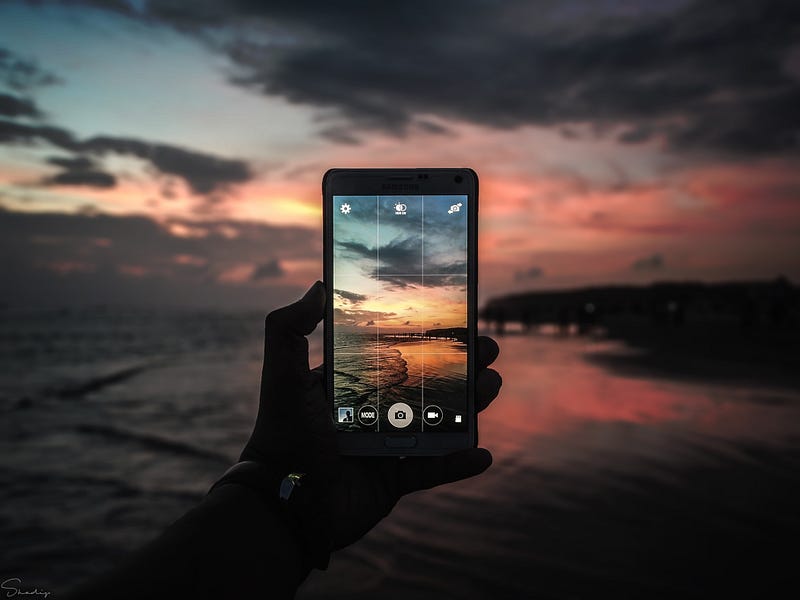
Photo by Sadman Sakib on Unsplash

When you’re out and about and you see something amazing, what do you do?

You reach for your smartphone, don’t you?

Why? Because you probably didn’t have your ‘good’ camera with you.

“The best camera is the one that you have with you!” — Chase Jarvis

Chase Jarvis is an award winning photographer, director and entrepreneur. He uses all the best cameras available and has been recognized by the Huffington Post as one of the most influential photographers of 2014.

Chase published a book in 2009 called The Best Camera Is the One That’s With You because he believes in photography and art. All the pictures in the book were taken with his 2009 iPhone, a 2 megapixel camera. Why? Because he wanted to prove that it’s not the tool that makes a photograph, it’s the artist.

It’s true that today’s iPhone cameras are far superior to the 2009 model, but the principle is the same. The camera doesn’t make the photograph. You do.

Another well recognized photographer, Ansel Adams, once said:

“You donʼt make a photograph just with a camera. You bring to the act of photography all the pictures you have seen, the books you have read, the music you have heard, the people you have loved.”

Ansel was known for amazing high definition landscape photography. He used a camera with film the size of a coffee table book.

Both of these photographers promoted the idea that the quality of the camera is secondary to the artists vision. And yet, they also used high quality cameras for their ‘serious’ work.

Can you do ‘serious’ work with a phone camera?

How can you take better pictures with ‘the camera you have with you’?

Let’s learn how you can maximize the quality output of your smartphone camera.

These are just 5 habits to get the best quality results from any smartphone. They will not make you an artist. For that you will need to develop other skills.

This article uses an iPhone as an example, but the same principle applies with all smartphones. Some of these features may appear slightly different from yours. As you know, new smartphone models are constantly changing.

If you use these simple tricks, you will see a marked improvement in your photos.

1) Touch screen focus.

When your subject is not in the center and your camera doesn’t see a face to focus on, it focuses on the center of the image.

So what can you do? Use your finger.

Touch the subject on the screen and your smartphone camera will focus there. By the way, keeping your subject off-center is a good idea.

2) Touch screen exposure override.

Sometimes this feature is called exposure compensation, but it’s just a fancy name for overriding the camera to make the picture lighter or darker.

This is especially useful with back-lit subjects.

How do you do it?

Touch the subject on the screen like you did for focus but now touch again and hold, then slide up or down to make the image brighter or darker.

Try it. It’s surprisingly easy.

3) Manually turn on or off the flash.

Have you ever tried to take a picture through a window and the flash came on and ruined it? The flash reflected off the window, and all you saw was the glare on the glass.

Here’s a simple solution. Turn off the flash.

Or maybe your subject has a bright light behind them and your subject turned out too dark. Another simple solution: Turn on the flash.

How do you do it?

The top of your screen has a little lightning bolt. Touch that and you’ll see auto, on and off.

This allows you to control the flash when you want it or don’t want it.

4) High resolution using Pano mode.

Have you taken panorama pictures with your phone camera? When you do, you hold the camera vertically don’t you? Then you move the camera sideways to capture the panorama.

Perhaps you slowly moved from the left to the right. This resulted in a long skinny panorama picture.

The picture resolution is quite good because you’re using the longest length of the frame for the vertical part of the image.

You can take a very high-resolution picture by using panorama mode and stopping when the image reaches a normal width.

This almost doubles the image quality of your photo.

Bonus tip:

Try shooting a vertical Panorama! Remember to keep a steady hand. Move the camera up instead of left to right.
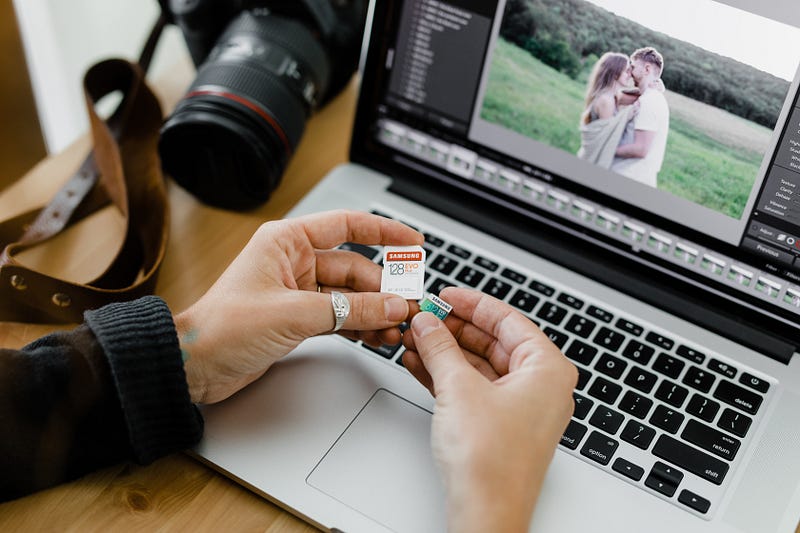
Photo by Samsung Memory on Unsplash

5) Higher resolution if you have Adobe Lightroom.

You can take multiple pictures of the same scene, like pieces of a jigsaw puzzle.

Then, using Lightroom or other software like that, you can “stitch” them together into one big high-quality image.

Is it difficult? Not at all.

Just choose the images and the software merges them automatically. It’s accurate too.

There will be another article on how to use Lightroom with your smartphone and get amazing results. Watch for it, or get the newsletter.

Summary

With the right skills and habits, even a smartphone camera can take amazing pictures.

There are some limitations with a smartphone camera. Sometimes you will get better results with a dedicated camera.

That will be the topic for another article.

For now, you will get surprising results from the camera you carry with you when you apply these 5 habits.

Enjoy your new images!

Sign up here for my Newsletter

Photography
Art
Photography Tips
Creativity
Technology
Recommended from ReadMedium