
5 Python open-source tools to extract text and tabular data from PDF Files
This article is a comprehensive overview of different open-source tools to extract text and tabular data from PDF Files
Introduction
As Data Scientists, we are led to exploit as much as possible the data sources available within or external to organizations in order to respond in the most relevant way to their problems. These data can be of different formats and sometimes difficult to handle. This article mainly focuses on two main aspects: text data extraction and tabular data extraction.
The list of libraries is not exhaustive, the goal is to focus on 5 of them, with 3 for text data extraction and 2 for tabular data extraction. Additional information can be found at the end of the article.
Text data extraction
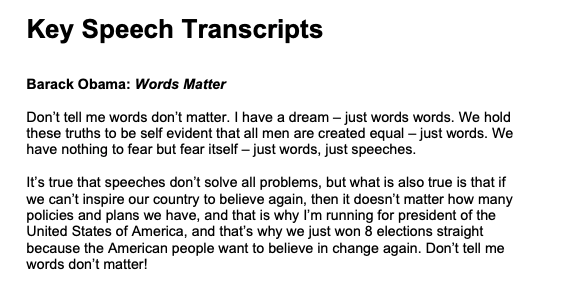
For this section, the test data is based on Obama’s speech words matter.
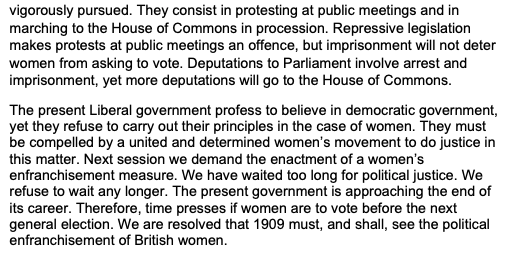
Below are the first and last lines.
Slate
Due to the difficulties related to using PDFMiner, this package has been created as a wrapper around PDFMiner in order to make text extraction much easier.
Prerequisites and implementation
pip install slate3k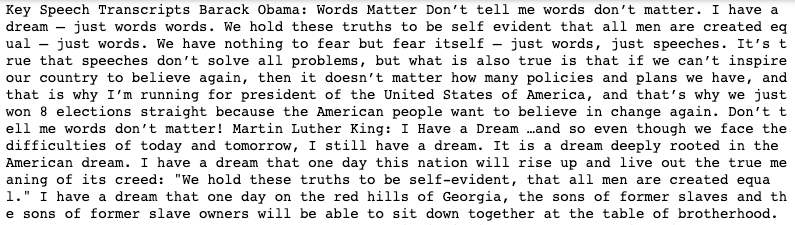

From the result of slate3k, we can notice that all the content of the pdf document is retrieved, but the carriage returns are not taken into consideration during the process.
PdfMiner.six
This is community maintained fork of the original PDFMiner in order to make the library work with python 3. It is used for information extraction and focuses on getting and analyzing text data, and can also be used to get the exact location, font, or color of the text.
Prerequisites and implementation
pip install pdfminer.six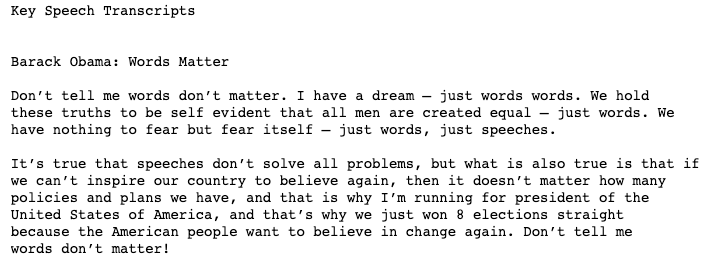
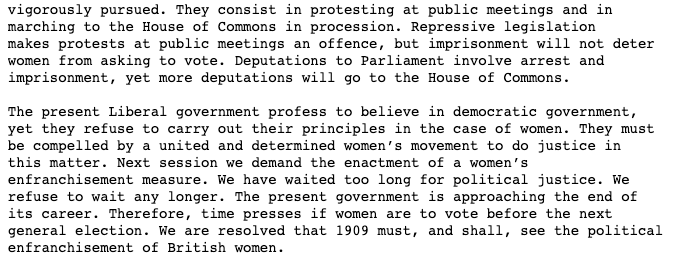
PdfMiner.six gets the content of the PDF File as it is, taking into consideration all the carriage returns
PyPDF2
This library is used for multiple tasks such as text extraction, merging PDF files, splitting the pages of a specific PDF file, encrypting PDF files, etc. In this article, we only focus on the text extraction feature.
Prerequisites and implementation
pip install PyPDF2Tabular data extraction
Most of the time, Businesses look for solutions to convert data of PDF files into editable formats. Such a task can be performed using the following python libraries: tabula-py and Camelot. We use this Food Calories list to highlight the scenario.
Tabula-py
This library is a python wrapper of tabula-java, used to read tables from PDF files, and convert those tables into xlsx, csv, tsv, and JSON files.
Prerequisites and implementation
pip install tabula-py
pip install tabulateHere is the result of the extract of the page n°6
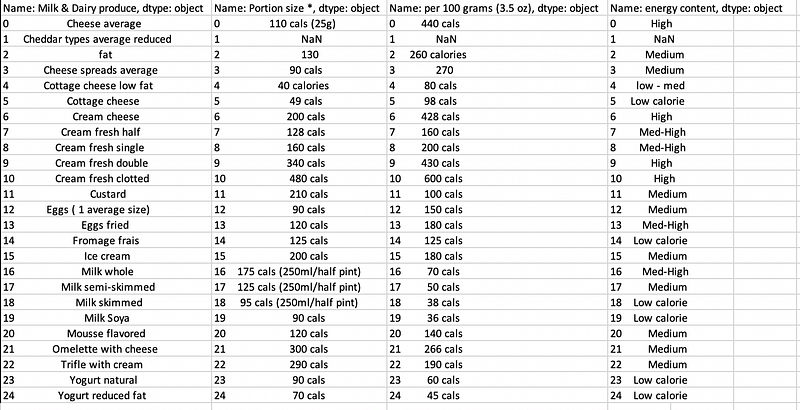
- On line 7, we could extract all the tables, by using the option pages=”all”
- On line 17, we convert the result into an excel file. Instead, it could be converted into a CSV file, tsv, etc.
Here is another way of using tabula. Instead of breaking down the steps, we can extract the information using a single instruction, storing this time the data as a CSV file.
The results are the same in terms of content. The only difference relies on the format of the file.
Camelot
Camelot can be used, similarly to Tabula-py to extract tables from PDF files. Unlike tabula-py, Camelot depends on ghostscript library that also needs to be installed
Prerequisites and implementation
pip install ghostscriptpip install camelot-py- line 4 gets a TableList type containing all the tables existing in the PDF.
- line 7 will show 11, corresponding to the number of tables in the file.
- From lines 10 to 12, we convert each table and show their first 5 observations. We can also save each data frame. We can directly save each table as into a .csv file using .to_csv(output.csv) like below
"""
Let convert for instance the 6th (index starts at 0) table into .csv file"""all_tables[5].to_csv('table_6.csv')End of articles
Congratulations! You have just learned how to extract text and tabular data from PDF files with slate, pdfminer.six, PyPDF tabula-py and Camelot. Now you can collect more data by using the libraries you went through in order to bring value to your business. You can find below additional resources.
Follow me on YouTube for more interactive sessions!
Additional resources
Working with PDF files in Python
How to Extract Tables from PDF
Bye for now 🏃🏾


