
5 Professional Security Tips For Working From Home
WFH is going to be a thing for a while. Best to do it safely.

Many major employers are finding that WFH employees can be just as productive working from home and that it can actually save them money. While not all businesses will continue WFH policies, many will. But to make that work, remote employees need to have a keen understanding of basic security — especially if they work in a field with regulatory compliance requirements such as healthcare and finance.
Here are five essential things to consider to keep data and work devices safe while working away from the office.
Physical Security
Many people consider cybersecurity the top issue when it comes to working remotely or from home. While cybersecurity is a major concern, it’s not the only major concern.
To keep your work-related devices and data safe, always lock doors when not home and be certain that laptops, tablets, and the like are not visible from windows. Best to place these items in a drawer or cabinet when not in use
When disposing of work-related paperwork, make use of a shredder for all documents. If you can get a cross-cut shredder, that would be even better.
Power Passwords
Strong passwords are crucial for protecting your work data — either at home or in the office. Follow these guidelines for secure password use:
- Use a mix of upper and lowercase letters, numbers, and special characters.
- Don’t group numbers or special characters at the very beginning or end of a password.
- Avoid using names — even the names of pets.
- Do not share your password with others.
- If you must write down your passwords, keep the paper in a secure location.
- Do not use the same password across multiple services.
WiFi Security
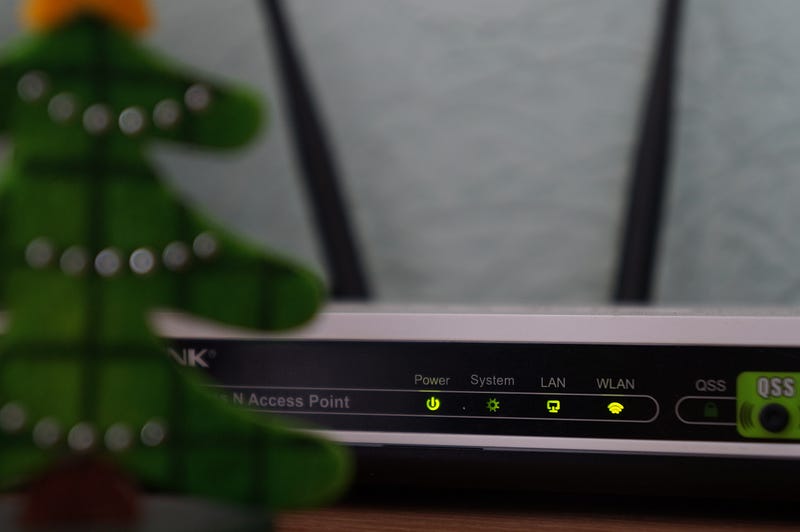
You might think that WiFi security starts and ends with changing the password on your router and selecting WEP encryption. There’s a bit more to keep outsiders from sneaking into your home network.
First, be aware that WEP encryption hasn’t been secure in years. At a minimum, make sure your router can support WPA2 (WiFi Protected Access 2) to protect your data and network. If your router doesn’t support WPA2, it’s probably too old to provide any kind of real security, and you should look into upgrading as soon as possible.
While we’re talking about your WiFi network, make sure you’ve changed the default password on any smart devices you have operating in your home. This includes IoT (Internet of Things) devices such as smart refrigerators, lighting, and climate controls.
Safe E-mail Practice
One of the top ways hackers infect computers and wreak havoc with your data is by tricking you into installing malware and viruses by hiding them in an e-mail.
Through a process known as “phishing,” an e-mail that seems like it is from a legitimate source may be fake. If you carelessly click on a link (such as to a password reset page) or open an attachment (such as an unexpected invoice), the e-mail will install malicious software onto your computer, which can do anything from erase your hard drive to steal passwords to sensitive accounts.
It’s even possible for a piece of malware to find its way into your office network through your computer. From there, data can be stolen or held for ransom.
Avoid interacting with any e-mail that you have any reason to think may not be safe. No legitimate business will ask you to share personal data via e-mail. When in doubt, contact the sender by phone or check with your IT support for what to do.
Have virus detection software installed on your computer and run it regularly to make sure nothing has slipped past your guard.
Employer Protocols and Support
Does your employer have an established security protocol for employees working from home? If so, make sure to get a copy if you haven’t yet been given one and follow it to the letter. Office protocols include steps necessary to protect their business’s unique needs and should not be taken for granted.
Does your employer have an IT support department either in-house or contracted? Don’t be shy about using them if you have any questions about keeping your work data and devices safe. That’s their job.
If your employer does not have an official IT department, check to see if they have a designated in-house employee you can contact for help.
A Secure WFH Setup
Maintaining basic security while working from home is not difficult and should not be a hindrance when it comes to remote work. With the proper steps and support, anyone can keep their data and work devices from becoming subject to attack or other forms of online vandalism.
This way, you can focus on your job and not other concerns.
This guest post is sponsored by Link Apartments Brookstown, an apartment community located in Winston-Salem, NC, which offers short-term leases on their one and 2-bedroom luxury living spaces.
About John Teehan
John lives in Rhode Island with his wife, son, and dog. He specializes in tech, health, business, parenting, pop culture, and gaming. Visit wordsbyjohn.net for more info and rates. Twitter: @WordsByJohn2


