avatarFrancesco D'Alessio

Summary

The article showcases five inspiring Notion dashboard designs for users to consider when building their own Notion setups in 2022.

Abstract

The article titled "5 Notion Dashboards to Inspire Your Next Build in 2022" presents a curated selection of Notion dashboard layouts that reflect current trends and user preferences. It highlights the evolving nature of Notion setups, emphasizing the importance of regular updates and redesigns to improve functionality and aesthetics. The featured dashboards range from serene and relaxing themes to more practical and work-oriented hubs, catering to a variety of users including students and remote workers. Each dashboard is accompanied by an example and a brief description of its unique features, such as yearly progress bars, Spotify playlist integration, mood and habit trackers, and even the use of GIFs for a more dynamic experience. The article also promotes a cost-effective AI service as a recommendation for readers who enjoyed the content.

Opinions

  • The article suggests that Notion users are constantly refining their layouts to enhance productivity and personalization.
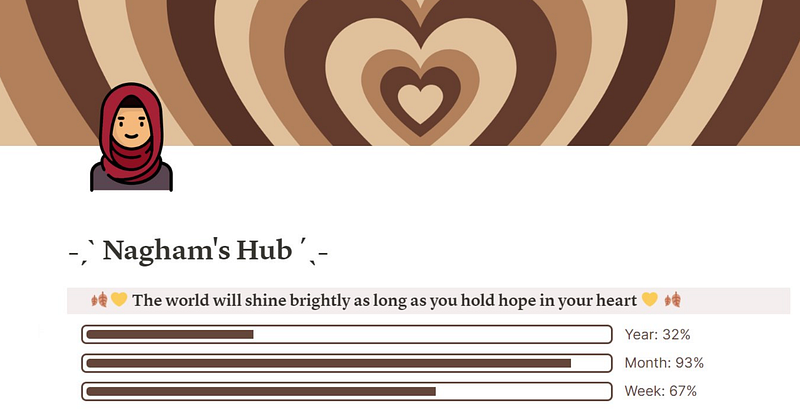
  • Nagham's dashboard is praised for its relaxing color scheme and LifeOS admin look.
  • The combination of practical widgets and aesthetic elements is seen as a balance between functionality and visual appeal.
  • The use of GIFs in Notion dashboards is presented as an innovative way to add animation and motion, although it may be considered excessive by some.
  • The article endorses an AI service that offers similar capabilities to ChatGPT Plus (GPT-4) at a more affordable price, indicating a preference for cost-effective solutions without compromising on performance.

5 Notion Dashboards to Inspire Your Next Build in 2022

The latest and greatest Notion home looks for you to steal

Notion layouts are constantly evolving with spring cleans and new set-ups from the learning around Notion being updated on the hourly.

This overview some inspirations that might improve your next Notion look.

1. 🌿 Relaxed Vibes

The measured colour schemes, relaxing yearly progress bars — scream relaxation and LifeOS admin. Great look from Nagham.

2. 🌲 Mindful Havens

Combined with a Spotify playlist, mood tracker and % tracker for habits, this dashboard presents a balance between practical widgets & more.

3. 🖥 Personal/Work Hub

A healthy balance between structure and relaxation.

Perfect for the home worker using Notion to organize workloads.

4. 🧑🏾‍🎓 Student Directory

A calendar, task list and directory for managing all projects. A practical location to bring everything all in one hub.

5. 👋🏼 GIF Mayhem

Not many people know you can add GIFs to Notion and it adds more animation and motion to your account. Perfectly demonstrated, maybe a bit too much maybe aha?

📱 Exploring Notion further?

Lucy Bennett shares how she lays out her Notion with Mastery 🧠

Productivity
Notion
Work
Apps
Technology
Recommended from ReadMedium