
5 letters for better User Story splitting
The S.P.I.D.R acronym for User Story splitting recharged (++)
User stories are great for illustrating the customers’ needs. They should be defined in a ubiquitous language so anyone can read and understand them and they should follow a set of criteria. But, splitting a user story is not as easy as you can imagine. Sometimes I found myself stuck with not knowing which approach I should take.
In today’s post, I’d like to share with you how I usually create and split user stories, walking you through some examples.
Why should we split a user story?
In software development, we need a way to represent which are the business requirements that are going to be included in our product. The main objective of these requirements is to add value to their users or customers, I make this distinction because the customers are not always the ultimate persons that are going to use the product and vice versa.
A business requirement usually has associated many user stories. Frequently, there are user stories that are so big that they can’t be developed in a single iteration, hence it would be very difficult to keep track of their progress and they might become unmanageable, these user stories are called “epic stories”. Epic stories are large user stories.
Creating user stories
The epic concept guides us into the necessity to follow the INVEST criteria for creating a user story. The INVEST acronym stands for Independent, Negotiable, Valuable, Estimable, Small, and Testable.
Long story short, a user story has to:
- not depend on another user story -not overlap concepts,
- its scope has to be negotiable,
- it has to add enough value to the customer,
- the development team has to be able to assign an estimate for completion,
- it has to be small enough to be developed in a single iteration, and
- it has to be able to be tested to ensure it meets the customer needs.
Now that we have an understanding of the INVEST criteria, I want to introduce you to the following acronym that helps (a lot) with splitting user stories: SPIDR++
The S.P.I.D.R++ approach for splitting stories
The SPIDR acronym stands for Spike, Paths, Interfaces, Data, and Rules -by Mike Cohn in Mountain Goat Software.
++ refers to the thechical stack -by M. Laborde.

As follows I’m going to explain the above acronym guiding you through an example of Importing data: let’s imagine that there is a need to develop a new module for importing data into a system, this module has its particularities that are described in the next sections.
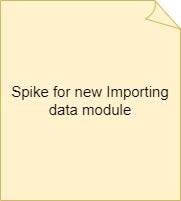
Spikes: some user stories need a bit of technical research before being considered ready for development. Its output might help for better splitting the user story or it can reassure the way it was already split.
For example, the new Importing data module has to be sold individually. In that sense, we might need to create a spike to analyze if the development team is going to build this module as a plugin or as a separate system, or just adding permission restrictions to the users that are going to adopt it.
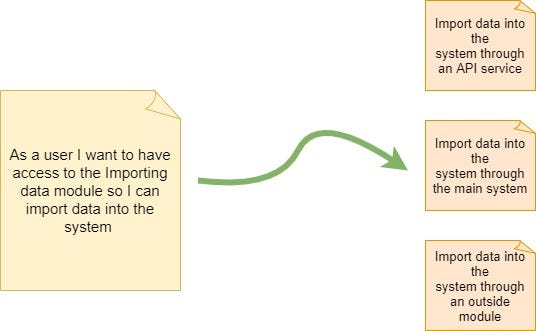
Paths: a single story can have many paths -flowcharts and activity diagrams are drawn to represent these paths. Each branch of the diagram might represent a new user story.
For example, the Importing Data module offers 3 different flows to such activity, in that sense, the main user story can be split into 3 different user stories as shown in figure 2:
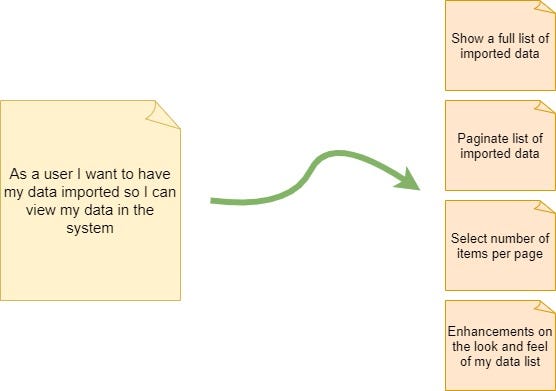
Interfaces: a single UI can have many functionalities in it or even the styling can iterate it.
Continuing with the Importing data module example once the data was imported, the user will view its data in a table format, for that we can identify 4 user stories that are generated based on the main user story for the interface design as illustrates below:
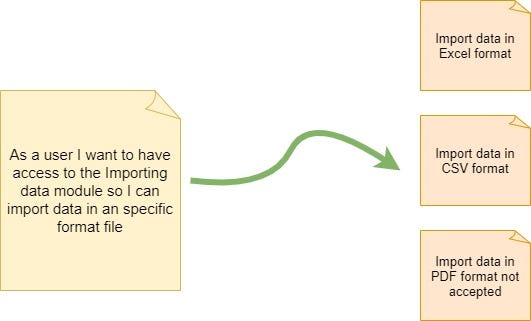
Data: what if the feature supports different types of data, or if some data should not be supported -in this sense a user story can be split by data type.
For example, the Importing data module will allow the user to perform such activity based on 2 different data types (Excel and CSV) and PDF format file will not be allowed. Figure 4 shows 3 user stories that can be split from the main user story:
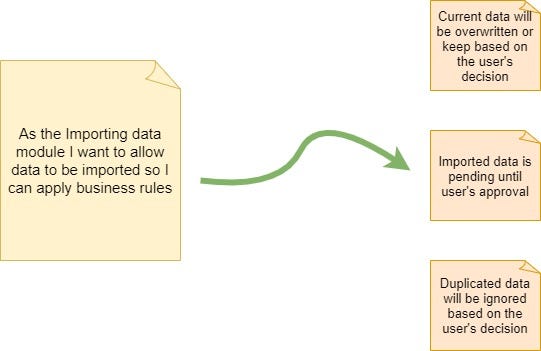
Rules: Mike Cohn says that “Sometimes a story is large because of the business rules, technology standards, or such that must be supported”. For this section, I prefer to just stick to the business rules that might be identified for a feature and leave the technical standards for another way of splitting the user story -because it can go way beyond just technical standards.
Following our Importing data example, we can illustrate some rules that will apply to all 3 flows identified as Paths and the 2 accepted formats mentioned above. This rules can be something like:
The recharged version of the S.P.I.D.R acronym would be S.P.I.D.R++!
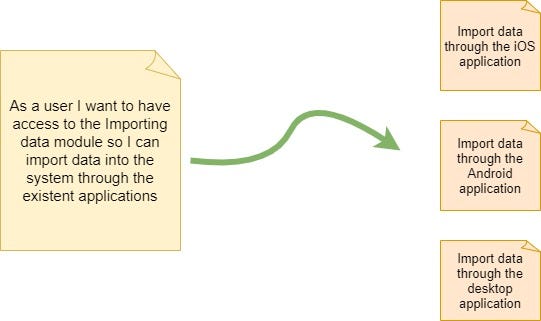
++ refers to technical stack that can affect a software feature, it can go from technical standards to technical rules to technical limitations to different technologies. Examples of them can be cross-browsing requirements, system modules, versions, web or mobile applications, technical feasibility, etc.
To illustrate some examples based on our Importing data module, technical stack user stories can be drawn as shown in figure 6:
Conclusion
While the INVEST acronym is really important for creating user stories, the SPIDR++ acronym is another must-have to keep in mind at the moment of splitting a user story.
The engineers’ team thoughts are a great insight for refining your user story splitting. In the end they are the ones that are going to develop and test the feature.
Tell me, what technique do you use for user story splitting?