
5 Html Tips Probably You Don’t Know
Html’s secret attriubutes to use anywhere

Did you read about Html?
It really has many features to learn.
Html is the base of web development. Every web developer already knows that. In this article I want to tell something different.
If you are not a member, you can access to full text here.
Most of developer focus on real languages like js, php or node.js like me. As the years passed, I decided to further deepen my knowledge.
So I read and learn daily. Let’s find out together what features html has.
1. Capture Attribute
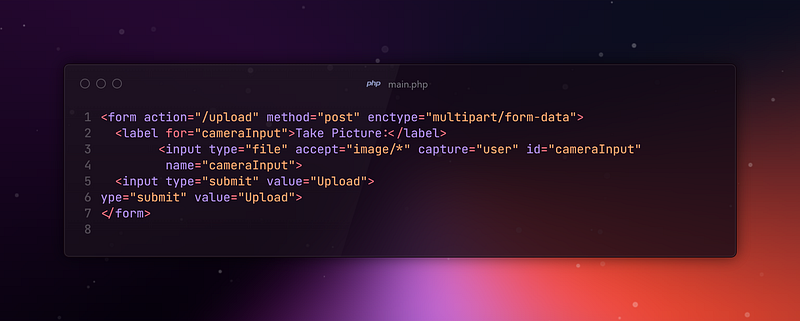
It is used to determine which source to use when receiving media (photo, video, audio) files from the user.
It is usually used with the input element and its value allows the user to capture content directly by opening their device’s camera, microphone or other media source.
It takes two value to control input. ‘capture:user’ uses the user’s front camera or micro as an input. ‘capture:environment’ uses the user’s back camera to capture input data.
2. Auto Refresh
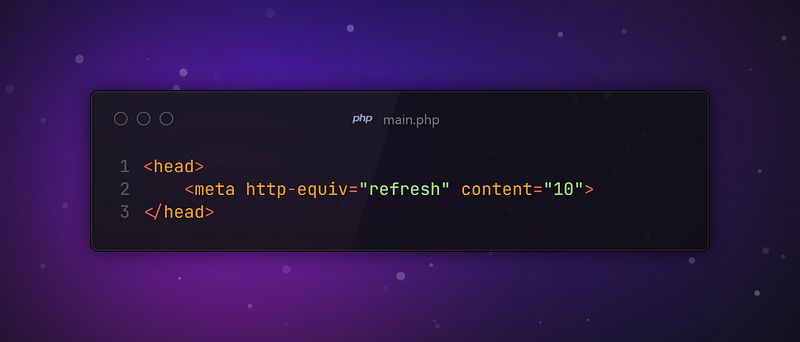
You can set your website to refresh after a given amount of time from the head tag. You just need to set up that in the head tag. The code above refreshes page every 10 seconds.
3. Active Spell Check
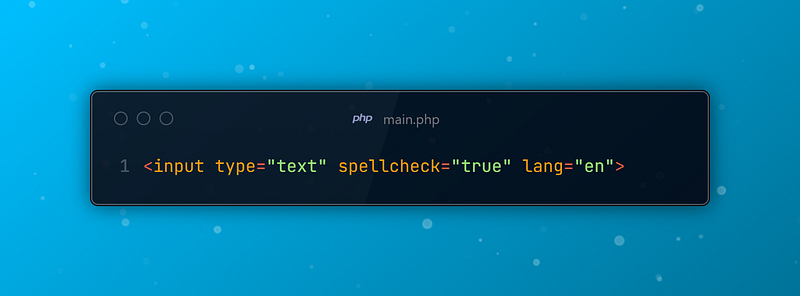
You can use the HTML spellcheck attribute and set it to true to active it. Specify the language to be used using the lang attribute.
It is a standard attribute and it is supported by most browsers like Google, Mozilla.
4. Specify File Type to Be Uploaded
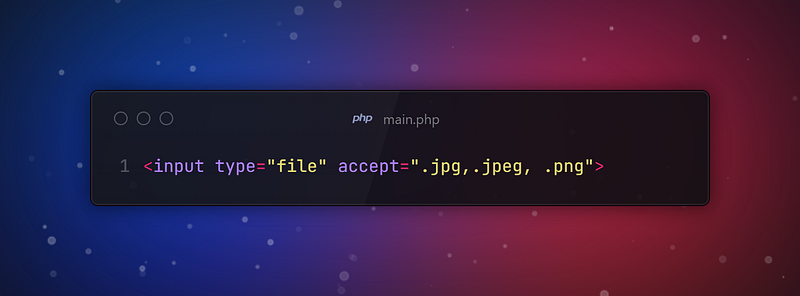
Specify the file types users are permitted to upload in the input tag using the accept attribute.
5. Prevent Translation

Setting the translate attribute to no, prevents translation.
This is important in case where you do not want a phrase or word to be translated. As an example your logo, company or brand name.
Thanks for coming this far 🎉
- 👏 Could you please clap the story to help spread the article? (50 applause).
- 📩 Also if you want to my newsletter: https://yunus-emre-adas.ck.page/c090914848
You can reach me from the links below:
To access my other articles:


