avatarJonathan Fielding

Free AI web copilot to create summaries, insights and extended knowledge, download it at here

2970

Abstract

b>AppleScript scripts</b> that can run code against an email you have received. This means you can write custom automations for your email client, such as a script that will dump any images you receive into a folder or redirect the email based on properties in the email body.</p><figure id="c827"><img src="https://cdn-images-1.readmedium.com/v2/resize:fit:800/1*[email protected]"><figcaption>Rules interface in Mac OS Mail</figcaption></figure><h1 id="1628">3. Font Book</h1><figure id="0b08"><img src="https://cdn-images-1.readmedium.com/v2/resize:fit:800/1*[email protected]"><figcaption>Screenshot of the Mac Font Book application by Author</figcaption></figure><p id="8f6e">Another tool that I find incredibly useful as a software engineer is the Font Book application. It gives you access to install, remove and manage the fonts on your Mac.</p><p id="585e">As a developer, I find this tool super useful for finding inspiration for what fonts I could use on the websites I build. Its clear interface allows me to quickly preview hundreds of different fonts in all their different weights.</p><h1 id="e809">4. Calendar</h1><figure id="67da"><img src="https://cdn-images-1.readmedium.com/v2/resize:fit:800/1*[email protected]"><figcaption>Screenshot of Apple Calendar by Author</figcaption></figure><p id="b5a5">Being a developer is much more than writing code so often will find yourself attending a bunch of meetings. To help you manage your time its good to have a good calendar app so you know when you will have time to focus and when you will need to be in meetings.</p><p id="cb82">The Apple Calendar app is a pretty good candidate to fill this role, it allows you to manage your calendar and will allow you to set up multiple calendars for personal and work diaries. Additionally, with the recent updates to notifications on Mac OS Monterey (and corresponding changes on iOS), there is even more customisation on when notifications can appear so you can restrict your work calendar notifications to only work hours.</p><p id="f04e">Similar to the Mail app, the Calendar app can also be scripted using AppleScript which enables you to create, manage and delete calendar entries. In my personal mail setup, I have it set it up to add tech events I get emailed about to the calendar so I can see if any events line up with when I am free.</p><h1 id="ba29">5. Safari</h1><figure id="7703"><img src="https://cdn-images-1.readmedium.com/v2/resize:fit:800/1*[email protected]"><figcaption>Screenshot of Safari</figcaption></figure><p id="237a">The last application I am going to recommend is Apple's own web browser, Safari.</p><p id="36e2">While it might be controversial to recommend Safari to a bunch of software engineers who are likely using Chrome, Firefox, or even Brave, I would ask that you let me make my case before ditching the rest of this article.</p><p id="0eb7">The first couple of reasons I am goin

Options

g to talk about is why you should use Safari as an end-user.</p><p id="51e8">Apple has been no stranger to talking about their view on user privacy and their web browser is a key part of this. It features advanced tracking detection and blocking technology that aims to reduce the ability of big tech companies to track you on the internet. In my opinion, this is a big thing: while I don’t have anything to hide, I don’t think Google needs to be aware of what groceries I am buying from Ocado.</p><figure id="805c"><img src="https://cdn-images-1.readmedium.com/v2/resize:fit:800/1*[email protected]"><figcaption>Apple’s Safari Privacy Settings</figcaption></figure><p id="5ca7">Beyond their stance on privacy, Safari also is built with a focus on usability and performance. While the browser might not ship with all the latest features from the web platform, anything it does implement works in a way that delivers good performance, this often means pages can load faster. This also means that the browser is designed to be very efficient, with it offering superior battery performance vs Chrome.</p><p id="79ae">From a developer's point of view, Safari offers its own set of devtools that allow you to analyse and debug the page that you are working on. In my experience, using the Safari tools can be quite refreshing considering how complex in parts the Chrome dev tools have become.</p><figure id="4ab5"><img src="https://cdn-images-1.readmedium.com/v2/resize:fit:800/1*[email protected]"><figcaption>Safari Dev Tools</figcaption></figure><p id="1922">These same DevTools can be used when connected to an iPhone to debug iOS Safari pages as well.</p><p id="6524">I won’t argue to say Safari is perfect and some of the extensions I would use in Chrome are notably missing however while I use Chrome on my work Mac I tend to stick with Safari on my personal Mac.</p><h1 id="d8cb">In Summary</h1><p id="fc6e">Mac OS X ships with some really simple but effective applications that, out of the box, will give you a great user experience without you having to download a bunch of things onto your laptop as soon as you open the box.</p><p id="109b">While there are undoubtedly more feature-rich applications which you could be using, for me the simplicity of the built-in applications is what attracts me to them. While Apple doesn’t always get it right, overall their strive for simplicity is what attracts me to their products.</p><p id="48c1">Let me know what apps you like to use that came with your Mac, and if you liked this article, I encourage you to follow me so you can read more of my posts.</p><p id="77ae">If you want to support my posts and you are not already a member of Medium then feel free to join at <a href="https://jonthanfielding.medium.com/membership">https://jonthanfielding.medium.com/membership</a>.</p><p id="cc0f"><i>More content at <a href="http://plainenglish.io/"><b>plainenglish.io</b></a></i></p></article></body>

5 Default Mac Applications You Need To Be Using As a Software Engineer
Photo by Brett Jordan on Unsplash

I previously wrote a piece listing “5 Mac Applications You Need as a Software Engineer” — that was my most popular post yet and I haven’t been able to top it.

After wondering how I could follow it up, I thought I would write a piece that focuses on talking about the apps that ship with a Mac out of the box. So, today, I am sharing that very piece.

1. Reminders
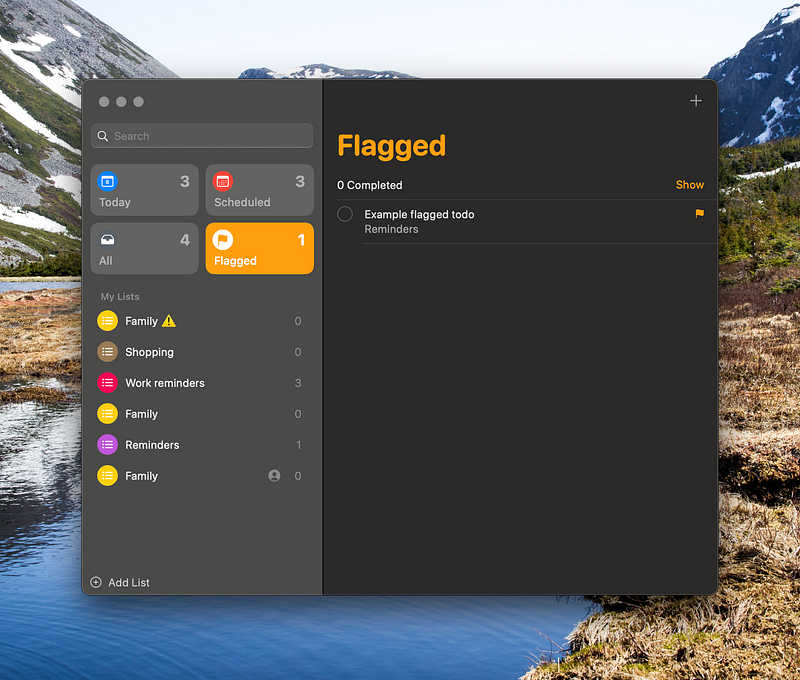
Screenshot of Mac Reminders App by Author

The first application that comes shipped with your Mac — that I wanted to draw attention to — is the built-in Reminders app which first shipped with the Mac OS in 2011.

As a basic to-do list, Reminders has you covered with the ability to create, complete and delete your to-dos with ease. It goes beyond this by adding features like timed reminders and location-based reminders which I personally find useful when I need to remember to do something when I get home.

The added benefit is the Reminders app will sync perfectly with the Reminders app on your iPhone so you will always have your to-do lists with you. Something other to-do apps will support but require an extra application.

As a developer there is also the ability to script the reminders app using AppleScript, this means you can write code that automates adding, managing and even deleting your reminders.

2. Mail
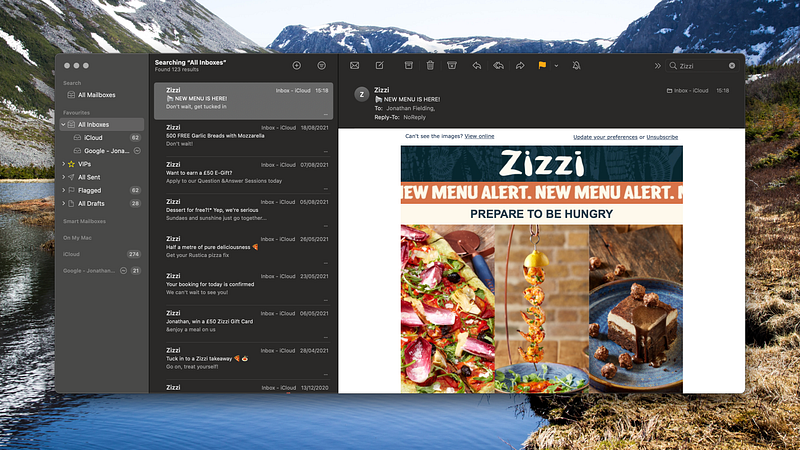
Apple Mail Application Screenshot by Author

Next up is the tried and tested Mail app which has long been a favourite of mine for reading my emails.

It is a fairly simple email client with a nice and clean interface that is super easy to get started with. It features all of what you would expect from a modern email client such as labels, VIPs (people you don't want to miss emails from), and junk mail sorting.

As a developer though, one of the features I really like the most is the ability to create rules. It supports the usual things like sorting emails into mailboxes and send replies, of course, but the feature I think is most exciting is the ability to write AppleScript scripts that can run code against an email you have received. This means you can write custom automations for your email client, such as a script that will dump any images you receive into a folder or redirect the email based on properties in the email body.
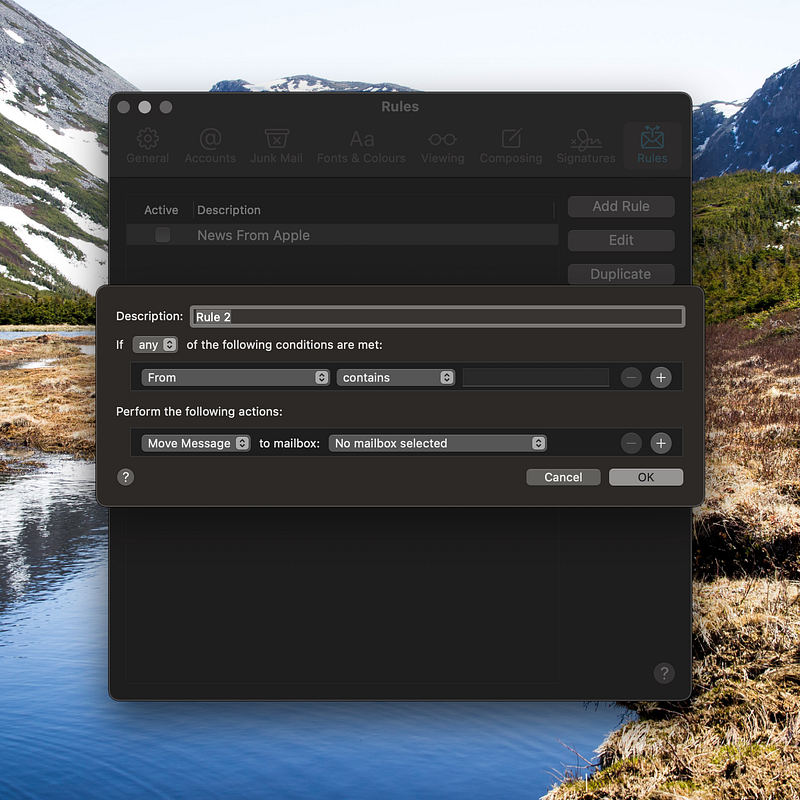
Rules interface in Mac OS Mail

3. Font Book

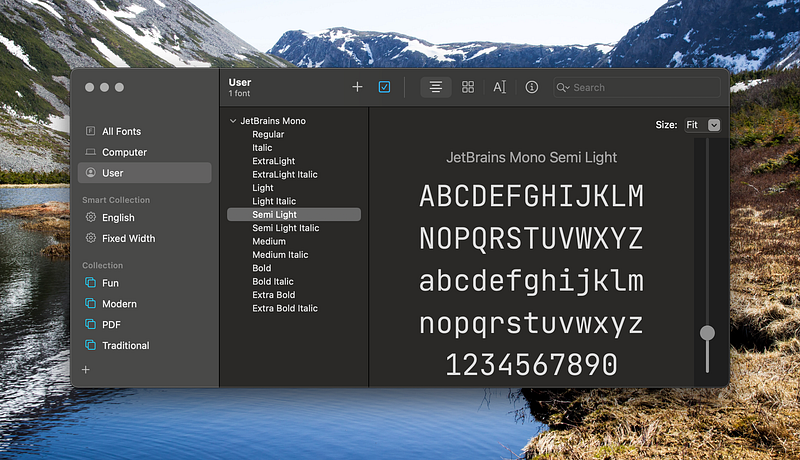
Screenshot of the Mac Font Book application by Author

Another tool that I find incredibly useful as a software engineer is the Font Book application. It gives you access to install, remove and manage the fonts on your Mac.

As a developer, I find this tool super useful for finding inspiration for what fonts I could use on the websites I build. Its clear interface allows me to quickly preview hundreds of different fonts in all their different weights.

4. Calendar
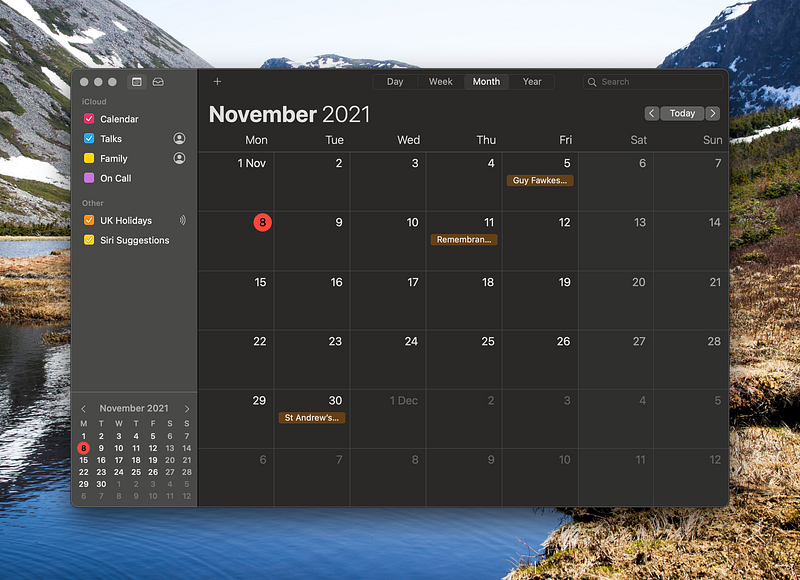
Screenshot of Apple Calendar by Author

Being a developer is much more than writing code so often will find yourself attending a bunch of meetings. To help you manage your time its good to have a good calendar app so you know when you will have time to focus and when you will need to be in meetings.

The Apple Calendar app is a pretty good candidate to fill this role, it allows you to manage your calendar and will allow you to set up multiple calendars for personal and work diaries. Additionally, with the recent updates to notifications on Mac OS Monterey (and corresponding changes on iOS), there is even more customisation on when notifications can appear so you can restrict your work calendar notifications to only work hours.

Similar to the Mail app, the Calendar app can also be scripted using AppleScript which enables you to create, manage and delete calendar entries. In my personal mail setup, I have it set it up to add tech events I get emailed about to the calendar so I can see if any events line up with when I am free.

5. Safari
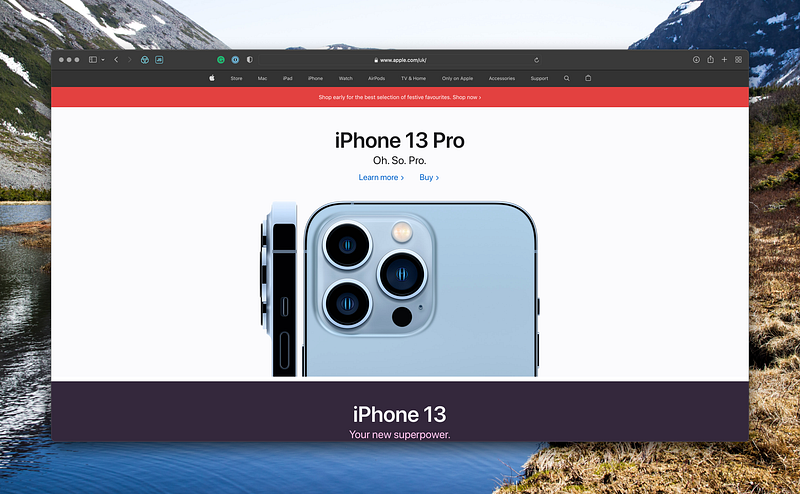
Screenshot of Safari

The last application I am going to recommend is Apple's own web browser, Safari.

While it might be controversial to recommend Safari to a bunch of software engineers who are likely using Chrome, Firefox, or even Brave, I would ask that you let me make my case before ditching the rest of this article.

The first couple of reasons I am going to talk about is why you should use Safari as an end-user.

Apple has been no stranger to talking about their view on user privacy and their web browser is a key part of this. It features advanced tracking detection and blocking technology that aims to reduce the ability of big tech companies to track you on the internet. In my opinion, this is a big thing: while I don’t have anything to hide, I don’t think Google needs to be aware of what groceries I am buying from Ocado.
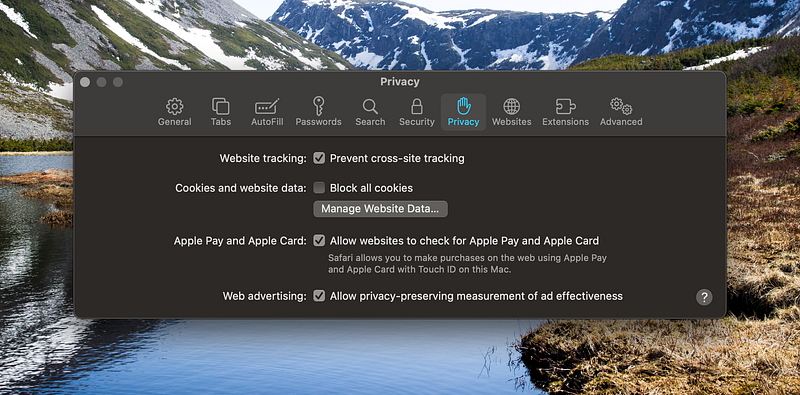
Apple’s Safari Privacy Settings

Beyond their stance on privacy, Safari also is built with a focus on usability and performance. While the browser might not ship with all the latest features from the web platform, anything it does implement works in a way that delivers good performance, this often means pages can load faster. This also means that the browser is designed to be very efficient, with it offering superior battery performance vs Chrome.

From a developer's point of view, Safari offers its own set of devtools that allow you to analyse and debug the page that you are working on. In my experience, using the Safari tools can be quite refreshing considering how complex in parts the Chrome dev tools have become.
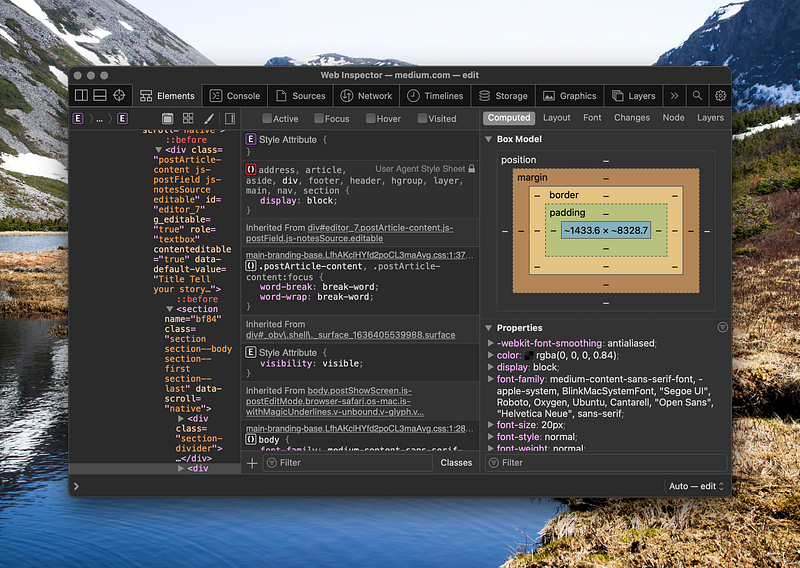
Safari Dev Tools

These same DevTools can be used when connected to an iPhone to debug iOS Safari pages as well.

I won’t argue to say Safari is perfect and some of the extensions I would use in Chrome are notably missing however while I use Chrome on my work Mac I tend to stick with Safari on my personal Mac.

In Summary

Mac OS X ships with some really simple but effective applications that, out of the box, will give you a great user experience without you having to download a bunch of things onto your laptop as soon as you open the box.

While there are undoubtedly more feature-rich applications which you could be using, for me the simplicity of the built-in applications is what attracts me to them. While Apple doesn’t always get it right, overall their strive for simplicity is what attracts me to their products.

Let me know what apps you like to use that came with your Mac, and if you liked this article, I encourage you to follow me so you can read more of my posts.

If you want to support my posts and you are not already a member of Medium then feel free to join at https://jonthanfielding.medium.com/membership.

More content at plainenglish.io

Software Development
Coding
Mac
Computer Science
Technology
Recommended from ReadMedium