5 coolest GPT3 prompts useful for investing in the stock market
If you haven’t heard of Chat GPT-3 and how it will change industries, augment productivity and add value to businesses then read this article first!
In a nutshell, Chat GPT3 or Chat GPT-3 is a powerful artificial intelligence (AI) tool developed by OpenAI. It can be used to automate processes, create Excel macros, answer questions, language translation, financial modelling and even to teach you Python and how to create machine learning algorithms.
I wrote an article on 5 prompts for finance and FP&A professionals and this is the second part of the series, now focusing in the stock market.

In a way it’s similar to a financial model to analyze stocks, if the inputs are wrong or not clear, the outputs are not going to be valuable. Trash in, trash out.
So the “inputs” or “prompts” you use are very important. You can see 5 coolest GPT3 prompts useful for investing in the stock market below:
1. Learn Python Programming and generate code for analyzing stocks
In Finance and Accounting, everyone is talking about Python, and for good reason. With an exponentially growing community around data science, machine learning, AI, automation and more, Python is a language that opens programming access to the world. Python is meant to be one of the easiest programming languages to learn.
And you can use Chat GPT3 to get Python code that could be used to identify potentially undervalued stocks in the energy sector of the S&P 500.
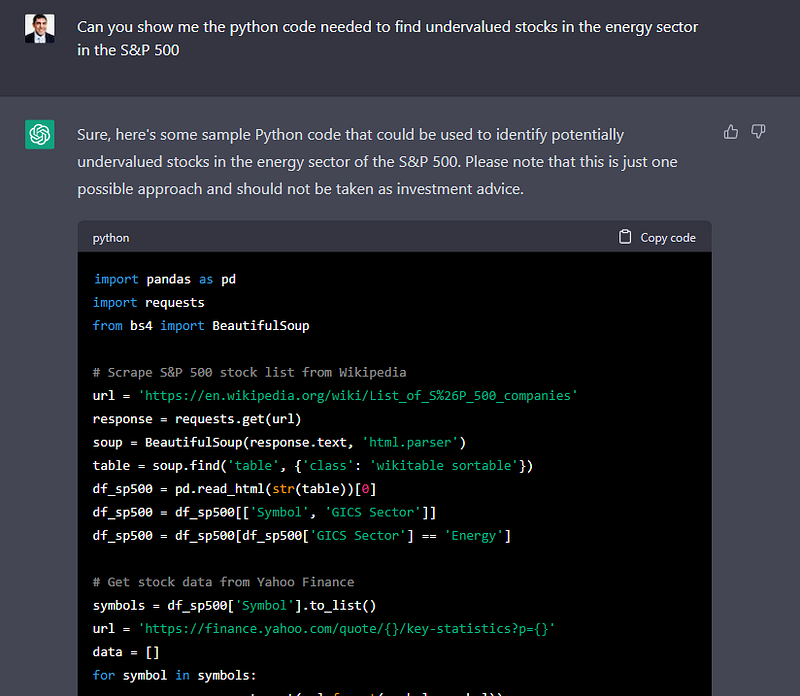
This code uses Python to find undervalued stocks in the energy sector of the S&P 500 index.
Here’s how it works:
- The first part of the code imports the necessary libraries, which are used to get the stock information and perform calculations.
- Next, a function called get_pe_ratio is defined. This function uses the Yahoo Finance API to get the price-to-earnings ratio for a given stock symbol.
- Another function called get_energy_stocks is defined. This function scrapes the list of S&P 500 companies from a Wikipedia page and filters it to only include the energy sector companies.
- A third function called get_undervalued_stocks is defined. This function first gets the list of energy sector companies using the get_energy_stocks function.
- Then, it loops through each company and uses the get_pe_ratio function to get its price-to-earnings ratio. If the ratio is less than 20, the stock is considered undervalued and is added to a list.
- Finally, the code prints out the list of undervalued stocks in the energy sector.
Overall, this code demonstrates how Python can be used to automate the process of finding undervalued stocks in a specific sector of the stock market.
This is the full Python Code.
# Import libraries
import pandas as pd
import yfinance as yf

# Define function to calculate price-to-earnings ratio
def get_pe_ratio(ticker):
    stock = yf.Ticker(ticker)
    pe_ratio = stock.info['trailingPE']
    return pe_ratio

# Define function to get stock information for energy sector companies in the S&P 500
def get_energy_stocks():
    sp500 = pd.read_html('https://en.wikipedia.org/wiki/List_of_S%26P_500_companies')[0]
    energy_stocks = sp500[sp500['GICS Sector'] == 'Energy']['Symbol'].tolist()
    return energy_stocks

# Define function to filter undervalued stocks based on price-to-earnings ratio
def get_undervalued_stocks():
    energy_stocks = get_energy_stocks()
    undervalued_stocks = []
    for stock in energy_stocks:
        pe_ratio = get_pe_ratio(stock)
        if pe_ratio < 20:
            undervalued_stocks.append(stock)
    return undervalued_stocks

# Get list of undervalued stocks in the energy sector
undervalued_energy_stocks = get_undervalued_stocks()

# Print the list of undervalued stocks
print(undervalued_energy_stocks)
2. Create Excel Macros to get stock market data from Yahoo Finance
If you are not convinced yet to start using fancy programming languages like Python and want to stick with Excel, Chat GPT3 can also help you!
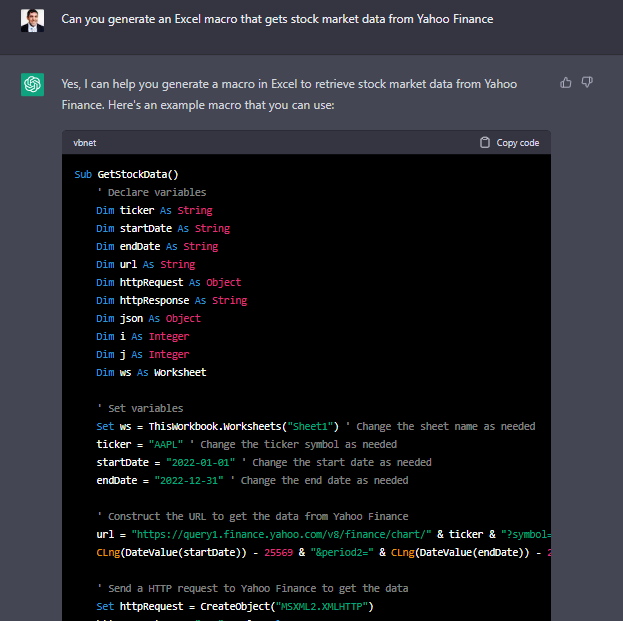
Here’s how the macro works:
- The macro starts by declaring and setting the necessary variables, such as the ticker symbol, start and end dates, and the worksheet where the data will be output.
- Next, the macro constructs a URL to get the data from Yahoo Finance, using the ticker symbol and date range specified in the variables.
- The macro then sends a HTTP request to Yahoo Finance using the URL, and gets the response text.
- The response text is parsed as JSON data using the VBA-JSON library, which is included in the macro code.
- Finally, the macro loops through the JSON data to extract the stock data and output it to the specified worksheet.
Note that you may need to adjust the code to fit your specific needs, such as changing the ticker symbol, date range, or output worksheet. Additionally, this macro retrieves only one year’s worth of daily stock data. If you need more or less data, you can adjust the date range in the URL accordingly.
Full Macro Code here for you to try it!
Sub GetStockData()
    ' Declare variables
    Dim ticker As String
    Dim startDate As String
    Dim endDate As String
    Dim url As String
    Dim httpRequest As Object
    Dim httpResponse As String
    Dim json As Object
    Dim i As Integer
    Dim j As Integer
    Dim ws As Worksheet

    ' Set variables
    Set ws = ThisWorkbook.Worksheets("Sheet1") ' Change the sheet name as needed
    ticker = "AAPL" ' Change the ticker symbol as needed
    startDate = "2022-01-01" ' Change the start date as needed
    endDate = "2022-12-31" ' Change the end date as needed

    ' Construct the URL to get the data from Yahoo Finance
    url = "https://query1.finance.yahoo.com/v8/finance/chart/" & ticker & "?symbol=" & ticker & "&period1=" & _
    CLng(DateValue(startDate)) - 25569 & "&period2=" & CLng(DateValue(endDate)) - 25569 & "&interval=1d"

    ' Send a HTTP request to Yahoo Finance to get the data
    Set httpRequest = CreateObject("MSXML2.XMLHTTP")
    httpRequest.Open "GET", url, False
    httpRequest.send
    httpResponse = httpRequest.responseText

    ' Parse the JSON response to get the stock data
    Set json = JsonConverter.ParseJson(httpResponse)
    For i = 1 To json("chart")("result")(1)("timestamp").Count
        ws.Cells(i + 1, 1) = json("chart")("result")(1)("timestamp")(i)
        ws.Cells(i + 1, 2) = json("chart")("result")(1)("indicators")("quote")(0)("open")(i)
        ws.Cells(i + 1, 3) = json("chart")("result")(1)("indicators")("quote")(0)("high")(i)
        ws.Cells(i + 1, 4) = json("chart")("result")(1)("indicators")("quote")(0)("low")(i)
        ws.Cells(i + 1, 5) = json("chart")("result")(1)("indicators")("quote")(0)("close")(i)
        ws.Cells(i + 1, 6) = json("chart")("result")(1)("indicators")("quote")(0)("volume")(i)
    Next i

End Sub
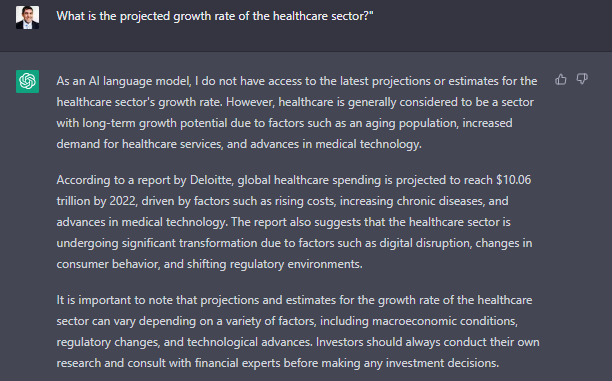
3. Getting projected growth rate for different sectors
You can modify it according to your needs but this one is self explanatory.
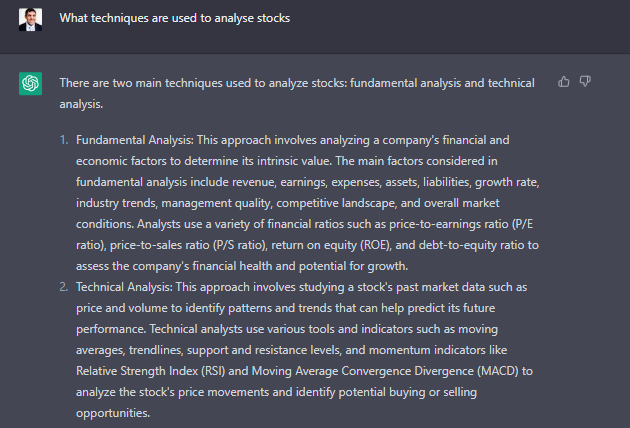
4. Learn more about Fundamental and Technical Analysis
Overall, both fundamental and technical analysis have their strengths and weaknesses, and many investors use a combination of both approaches to make informed investment decisions.
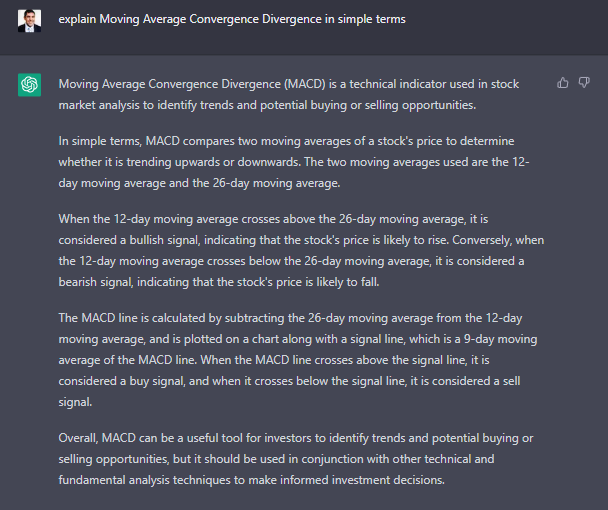
You can even get more detail on specific terms like Moving Average Convergence Divergence (MACD).
Moving Average Convergence Divergence (MACD) is a technical indicator used in stock market analysis to identify trends and potential buying or selling opportunities.
In simple terms, MACD compares two moving averages of a stock’s price to determine whether it is trending upwards or downwards. The two moving averages used are the 12-day moving average and the 26-day moving average.
When the 12-day moving average crosses above the 26-day moving average, it is considered a bullish signal, indicating that the stock’s price is likely to rise. Conversely, when the 12-day moving average crosses below the 26-day moving average, it is considered a bearish signal, indicating that the stock’s price is likely to fall.
The MACD line is calculated by subtracting the 26-day moving average from the 12-day moving average, and is plotted on a chart along with a signal line, which is a 9-day moving average of the MACD line. When the MACD line crosses above the signal line, it is considered a buy signal, and when it crosses below the signal line, it is considered a sell signal.
Overall, MACD can be a useful tool for investors to identify trends and potential buying or selling opportunities, but it should be used in conjunction with other technical and fundamental analysis techniques to make informed investment decisions.
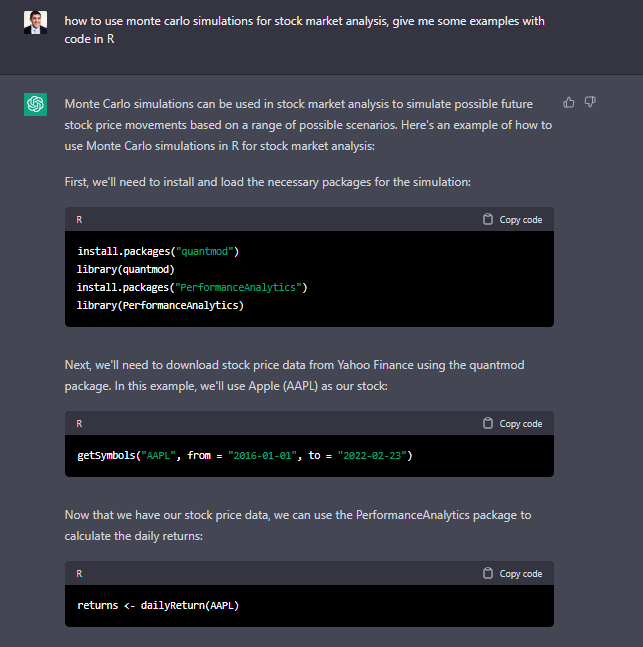
5. Create R code to use Monte Carlo Simulations for Stock Market Analysis
First, a note: R is a programming language that is becoming very popular in finance and research. R is also one of the most commonly used data-analytics and machine-learning languages in the world.
R lends itself well to business because of its depth of topic-specific packages and its communciation infrastructure. R has packages covering a wide range of topics such as econometrics, finance, and time series.