avatarBenjamin A.

Summary

The article presents five innovative Chrome extensions and plugins that enhance the functionality of ChatGPT, offering users a range of customization options for productivity, entertainment, and personalization.

Abstract

The web content introduces five powerful enhancements for ChatGPT, designed to streamline various tasks and cater to different user needs. It starts with the Web ChatGPT Chrome extension, which integrates ChatGPT into the browser for quick access and contextual summaries. For music enthusiasts, the PlaylistAI plugin is highlighted for its ability to generate custom Spotify playlists based on user prompts. The ChatSonic extension is recommended for composing emails and social media posts with a chosen tone. Fitness enthusiasts are targeted with the Workout Generator plugin, which creates personalized workout plans with instructional videos. Lastly, the BotRush extension allows users to customize the visual appearance of ChatGPT with over 800 combinations of colors, fonts, and backgrounds. The article also teases a "Show Me Diagrams" plugin for visual learners and concludes by encouraging readers to try these hacks to unlock ChatGPT's full potential.

Opinions

  • The author expresses enthusiasm about the Web ChatGPT Chrome extension's ability to provide summarized explanations of highlighted web text, suggesting it as a valuable tool for efficiency.
  • PlaylistAI is praised for its ability to create custom playlists and facilitate collaborative playlist creation, indicating its potential as a social tool for music lovers.
  • ChatSonic is presented as a convenient tool for drafting written content, with a note of caution to review the AI-generated text before use.
  • The Workout Generator plugin is deemed "super helpful" for providing detailed workout plans with demonstrative videos, showing the author's belief in its utility for fitness goals.
  • BotRush is mentioned as a fun way to personalize the ChatGPT interface, with a vast array of customization options reflecting the author's appreciation for aesthetic variety.
  • The "Show Me Diagrams" plugin is suggested to be particularly beneficial for visual learners, implying that it simplifies the understanding of complex topics through diagrammatic representation.
  • The overall tone of the article is one of excitement and recommendation for these plugins and extensions, with the author confident that they significantly enhance the ChatGPT experience.

5 ChatGPT Hacks You Must Have in Your Bag

Photo by Holly Mandarich on Unsplash

Hi! ChatGPT is pretty amazing as it is, but there are some cool ways you can customize it to make it even better. I crafted my research to make this curated list of 5 Hacks that can save you a lot of time and energy in your workflow. So, let’s delve right into it.

First up is the Web ChatGPT Chrome extension. This integrates ChatGPT directly into your browser. Once installed, a small ChatGPT icon will appear on the right side of your Chrome window.
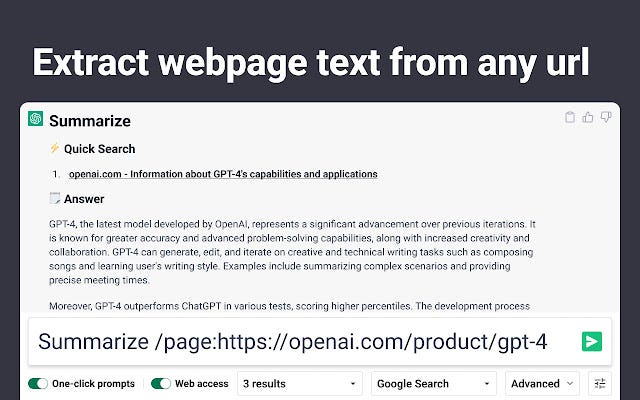
Click it at any time to summon ChatGPT and ask it questions. The best part is you can highlight text on a webpage and ask ChatGPT for summarized explanations.

If you’re a music lover, PlaylistAI is a must-have. This plugin lets you give ChatGPT any prompt like “create a playlist of the greatest hits from the 2000s” and it will generate a custom Spotify playlist to match.

The link it provides takes you right to Spotify where a readymade playlist awaits. It even lets you collaborate with friends. Take turns adding songs to the playlist, remixing, and perfecting it. Great for parties or sharing new music discoveries.

There’s also ChatSonic Chrome extension which lets you use ChatGPT to write emails or social media posts for you. Just tell it the gist of what you want to say, choose a tone like “positive” or “negative,” and it’ll write something for you. Definitely double-check it before sending though!

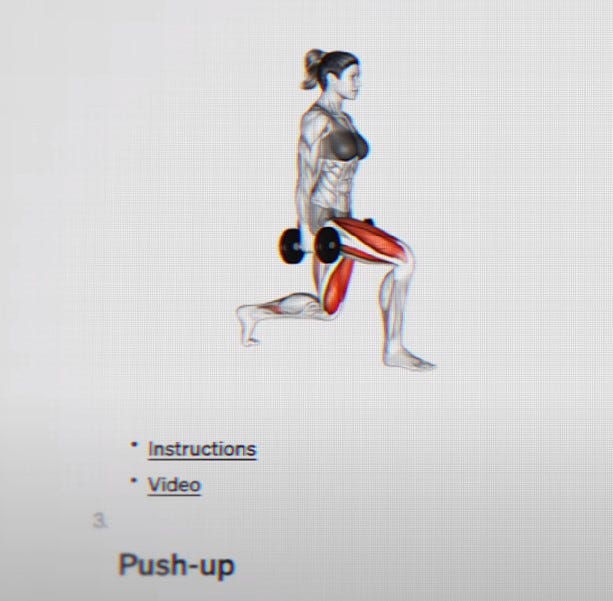
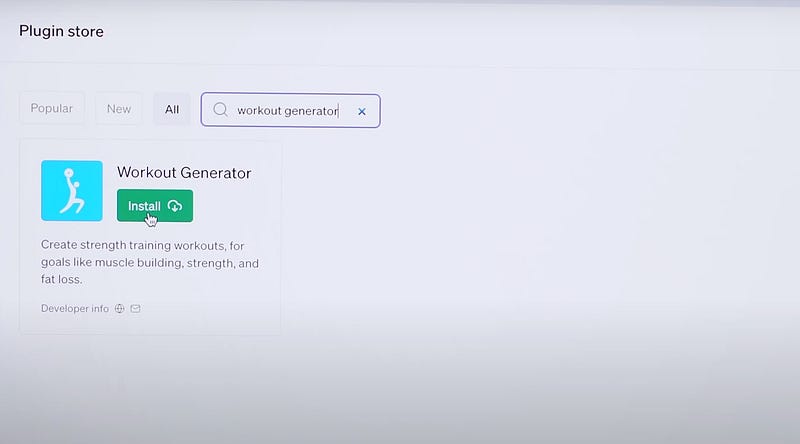
For working out, get the Workout Generator plugin. Tell ChatGPT your fitness goals and it’ll create a detailed workout plan for you with videos demonstrating each exercise. Super helpful.
Lastly, if you just want to customize the look of your ChatGPT, BotRush lets you change the colors, fonts, and background. There are over 800 different combinations to make it look how you want.

Bonus

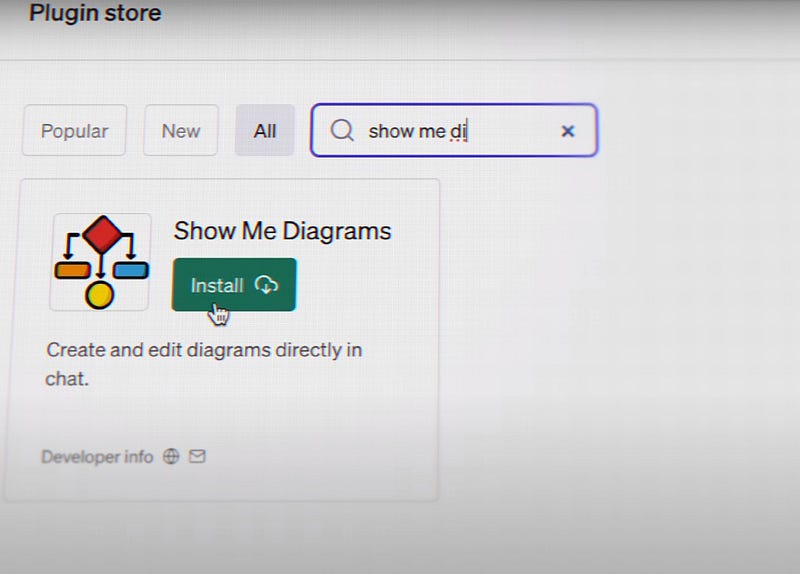
Moreover, there’s a Show Me Diagrams plugin. Great if you’re a visual learner. Ask ChatGPT to explain something step-by-step and it’ll generate a diagram walking you through it. Much easier to understand complex topics.
The Bottom Line

So in summary, these plugins and extensions take ChatGPT to the next level and allow you to fully customize it for your needs. Give these hacks a try to unlock its full potential! There you have it. Thank you for reading!

View More Content📰| Subscribe 📬| Follow Me On LinkedIn, Twitter💙

Backpacking
Hacking
Hacks
ChatGPT
Medium
Recommended from ReadMedium
