
5 Beautiful Programs That Will Make Your Terminal More Exciting
Don’t settle for boring, monochrome command-line apps

Many of us have used the command-line before. This classic, text-based interface lets you accomplish all the nitty gritty tasks that a GUI is just not capable of. Sometimes you just need to get into the weeds with the terminal.
Fundamental command-line knowledge is essential for well-rounded developers. You should know your way around, be able to edit files, configure applications — all the basics. However, it doesn’t need to be a black and white, drab experience. You can use fun, vibrant programs on the command-line that bring a refreshing aesthetic.
In this article, we’ll look at some nifty third-party programs that make using the console more visually appealing. While pure functionality and efficiency may not be the primary goal of these programs, they bring a splash of color to an otherwise bleak experience.
1. WTF
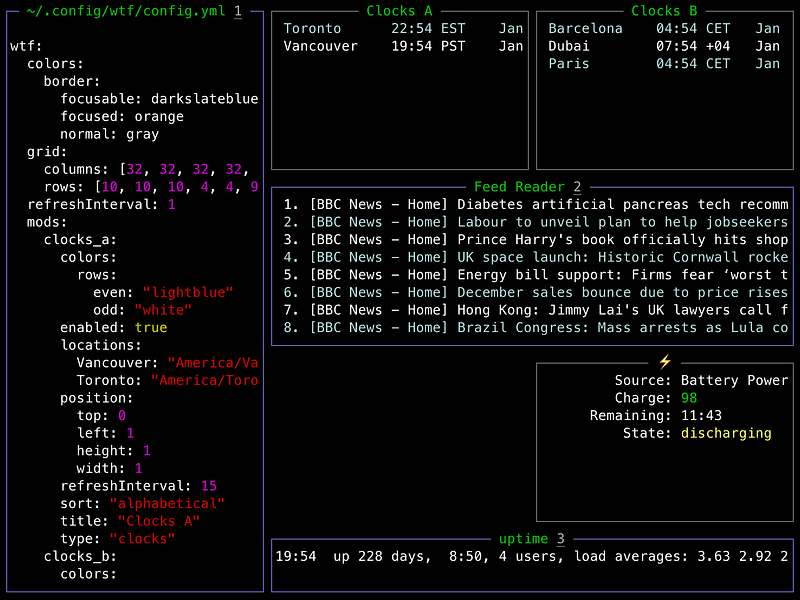
This is such an awesome idea. The WTF dashboard provides a personalized place for all your favorite information, right on the command-line. You can add different widgets to the dashboard using a simple configuration file. Think of it like your very own “desktop”, but for the terminal.
There is a healthy ecosystem of plugins for WTF. You can drop in any number of modules that let you monitor other services and systems. You can see git commits, keep an eye on Jira tickets or even read Hacker News.
There are endless possibilities for dashboards because even if a plugin isn’t available, you can simply write your own. WTF supports writing custom scripts to collect the data you want.
Check out the full list of modules on the official website.
2. htop
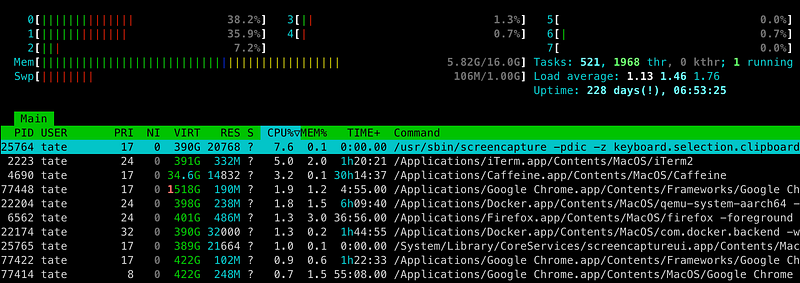
I’ve written about htop before. That’s because this utility is gorgeous and gets a lot of publicity. It’s a curses style program that visualizes a number of resources on your system. It is based on the original top utility, so viewing process information is the primary function.
You can also view more than just running processes, though. There is basic memory usage and a per-core utilization graph that is elegant (albeit a little slow).

This little utility brings a colorful, animated way of interacting with processes on your machine. I find that the color-coded columns and rows make sifting through big lists much easier. Also having dynamic colors for when resources are overloaded is super handy.
Using htop is very straightforward, take a look near the bottom of the program for the helpful usage info.
3. mapscii
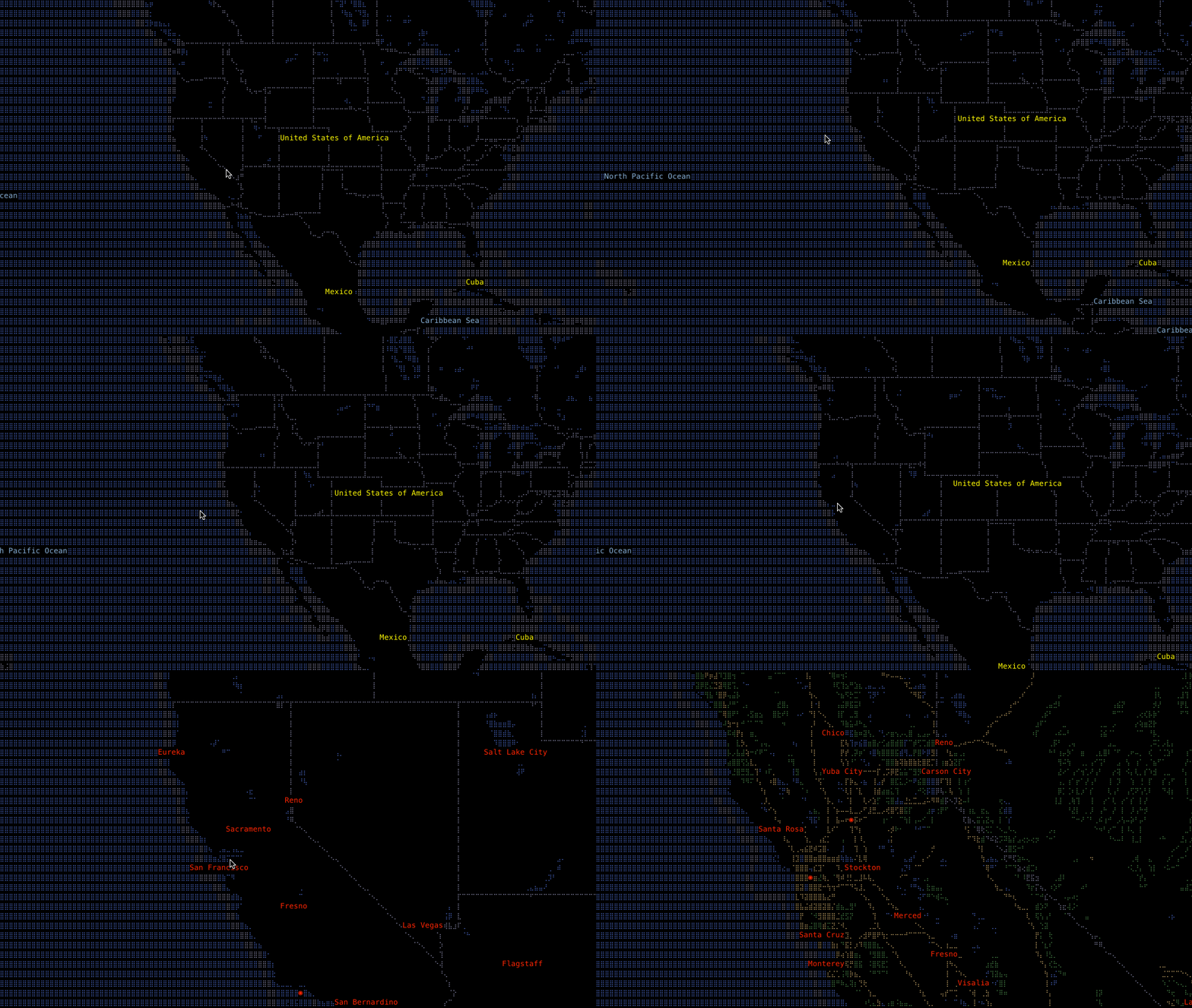
This is exactly what you think it is. An all command-line, interactive ASCII world map. This project uses data from OpenStreetMap to build a surprisingly responsive map completely inside your terminal.
This is a very ambitious project. At first glance it appears simple, but it is actually loaded with data. This isn’t a gimmicky toy, it is actually a useful map utility. If you’re in a pinch and need to reference a map from the CLI this is probably one of the few projects you can do it successfully with.
If installing this utility isn’t your thing, you can even run it via telnet using the following command:
telnet mapscii.me
Head over to the official GitHub for more.
4. btop
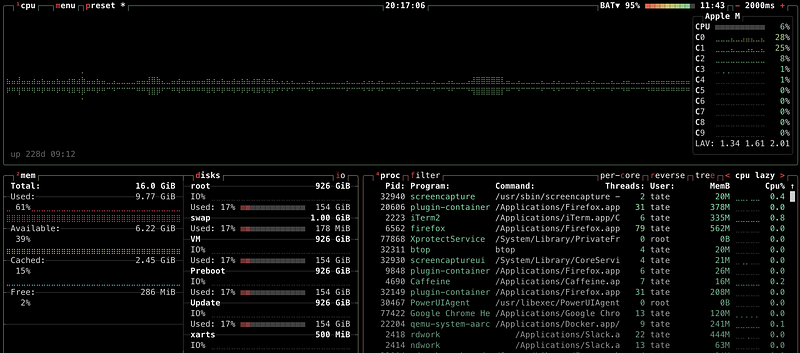
Another extremely eye-catching utility. The btop project creates a stunning CLI dashboard with a bunch of info. I find the animations in btop to appear much more fluid and smooth than other projects.
btop also supports full use of the mouse within the dashboard. If you’re more comfortable pointing and clicking, then this is the perfect option for you. The theme community is incredibly active and you can tweak just about any aspect of btop you like.
Reference the official GitHub for more details.
5. wttr
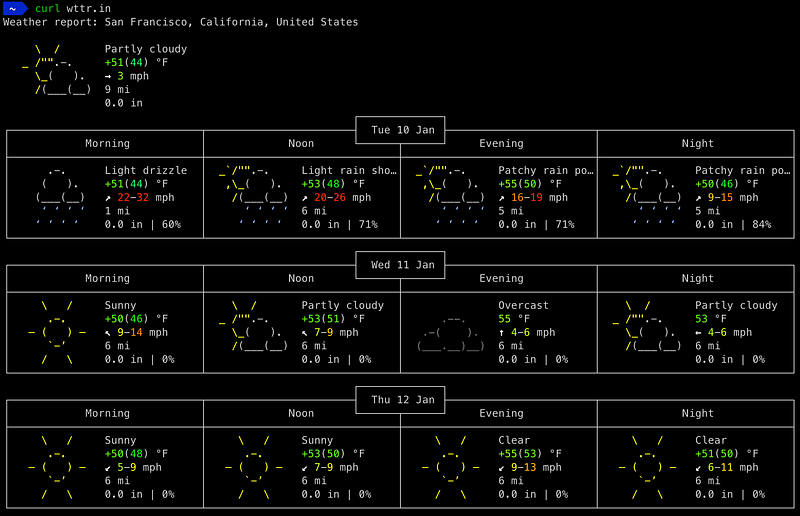
Last but certainly not least is one of my all time favorite ways to check the weather. Who wants to mess with opening up a web page or a separate application just to see the weather? No, when we’re working on the command-line we want to stay there.
So what happens when you’re deep in the zone and lightning strikes outside your window? You check the weather right in your terminal using wttr, of course!

Although this isn’t technically a “program”, it behaves just like one and has even less of a footprint. You don’t need anything other than curl for it to work. To use wttr just make sure you have curl installed and then run the following to get your forecast:
curl wttr.in
This will automatically determine your location based on public IP address and produce a colorful weather forecast. You can specify a city manually by appending the location after the URL like this:
curl wttr.in/London
You can tweak the output multiple ways, just append :help to the URL and you can see all the additional options.
The official wttr GitHub is here.
Thanks for reading! Don’t leave quite yet, there’s a whole lot more content to explore. Please take a moment to subscribe and follow me for updates.
Here are a few more of my articles:


