avatarClark

Free AI web copilot to create summaries, insights and extended knowledge, download it at here

4440

Abstract

U_pJHjByK8XYQP1-g.png"><figcaption>The screenshot of the 1Password app</figcaption></figure><h1 id="a23e">2. 1Password: Password Manager</h1><p id="dc82">With the growing number of data breaches, it is not only safe to acquire a service to manage your passwords but also a necessity.</p><p id="cd19">Many services promise to keep your passwords and secure documents… well… secure. However, having tried many password managers, I can’t find any that offer as great of the user experience like this one.</p><p id="f5a8">When you store your passwords in a vault, it tends to get messy after the number of login items grows over 30. Hence, introducing tags, 1Password offers a tagging system where you can tag similar websites together organize your login details. A great use case of tagging is finding the websites you want to bookmark on your browser.</p><p id="9701">The app also monitors your login information for data breaches and other typical features shared across password manager apps, such as measuring the complexity of your passwords and seeing if they have been repeated for multiple logins.</p><p id="50b1">1Password seems to have the best support and integration with Safari — filling in the forms with ease and not using much memory.</p><p id="7cfc">For those who have to keep track of their work-related logins, there is the ability to create multiple vaults, which is excellent for making your vault more organized.</p><p id="7d60">This app is also one of the most updated apps on the App Store. Their developers care a lot about the performance and the experience of 1Password.</p><p id="6689">You can buy the premium subscription of 1Password for 35.99/year from the App Store.</p><div id="4e13" class="link-block"> <a href="https://apps.apple.com/app/1password-password-manager/id568903335"> <div> <div> <h2>‎1Password - Password Manager</h2> <div><h3>‎1Password remembers all your passwords for you, and keeps them safe and secure behind the one password that only you…</h3></div> <div><p>apps.apple.com</p></div> </div> <div> <div style="background-image: url(https://miro.readmedium.com/v2/resize:fit:320/0*5TJPyahyxOlc_9Ca)"></div> </div> </div> </a> </div><figure id="6bb7"><img src="https://cdn-images-1.readmedium.com/v2/resize:fit:800/1*29Cdth4QtAbIjLOi-Epj5w.png"><figcaption>The screenshot of the 1Blocker app</figcaption></figure><h1 id="ad3f">3. 1Blocker: Block ads, trackers, pop-ups</h1><p id="8822">Out of many ad blockers on the App Store, 1Blocker stands out from the competition. Why? For the following reasons:</p><ul><li>Constant updates</li><li>Blocking more than 13000 trackers</li><li>A simple to use app that doesn’t consume a lot of resources</li><li>It is available for iPhones, iPads, and Macs</li><li>Being able to enable specific trackers</li><li>Lightweight to cause no browser slowdown.</li><li>Synchronization support via iCloud</li></ul><p id="e27d">Since this is a pretty straightforward app, I’m not going to get into detail about why it’s incredible. I just know it is not free; hence, the chance of me being the product is less, giving me some comfort.</p><p id="9cff">You can buy the premium subscription of 1Blocker for 9.99/year from the App Store.</p><div id="f0f2" class="link-block"> <a href="https://apps.apple.com/app/id1365531024"> <div> <div> <h2>‎1Blocker: Privacy & Ad Blocker</h2> <div><h3>‎1Blocker lets you block obtrusive ads, sneaky trackers, and annoying elements on sites. With 1Blocker, you're safe…</h3></div> <div><p>apps.apple.com</p></div> </div> <div> <div style="background-image: url(https://miro.readmedium.com/v2/resize:fit:320/0*6P_RKqnhpPZ_fsCe)"></div> </div> </div> </a> </div><figure id="083f"><img src="https://cdn-images-1.readmedium.com/v2/resize:fit:800/1*bqO7pefW81QpLMJsbwuZiw.png"><figcaption>The screenshot of the DuckDuckGo app</figcaption></figure><h1 id="a036">4. DuckDuckGo Privacy Browser</h1><p id="21a0">Safari is great. In fact, Safari is my only choice for browsing the internet but… but there are few times when you have to be careful about your browser history. That is why I use D

Options

uckDuckGo as well.</p><p id="1d18"><b>My first use-case</b>: Having my Google account logged in, I want to browse Google and YouTube for a favor my family asked; I don’t like what I search to influence my browser history, so I open DuckDuckGo and go to their privacy-friendly search engine.</p><p id="3611"><b>My second use-case</b>: In my country, a lot of websites heavily rely on ads to make a profit. In fact, they rely on advertisements to the point of skipping past the AdBlocker’s firewall. To stay safe and not having my interests tracked across the web, I use DuckDuckGo then, when I’m done, I tap on the fire icon at the bottom panel. Just like that, there is no trace of me browsing those websites.</p><p id="e90e">DuckDuckGo Browser is also an open-source app available for iPhones and iPads. Unfortunately, it is not available for Mac. However, there are great Safari extensions from them.</p><p id="d67e">You can download DuckDuckGo for free from the App Store.</p><div id="9060" class="link-block"> <a href="https://apps.apple.com/app/duckduckgo-search-stories/id663592361?ref=producthunt"> <div> <div> <h2>‎DuckDuckGo Privacy Browser</h2> <div><h3>‎Tired of being tracked online? We can help. At DuckDuckGo, we believe online privacy should be simple. DuckDuckGo…</h3></div> <div><p>apps.apple.com</p></div> </div> <div> <div style="background-image: url(https://miro.readmedium.com/v2/resize:fit:320/0*yas0sqTwJ9jdbj5s)"></div> </div> </div> </a> </div><figure id="165c"><img src="https://cdn-images-1.readmedium.com/v2/resize:fit:800/1*KeFNsiRvg-6vEtI8vy8WNw.png"><figcaption>The screenshot of the AVPlayerr app</figcaption></figure><h1 id="4cb7">5. AVPlayer</h1><p id="64a3">AVPlayer gets updated probably once or twice a year. It is not universally available for all platforms. It is a little bit annoying to pay for each platform to use it. It doesn’t use modern design languages and has a few bugs. But it is the only app that I know which offers password protection for movies and videos you don’t want to be discovered on your iPhone and iPad.</p><p id="3f1c">There are great alternatives to AVPlayer that do get updated and probably offer better support for different formats, but AVPlayer does something right; It has a pretty straightforward user experience even though it is far from adequate.</p><p id="de59">You simply create folders and use the Wi-Fi uploader to push your videos onto your device. You can go into edit mode and lock the folders.</p><p id="6b22">Some great features are:</p><ul><li>Support for subtitles</li><li>Use of swipe gestures to control the video playback</li><li>Ability to play 4K videos</li><li>Picture in Picture support</li></ul><p id="04ce">You can buy the AVPlayer for $2.99 from the App Store.</p><div id="4789" class="link-block"> <a href="https://apps.apple.com/us/app/avplayer/id395680819"> <div> <div> <h2>‎AVPlayer</h2> <div><h3>‎Do you enjoy watching videos on your iPhone? Do you hate not being able to because your iPhone cannot support the…</h3></div> <div><p>apps.apple.com</p></div> </div> <div> <div style="background-image: url(https://miro.readmedium.com/v2/resize:fit:320/0*Oyn99tOn15nfRsgl)"></div> </div> </div> </a> </div><div id="cd81" class="link-block"> <a href="https://apps.apple.com/us/app/avplayerhd/id407976815"> <div> <div> <h2>‎AVPlayerHD</h2> <div><h3>‎Do you enjoy watching videos on your iPad? Do you hate not being able to because your iPad cannot support the video…</h3></div> <div><p>apps.apple.com</p></div> </div> <div> <div style="background-image: url(https://miro.readmedium.com/v2/resize:fit:320/0*WR1AosFlpyPVd2a2)"></div> </div> </div> </a> </div><p id="e9b4">Thank you so much for reading this article. If you have enjoyed it, give me some claps as that helps me a lot. If you have any recommendations for privacy-centered apps and services, please let me know so I include them in my next article.</p></article></body>

5 Apps for Privacy & Security
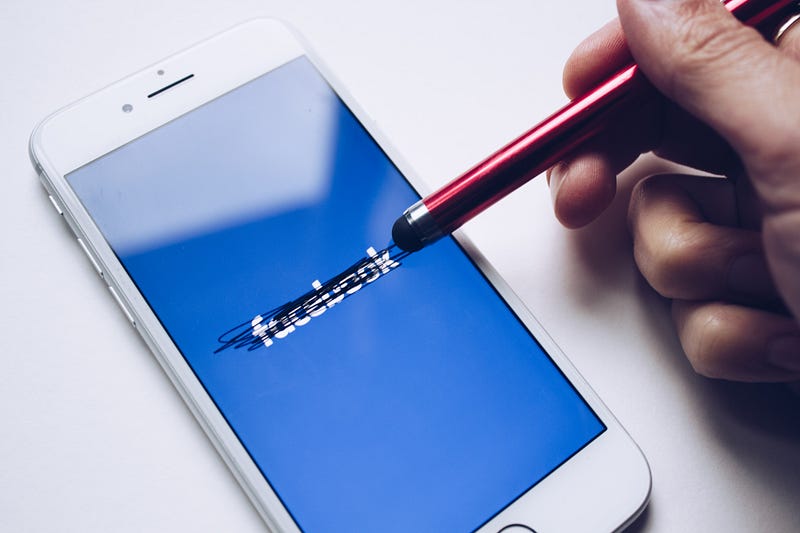
Photo by Thought Catalog on Unsplash

Arguing that you don’t care about the right to privacy because you have nothing to hide is no different than saying you don’t care about free speech because you have nothing to say. — Edward Snowden

Our online presence and the nature of the internet have given us a unique, big push towards a better life — one where we have almost unprecedented access to anything we want, but there is a catch. Most of the services, ranging from smartphones to massive server farms, have the potential to literally destroy our lives, and they do that with our data.

The data we give to social media, and massive corporations that offer “free” services can and have been used to change our minds.

I never forget this quote from the documentary The Social Dilemma:

If you are not paying for the product, you are the product.

We must be careful. At this point companies own a lot of information about us whether we intended to or not.

In this article, I introduce five applications to improve your privacy, manage your security logins, block trackers around the web, and a place where you can safely watch your videos.
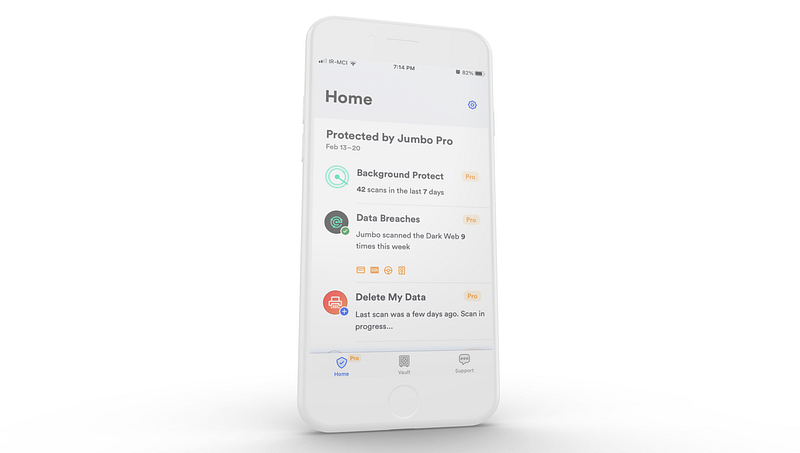
The screenshot of the Jumbo app

1. Jumbo: Security + Privacy

Most of us forget to adjust the privacy settings for the websites and applications we sign up for. Unfortunately, many of those services intentionally design their privacy settings to be misleading and difficult to figure out for the novice user.

That is plain and simple wrong, and I might write an article about that, but now, I will introduce you to a service called Jumbo. Imagine not having to go through every website that makes you concerned about its use of your data.

Until now, Jumbo has received a total score of 4.7/5 from more than 6000 reviews.

Using the app is pretty simple, open it, allow Jumbo to connect to your account (It can be Google, Facebook, Twitter, LinkedIn, Amazon, and many other services), and it will change the privacy settings to the extend that help you keep your digital life… private.

Some notable features are:

  • Deleting the recorded audios from Amazon Echo’s servers.
  • Scan your email address for data breaches.
  • Remove your history on Google servers. History data like Searches, Google Maps Location history, and other services.
  • Archiving your old tweets and putting them on your preferred cloud storage.
  • Block trackers from your iPhone
  • Many more…

If you care about your online privacy, make sure to give Jumbo a try.

You can buy the pro subscription of the Jumbo app for $99.99/year from the App Store.
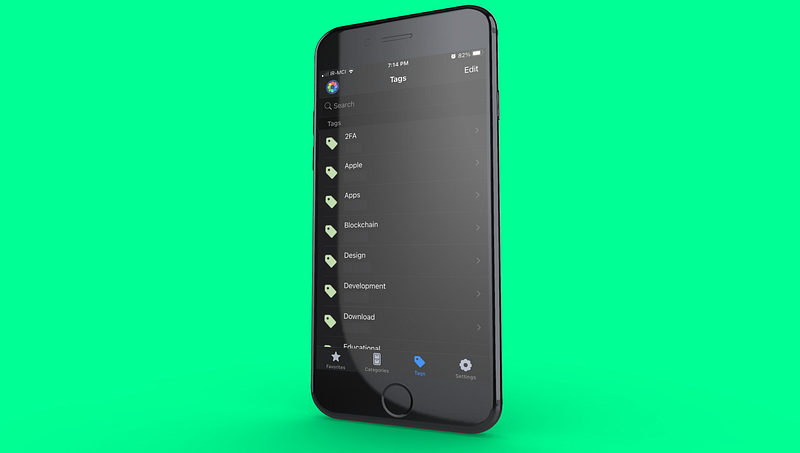
The screenshot of the 1Password app

2. 1Password: Password Manager

With the growing number of data breaches, it is not only safe to acquire a service to manage your passwords but also a necessity.

Many services promise to keep your passwords and secure documents… well… secure. However, having tried many password managers, I can’t find any that offer as great of the user experience like this one.

When you store your passwords in a vault, it tends to get messy after the number of login items grows over 30. Hence, introducing tags, 1Password offers a tagging system where you can tag similar websites together organize your login details. A great use case of tagging is finding the websites you want to bookmark on your browser.

The app also monitors your login information for data breaches and other typical features shared across password manager apps, such as measuring the complexity of your passwords and seeing if they have been repeated for multiple logins.

1Password seems to have the best support and integration with Safari — filling in the forms with ease and not using much memory.

For those who have to keep track of their work-related logins, there is the ability to create multiple vaults, which is excellent for making your vault more organized.

This app is also one of the most updated apps on the App Store. Their developers care a lot about the performance and the experience of 1Password.

You can buy the premium subscription of 1Password for $35.99/year from the App Store.
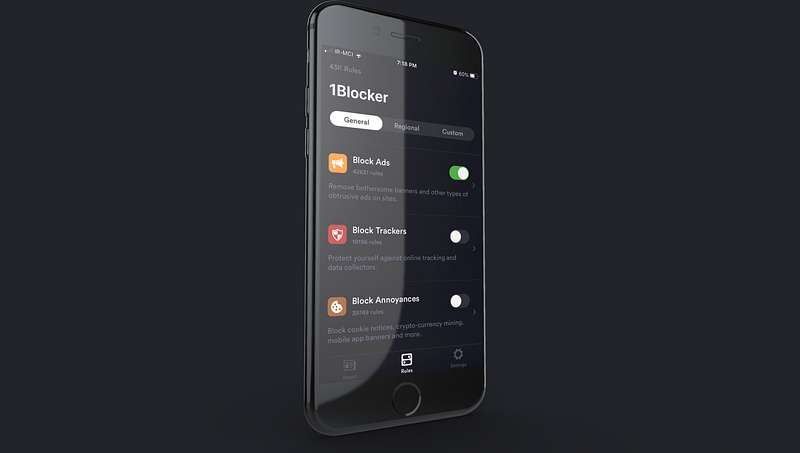
The screenshot of the 1Blocker app

3. 1Blocker: Block ads, trackers, pop-ups

Out of many ad blockers on the App Store, 1Blocker stands out from the competition. Why? For the following reasons:

  • Constant updates
  • Blocking more than 13000 trackers
  • A simple to use app that doesn’t consume a lot of resources
  • It is available for iPhones, iPads, and Macs
  • Being able to enable specific trackers
  • Lightweight to cause no browser slowdown.
  • Synchronization support via iCloud

Since this is a pretty straightforward app, I’m not going to get into detail about why it’s incredible. I just know it is not free; hence, the chance of me being the product is less, giving me some comfort.

You can buy the premium subscription of 1Blocker for $9.99/year from the App Store.
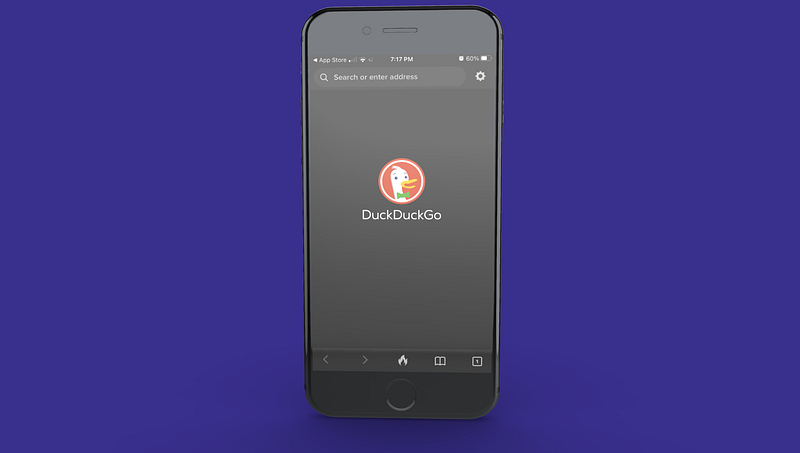
The screenshot of the DuckDuckGo app

4. DuckDuckGo Privacy Browser

Safari is great. In fact, Safari is my only choice for browsing the internet but… but there are few times when you have to be careful about your browser history. That is why I use DuckDuckGo as well.

My first use-case: Having my Google account logged in, I want to browse Google and YouTube for a favor my family asked; I don’t like what I search to influence my browser history, so I open DuckDuckGo and go to their privacy-friendly search engine.

My second use-case: In my country, a lot of websites heavily rely on ads to make a profit. In fact, they rely on advertisements to the point of skipping past the AdBlocker’s firewall. To stay safe and not having my interests tracked across the web, I use DuckDuckGo then, when I’m done, I tap on the fire icon at the bottom panel. Just like that, there is no trace of me browsing those websites.

DuckDuckGo Browser is also an open-source app available for iPhones and iPads. Unfortunately, it is not available for Mac. However, there are great Safari extensions from them.

You can download DuckDuckGo for free from the App Store.
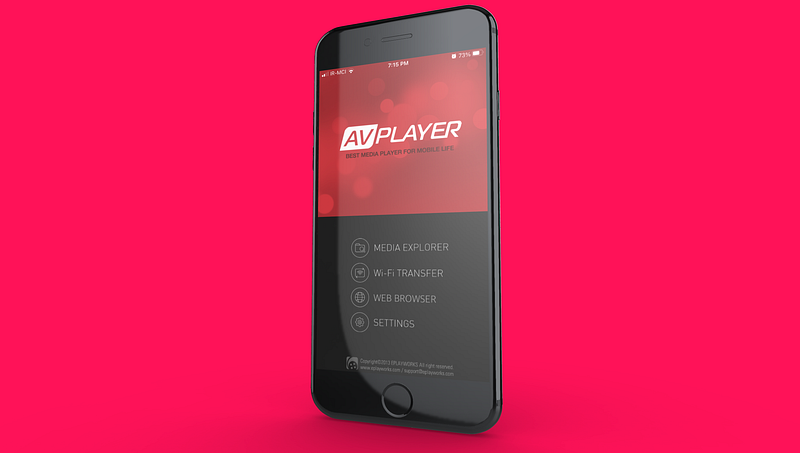
The screenshot of the AVPlayerr app

5. AVPlayer

AVPlayer gets updated probably once or twice a year. It is not universally available for all platforms. It is a little bit annoying to pay for each platform to use it. It doesn’t use modern design languages and has a few bugs. But it is the only app that I know which offers password protection for movies and videos you don’t want to be discovered on your iPhone and iPad.

There are great alternatives to AVPlayer that do get updated and probably offer better support for different formats, but AVPlayer does something right; It has a pretty straightforward user experience even though it is far from adequate.

You simply create folders and use the Wi-Fi uploader to push your videos onto your device. You can go into edit mode and lock the folders.

Some great features are:

  • Support for subtitles
  • Use of swipe gestures to control the video playback
  • Ability to play 4K videos
  • Picture in Picture support

You can buy the AVPlayer for $2.99 from the App Store.

Thank you so much for reading this article. If you have enjoyed it, give me some claps as that helps me a lot. If you have any recommendations for privacy-centered apps and services, please let me know so I include them in my next article.

Apps
Apple
Privacy
Security
Services
Recommended from ReadMedium