
Type Challenges: Implement the RequiredByKeys<T, K> Utility Type
The Built-In Required Generic Are Not Flexible, the RequiredByKeys Generics Come to the Rescue.
Welcome to the Mastering TypeScript series, there are dozens of articles in this series. To help readers better consolidate their knowledge of TypeScript, I have selected a few dozen challenges from the type-challenges repository on Github to complete the type challenge with you.
- Type Challenges: Implement the Built-In Pick
- Type Challenges: Implement the Built-In Omit
Challenge
Implement a generic RequiredByKeys<T, K> which takes two type argument T and K.
K specify the set of properties of T that should set to be required. When K is not provided, it should make all properties required just like the normal Required<T>.
For example:
interface User {
  name?: string
  age?: number
  address?: string
}
type UserRequiredName = RequiredByKeys<User, 'name'>
// { name: string; age?: number; address?: string }Solution
Our type challenge is to implement the RequiredByKeys<T, K> generic, when K is not provided, it should make all properties required just like the normal Required<T>. So let’s first understand what Required<T> generic does.
Required<T>
Constructs a type consisting of all properties of Type set to required. The opposite of Partial.
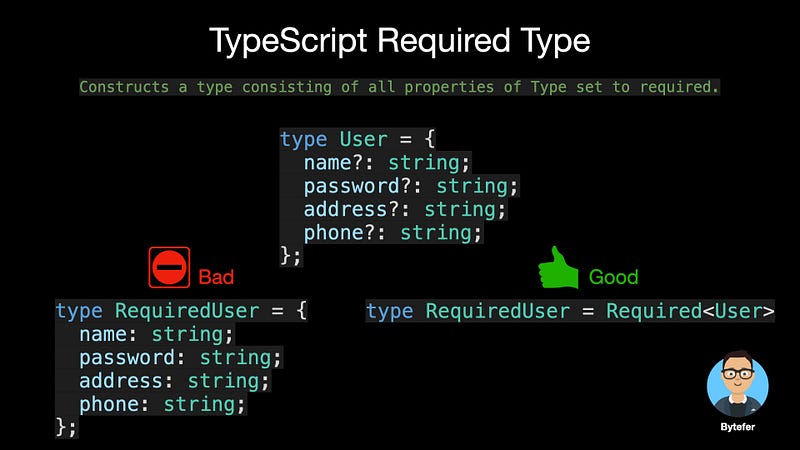
Required<T> is TypeScript’s built-in utility type, which is defined in the typescript/lib/lib.es5.d.ts file:
/**
 * Make all properties in T required.
 * typescript/lib/lib.es5.d.ts
 */
type Required<T> = {
    [P in keyof T]-?: T[P];
};
The Required<T> generic uses TypeScript’s mapped type internally, and its syntax is as follows:
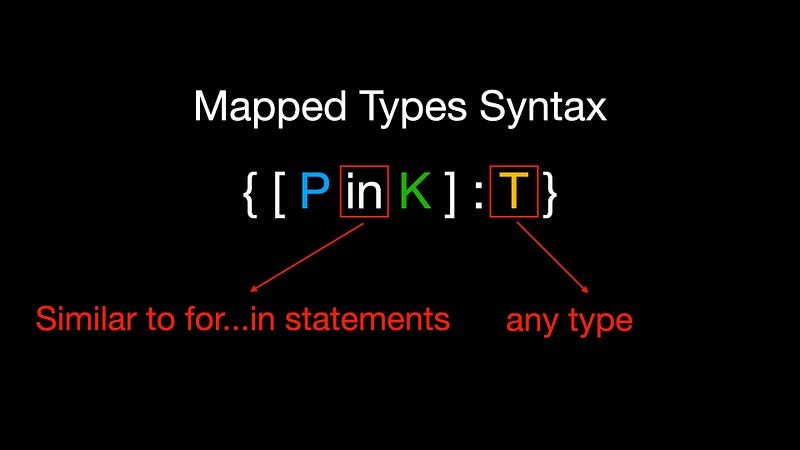
Where P in K is similar to the JavaScript for...in statement, which is used to iterate through all types in type K, and the type variable T, which is used to represent any type in TypeScript.
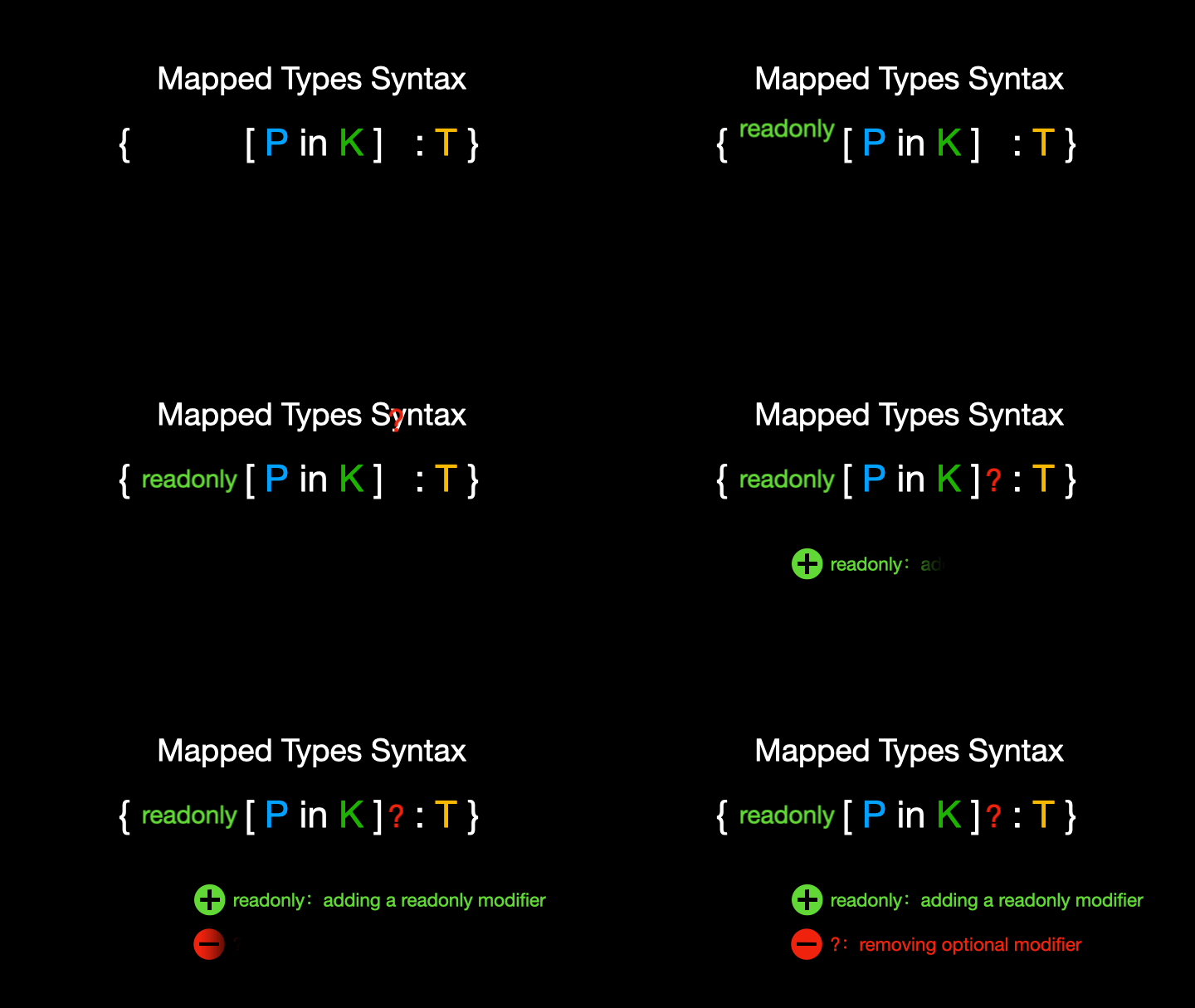
You can also use the additional modifiers read-only and question mark (?) in the mapping process. The corresponding modifiers are added and removed by adding the plus(+) and minus(-) prefixes. The default is to use the plus sign if no prefix is added.
After introducing the relevant knowledge of mapped types, the idea of implementing the RequiredByKeys generic is very simple.
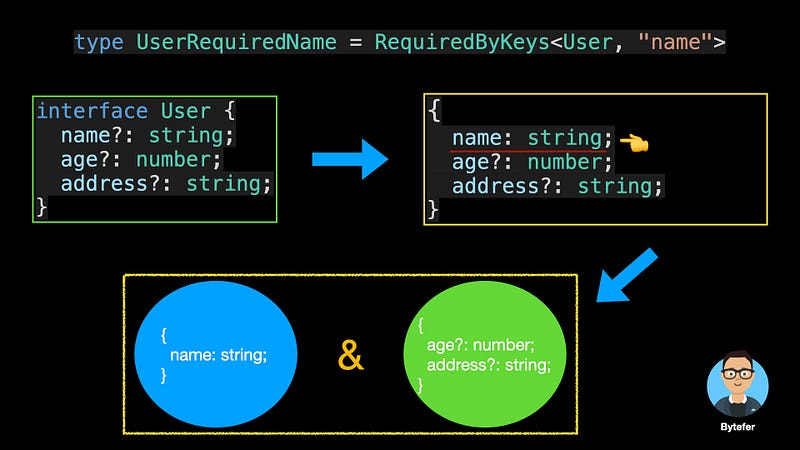
As can be seen from the above figure, we only need to select the properties associated with K, set them as required and generate a new object type, then build another object type based on the remaining properties, and finally use the & operator to convert the above two object types are combined into a new object type.
If you want to learn more about intersection types, you can read this article.
Complete code
Finally, let’s look at the complete code:
TypeScript 4.1 allows us to remapping keys in mapped types using the as clause. Its syntax is as follows:
type MappedTypeWithNewKeys<T> = {
    [K in keyof T as NewKeyType]: T[K]
    //            ^^^^^^^^^^^^^
    //            New Syntax!
}
where the type of the NewKeyType must be a subtype of the string | number | symbol union type. In the process of remapping the keys, we can filter the keys by returning the never type.
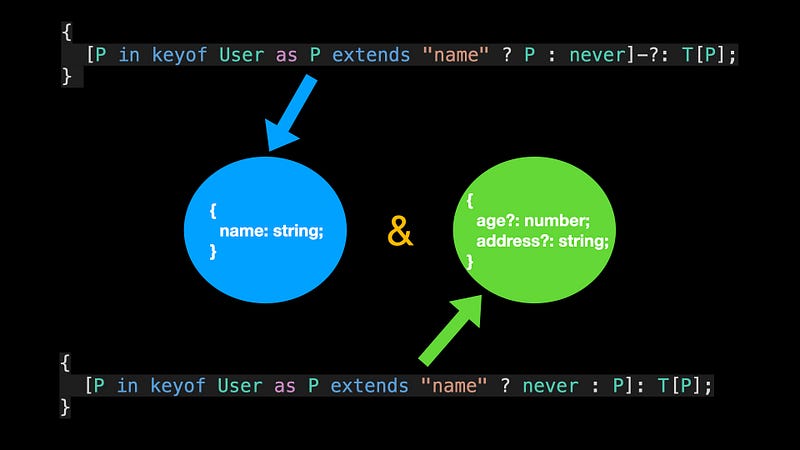
The role of the Merge generic is to merge object types. In addition to the above solutions, there is a more concise way.
type RequiredByKeys<T, K = keyof T> = Merge<
  T & {
    [P in keyof T as P extends K ? P : never]-?: T[P]
  }
>
The main knowledge involved in this challenge is TypeScript’s mapped types. If you want to learn more about mapped types, you can read the following article:
If you have other solutions, you can give me a message. you also can follow me on Medium or Twitter to read more about TS and JS!