
4 Reasons Why On the Cloud Is the Best Place To Write
The best invention since sliced typewriters.

Working on the cloud has revolutionized how I write.
I’ve been using computers to write since 1986, when my machine of choice was an IBM 8088 running Microsoft Windows for DOC version 1.0. It’s where I wrote all my college papers, my thesis, a bunch of stories and poems, and where I composed a whole stack of newsletters and cyberpunk fanzines.
The late 80s were dizzying years.
In the decades to follow, I’d work on various PC and Mac models, but generally, my writing existed only on whatever device and physical storage media I had on my desk at the time.
This stayed true up to about three years ago.
When I took up freelance writing to supplement my freelance layout and design business, I ended up with a client who required all work to be done using Google Docs.
I was… resistant. My workaround was to work in Word and then paste it into Google Docs. Unfortunately, the client gigged onto this and politely suggested I knock it off. The Word-to-Google paste was messing with the styled headers and making things difficult for the client.
As a freelancer, you want to avoid making things difficult for the client.
I eventually acceded and took to composing my copy on Google Docs.
And that’s what it took to hook me on writing on the cloud. Writing on the cloud opened up a bunch of advantages I hadn’t thought to consider before. I’m actually kind of embarrassed it took me that long to come around.
So why should you write on the cloud?
Glad you asked. Here we go…
Write from pretty much anywhere
I don’t have typical work weeks, but as a freelancer, I have the advantage of a flexible schedule.
One week I might find I’m spending my days in a Boston parking garage waiting for someone to have medical tests done. Another week I may find myself on the ferry to Long Island for family reasons. As I work on this book, I’m sitting in our local mechanic’s lobby while they work on my wife’s car.
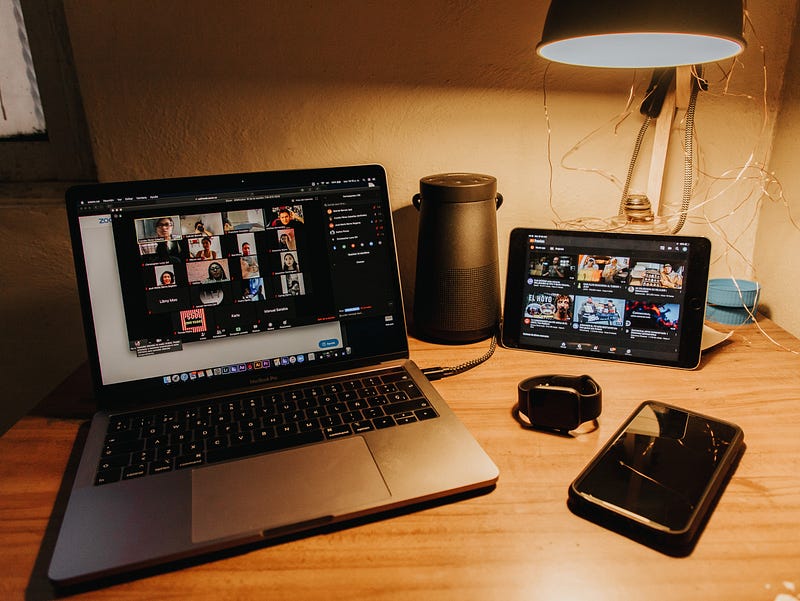
I’m tapping this chapter into Google Docs on a smartphone. Later today, I’ll be finishing the chapter on the tablet we keep in the kitchen. Tonight, after everyone is asleep, I’ll do a round of proofing and editing from my desktop computer. I could as easily use Dropbox Paper, Microsoft 365, or even Amazon’s WorkDocs.
Right now, Google Docs is free and integrates well with MS Word, so it’s my cloud app of choice at the moment.
Once upon a time, I needed to carry around a laptop and possibly some extra storage media. Not anymore. The cloud makes working from anywhere possible — so long as you have an Internet connection of some kind.

So many options
There are a lot of cloud platforms to choose from, with more cropping up every month. It seems that every time I turn around, there’s a new cloud-based service offering apps to handle writing, collaboration, scheduling, and accounting — all in one convenient service.
It’s hard to know what’s worth investing your time and money. What seems like a hot app today could find itself unsupported within a year. There’s also what platform you wish to support. Some businesses have invested in Microsoft apps and services to likely keep everything under the same umbrella. Individuals or groups who have invested in Google or Amazon services will do the same.
Whatever you choose, I’d recommend a service with a history. The last thing you want to do is invest in an untried cloud service that may not be around in a couple of years. You can even mix and match as works best for you and those you work with.
Personally, I use mostly Google — Google Docs, Google Drive, Google Calendar, Tasks, Gmail, etc. — except for when I’m using Dropbox. I use Dropbox because my two biggest design clients use Dropbox, and I’ve found it’s perfect for my graphic design work backups.
All of these can be easily accessed and seamlessly shared on my smartphone, tablet, and desktop computer.
Online collaboration is a breeze
Online collaboration was possible in the 80s and 90s, but you needed a landline, modem, and access to specific directories in my Unix account. It was a thing, and, among academics, reasonably common — at least by the 90s. That said, it was a lot more clunky to collaborate online then than it is today.
Today, collaboration can be done anywhere and at any time. Most cloud writing apps include edit histories, so you know who changed what and when. Users can add notes as needed.
With more people working these days remotely, online collaborative options are essential for group projects. Getting everyone on the same platform is pretty straightforward. The bonus is that many cloud services also have project management apps to help everyone keep track of their tasks.
Never lose a file
In my college days, I had a stack of floppy disks that held my important research papers and, later, my thesis. These were delicate things, and fatal disk errors were just a fact of life.
Over the years, I’ve lost many files stored on disks or hard drives. Significant flooding in our area about 10 years ago destroyed a lot of my digital archives, and I’m still dealing with issues arising from that loss.
Since moving my writing to the cloud, I’ve never had to say to a client, “Sorry, I had a catastrophic drive failure and lost the job. You’ll have to wait for me to do it again from scratch.”
The cloud has its occasional security issues, but the cloud is probably the safest place to keep your work if you follow basic cybersecurity practices.
Writing for today
There will always be a special place in my heart for the good, old-fashioned typewriter, but when it comes time to produce work that other people will read, you’re going to want the best tools available.
Technology tears down barriers to productivity. Writing on the cloud is a prime example of this.
I was hesitant at first, but I’m a true believer now.
And it’s made me some decent money.
Consider the benefits of writing on the cloud, and if the time is now for you to change up how you get things done.
You’ll wonder what took you so long.
Thank you for reading. I’d love to share more with you via my Bi-Weekly Word Roundup newsletter sent to subscribers every other Sunday. It will feature news, productivity tips, life hacks, and links to top stories making the rounds on the Internet. You can unsubscribe at any time.