avatarMatt Lillywhite

Free AI web copilot to create summaries, insights and extended knowledge, download it at here

1898

Abstract

<a href="https://www.goodreads.com/user/show/143874361-matt-lillywhite">adding me as a friend</a>.</p><figure id="5c0f"><img src="https://cdn-images-1.readmedium.com/v2/resize:fit:800/1*Uuvp0wWqvr2ZMmJL31EdPQ.png"><figcaption><a href="https://www.goodreads.com/blog/show/1220-searching-for-your-next-book-the-updated-goodreads-ios-app-has-fresh-wa">Goodreads</a></figcaption></figure><h1 id="6d0f">2) Duolingo</h1><p id="3715">This app is incredibly easy to use. In essence, it gamifies the process of learning a new language with stories, quizzes, and podcasts. And since leaderboards track how much progress you make each week, Duolingo is perfect for anyone who enjoys a little bit of healthy competition.</p><p id="d6d3">Of course, you can learn French, Spanish, Mandarin, and several other languages commonly spoken around the world. However, there are also options to learn Navajo, Hawaiian, and Latin. So, there are plenty of languages to choose from.</p><figure id="0f18"><img src="https://cdn-images-1.readmedium.com/v2/resize:fit:800/1*dv1S6RqnvzzcpHf-VH8wZQ.png"><figcaption><a href="https://www.duolingo.com/learn">Duolingo</a></figcaption></figure><h1 id="3f1b">3) Mint</h1><p id="bf38">Mint displays a summary of your checking accounts, cryptocurrency balances, and stock portfolios. You can also see your retirement accounts, including 401(k), IRAs, and more.</p><p id="2ab3">Mint is perfect for tracking your spending across multiple bank accounts. So, if you spend more money than usual or are at risk of going into an overdraft, you’ll be notified.</p><p id="c2a1">Another benefit of using Mint? You get free access to your credit score as well as complimentary advice on how to improve it.</p><p id="dfa5">It’s also worth mentioning that there are no hidden fees. Mint is free for everyone because the application makes money from <a href="https://www.forbes.com/advisor/banking/m

Options

int-budgeting-app-review/">strategic partnerships</a> with financial products and services.</p><figure id="5f2b"><img src="https://cdn-images-1.readmedium.com/v2/resize:fit:800/1*bk8XCYkpBCFVJU2vkZigAw.png"><figcaption><a href="https://mint.intuit.com/how-mint-works/">Mint</a></figcaption></figure><h1 id="51ea">4) Todoist</h1><p id="f8df">For a long time, I sucked at getting things done. I didn’t know how to work efficiently and often found myself forgetting to complete tasks on time. But a few years ago, I stumbled across an app called ToDoIst. And ever since, my life has never been the same.</p><p id="90d1">It’s a productivity application that you can download to your iPhone, MacBook, and iPad. Plus, you can sync tasks straight to your Apple or Google calendar. It’s awesome.</p><p id="02e4">With Todoist, you can add priority levels to each task, so you know what needs to be completed first. You can also delegate tasks to other people, so you can free up mental space and prioritize what matters.</p><figure id="761f"><img src="https://cdn-images-1.readmedium.com/v2/resize:fit:800/1*-kXKduJH2gy0WmYPLosC6Q.png"><figcaption><a href="https://todoist.com/features">Todoist</a></figcaption></figure><p id="50ed">Since I downloaded the above iPhone apps for free, my quality of life has massively improved. Now, it’s a lot easier to be productive, learn new things, and read more frequently. Hopefully, they will do the same for you, as well.</p><p id="3a6b">Want to be notified whenever I publish a new article? <a href="https://mattthenomad.medium.com/subscribe">Click here</a>.</p><p id="a48b"><i>Disclaimer: This article is for informational and entertainment purposes only. It should not be considered financial advice. I was not paid or asked to endorse any products/subscriptions. Instead, I am recommending them purely from a positive personal experience.</i></p></article></body>

These Free iPhone Apps Changed My Life

Hopefully, they will do the same for you

Photo via Unsplash

Contrary to what college propaganda will say, you don’t need to spend thousands of dollars to learn in the 21st century. In fact, a lot of learning can be conducted from home for free on your phone.

How do I know?

I’ve spent a lot of time using iPhone apps to upgrade my life. They’ve helped me learn languages, improve my finances, and get my work done more efficiently. Plus, I can study loads of topics from the comfort of my own home.

So with all of that in mind, I want to share several free iPhone apps that massively improved my life. Hopefully, they will do the same for you, too.

1) Goodreads

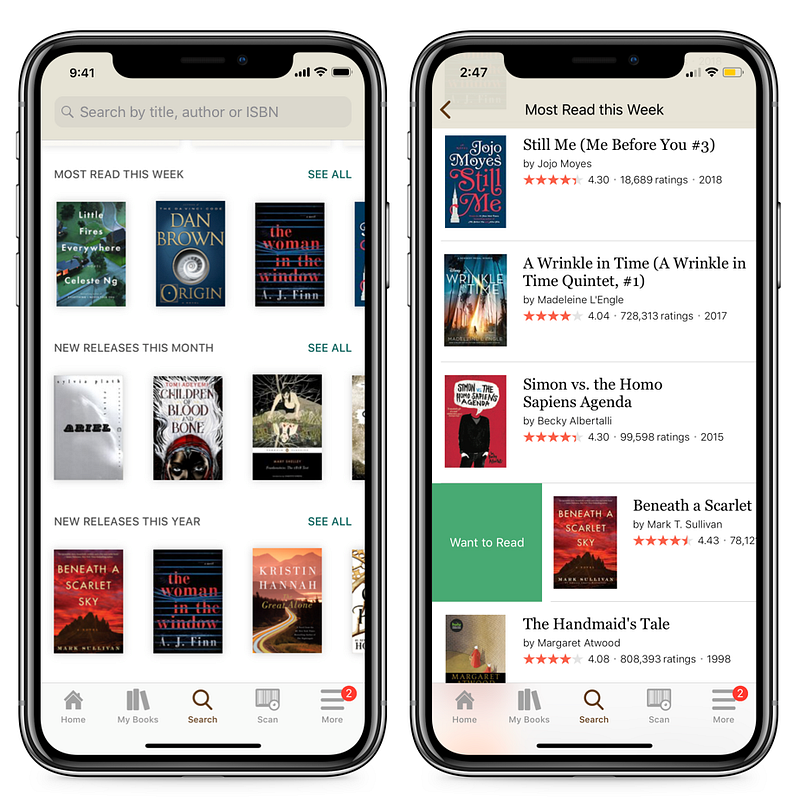
Do you know what Bill Gates, Stephen King, and Ali Abdaal have in common? They all use Goodreads to keep track of their reading progress and discover new books.

Out of all the apps on this list, Goodreads is my favorite. It helps me keep track of every book I’ve previously read (and want to read in the future). Plus, it can recommend books based on your previous reading history — similar to how Netflix suggests movies.

The app is completely free to use. So, if you enjoy reading books (or want to read more frequently), consider downloading Goodreads and adding me as a friend.
Goodreads

2) Duolingo

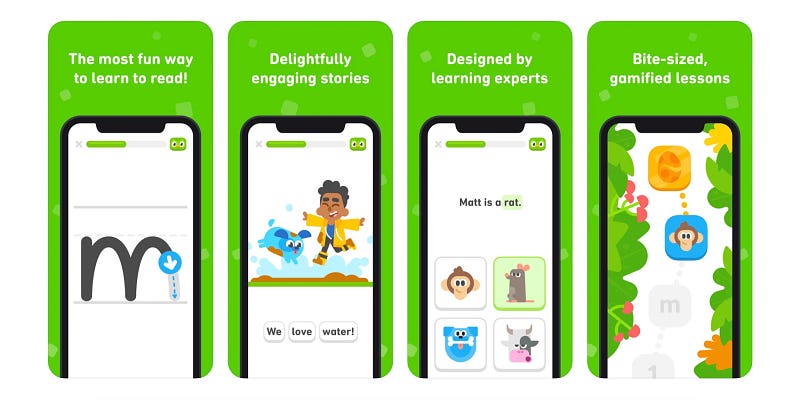
This app is incredibly easy to use. In essence, it gamifies the process of learning a new language with stories, quizzes, and podcasts. And since leaderboards track how much progress you make each week, Duolingo is perfect for anyone who enjoys a little bit of healthy competition.

Of course, you can learn French, Spanish, Mandarin, and several other languages commonly spoken around the world. However, there are also options to learn Navajo, Hawaiian, and Latin. So, there are plenty of languages to choose from.
Duolingo

3) Mint

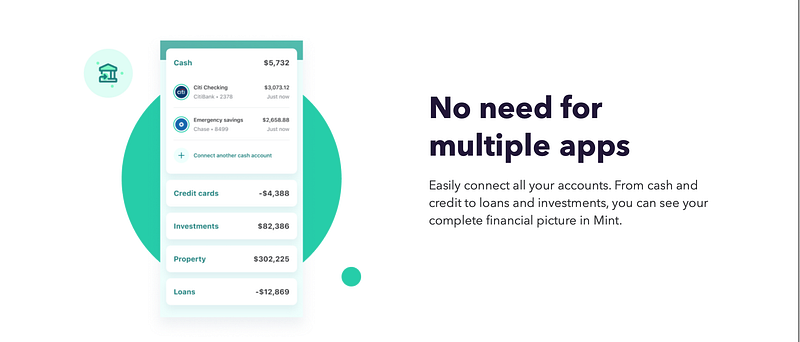
Mint displays a summary of your checking accounts, cryptocurrency balances, and stock portfolios. You can also see your retirement accounts, including 401(k), IRAs, and more.

Mint is perfect for tracking your spending across multiple bank accounts. So, if you spend more money than usual or are at risk of going into an overdraft, you’ll be notified.

Another benefit of using Mint? You get free access to your credit score as well as complimentary advice on how to improve it.

It’s also worth mentioning that there are no hidden fees. Mint is free for everyone because the application makes money from strategic partnerships with financial products and services.
Mint

4) Todoist

For a long time, I sucked at getting things done. I didn’t know how to work efficiently and often found myself forgetting to complete tasks on time. But a few years ago, I stumbled across an app called ToDoIst. And ever since, my life has never been the same.

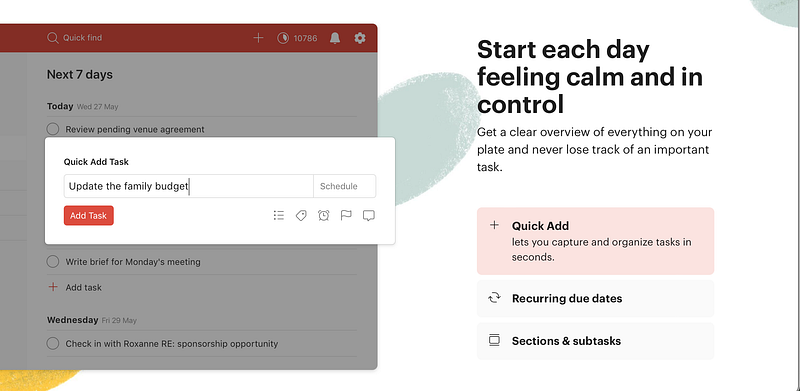
It’s a productivity application that you can download to your iPhone, MacBook, and iPad. Plus, you can sync tasks straight to your Apple or Google calendar. It’s awesome.

With Todoist, you can add priority levels to each task, so you know what needs to be completed first. You can also delegate tasks to other people, so you can free up mental space and prioritize what matters.
Todoist

Since I downloaded the above iPhone apps for free, my quality of life has massively improved. Now, it’s a lot easier to be productive, learn new things, and read more frequently. Hopefully, they will do the same for you, as well.

Want to be notified whenever I publish a new article? Click here.

Disclaimer: This article is for informational and entertainment purposes only. It should not be considered financial advice. I was not paid or asked to endorse any products/subscriptions. Instead, I am recommending them purely from a positive personal experience.

iPhone
Apple
Tech
Technology
Productivity
Recommended from ReadMedium