
4 branching workflows for Git
In this article, we will cover the most popular branching workflows for Git users, so you can decide which fits better to your own development cycle.
Git Flow
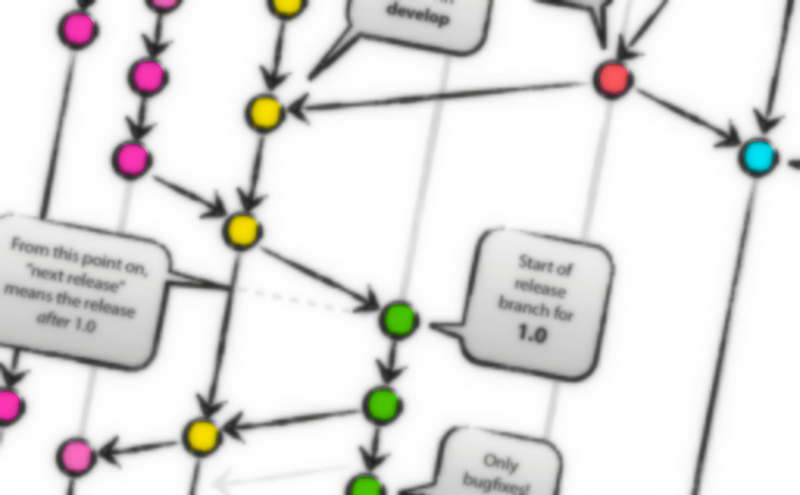
The Git Flow is the most known workflow on this list. It was created by Vincent Driessen in 2010 and it is based in two main branches with infinite lifetime:
master— this branch contains production code. All development code is merged intomasterin sometime.develop— this branch contains pre-production code. When the features are finished then they are merged into develop.
During the development cycle, a variety of supporting branches are used:
feature-*— feature branches are used to develop new features for the upcoming releases. May branch off fromdevelopand must merge intodevelop.hotfix-*— hotfix branches are necessary to act immediately upon an undesired status ofmaster. May branch off frommasterand must merge intomasteranddevelop.release-*— release branches support preparation of a new production release. They allow many minor bug to be fixed and preparation of meta-data for a release. May branch off fromdevelopand must merge intomasteranddevelop.
Advantages
- Ensures a clean state of branches at any given moment in the life cycle of project
- The branches naming follows a systematic pattern making it easier to comprehend
- It has extensions and support on most used git tools
- It is ideal when there it needs to be multiple version in production
Disadvantages
- The Git history becomes unreadable
- The master/develop split is considered redundant and makes the Continuous Delivery and the Continuos Integration harder
- It isn’t recommended when it need to maintain single version in production
GitHub Flow
The GitHub Flow is a lightweight workflow. It was created by GitHub in 2011 and respects the following 6 principles:
- Anything in the
masterbranch is deployable - To work on something new, create a branch off from
masterand given a descriptively name(ie:new-oauth2-scopes) - Commit to that branch locally and regularly push your work to the same named branch on the server
- When you need feedback or help, or you think the branch is ready for merging, open a pull request
- After someone else has reviewed and signed off on the feature, you can merge it into
master - Once it is merged and pushed to
master, you can and should deploy immediately
Advantages
- it is friendly for the Continuous Delivery and Continuous Integration
- A simpler alternative to Git Flow
- It is ideal when it needs to maintain single version in production
Disadvantages
- The production code can become unstable most easily
- Are not adequate when it needs the release plans
- It doesn’t resolve anything about deploy, environments, releases, and issues
- It isn’t recommended when multiple versions in production are needed
GitLab Flow
The GitLab Flow is a workflow created by GitLab in 2014. It combine feature-driven development and feature branches with issue tracking. The most difference between GitLab Flow and GitHub Flow are the environment branches having in GitLab Flow (e.g. staging and production) because there will be a project that isn’t able to deploy to production every time you merge a feature branch (e.g. SaaS applications and Mobile Apps)
The GitLab Flow is based on 11 rules:
- Use feature branches, no direct commits on
master - Test all commits, not only ones on
master - Run all the tests on all commits (if your tests run longer than 5 minutes have them run in parallel).
- Perform code reviews before merges into
master, not afterwards. - Deployments are automatic, based on branches or tags.
- Tags are set by the user, not by CI.
- Releases are based on tags.
- Pushed commits are never rebased.
- Everyone starts from
master, and targets master. - Fix bugs in
masterfirst and release branches second. - Commit messages reflect intent.
Advantages
- It defines how to make the Continuous Integration and Continuous Delivery
- The git history will be cleaner, less messy and more readable (see why devs prefers squash and merge, instead of only merging, on this article)
- It is ideal when it needs to single version in production
Disadvantages
- It is more complex that the GitHub Flow
- It can become complex as Git Flow when it needs to maintain multiple version in production
One Flow
The One Flow is a proposed alternative in article GitFlow considered harmful by Adam Ruka, written in 2015. The main condition that needs to be satisfied in order to use OneFlow is that every new production release is based on the previous release. The most difference between One Flow and Git Flow that it not has develop branch.
Advantages
- The git history will be cleaner, less messy and more readable (see why devs prefers squash and merge, instead of only merging, on this article)
- It is flexible according to team decisions
- It is ideal when it needs to single version in production
Disadvantages
- It isn’t recommended for projects with Continuous Delivery or Continuous Deploy.
- The feature branches make it harder the Continuos Integration
- It isn’t recommended when it needs to maintain single version in production
Conclusion
So, these are some branching workflows most known and exists many others according to the team need. What is the workflow used in your team?
References
- “A successful Git branching model” by Vincent Driessen
- “GitHub Flow” by Scott Chacon
- “GitFlow considered harmful” by Adam Ruka
- “A succesful Git branching model considered harmful” by Jussi Judin
- “Introduction to GitLab Flow” by GitLab
- “OneFlow — a Git branching model and workflow” by Adam Ruka
- “The 11 Rules of GitLab Flow” by GitLab


