avatarGokhan Yalcuk

Free AI web copilot to create summaries, insights and extended knowledge, download it at here

1821

Abstract

and I continue to write with greater enthusiasm.</p><p id="8e0d">So If we turn back to our topic, which applications and websites do I use while writing my articles?</p><p id="c8d5">Here below I’m going to share software and websites with screenshots for better and easier understanding for readers</p><p id="df4e"><b>#1 — Hemingway Editor</b></p><figure id="ef82"><img src="https://cdn-images-1.readmedium.com/v2/resize:fit:800/1*9xLto6EC-ZUbvDYMgGSUWQ.png"><figcaption>Screenshot by Author</figcaption></figure><p id="ec0f">According to me, Hemingway is the best writing app for Writers.</p><p id="4f12">Because You can see the readability score for your articles and see all count for total words and sentences directly inside of the app.</p><p id="11d7">My favourite feature is publishing my articles as drafts to the Medium directly from the Hemingway.</p><figure id="e018"><img src="https://cdn-images-1.readmedium.com/v2/resize:fit:800/1*m1PX7T7LETtMOxHKR84L7Q.png"><figcaption>Screenshot by Author</figcaption></figure><p id="3a68"><b>#2 — Grammarly Desktop</b></p><figure id="c45c"><img src="https://cdn-images-1.readmedium.com/v2/resize:fit:800/1*KOylsGHDTI5NFKjL6N0ZwQ.png"><figcaption>Screenshot by Author</figcaption></figure><p id="3296">Grammarly is one of the best apps that help writers to find grammar mistakes and write rules with symbols.</p><p id="03e3">As you see from the below screenshot, Grammarly helps me to find and correct grammar mistakes in my articles.</p><figure id="030f"><img src="https://cdn-images-1.readmedium.com/v2/resize:fit:800/1*oCniSfA6QfGJ1r0ZUpunbQ.png"><figcaption>Screenshot by Author</figcaption></figure><p id="9191"><b>#3 — Mate Translate</b></p><figure id="d36c"><img src="https://cdn-images-1.readmedium.com/v2/resize:fit:800/1*5nVyMWJIySnhdKoT0Y248w.png"><figcaption>

Options

Screenshot by Author</figcaption></figure><p id="fab7">English is my second language.</p><p id="bb2c">My native language is Turkish and I’m a beginner in the German Language.</p><p id="034b">So I sometimes face finding the meaning of difficult words while writing English articles.</p><p id="6e03">Mate Translate help me to find translations of difficult English words for me.</p><p id="f3df">At the same time, If I want to check the general meaning of sentences in Turkish to crosscheck as above screenshot, I use Mate Translate again.</p><p id="200f"><b>#4 — Copy Clip</b></p><figure id="73ab"><img src="https://cdn-images-1.readmedium.com/v2/resize:fit:800/1*jD-WU37oIM9cKd0yqo1DKA.png"><figcaption>Screenshot by Author</figcaption></figure><p id="c75e">I use many sources while writing my articles. I’m storing important parts directly on the panel of copy clips. I just use “Cmd+C” to copy them to the board.</p><p id="e8fc">Copy clips that are not usable in the resources, and I can find the copy clips when I need them again.</p><p id="386b">Those four apps are my favourites while writing all of my articles on Medium.</p><p id="c302">I hope those also help for who are beginning of his/her writing journey and looking for helpful apps for becoming better.</p><p id="bd59">Not yet a Medium Member? <a href="https://gokhanyalcuk.medium.com/membership"><b>Join now with my referral link</b></a> and Earn Income From Writing Just 3 Min/Day About Your Thoughts & What You Love to do! You’ll also get full access to every story on Medium for just $5/mo. Your membership fee supports independent writing. I’ll earn a small commission and no additional cost to you!</p><h2 id="1fae">Unleash your inner medium writer and make 4+ Figures in 6 Months 🔥. Let me show you how with my free guidebook</h2></article></body>

4 Apps That Help Me To Write Better and Get More Audience

I was writing really bad before those apps and websites

Photo by UX Store on Unsplash

Today, it’s been almost 6 months since I started my Medium writing journey. During this time, I have really gained a lot of experience.

Whenever I review my previous article, I can easily notice how much improvement I have made each time.

So how did I achieve this development and which programs helped it? First of all, I should point out that. There is a production focused on development and success as a character.

When I started my Medium journey, I started to feel the sense of accomplishment that I had previously felt for my 9–5 job.

I am someone who reads and researches a lot. To be successful on Medium, I can honestly say that even in my dreams I ponder strategies.

My only problem as of now is that I can’t find enough time to write as much as I want due to my daily family life and my current 9–5 job.

Despite this, I think that I have come a long way in a period of 6 months.

I shared exactly 120 articles on Medium. My monthly view count is close to 6000, and it continues to increase day by day.

The number of my e-mail members on different platforms and on my blog and Medium started to increase day by day.

These positive results give more motivate me and I continue to write with greater enthusiasm.

So If we turn back to our topic, which applications and websites do I use while writing my articles?

Here below I’m going to share software and websites with screenshots for better and easier understanding for readers

#1 — Hemingway Editor
Screenshot by Author

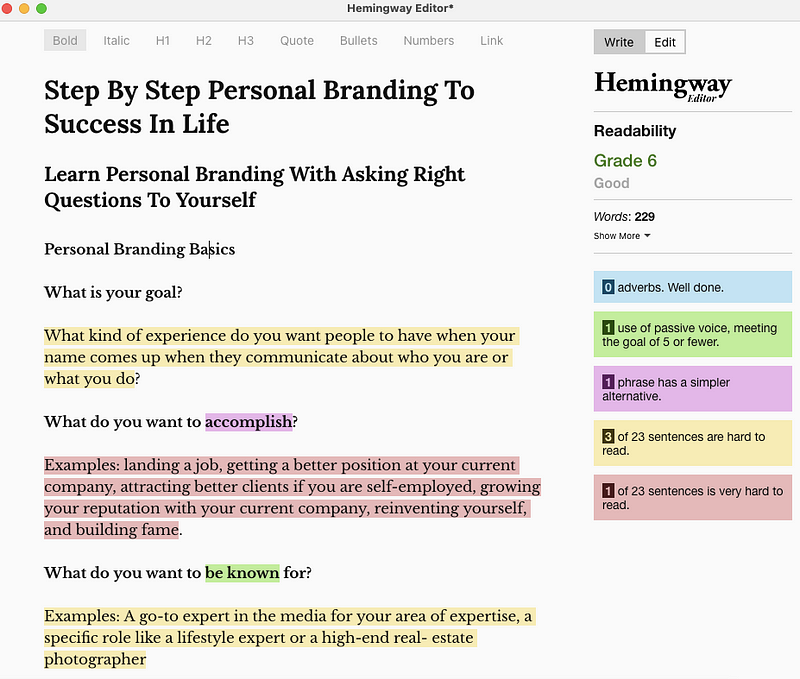
According to me, Hemingway is the best writing app for Writers.

Because You can see the readability score for your articles and see all count for total words and sentences directly inside of the app.

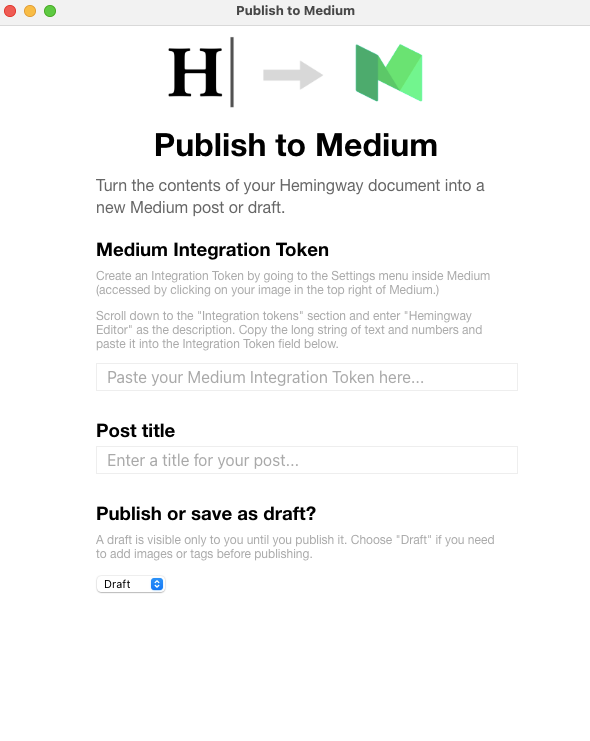
My favourite feature is publishing my articles as drafts to the Medium directly from the Hemingway.
Screenshot by Author

#2 — Grammarly Desktop

Screenshot by Author

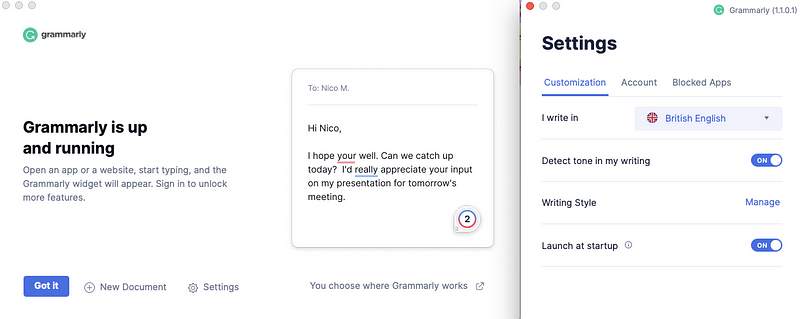
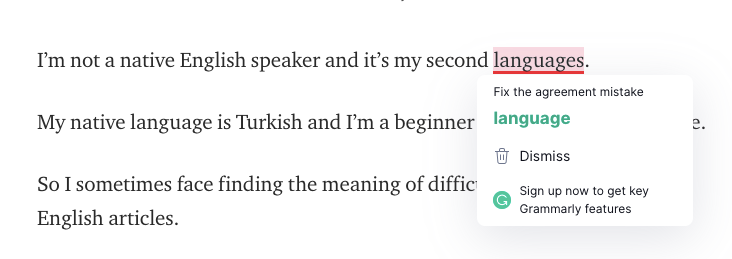
Grammarly is one of the best apps that help writers to find grammar mistakes and write rules with symbols.

As you see from the below screenshot, Grammarly helps me to find and correct grammar mistakes in my articles.
Screenshot by Author

#3 — Mate Translate

Screenshot by Author

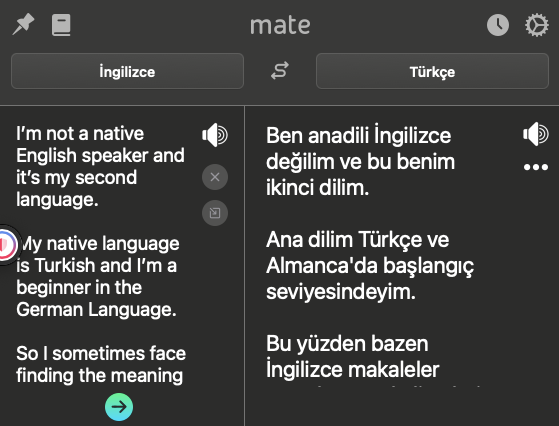
English is my second language.

My native language is Turkish and I’m a beginner in the German Language.

So I sometimes face finding the meaning of difficult words while writing English articles.

Mate Translate help me to find translations of difficult English words for me.

At the same time, If I want to check the general meaning of sentences in Turkish to crosscheck as above screenshot, I use Mate Translate again.

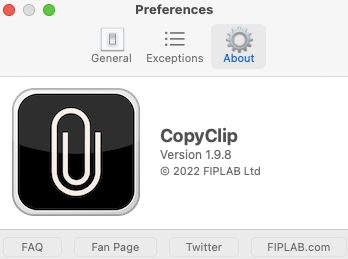
#4 — Copy Clip
Screenshot by Author

I use many sources while writing my articles. I’m storing important parts directly on the panel of copy clips. I just use “Cmd+C” to copy them to the board.

Copy clips that are not usable in the resources, and I can find the copy clips when I need them again.

Those four apps are my favourites while writing all of my articles on Medium.

I hope those also help for who are beginning of his/her writing journey and looking for helpful apps for becoming better.

Not yet a Medium Member? Join now with my referral link and Earn Income From Writing Just 3 Min/Day About Your Thoughts & What You Love to do! You’ll also get full access to every story on Medium for just $5/mo. Your membership fee supports independent writing. I’ll earn a small commission and no additional cost to you!

Unleash your inner medium writer and make 4+ Figures in 6 Months 🔥. Let me show you how with my free guidebook

Apps
Writing Tips
Medium
Writer Tips
Self Improvement
Recommended from ReadMedium