
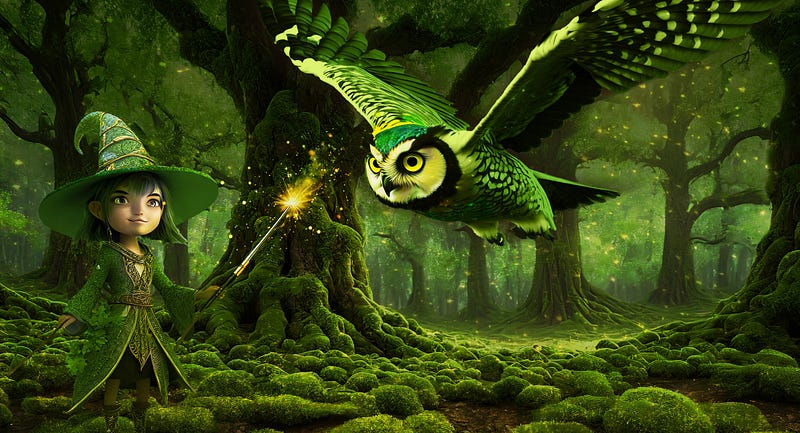
3 UX tools that can drive visual AI prompts: scenario, persona, and user flow
UX thinking is at the forefront of mastering visual prompts
UX design gives us many tools to navigate the research and design process to build a product. These tools help us write outlines and documents of every aspect when iterating the product development cycles until launch.
Similarly, rather than randomly creating visual prompts, we can borrow best practices from UX to use a trackable methodology to create AI-generated images.
A word of caution: AI image renders take a lot of time. Many iterations and refinements of the prompts are necessary before a desired image is closely rendered by the AI generator. Adjustments in Photoshop or similar software are most likely a must when finalizing a high-quality composite image. Patience and time are advised. The results can be stunning!
Why are scenarios, personas, and user flows important for writing visual prompts?
It is absolutely fine to experiment with visual AI-prompts written intuitively and ad hoc. However, to truly illustrate a story at hand, we need to have a trackable thought process to get the right AI-generated image .
When we write a story synopsis, we identify heroes and support cast, delineate plot actions, and sketch locations to deftly define the structure of the story.
For excellent AI image results, it‘s crucial to analyze the visual prompts that reflect the gist of the story. Thus, well-structured stories and narratives can also drive brand experiences and customers’ brand relationships.
The story idea to explore the 3 UX tools
To illustrate how to best use these 3 UX tools [scenario, personal, and user flow] I craft a one-sentence summary of my story, reflecting these three components [scenario, personal, and user flow].
A young wizard of the oak woods [hero, persona], living in a luscious oak forest [scene/scenario], wishes for a luminous owl to appear by using his magic wand [user flow].
The scenario
I start with the scenario, to set the mood and tonality of the AI-rendered image.
A scenario can include any of the following: the time of day or night, mood, atmosphere, weather conditions, architectural elements, camera position and angle, light settings, position of persona, and general levels of detail.
A typical scenario in UX can include sequences of events and actions, for my purpose of illustrating the story’s tonality, I use the scenario to define the story’s environment.
I choose Adobe’s Firefly to render the AI-images. Of course, any number of AI image render software can be used.
I settle on the following scenario prompt:
“Luscious old-growth dense oak forest with mossy grounds.”[Styles: Art, Beautiful, Concept art, 3d. Image ratio: 16:9.]
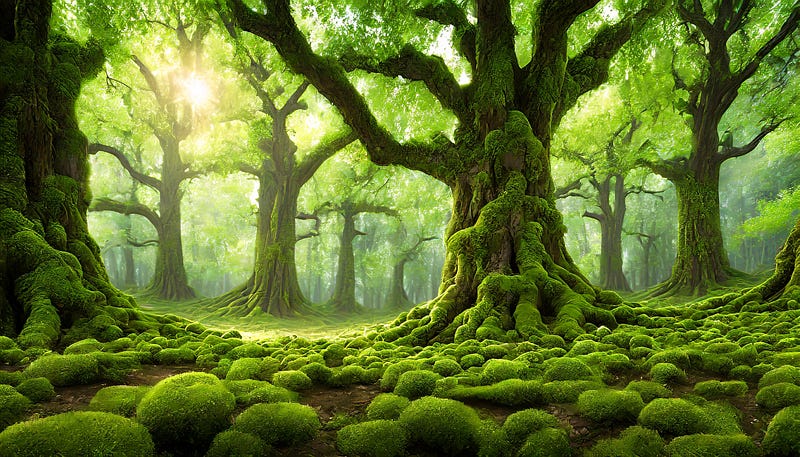
In some AI image generators, a scenario can be specified as a scene render vs subject render. Firefly’s image generator does not have that particular feature, but offers a wide range of styles, effects, aspect ratios, and content types. The sky’s the limit when choosing features to set the artistic mood.
This scenario image rendered by Firefly is the perfect background image to get my story started, setting the tone, mood, color range, and environment.
Next, I define my persona, the young wizard of the oak woods.
The persona
How can we define a persona? A persona, in essence, is a fictional character. In UX, a persona is drawn from research data and represents our audience at large in the form of a single customer.[1]
For the purpose of generating my story, I use my imagination, without studying or researching any further data, for my persona. The hero of my story is the young wizard of the oak woods.
The prompt for my persona is as follows:
“Cute wizard of the woods with magic wand constructed of intertwined oak branches covered with moss; 3d; white background.” [Styles: 3d, Concept art, Fantasy. Image ratio: 16:9.]
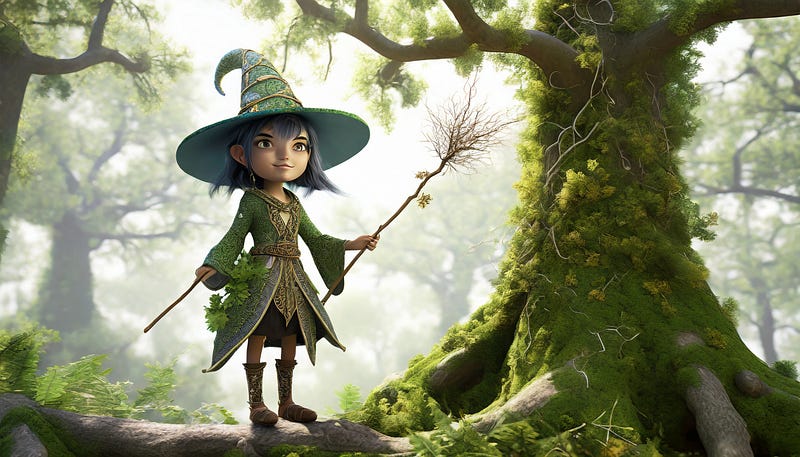
After numerous rounds of image generating, this cute and curious avatar-like wizard standing in a forest nailed the prompt. He’s perfect for my story.
Note: Even though I asked for a white background in the prompt, Firefly only returned rendered images with backgrounds.
Next, I delete the background and silhouette the wizard. In Photoshop, I place the image of the wizard into the scenario image. I make color adjustments to match the hues.
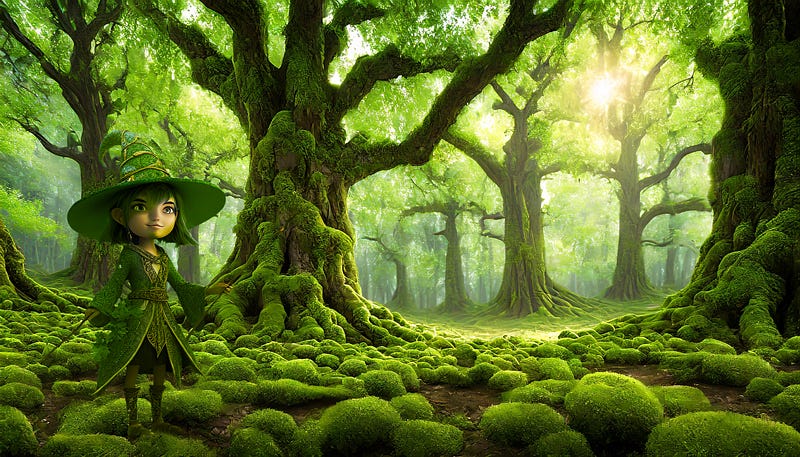
Next up, I need to define the prompt reflecting the user flow of the young wizard using his magic wand, wishing for a luminous owl to appear.
The user flow
What is a user flow in UX? In short, a user flow is your user’s path to accomplish a task/mission. User flows represent all the plot points driving the user experience or user story forward.[2]
In UX, user flow diagrams help designers, stakeholders, and team members communicate the layout of an app interface in a clear visual way.
For our purpose, rendering the AI image of the overarching story idea, I simplify the plot point to the moment in time when the young wizard wishes for the luminous owl to appear.
Thus, I need to have the owl rendered in a style that implies an encounter with the wizard. This is achieved by describing the angle of the camera in relation to the wizard’s expression. I describe the angle as seen from below.
The prompt for the owl is as follows:
“Green-yellow-blue owl in flight with glowing eyes; 3d; seen from below; side view; white background.” [Styles: Art, Beautiful, Concept art, 3d. Image ratio: 16:9.]
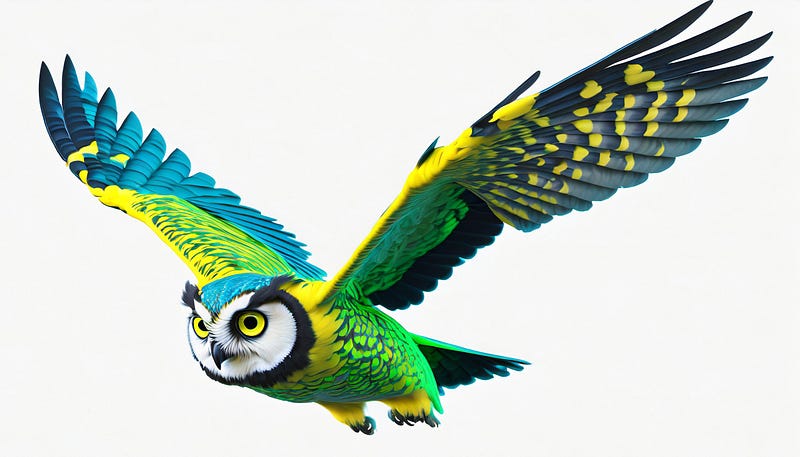
After a few rounds, Firefly renders a pretty awesome image of an owl, seen from below. I add it to my already composed image of the forest background and wizard.
As in the first round Photoshop composite, I need to make some color adjustments to blend the colors harmoniously.
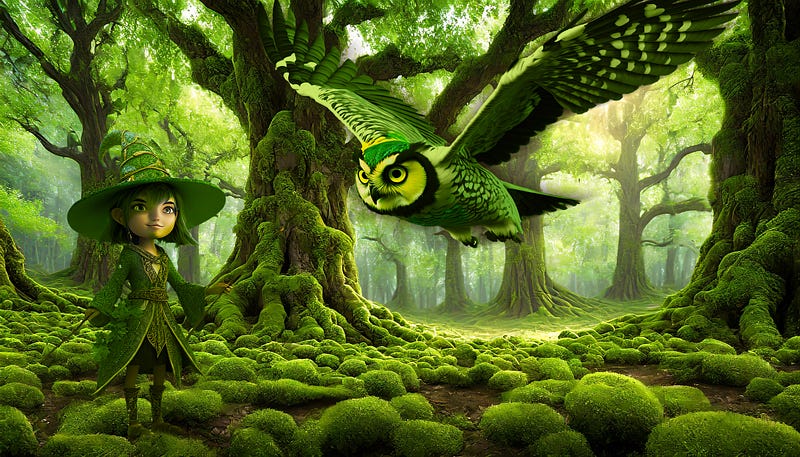
The composite looks good, but I need to add something sparkles to change the mood to a more mysterious and fable-like environment.
I darken the background so that the wizard’s face and the owl’s highlight colors are glowing more. Also, I’m placing a magic wand into the wizard’s hand, using the following prompt to render the wand:
“Magic wand pointing into the air emitting many sparkles; 3d; white background.”
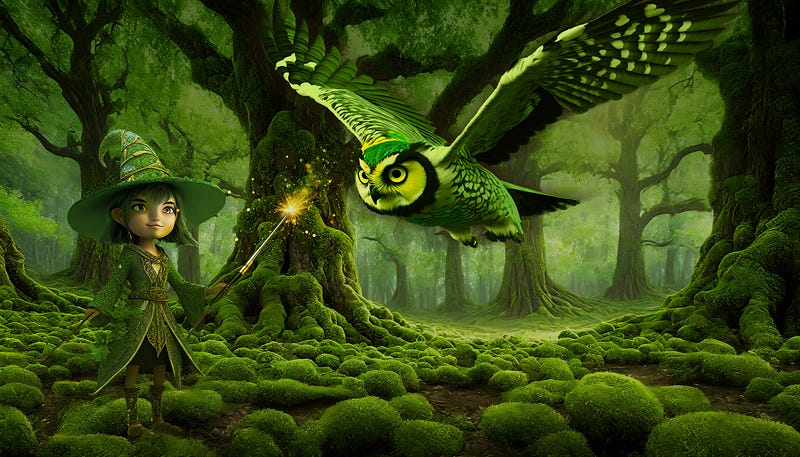
I’m pleased with this Photoshop composite. Still, I feel that the image needs more sparkle and mystery. I choose to add an overlay layer of hundreds of tiny fireflies (rendered in Adobe Firefly), darken the overall color value and increase the contrast.
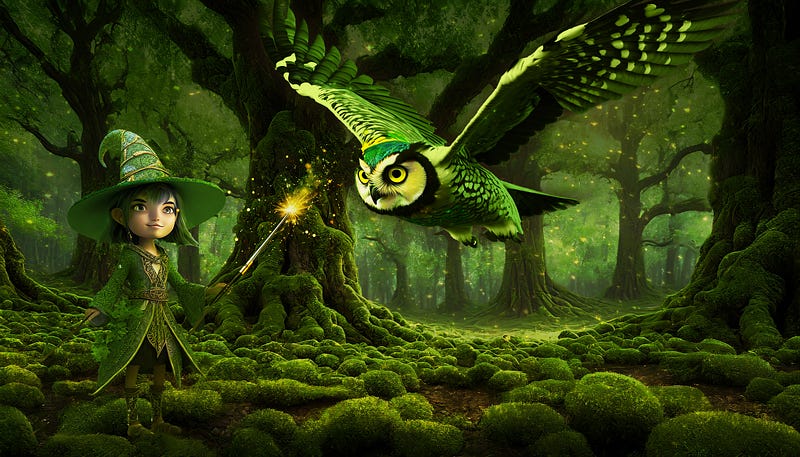
After doing these adjustments in Photoshop, I’m satisfied with the result. It matches my initial concept of the very first story outline. I’m pleased.
How to manage artistic expectations when working with AI-generated images
AI image generators cannot read our minds, nor can they interpret exactly what we are prompting them to do. Furthermore, image generators cannot create a single image that matches all the thematic objects needed in a perfect story image.
We need to work with AI image generators in tiny steps, first setting up the story composite. For that reason, it’s important to work with structural tools that allow us to adjust the prompt in minute steps. While we make these adjustments, we always need to stay true to the overarching story concept.
While AI can render amazing images, we still need to do the heavy lifting in Photoshop retouching to make the final image composite shine.
Lastly, we need to give a good amount of design time when working with AI-generated images. And that’s not just a few hours, but most likely days. Give it that time, and the AI composite will serve the initial concept well.
A few takeaways
The three UX tools, scenario, persona, and user flow, can help greatly when defining an AI prompts to render images for a narrative composite image.
Break down an overarching story prompt into sizable image render prompts. Focus on building your composite AI image one object at a time.
AI image renders take a lot of time. Add more time to that to do the necessary composites, color corrections, retouching, and clean-up in a photo-editing program.
Experiment with AI. It can add a lot of joy and pleasure to your design work.
Always remember, a hand-drawn sketch is still really awesome, too!
All AI images prompts written by the author, using Adobe Firefly. AI-rendered images imported and edited in Adobe Photoshop.
I have no affiliation with Adobe other than as a user.
Read up on more AI and UX stories:
Thank you for reading.
References:
[1] The essentials of building a user persona: https://evaschicker.medium.com/the-essentials-of-building-a-user-persona-636d81194dc1
[2] What are user flows in UX?: https://bootcamp.uxdesign.cc/what-exactly-are-user-flows-in-ux-design-62023c2370d6


