
3 Tips to reduce OpenAI GPT-3's costs by Smart Prompting
Reduce GPT-3 prompt tokens and save dollars
GPT-3's highest and the most accurate model Davinci costs 6 cents for every 1000 tokens. So it isn’t really inexpensive to operate at scale in a production app.
So beyond designing prompts, it is essential to even master the craft of smart prompting, that is to reduce the number of tokens in the input prompt.
In this tutorial, we will see a few techniques to reduce the number of tokens in a given prompt from my experience of building supermeme.ai, a GPT-3 based app that is currently in production. And remember every 1000 tokens reduced is 6-cents (0.06$) saved, so at scale this is huge.
1. Prompt Paraphrasing
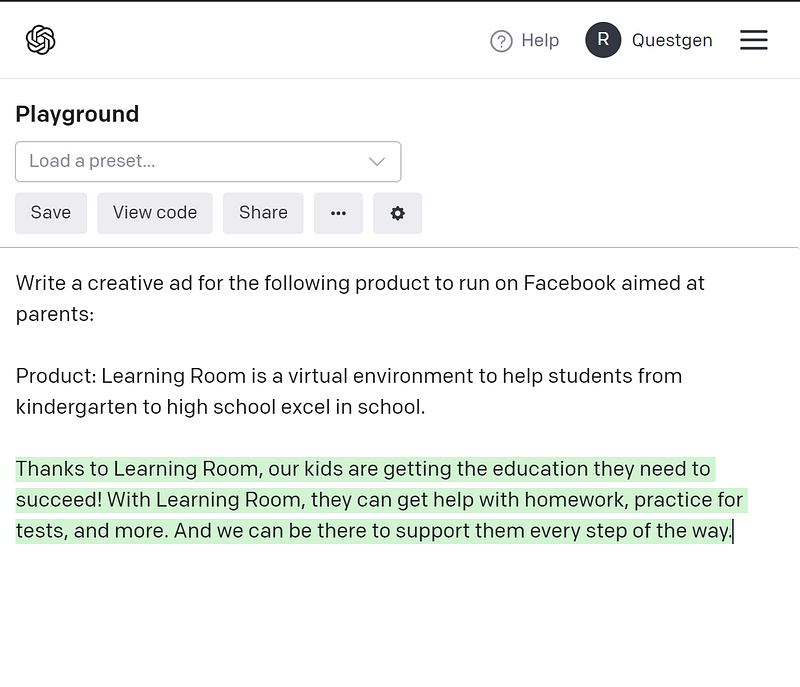
So let’s start with one of the examples that was provided in the OpenAI’s playground itself, called “Ad from product description”.
In the below image, the input is the text in black and the output is the text highlighted in green that is generated by GPT-3.
For running this in a production app, the first line “Write a creative ad for the following product to rn on Facebook aimed at parents:”, always remains the same and only the product description is taken dynamically from the user input.
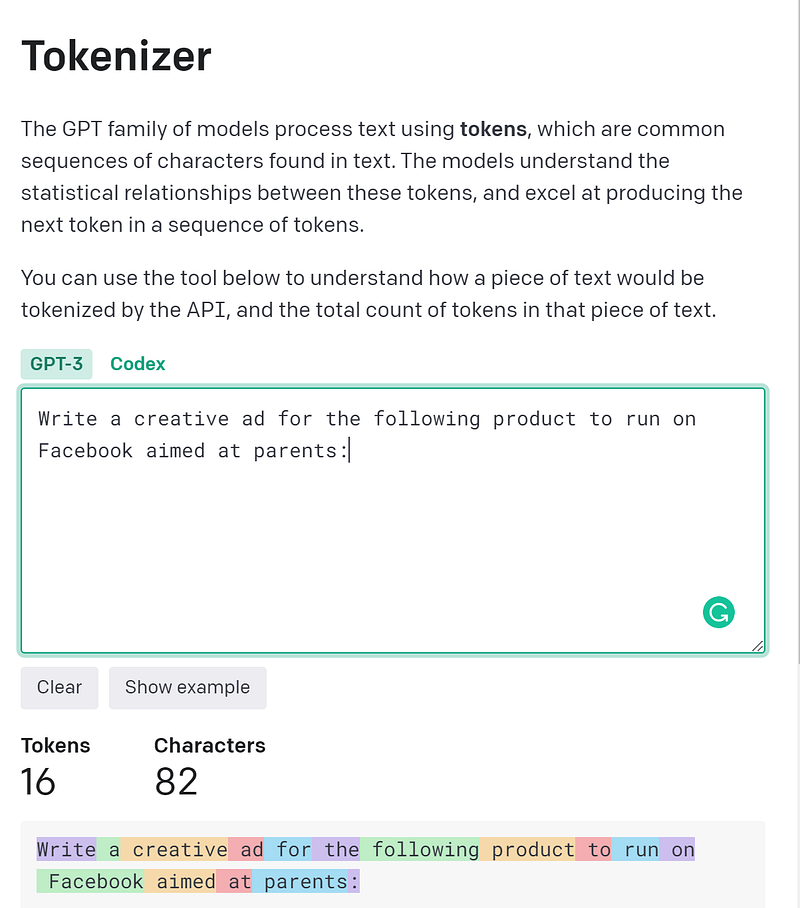
In the below image you can see that the first line of input comes out to 16 tokens from the GPT-3 token estimator.
But we can use a paraphraser like Quillbot to shorten the prompt and then test out the total number of tokens for the modified prompt in the GPT-3 token estimator. Note that just a reduction in word count doesn’t necessarily imply a reduction in tokens as GPT-3 tokenizer is trained on its own data and doesn’t directly correlate to words.
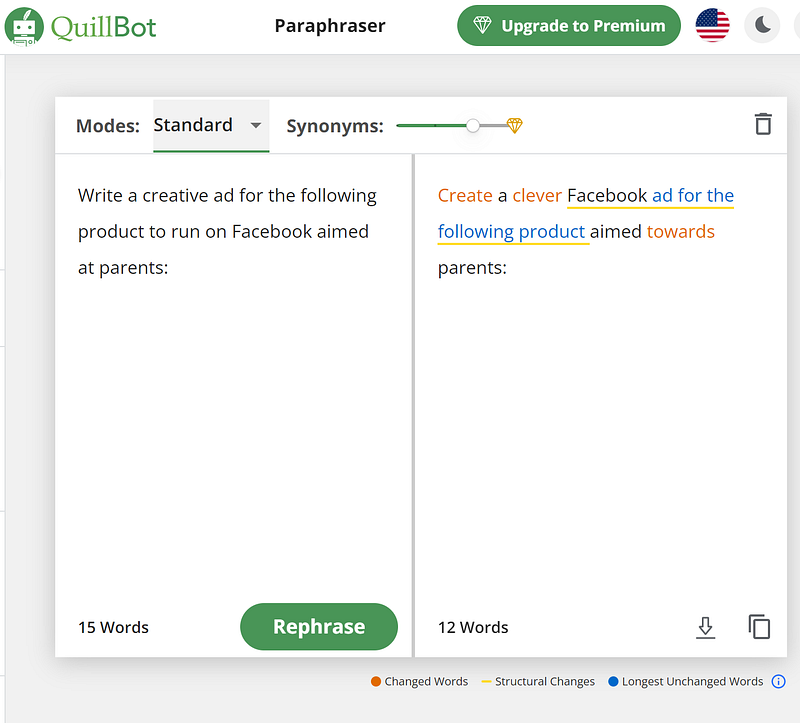
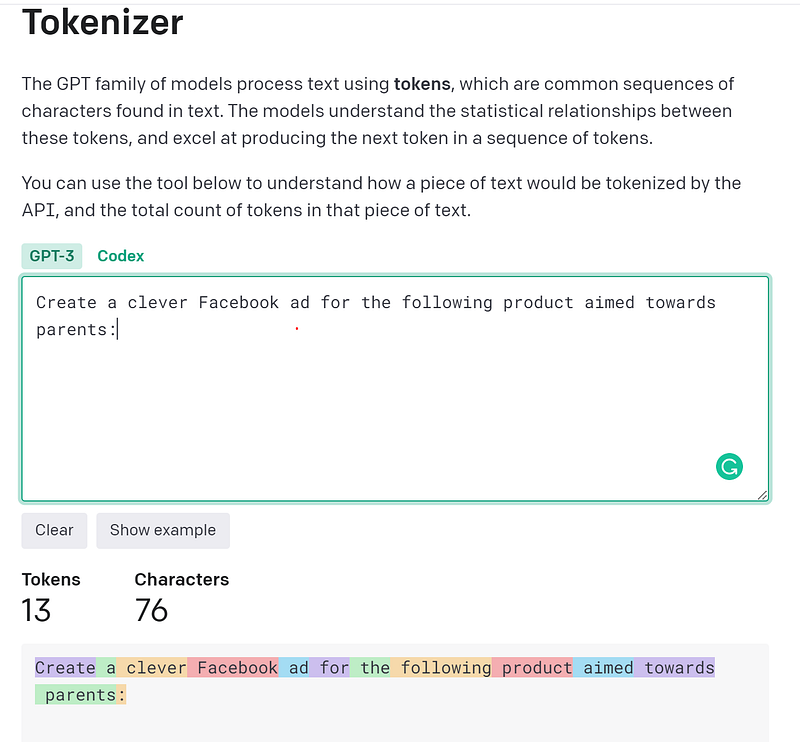
The new paraphrased prompt “Create a clever Facebook ad for the following product aimed towards parents”, takes only 13 tokens as opposed to 16 tokens in the original prompt. That is a 3 token reduction!
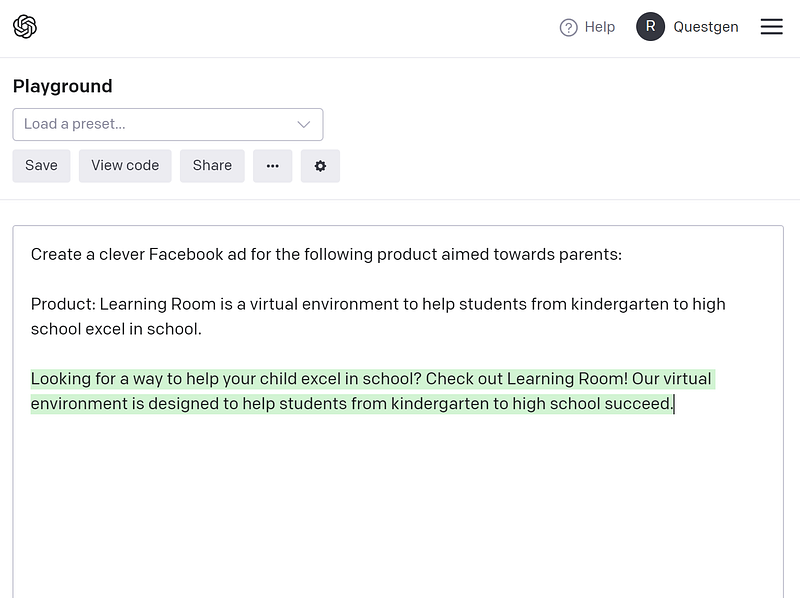
You can see that the paraphrased prompt also works well in generating a good ad copy for Facebook from testing it in the playground again.
If you are satisfied with the text generated from the paraphrased prompt, you can go ahead and use the paraphrased prompt that is shorter in the token count and also cheaper in production.
2. NER replacement prompting
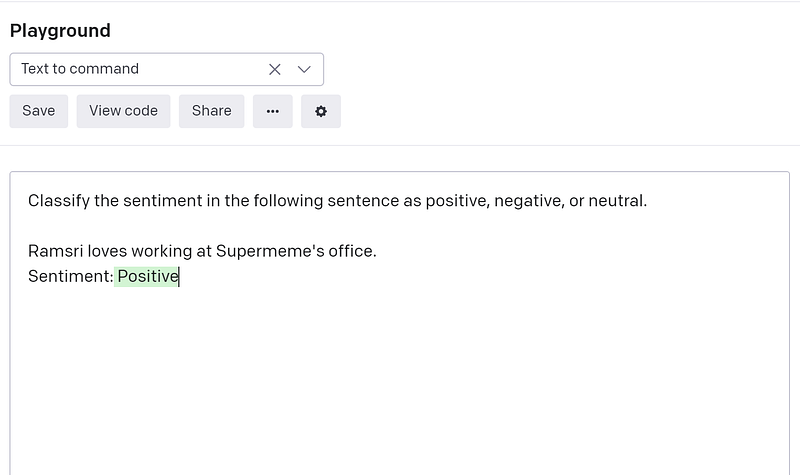
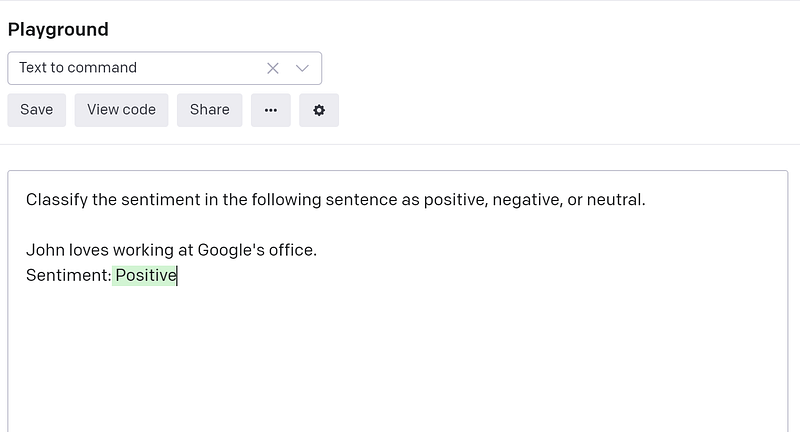
Let’s consider another example where you are trying to do sentiment analysis on a given sentence. In the below image you can see that the input sentence is “Ramsri loves working at Supermeme’s office”. Here Ramsri is a name and Supermeme is a company.
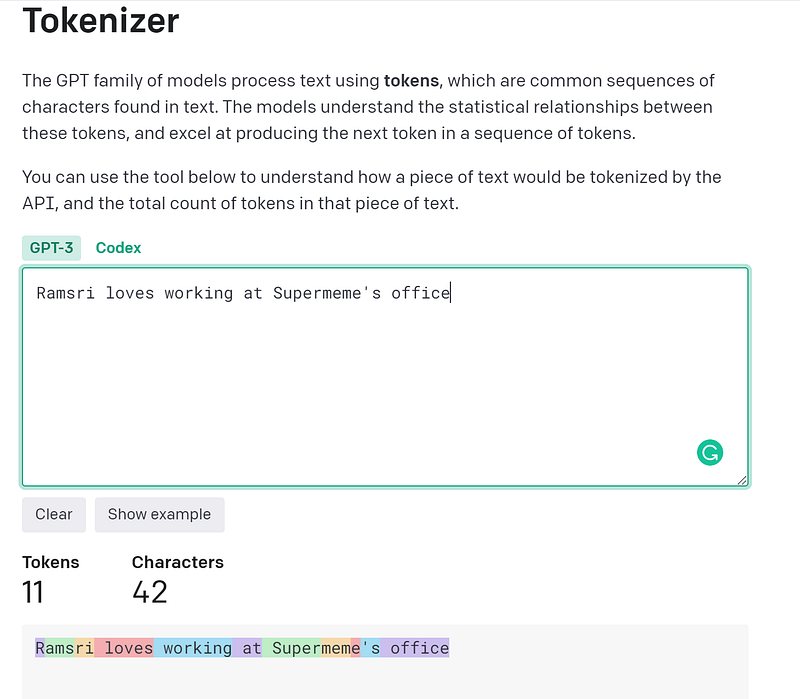
If you look up the number of tokens consumed for the prompt, you can see that “Ramsri loves working at Supermeme’s office” comes out to 11 tokens in total. This is because Ramsri is not a known word to GPT-3 tokenizer so it splits Ramsri to ‘R’ + ‘ams’+’ri’ (3 tokens) as you can see in the color-coded text in the image below.
But here comes the interesting part! Can you replace Ramsri (3 token word) with one token word like ‘John’ and save two tokens? The answer is yes!
So you can replace ‘Ramsri’ with ‘John’ and similarly ‘Supermeme’ with ‘Google’ and reduce token tokens of the sentence from 11 to 7!
So essentially you can do NER (named entity recognition) to identify named entities like name, organization, place, etc, and replace them with a corresponding one token alternative.
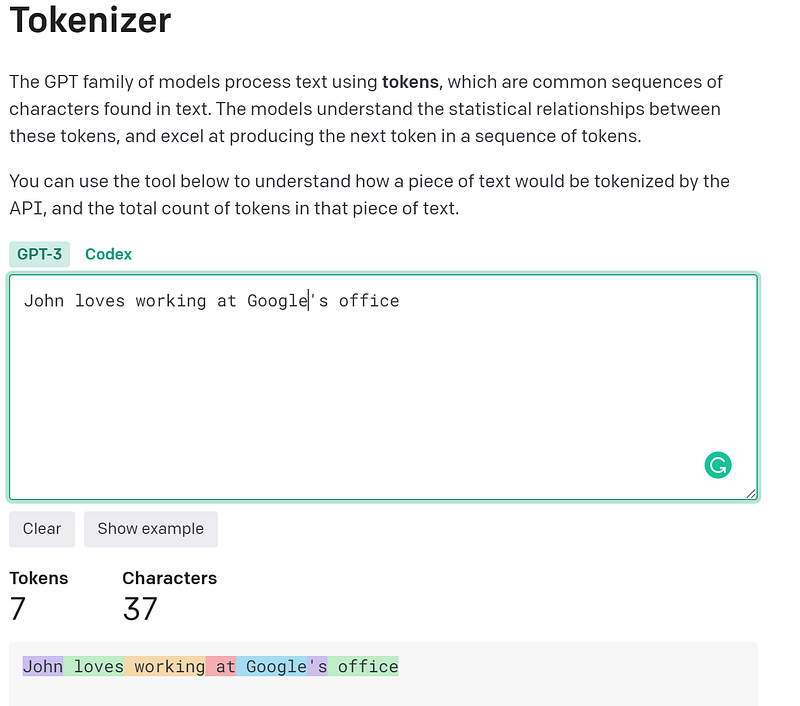
And as far as the sentiment of the sentence goes, it doesn’t matter if you have ‘John is happy’ or ‘Ramsri is happy’! It always generates positive as the correct sentiment for this context.
3. Multitask prompting
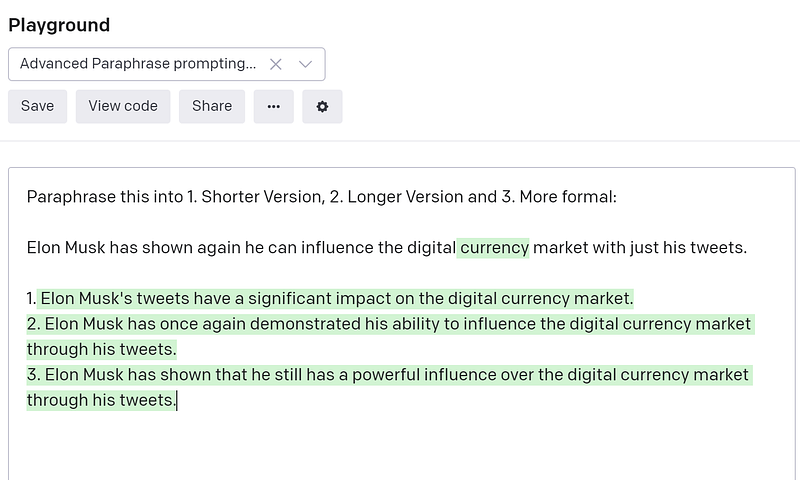
You can combine several tasks in a single prompt than doing multiple calls to the GPT-3 engine and consuming tokens for each individual task.
Here you can see that in a single prompt we are able to modify the sentence “Elon Musk has shown again that he can influence the digital currency market with just his tweets” to a 1. shorter version 2. Longer Version and a 3. Formal version.
If done individually, you would need 3 calls to the GPT-3 API as well as you would get billed 3 times for the number of tokens in the sentence “Elon Musk has shown again that he can influence the digital currency market with just his tweets”
But with some careful prompting, we were able to batch multiple tasks into one prompt!
Happy NLP exploration and if you loved the content, feel free to find me on Twitter.
If you want to learn NLP the practical way, check out my course Practical Introduction to Natural Language Processing


