avatarMarcus Musick

Free AI web copilot to create summaries, insights and extended knowledge, download it at here

1004

Abstract

you an added level of security.</p><p id="1a50">Here are a few of the top reasons why you should consider using a password manager.</p><h2 id="6d1a">#1 Available on All Devices</h2><p id="17dd">Many people access the internet by using mobile devices.</p><p id="66c2">A password manager is available for all types of devices, whether you are using your smartphone, tablet, laptop, or desktop computer.</p><p id="1444">Cloud computing makes it easy to sync your password manager with multiple devices without sacrificing security.</p><h2 id="2f76">#2 Easy to Use</h2><p id="558f">One of the many benefits of using a password manager is that it’s easy for anyone to use.</p><p id="e2de">A password automatically creates complex passwords, which is a lot easier than trying to remember a different password for all of your accounts.</p><p id="b2c9">You can also save yourself a lot of time from having to continually reset your password.</p><h2 id="9a09">#3 Additional Security</h2><p id="051c">Finding ways

Options

to maximize account security is critical in keeping your personal information safe.</p><p id="335f">A password manager gives you a much greater level of protection due to the creation of complex passwords.</p><p id="ffff">These passwords are nearly impossible to hack from brute force attacks or password spraying strategies.</p><h2 id="c876">Finals Thoughts</h2><p id="e52f">A data breach can cost you thousands of dollars and ruin your reputation.</p><p id="8456">However, a password manager is an excellent way to increase security for all of your personal accounts.</p><p id="b272">You can also choose from a wide range of excellent password managers, such as LastPass, Bitwarden, Dashlane, 1Password, and KeePassXC.</p><p id="9eb1">Most of these password managers are available for free, or you can pay a subscription fee for additional features.</p><p id="68e9">Ultimately, you will have the peace of mind to know your data is always safe and secure by using a password manager.</p></article></body>

3 Reasons Why You Need a Password Manager

Benefits of using a password manager
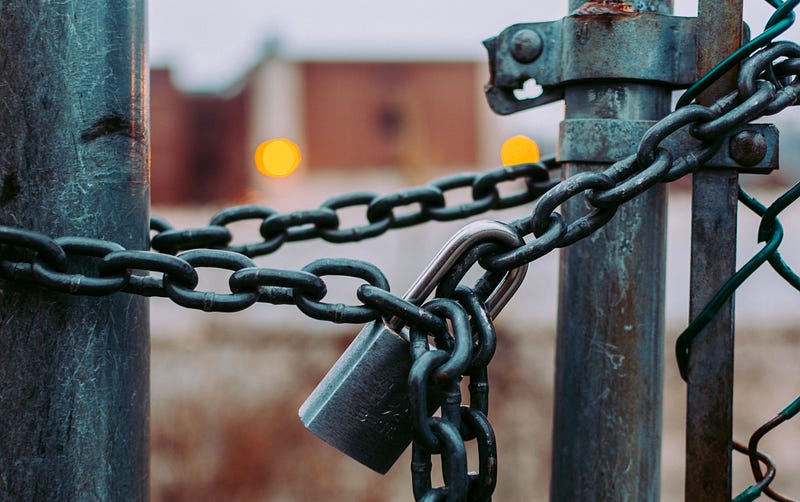
Photo by Jose Fontano on Unsplash

Protecting all of your accounts is critical to avoid a data breach.

However, creating a unique password that includes multiple letters, symbols, and numbers isn’t always easy to remember.

Using the same password is also a major security risk.

The easiest way to handle this situation is to use a password manager, as you will only have to remember the master passcode to access each account.

All of this information is protected with encryption, which provides you an added level of security.

Here are a few of the top reasons why you should consider using a password manager.

#1 Available on All Devices

Many people access the internet by using mobile devices.

A password manager is available for all types of devices, whether you are using your smartphone, tablet, laptop, or desktop computer.

Cloud computing makes it easy to sync your password manager with multiple devices without sacrificing security.

#2 Easy to Use

One of the many benefits of using a password manager is that it’s easy for anyone to use.

A password automatically creates complex passwords, which is a lot easier than trying to remember a different password for all of your accounts.

You can also save yourself a lot of time from having to continually reset your password.

#3 Additional Security

Finding ways to maximize account security is critical in keeping your personal information safe.

A password manager gives you a much greater level of protection due to the creation of complex passwords.

These passwords are nearly impossible to hack from brute force attacks or password spraying strategies.

Finals Thoughts

A data breach can cost you thousands of dollars and ruin your reputation.

However, a password manager is an excellent way to increase security for all of your personal accounts.

You can also choose from a wide range of excellent password managers, such as LastPass, Bitwarden, Dashlane, 1Password, and KeePassXC.

Most of these password managers are available for free, or you can pay a subscription fee for additional features.

Ultimately, you will have the peace of mind to know your data is always safe and secure by using a password manager.

Cybersecurity
Technology
Cloud Computing
Tech
Data
Recommended from ReadMedium