avatarBurk

Summary

The article introduces three free tools for content creators to edit and manipulate images: Profile Pic Maker, Adobe Express Background Remover, and Split Image Online.

Abstract

The web content provides a concise overview of three essential and cost-free image editing tools tailored for content creators. The first tool, Profile Pic Maker, simplifies the creation of social media profile pictures by offering automatic background removal and customization options. Adobe Express Background Remover stands out as a superior background removal tool, requiring only a free Adobe account for access. The third tool, Split Image Online, is particularly useful for creating Instagram carousel posts by splitting a single image into multiple segments. The article emphasizes the ease of use and functionality of these tools, making them valuable resources for enhancing visual content without incurring costs.

Opinions

  • The Profile Pic Maker is highly recommended for its ability to quickly generate profile pictures with customizable backgrounds, despite its resolution limitations for downloads.
  • Adobe Express Background Remover is praised for its effectiveness in removing image backgrounds and is considered a user-friendly tool that justifies the need for a free Adobe account.
  • Split Image Online is regarded as an excellent tool for social media content creation, with the versatility to split images vertically, horizontally, or both, enhancing the visual storytelling on platforms like Instagram.
  • The author suggests that using these tools can significantly improve the quality of visual content for content creators who are on a budget.
  • A call to action is made to support the author by subscribing to their posts, considering a Medium membership, or using their referral link to sign up for services, indicating the author's belief in the value of their recommendations and the Medium platform.

3 Must-Have & Free Image Tools For Content Creators
Upload vector created by pikisuperstarwww.freepik.com

This is going to be a quickie packed with great free tools. Let’s get right into those 3.

#1 Profile Pic Maker

With this free tool, you can quickly generate profile pics for social media, web accounts, etc.

Best part? It automatically removes the background and adds customizable backgrounds to it.
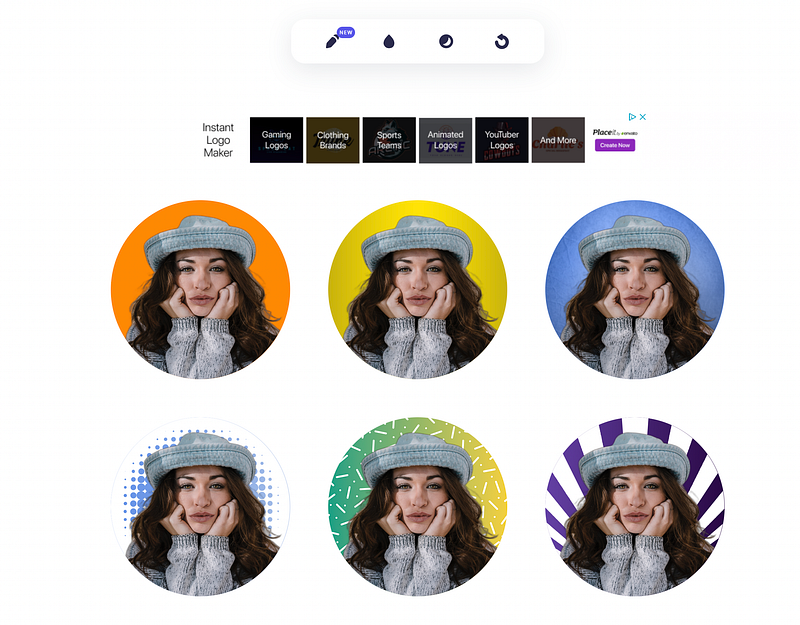
Screenshot of https://pfpmaker.com/

Resolution is capped at 612 x 612 for downloads, but again, it’s a free tool.

#2 Adobe Express Background Remover

An even better tool to remove backgrounds from images comes from Adobe. It’s also free. You have to sign up for a free Adobe account though.
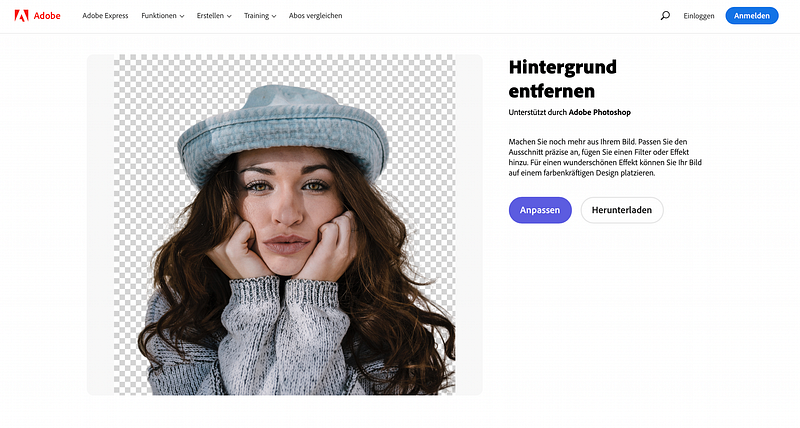
Screenshot from https://www.adobe.com/express/feature/image/remove-background

This tool needs no explaining, really. Upload your image and it automatically removes the background. Then you can download it (once you have that free Adobe account).

#3 Split Image Online

This is a great tool for Instagram posts, for example. Easily create multiple image cut-outs from one large image for an Instagram carousel post. Just upload a photo, select the number of splits, and download the results.
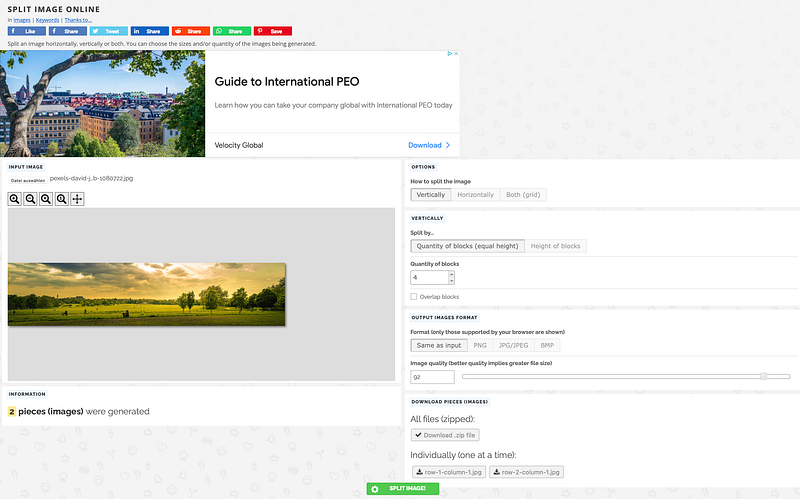
Screenshot from Split Image Online

From this photo above to 4 perfect splits in seconds. You can now upload this to Instagram or other platforms.

Pro-tip: You can split vertically, horizontally, or both. That way you can also create cool splits for your Instagram profile page.

Screenshot of split image set

That’s it. 3 tools to manipulate images and photos for free.

P.S.: First, you should get my posts in your inbox. Do that here! Secondly, if you like to experience Medium yourself, consider supporting me and thousands of other writers by signing up for a membership. It only costs $5 per month, and you have the chance to make money with your writing as well. When I started, I made $3000 in 6 months. By signing up with this link, you’ll support me directly with a portion of your fee, it won’t cost you more. If you do so, thank you a million times! Lastly, I create freebies all the time. Subscribe for more.
Design
Productivity
Creativity
Writing
Advice
Recommended from ReadMedium