avatarSteve Russo

Free AI web copilot to create summaries, insights and extended knowledge, download it at here

4537

Abstract

able_name ADD CONSTRAINT</code> after the table creation. For this example, the <code>NOT NULL</code> constraints ensure that all records have a value, and the two <code>CHECK</code> constraints validate that the data always adheres to these business rules:</p><ul><li><code>unit_price</code> should always be greater than 0</li><li><code>order_quantity</code> should not be 0 but can be negative or positive</li></ul><p id="748a">You would now be able to insert data using a <code>MERGE INTO</code> statement like the one below. The data containing new data is <code>raw_sales_order_details</code>.</p><div id="33a7"><pre><span class="hljs-keyword">MERGE</span> <span class="hljs-keyword">INTO</span> sales_order_details <span class="hljs-keyword">as</span> a <span class="hljs-keyword">USING</span> raw_sales_order_details <span class="hljs-keyword">as</span> b <span class="hljs-keyword">ON</span> a.sales_order_id = b.sales_order_id <span class="hljs-keyword">WHEN</span> <span class="hljs-keyword">NOT</span> <span class="hljs-keyword">MATCHED</span> <span class="hljs-keyword">THEN</span> <span class="hljs-keyword">INSERT</span> *;</pre></div><p id="6069">The significant call out when using Delta tables is if you are loading a batch of data, say 10 million records, and a single record is bad, all 10 million records will be rejected. Again, if one record in a whole batch is bad,<b> the entire batch is rejected, and processing fails.</b></p><p id="b126">So how can you weed out a single bad record?</p><h2 id="9389">Quarantining</h2><p id="8033">Quarantining data is the practice of filtering data and saving any filtered values in a separate location.</p><blockquote id="6d27"><p>The assumption when quarantining data is that you can backfill those records or manually adjust the data and append them into the target table later.</p></blockquote><p id="160d">The example below uses Spark SQL to create a temporary view named <code>valid_sales_order_details</code> which uses a filter to remove known bad data. The data in the temporary view is merged into the target table with a <code>MERGE INTO</code> statement, like the one above. Data that is quarantined will be saved into the table <code>sales_order_details_quarantine</code>.</p><div id="9b6c"><pre><span class="hljs-keyword">CREATE</span> <span class="hljs-keyword">OR REPLACE</span> <span class="hljs-keyword">TEMPORARY</span> <span class="hljs-keyword">VIEW</span> valid_sales_order_details <span class="hljs-keyword">AS</span> <span class="hljs-keyword">SELECT</span> * <span class="hljs-keyword">FROM</span> raw_sales_order_details <span class="hljs-keyword">WHERE</span> ( unit_price > <span class="hljs-number">0</span> <span class="hljs-keyword">OR</span> order_qty <> <span class="hljs-number">0</span> );</pre></div><div id="40c7"><pre><span class="hljs-keyword">MERGE</span> <span class="hljs-keyword">INTO</span> sales_order_details <span class="hljs-keyword">as</span> a <span class="hljs-keyword">USING</span> valid_sales_order_details <span class="hljs-keyword">as</span> b <span class="hljs-keyword">ON</span> a.sales_order_id = b.sales_order_id <span class="hljs-keyword">WHEN</span> <span class="hljs-keyword">NOT</span> <span class="hljs-keyword">MATCHED</span> <span class="hljs-keyword">THEN</span> <span class="hljs-keyword">INSERT</span> *;</pre></div><div id="6112"><pre><span class="hljs-keyword">INSERT</span> <span class="hljs-keyword">INTO</span> sales_order_details_quarantine <span class="hljs-keyword">SELECT</span> * <span class="hljs-keyword">FROM</span> raw_sales_order_details <span class="hljs-keyword">WHERE</span> ( unit_price < <span class="hljs-number">0</span> <span class="hljs-keyword">OR</span> order_qty = <span class="hljs-number">0</span> );</pre></div><p id="e700">The table <code>sales_order_details_quaratine</code> will receive any records that meet the filter condition. This will allow you to review the data written on the table and ask the appropriate owners about the validity of the data.</p><p id="0f34">Once the data is approved as valid or a new record is created with the corrected data, those values can be appended to the correct table. The data on the table might become stale as you figure out the action plan. So what now?</p><h2 id="7651">Flagging</h2><p id="9fc3">Flagging data when it does not meet expectations is a low-touch solution with little overhead. However, it can become unmanageable if you need a few dozen flags on a single

Options

table. This solution can easily be accomplished with a SQL <code>CASE / WHEN</code> with a <code>GENERATED</code> column statement.</p><div id="69d2"><pre><span class="hljs-keyword">CREATE</span> <span class="hljs-keyword">TABLE</span> sales_order_details ( business_entity_id STRING <span class="hljs-keyword">NOT</span> <span class="hljs-keyword">NULL</span>, sales_order_id <span class="hljs-type">INT</span> <span class="hljs-keyword">NOT</span> <span class="hljs-keyword">NULL</span>, sales_order_detail_id <span class="hljs-type">INT</span> <span class="hljs-keyword">NOT</span> <span class="hljs-keyword">NULL</span>, order_qty <span class="hljs-type">INT</span> <span class="hljs-keyword">NOT</span> <span class="hljs-keyword">NULL</span>, product_id STRING <span class="hljs-keyword">NOT</span> <span class="hljs-keyword">NULL</span>, unit_price <span class="hljs-type">FLOAT</span> <span class="hljs-keyword">NOT</span> <span class="hljs-keyword">NULL</span>, unit_price_discount <span class="hljs-type">INT</span>, line_total <span class="hljs-type">FLOAT</span> <span class="hljs-keyword">NOT</span> <span class="hljs-keyword">NULL</span>, carrier_tracking_number <span class="hljs-type">INT</span>, modified_date <span class="hljs-type">DATE</span>, source_file STRING, negative_unit_price STRING <span class="hljs-keyword">GENERATED</span> <span class="hljs-keyword">ALWAYS</span> <span class="hljs-keyword">AS</span> ( <span class="hljs-keyword">CASE</span> <span class="hljs-keyword">WHEN</span> unit_price < <span class="hljs-number">0</span> <span class="hljs-keyword">THEN</span> <span class="hljs-string">'Y'</span> <span class="hljs-keyword">ELSE</span> <span class="hljs-keyword">NULL</span> <span class="hljs-keyword">END</span> ), zero_order_qty STRING <span class="hljs-keyword">GENERATED</span> <span class="hljs-keyword">ALWAYS</span> <span class="hljs-keyword">AS</span> ( <span class="hljs-keyword">CASE</span> <span class="hljs-keyword">WHEN</span> unit_price = <span class="hljs-number">0</span> <span class="hljs-keyword">THEN</span> <span class="hljs-string">'Y'</span> <span class="hljs-keyword">ELSE</span> <span class="hljs-keyword">NULL</span> <span class="hljs-keyword">END</span> ) ) <span class="hljs-keyword">USING</span> DELTA;</pre></div><p id="8f6f">So now, when inserting into this table, any records with an invalid value are automatically flagged. The catch is that users need to know how to use these columns if this table is for analytic use. They’d need to construct queries like the one below.</p><div id="01ab"><pre><span class="hljs-keyword">SELECT</span> * <span class="hljs-keyword">FROM</span> sales_order_details <span class="hljs-keyword">WHERE</span> negative_unit_price <span class="hljs-keyword">is</span> <span class="hljs-literal">null</span> <span class="hljs-keyword">AND</span> zero_order_qty <span class="hljs-keyword">is</span> <span class="hljs-literal">null</span></pre></div><p id="a353">This can be time-consuming for analytic queries and might not be the best long-term solution for all user-facing tables.</p><h2 id="4050">Conclusion</h2><p id="f280">Of the 3 methods in this article, I tend to use the ‘<i>quarantine</i>` and ‘<i>constraint</i>’ approaches for most downstream tables. These methods allow you to be proactive with data quality issues and enable a data team to react when there is a slide in quality. Your team needs to be invested in data quality from the start for these approaches to be beneficial. Data quality starts with a team culture that cares deeply about providing and monitoring quality. You can make all the great monitoring tools you want, but you don’t have a solution if there is no action.</p><p id="3271">Data quality is a huge development area; packages like <a href="https://greatexpectations.io/">Great Expectations</a> eliminate most of the need to custom code a solution.</p><p id="bf08">I hope these approaches can help you start your journey on ensuring quality!</p><p id="3ce9">Again, all the code for this article is available in the repo <a href="https://github.com/sjrusso8/data-quality-examples">here</a>.</p><p id="dbbe">Please <b><i>consider liking this article</i></b> and <a href="https://medium.com/@sjrusso"><b><i>following me on Medium</i></b></a> if you found this post helpful<b><i>.</i></b> I write about data engineering, books, tutorials, and more!</p><p id="b8b2">Cheers! — <b><i>Steve</i></b></p></article></body>

3 Methods for Dealing with Bad Data Quality

Design to handle bad data before it poisons your platform!
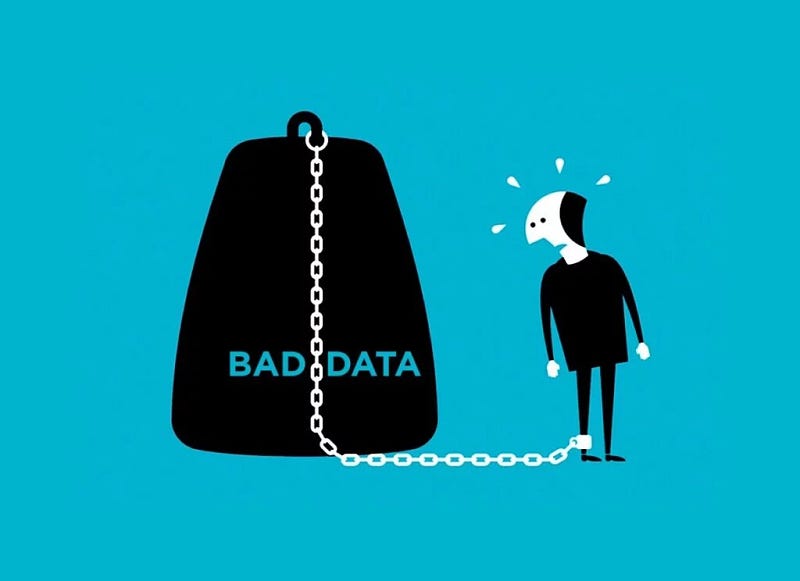
image: https://itchronicles.com/big-data/reasons-bad-data-is-harmful-to-your-business/

Dealing with bad data quality is a given with real-world data. Bad data can come from processing errors, networking issues, software bugs, end-user fat fingering a form, etc. A bad record in one table can cause downstream tables to propagate that same bad record. Resulting in diminished analytics for dashboards and incorrect KPIs. So how can you proactively root out bad data before it affects your users?

This article will walk through 3 methods I’ve used to help mitigate the effects of bad data in a data platform. These methods help keep bad data at bay so that you have time to react to changes in underlying expectations. The examples in this article focus on Delta Tables and PySpark as the underlying data platform, but the overall methods can also be applied to most other tech stacks.

All the code for this article is available in the repo here.

Table Constraints

Table level constraints ensure the quality and integrity of the data being written to a table satisfy a defined condition. When a constraint is violated, the suspect record is not added to the table, and the job fails with an error.

A table constraint is similar to a hard filter on the data. Data that violates the constraint is not added to the table.

Delta tables support standard SQL constraint clauses for NOT NULL and CHECK type constraints. These two methods help keep a consistent profile for the data written to a table and for all underlying data if a constraint is added to an existing table. Since Delta tables use standard SQL notation, the below syntax is pretty straightforward.

CREATE TABLE sales_order_details (
    business_entity_id STRING NOT NULL,
    sales_order_id INT NOT NULL,
    sales_order_detail_id INT NOT NULL,
    order_qty INT NOT NULL,
    product_id STRING NOT NULL,
    unit_price FLOAT NOT NULL,
    unit_price_discount INT,
    line_total FLOAT NOT NULL,
    carrier_tracking_number INT,
    modified_date DATE,
    source_file STRING
) USING DELTA;
ALTER TABLE sales_order_details 
    ADD CONSTRAINT negative_unit_price CHECK (unit_price > 0);
ALTER TABLE sales_order_details 
    ADD CONSTRAINT zero_order_qty CHECK (order_qty <> 0);

The NOT NULL constraints are added directly in line with the table schema, and the CHECK constraints are added with an ALTER TABLE table_name ADD CONSTRAINT after the table creation. For this example, the NOT NULL constraints ensure that all records have a value, and the two CHECK constraints validate that the data always adheres to these business rules:

  • unit_price should always be greater than 0
  • order_quantity should not be 0 but can be negative or positive

You would now be able to insert data using a MERGE INTO statement like the one below. The data containing new data is raw_sales_order_details.

MERGE INTO sales_order_details as a
    USING raw_sales_order_details as b
    ON a.sales_order_id = b.sales_order_id
    WHEN NOT MATCHED THEN INSERT *;

The significant call out when using Delta tables is if you are loading a batch of data, say 10 million records, and a single record is bad, all 10 million records will be rejected. Again, if one record in a whole batch is bad, the entire batch is rejected, and processing fails.

So how can you weed out a single bad record?

Quarantining

Quarantining data is the practice of filtering data and saving any filtered values in a separate location.

The assumption when quarantining data is that you can backfill those records or manually adjust the data and append them into the target table later.

The example below uses Spark SQL to create a temporary view named valid_sales_order_details which uses a filter to remove known bad data. The data in the temporary view is merged into the target table with a MERGE INTO statement, like the one above. Data that is quarantined will be saved into the table sales_order_details_quarantine.

CREATE OR REPLACE TEMPORARY VIEW valid_sales_order_details AS 
SELECT *
FROM raw_sales_order_details
WHERE 
    ( unit_price > 0 OR order_qty <> 0 );
MERGE INTO sales_order_details as a
    USING valid_sales_order_details as b
    ON a.sales_order_id = b.sales_order_id
    WHEN NOT MATCHED THEN INSERT *;
INSERT INTO sales_order_details_quarantine 
    SELECT *
    FROM raw_sales_order_details
    WHERE 
       ( unit_price < 0 OR order_qty = 0 );

The table sales_order_details_quaratine will receive any records that meet the filter condition. This will allow you to review the data written on the table and ask the appropriate owners about the validity of the data.

Once the data is approved as valid or a new record is created with the corrected data, those values can be appended to the correct table. The data on the table might become stale as you figure out the action plan. So what now?

Flagging

Flagging data when it does not meet expectations is a low-touch solution with little overhead. However, it can become unmanageable if you need a few dozen flags on a single table. This solution can easily be accomplished with a SQL CASE / WHEN with a GENERATED column statement.

CREATE TABLE sales_order_details (
    business_entity_id STRING NOT NULL,
    sales_order_id INT NOT NULL,
    sales_order_detail_id INT NOT NULL,
    order_qty INT NOT NULL,
    product_id STRING NOT NULL,
    unit_price FLOAT NOT NULL,
    unit_price_discount INT,
    line_total FLOAT NOT NULL,
    carrier_tracking_number INT,
    modified_date DATE,
    source_file STRING,
    negative_unit_price STRING GENERATED ALWAYS AS (
        CASE WHEN unit_price < 0 THEN 'Y' ELSE NULL END
    ),
    zero_order_qty STRING GENERATED ALWAYS AS (
        CASE WHEN unit_price = 0 THEN 'Y' ELSE NULL END
    )
) USING DELTA;

So now, when inserting into this table, any records with an invalid value are automatically flagged. The catch is that users need to know how to use these columns if this table is for analytic use. They’d need to construct queries like the one below.

SELECT *
FROM sales_order_details
WHERE 
    negative_unit_price is null 
    AND zero_order_qty is null

This can be time-consuming for analytic queries and might not be the best long-term solution for all user-facing tables.

Conclusion

Of the 3 methods in this article, I tend to use the ‘quarantine` and ‘constraint’ approaches for most downstream tables. These methods allow you to be proactive with data quality issues and enable a data team to react when there is a slide in quality. Your team needs to be invested in data quality from the start for these approaches to be beneficial. Data quality starts with a team culture that cares deeply about providing and monitoring quality. You can make all the great monitoring tools you want, but you don’t have a solution if there is no action.

Data quality is a huge development area; packages like Great Expectations eliminate most of the need to custom code a solution.

I hope these approaches can help you start your journey on ensuring quality!

Again, all the code for this article is available in the repo here.

Please consider liking this article and following me on Medium if you found this post helpful. I write about data engineering, books, tutorials, and more!

Cheers! — Steve

Data Quality
Delta Lake
Lakehouse
Databricks
Spark
Recommended from ReadMedium